
Written for the client
Audience: the client’s contact and decision-maker.
Tone: plain language, exceptions explained, nothing internal.
Scope: what the MSP did and how the service performed.
Output: a report and recommendations.
No Credit Card Required
Printed from checkflow.io/templates/managed-services/msp-monthly-client-health-check-checklist
Most MSPs find out a client is unhappy when the notice letter arrives. Looking back, the signs were there: tickets per user creeping up, an invoice sixty days overdue, a new finance director nobody had met. Each signal lived in a different system, and no one person looked at all of them. This free monthly client health check checklist gives account managers and service leads an internal routine for doing exactly that, one client at a time, before anything goes to the client. It reviews ticket trends and SLA status, estate health from the RMM, security signals, backup success, licence and asset changes, and the relationship and commercial picture. Each area gets a red, amber or green rating and the client gets an overall score. When the score is red, a conditional phase builds a recovery plan, gets it approved by the service manager and puts an executive call in the diary.
An MSP already produces plenty about each client every month. The Monthly Managed Services Report Checklist turns the month into a document the client reads. The SLA Performance Review Checklist validates the service-level figures and settles any credits. The MSP Daily Backup Monitoring Checklist catches failed jobs each morning. Each of those answers one question well. None of them asks whether this client is likely to renew.
The health check is that question, asked every month. It is internal and candid: it records the noisy user, the overdue invoice and the champion who has just left, things that never belong in a client report. It reuses the outputs of those routines and produces two things: a score the service manager can compare across clients, and a short list of actions. Once a quarter, three health checks become the internal briefing for the MSP QBR Checklist, so the account manager walks into the meeting already knowing where the relationship stands.
Audience: the client’s contact and decision-maker.
Tone: plain language, exceptions explained, nothing internal.
Scope: what the MSP did and how the service performed.
Output: a report and recommendations.
Audience: the account manager and service manager.
Tone: candid, including commercial and relationship risk.
Scope: service, estate, security, backup, relationship and money.
Output: a red, amber or green score and internal actions.
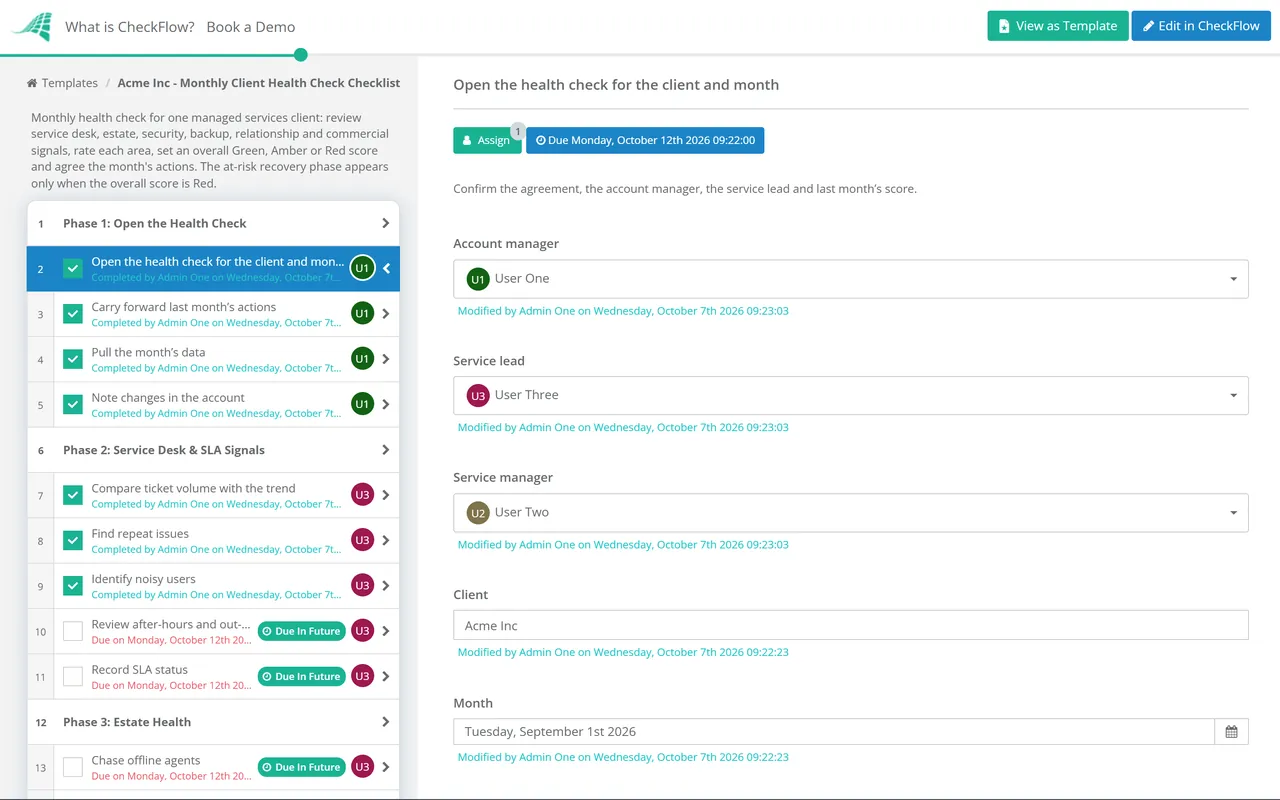
Six phases take one client from data pull to score and actions. Phase 7 appears only when the client scores red.
Run it after the SLA review and before the monthly report is written, so the report can address what the health check found.
This is the phase that never appears in a client report, and the one most likely to predict a renewal.
Shown only when the overall score is Red. Amber clients get actions in Phase 6, not a recovery plan.
A health score only works if two account managers looking at the same client would give the same answer. Write the rules down, keep them short and apply them every month. The thresholds below are examples of common practice to start from, not a standard. Tune them after a few months of scores.
| Area | Green | Amber | Red |
|---|---|---|---|
| Service desk | Tickets per user near the client’s own average, SLAs met | Volume up noticeably, a repeat issue open, a minor breach | A P1 breach, or volume rising for three months in a row |
| Estate | Agents reporting, patching inside your target | A handful of devices offline or failing patches | Unsupported operating systems or servers unpatched past your window |
| Security | MFA for everyone, detections resolved, Secure Score steady | Gaps in MFA, or a fall in Secure Score you can explain | An admin without MFA, an unresolved detection or a confirmed incident |
| Backup | Jobs succeeding, restore tested recently | Isolated failures, fixed within a day | A system outside its recovery point, or no recent restore test |
| Relationship | Good CSAT, contacts stable | A complaint or a lukewarm QBR | An escalation to your owner, or your champion has left |
| Commercial | Invoices paid on terms, scope matches the agreement | Late payment, or regular unbilled work | Invoices well overdue, or a request to cut scope or price |
Do not average the six ratings. A client that is green everywhere except security, with a global admin account that has no MFA, is not “mostly green”. A common rule is that any red area makes the client amber at least, and a red in relationship or commercial, or two reds anywhere, makes the client red.
Microsoft describes Secure Score as a measure of how many of its recommended actions have been taken, not as a measure of how likely a breach is, so record the trend and the reason for each change rather than chasing the number. Risky sign-in detail depends on licensing: with Microsoft Entra ID Free or P1 the risky sign-ins report shows limited information without risk levels, and full detail needs Entra ID P2. For operating-system risk, Windows 10 reached end of support on 14 October 2025. Organisations can buy Extended Security Updates a year at a time for up to three years, and the price doubles each year, so any Windows 10 device that is not enrolled belongs in the red column.
A recurring schedule creates a health check for each client at the start of the month, assigned to the account manager with the data pull assigned to the service lead. A client nobody has looked at shows up as overdue, not as a surprise at renewal.
Conditional logic adds the recovery phase only when the score is Red, and the plan waits for the service manager’s approval before anything is promised to the client.
The grid view lines up every client’s health check for the month, so the service manager can see which clients are red, which actions are overdue and which account managers are behind. Three months of scores make the QBR briefing write itself.
Monthly client reviews are one of the recurring processes the MSP process management guide recommends standardising. CheckFlow for MSPs runs them alongside onboarding, reporting, QBRs and renewals across every client.
A red score close to the end of a term should start the renewal early. The Managed Services Agreement Renewal Checklist picks up the health scores, and its retention phase takes over when a client has given notice.

Monthly Managed Services Report Checklist

MSP Quarterly Business Review (QBR) Checklist
Managed Services Agreement Renewal Checklist

Customer Success Strategy Template

MSP Client Documentation Audit Checklist Template
Describe the process in a sentence and the AI checklist generator drafts the phases and tasks for you.
It is an internal monthly review of one managed services client, done by the account manager or service lead. It brings together signals that normally sit in separate systems: ticket trends and SLA status from the PSA, estate health from the RMM, security and backup results, licence and asset changes, and relationship and payment signals. The output is a red, amber or green score and a short list of actions, with a recovery plan for any client scored red.
Usually not as a score. The health check records things that are unhelpful to share bluntly, such as a noisy user or slow payment, and a client who sees “amber” will spend the meeting arguing about the label. Share what the score is based on instead: the service, security and backup findings go into the monthly report, and the actions you agree become recommendations the client can see.
For a small or mid-sized client, often between fifteen and forty-five minutes once the data is easy to pull. Most of the time goes on Phases 2 to 4, and much of that is reading outputs that already exist, such as the SLA review and the daily backup log. If it takes much longer, the data pull is the problem: build saved reports in the PSA and RMM so Phase 1 is a few exports, not an afternoon.
No. CSAT and NPS tell you how users or the client contact feel about recent service, and they are one input to the relationship area. A health score combines that with signals the client never reports, such as estate risk, unresolved security issues, overdue invoices and the loss of your main contact. A client can give excellent CSAT scores right up to the month the new managing director moves to another provider.
Treat amber as a warning with a deadline. Agree one or two actions in Phase 6 that address the reason for the rating, give each an owner and a date, and check them at the start of next month’s health check. A client that stays amber for three months without improvement is heading for red, and many MSPs make that a rule: three consecutive ambers count as red.
14-day free trial, no card required. The Business plan is $10 per user per month after the trial. Full details at checkflow.io/pricing.
14-day free trial, no credit cardFull refund in your first 30 daysUS hosting, EU on request