You've been there: chasing an approval that's sitting unread in someone's inbox, re-keying the same data from one system into another for the third time this week, or realising — again — that a critical onboarding step was skipped because nobody thought to check. These aren't isolated failures. They're the predictable output of processes that rely on human memory and manual handoffs to hold together.
Workflow automation is the technology that replaces that reliance. It executes multi-step processes automatically, based on rules you define, without requiring constant human intervention at every step. The global workflow automation market hit $26 billion in 2026, and organisations that automate report saving 60–90 minutes per employee per day — a gain that compounds significantly at team scale.
This guide covers everything you need to understand and implement workflow automation: what it is and how it works, the main types, real-world examples across IT, HR, finance, and more, a step-by-step implementation guide, how to choose the right tool, and where AI fits in 2026. If you've been meaning to start automating but weren't sure where to begin — this is the place.
What Is Workflow Automation?
Workflow automation is the use of software to execute a sequence of tasks, route information, and manage process handoffs automatically — based on rules you define — without requiring human intervention at every step. When the defined conditions are met, the system acts. People are involved where judgment is needed, not where rules are enough.
The distinction between a task, a workflow, and a process matters here. A task is a single action: send an email, update a record, generate a document. A workflow is a sequence of tasks that, together, accomplish a goal — an IT access request that moves from submission through approval to provisioning. A process is the broader context: the overall business operation the workflow belongs to, such as IT service delivery or employee onboarding. Automation removes the human from the steps that don't require human judgment, leaving people in the loop only where their involvement adds genuine value.
Workflow automation doesn't replace people. It replaces the parts of their job that didn't need a person in the first place — repetitive, rule-based steps that slow work down and introduce errors. People stay in the loop for decisions, exceptions, and anything requiring judgment.
The scale of the opportunity is substantial. Research consistently shows that 94% of companies perform repetitive, time-consuming tasks that could be automated. Yet 68% of employees report having too much work to handle each day. That gap — between what automation could remove from people's plates and what has actually been automated — is where most organisations' productivity gains are hiding. The technology to close that gap has never been more accessible, more affordable, or more capable than it is in 2026.
How Workflow Automation Works
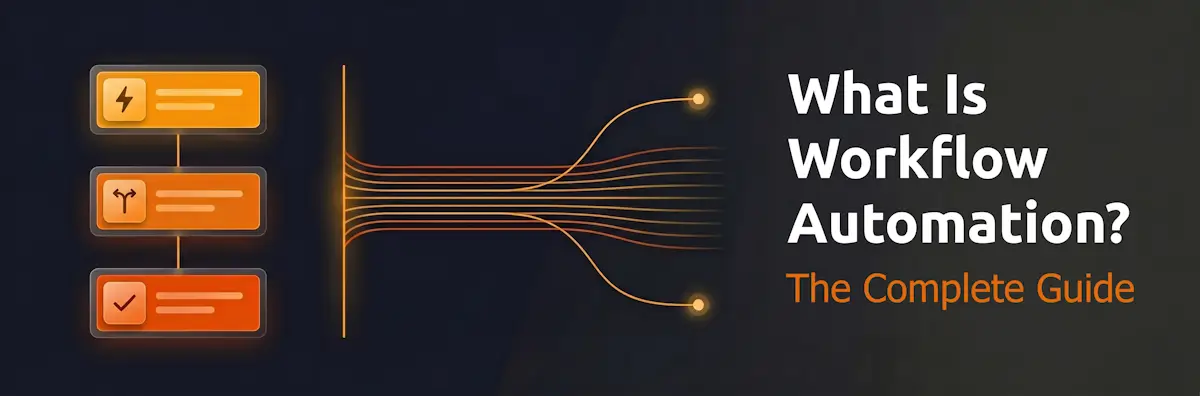
Every workflow automation, regardless of complexity, follows the same three-part model: something starts the workflow, logic determines what happens next, and actions execute automatically. Understanding this model is the foundation for building automations that actually work.
Trigger
The workflow starts when a defined event occurs. Triggers can be event-based — a form is submitted, a file is uploaded, a record is created or modified, an email arrives with a specific subject line. They can be schedule-based — every Monday at 8am, on the last working day of the month, 30 days before a contract renewal date. They can be threshold-based — when a support queue exceeds 50 tickets, when server CPU hits 90%, when an invoice goes 7 days past due. Or they can be manual — a team member clicks "Start workflow" for processes that don't have a natural automated event. The trigger is the starting gun; everything else follows from it.
Conditions (the logic layer)
After the trigger fires, the system evaluates conditions to determine what happens next. Conditions are the "if/then" logic that gives a workflow its intelligence: if the ticket priority is Critical, route to the on-call engineer; if the expense is under £500, auto-approve; if the new hire is in the London office, assign the London-specific onboarding tasks. This is where branching, conditional logic, and parallel paths are defined. A sophisticated workflow may have dozens of conditions; a simple one may have none — just "if trigger fires, always do X." The conditions layer is what separates a workflow from a simple notification: it makes the system responsive to the actual data, not just the event.
Actions
The workflow executes automatically. Actions include creating or updating records in your CRM, ITSM, or HRIS; sending notifications via email, Slack, or SMS; assigning tasks or checklists to specific people; generating documents; triggering other workflows; routing items to approval queues; and calling external APIs. The output of each step becomes the input for the next — this is data mapping. When a form is submitted, the submitter's name, date, and request type flow into every subsequent action automatically, with no re-keying required. The workflow carries the data forward.
A concrete example makes the model tangible. Consider an IT access request: an employee submits a request form (trigger) — the system checks whether the software requires manager approval based on licence cost (condition) — if yes, the request routes to the manager with a one-click approval link; if no, the system auto-approves and creates the account immediately (action) — a confirmation is sent to the employee and the event is logged in the audit trail. What previously involved emails, spreadsheets, and manual follow-up now runs in minutes, without anyone forgetting a step or losing a request in their inbox.
Types of Workflow Automation
Workflow automation software is not a single technology — it's a category that spans several distinct patterns, each suited to different kinds of work. Understanding the main types helps you identify which applies to the processes you're trying to automate.
Rule-Based Automation
The simplest and most common type. The workflow follows a fixed set of if/then rules, executing the same actions every time the same conditions are met. Ideal for high-volume, low-variation processes like invoice approval below a threshold, password reset requests, and standard change management. Rule-based automation is predictable, fast to build, easy to audit, and — critically — easy to explain to the people who run it. When the rules are clear, the automation is clear.
Event-Triggered Automation
Fires when a specific event occurs in a connected system — a new lead enters the CRM, a failed login attempt is detected, a completed checklist is submitted in CheckFlow. Event-triggered workflows are real-time: the moment the event occurs, the workflow starts. Most IT incident management and security alert workflows are event-triggered, because speed of response is part of the value. The event is the signal; the automation is the response.
Conditional / Branching Workflows
More sophisticated than rule-based automation: the path the workflow takes depends on data evaluated at runtime. A new employee's onboarding checklist might branch based on department, location, role type, or employment classification — each path involving different tasks, approvals, and system access. Branching workflows handle real-world complexity without requiring manual intervention at decision points. The logic is pre-defined; the routing happens automatically based on what the data says.
Approval Workflows
A specific pattern used across every department: something is submitted, it routes to one or more reviewers, it is approved or rejected, and the outcome triggers the next step. Purchase orders, leave requests, access requests, change requests, and compliance sign-offs are all approval workflows. The defining feature is a human decision point in the middle — automation handles the routing, tracking, escalation, and recordkeeping around that decision. The human approves or rejects; the system handles everything else.
Scheduled / Recurring Workflows
Run on a timetable rather than an event: monthly compliance checklists, weekly status reports, quarterly access reviews, daily backup verification runs. Scheduled workflows are the digital equivalent of the repeating calendar reminder — except they don't just remind, they actually execute the tasks and track completion. For IT teams and MSPs running recurring process checklists, this type delivers some of the highest ROI of any automation investment, because the work was already happening — it just required someone to remember to start it.
Parallel / Concurrent Workflows
Multiple branches run simultaneously. In a complex hiring workflow, the background check, IT equipment order, and building access request might all trigger in parallel when an offer is accepted — rather than queuing sequentially. Parallel workflows dramatically reduce elapsed time for multi-team processes. When work can happen concurrently, there's no reason to serialise it.
AI-Driven / Agentic Automation
The fastest-growing category in 2026. Rather than following fixed rules, AI-powered workflows can evaluate unstructured inputs — email text, ticket content, document data — classify them, make routing decisions, and adapt their behaviour based on patterns. This category includes intelligent document processing, AI-driven ticket routing, and fully agentic workflows where AI agents orchestrate complex multi-step processes with minimal human oversight. Covered in detail in the AI section below.
Workflow Automation vs Task Automation vs BPM
The same terms get used interchangeably across software marketing, vendor documentation, and IT discussions — but "workflow automation," "task automation," "BPM," and "iPaaS" describe meaningfully different things. Getting the distinctions right saves you from choosing the wrong tool for the job.
| Concept | Scope | Primary Goal | Best For |
|---|---|---|---|
| Task Automation | Single action | Eliminate one manual step | Data entry, file formatting, simple notifications |
| Workflow Automation | Sequence of connected tasks | Replace entire multi-step processes | Approvals, onboarding, incident management, recurring checklists |
| BPM (Business Process Management) | Enterprise-wide processes | Model, optimise, and govern all business processes | Large enterprises, compliance-heavy environments, process transformation programmes |
| iPaaS / Integration Platforms | Cross-app data flows | Connect systems and trigger actions across tools | Technical teams, complex integrations between many SaaS tools |
In practice, these categories overlap. A modern workflow automation tool often handles task automation as a side-effect, and many BPM suites have evolved to include workflow automation capabilities. The key question isn't "which category does this fall into?" — it's "which tool solves my actual problem fastest?" For most teams dealing with repeating operational processes, workflow automation is the right starting point. BPM methodology is valuable when you need to model, measure, and optimise processes at enterprise scale — but it's overkill for teams that simply need their onboarding checklist to run automatically every time a new hire joins.
The distinction between iPaaS tools — Zapier, Make, n8n — and workflow execution tools like CheckFlow is worth making explicit. iPaaS platforms automate data flows and integrations between software systems: when X happens in App A, do Y in App B. They're excellent at the plumbing layer. Workflow execution tools automate the human-facing steps: task assignment, checklist execution, sign-offs, and verification. Most organisations eventually need both, doing different jobs — the integration platform moves the data; the execution tool makes sure the right people do the right things with it.
The Business Case: ROI and Statistics
The case for workflow automation isn't theoretical. The productivity and financial returns are well-documented, and the organisations seeing them are not outliers — they're any team that has automated a process that previously relied on manual coordination.
The global workflow automation market reached $26.01 billion in 2026 and is growing toward $40.77 billion by 2031 — a rate of growth that reflects both the scale of the opportunity and the pace of adoption. More than 80% of organisations have already increased their automation investment, and the same proportion are planning to adopt intelligent automation technology in the next two years. Adoption is no longer a differentiator; falling behind is the risk.
The productivity numbers are the most immediately compelling. Employees save 60–90 minutes per day once their key workflows are automated — equivalent to recovering 4–7.5 hours per week, per person. For a team of 20, that's 240–600 hours of recovered capacity every week: time that was previously consumed by chasing approvals, re-entering data, and manually starting processes that could have started themselves. Seventy-three percent of IT leaders credit automation for helping employees save 10–50% of the time previously spent on manual tasks, and organisations report 30–40% productivity gains in the first year of full workflow automation deployment.
For a team of 20, that's 240–600 hours of recovered capacity every week — time currently absorbed by manual coordination that could be redirected to work that actually moves the business forward.
The ROI timeline is faster than most organisations expect. Research shows 60% achieve full ROI within 12 months of implementation, and 78% within 18 months. Finance automation specifically delivers an average 214% ROI over three years. Simple automation projects — a single-department approval workflow, an onboarding checklist — often show measurable gains within weeks of going live. The delays that slow ROI are almost always in process design and change management, not in the technology itself.
Quality and error reduction compound the productivity gains. Automated processes reduce errors by 40–75% compared to manual execution, because rules are applied consistently every time — there's no version where someone forgot to copy in the compliance team, or approved an expense that was over the policy threshold. Eighty-six percent of employees believe automation will help them do their job more efficiently, which matters: adoption is faster when the people running the process want it to work.
Counterpoint — and it's worth stating plainly: not every automation project succeeds. Ninety percent of automation projects that fail do so because of technical issues rooted in poor process design; 37% cite implementation costs as a barrier; 25% had no clear strategy. The ROI is real, but it requires process clarity before automation, not automation before process clarity. Automating a broken process produces broken automation, faster. The section on implementation below addresses this directly.
Real-World Examples by Department
Abstract definitions only go so far. The clearest way to understand what workflow automation actually does is to look at specific processes — in specific departments — and see what changes when the manual steps are replaced by rules and triggers.
IT Operations
IT onboarding is one of the highest-ROI automation targets in most organisations. When a new employee is created in Active Directory, the workflow automatically provisions software licences, creates user accounts in each required system, assigns an onboarding checklist to the IT team with due dates per task, and notifies the manager when every step is complete. What used to take 2–3 hours of back-and-forth email coordination gets done in minutes — and nothing gets missed because someone was busy.
Incident management follows a similarly well-defined path. A monitoring alert fires, a ticket is created automatically in the ITSM tool, severity is assessed by rules, the on-call engineer is paged if it's a P1 or P2, an escalation timer starts, and if there's no acknowledgment in 15 minutes, the escalation goes to the team lead. Resolution triggers the post-incident review checklist. Every step is tracked, every handoff is documented, and the human effort is focused on the actual incident — not the coordination around it.
Access request management is another perennial time-sink. An employee submits a request form, rules check whether manager approval is required based on system sensitivity, the approval is routed automatically, access is provisioned or denied, and an audit record is created. Every step is documented without anyone having to manually log it.
HR
Employee onboarding and offboarding are the canonical HR automation use cases. When an offer is accepted, the onboarding workflow triggers: checklists are assigned to HR, IT, and Facilities; the background check is initiated; an equipment order is created; the welcome email is sent; and 30/60/90-day check-ins are scheduled. All tasks are tracked, all sign-offs are recorded, and nothing falls through the cracks because a coordinator was on annual leave.
Offboarding carries even higher risk when done manually. A resignation triggers the offboarding workflow across IT, HR, Payroll, and Facilities — access is revoked on the last day, the exit interview is scheduled, equipment return is tracked, and payroll is notified. The IT offboarding security checklist is particularly important: every access door closed, every account deactivated, with a timestamped record of completion. Leave management follows the same pattern: request submitted, entitlement checked, manager notified for approval, payroll updated, team calendar updated, employee notified. A process that took multiple emails and manual calendar entries takes seconds.
Finance
Invoice approval is a classic approval workflow: invoice received, data extracted, checked against the purchase order, routed to the budget owner if it exceeds the auto-approval threshold, queued for payment on approval, and a confirmation sent to the supplier. Average processing time drops from days to hours. Expense management follows the same logic — claim submitted, receipts attached, policy rules applied, auto-approved within policy or escalated outside it, synced to the accounting system, employee notified. The finance team's time shifts from chasing approvals to exception handling.
Customer Service
Ticket routing is where automation delivers immediate and visible impact. A new support ticket arrives, its category is detected from the subject line or AI classification, it's routed to the right team, the SLA timer starts, and if there's no response within the defined window, an escalation triggers automatically. Customer onboarding follows: a new contract is signed, an onboarding project is created, a kick-off invitation is sent, and the account manager's onboarding checklist is assigned with milestones tracked against the project timeline.
Sales / CRM
Lead assignment is the highest-volume sales automation. A new lead submits via the website form, an enrichment API adds company size and industry, scoring rules are applied, high-score leads are assigned to senior reps while others go to the SDR queue, a personalised follow-up email is sent, and the CRM record is created and tagged. All of this happens in seconds, without any manual work. Contract renewal automation catches at-risk accounts: 90 days before expiry, the account manager is notified, the renewal proposal workflow triggers, and if no action is taken in 30 days, the escalation goes to the sales manager.
MSP / Managed Service Delivery
MSPs run the same processes across multiple clients — which makes automation leverage extraordinarily high. Client onboarding triggers across technical, billing, and account management simultaneously: the RMM agent is deployed, documentation is started in the PSA, client contacts are added to communication lists, and every task is tracked. Monthly recurring tasks run on schedule: patching checklists assigned to the relevant engineer, results documented, client reports generated, tickets closed and logged against SLA — all without anyone manually starting the process. Escalation management ensures that SLA breach risk never goes unnoticed, with automatic tier-2 escalation and client notification when breach is confirmed.
Is Your Process Ready to Automate?
The most common automation mistake isn't choosing the wrong tool — it's automating the wrong process. A broken, unclear, or highly variable process will produce broken, unclear, variable automation, just faster. Before you automate anything, evaluate the process against the criteria below.
- Repetitive — Is this done at least weekly (ideally daily), or at high volume? Automation ROI is proportional to frequency. A process done once a quarter may not justify the build.
- Rule-based — Can the decisions in this process be described as "if X, then Y"? If the answer often depends on human judgment that's hard to codify, automation will struggle with the exceptions.
- Multi-step — Does it involve at least two distinct actions, especially across different people or systems? Connecting those handoffs is where automation delivers the most value.
- Currently documented — Can you describe the process from start to finish? Automation requires you to have thought through every step. Undocumented processes reveal their complexity when you try to automate them — use that as a forcing function.
- Prone to errors or delays — Do steps get missed, approvals get lost in email, or data get mis-entered? These are the exact failure modes automation eliminates.
- Stable — Is the process unlikely to change significantly in the next 6–12 months? Frequently changing processes need to be stabilised before they're worth automating.
- Data-complete — Does the trigger event produce all the data the workflow needs? Automations that rely on incomplete or inconsistent input data fail unpredictably.
A process that scores 5–7 out of 7 is a strong candidate — automate it now. A score of 3–4 suggests the process needs to be documented and stabilised first, then revisited for automation. Under 3, and you're probably better served by a more structured manual workflow management approach before introducing automation.
Some processes should not be automated, at least not with rule-based tools. Creative strategy, novel customer escalations, complex problem-solving, and anything where the "right answer" changes based on context that can't be captured in rules all require human judgment. Automation is for execution; keep humans in the loop for judgment. The goal isn't to automate everything — it's to automate the right things, so that the humans doing them can focus on the work that genuinely needs them.
Start Automating with Ready-Made Templates
CheckFlow includes templates for the most common IT and operations workflows. Start with a template, customise it to your process, and have your first automated workflow running today.
Browse Free TemplatesHow to Implement Workflow Automation: A Step-by-Step Guide
Workflow automation projects succeed or fail in the planning stage, not the technology stage. The six steps below are the practical framework for getting from "we should automate this" to "this is running and working."
Identify and prioritise the right process
Don't start with the most complex process in the business. Start with the one that is most painful, most frequent, and most clearly defined. Use the automation-ready checklist above. A good first automation is one that your team will notice immediately — a time-sink they hate, a step that constantly breaks. Quick wins build internal support for the broader programme, demonstrate ROI fast, and give your team confidence in the approach before you tackle harder processes.
Map the current process in detail
Before touching any software, document every step of the current process: who does what, when, in what system, and what decisions are made along the way. Draw it out. Include the exceptions — what happens when something goes wrong, who escalates, what the edge cases are. You cannot automate what you haven't fully thought through. This step often reveals that the process is more complex (or more broken) than people assumed — and that's valuable information. Better to find it now than after you've built the automation. If you need help capturing processes formally, how to write an SOP is a useful companion guide.
Redesign the process for automation
Don't automate the current process — automate the improved version. Remove steps that only exist because the old manual process required them. Simplify decision rules. Standardise inputs. Define what "done" looks like at each step. Ask: if this process ran perfectly every time, what would it look like? That's what you're building. Automating an inefficient process produces efficient inefficiency — the waste is faster, not gone.
Build and configure your workflow
Set up your trigger, define your conditions and branching logic, and configure your actions. Start simpler than you think you need to — you can always add complexity; debugging over-engineered automations is costly. Define your error handling: what happens if an action fails? Where does the workflow pause for human review? Build notifications for failures, not just successes. A workflow that fails silently is worse than no automation at all, because it produces the confidence of automation with the reliability of manual work.
Test before going live
Run the workflow end-to-end in a test environment with realistic data, including edge cases and error conditions. Involve the people who will use it — they will find gaps in the logic that you won't. The goal is to find the failures before they appear in production. Check that audit trails are being recorded correctly. Verify that notifications fire at the right times and go to the right people. Test the failure modes, not just the success path. One documented case found 40% of loan processing applications failing due to untested edge cases — thorough testing is not optional.
Launch, monitor, and improve
Go live with the understanding that version 1 is not final. Monitor the workflow actively for the first few weeks: look for tasks that stall, steps that error, and edge cases that weren't anticipated. Set up alerts for workflow failures. Review completion metrics. Gather feedback from the people running the process. Automation is not set-and-forget — it's a system that needs maintenance as the process and the business change. The organisations that get the most from automation treat it as a living system, not a one-time project.
Choosing the Right Automation Tool
The workflow automation software market is crowded and confusing, partly because the same term — "workflow automation" — is used to describe tools with very different purposes. Understanding the four main tool categories will save you from choosing a hammer when you need a screwdriver.
No-Code / Low-Code Workflow Builders
Tools in this category focus on making it easy for non-technical users to design and deploy approval workflows, request management processes, and structured business operations. Best for operations teams who need to build workflow-driven processes without developer involvement. They typically include form builders, approval routing, task assignment, and basic reporting. The tradeoff is that they can become complex quickly when processes have significant branching logic or require integration with many external systems.
iPaaS / Integration Platforms (Zapier, Make, n8n)
These are integration-first tools: connect App A to App B, and when X happens in A, automatically do Y in B. Excellent at moving data between systems, triggering actions across your software stack, and automating data-heavy flows. They are less suited for human-in-the-loop workflows where tasks need to be assigned, tracked, and signed off by specific people. Think of iPaaS as the plumbing between your systems — it handles the data flows. It does not replace process execution tools. The two categories complement each other rather than compete.
Checklist and Process Execution Tools (CheckFlow)
Checklist-based workflow tools automate the human-facing side of operations: assigning tasks to the right people, enforcing step order, capturing sign-offs, and producing a complete audit trail of every run. Where iPaaS automates what systems do, execution tools automate what people do. A CheckFlow workflow can be triggered automatically via webhook, assigned to a team member, tracked to completion, and recorded as evidence — making it the execution layer that sits on top of your integrations. Ideal for IT teams, MSPs, and operations teams running repeating processes that require human actions at each step, with a defensible record of what was done and when. See best SOP software for a broader comparison of tools in this space.
Enterprise BPM Suites (Pega, Appian, IBM)
Full-featured platforms built for large organisations with complex, compliance-driven, multi-department processes. High implementation cost and effort, but deep capability: process modelling, simulation, optimisation analytics, and enterprise governance. Appropriate when the process directly touches regulatory compliance, involves hundreds of users, or requires the full BPM methodology and toolset. For most SME or mid-market use cases, this level of investment produces diminishing returns — the overhead of implementation and maintenance often outweighs the gains for teams that just need their processes to run reliably.
Most organisations benefit from a combination: an iPaaS platform for system integrations, and a workflow execution tool for the human steps. The mistake is choosing one and expecting it to do both jobs well. They're solving different problems, and treating them as substitutes leads to gaps in either the automation layer or the process execution layer.
AI and Workflow Automation in 2026
Workflow automation in 2026 is not the same as workflow automation in 2022. The addition of AI to automation platforms has shifted what's possible from "automate what you can perfectly define" to "automate what you can describe." That's a fundamentally different capability, and it's changing the scope of what organisations can realistically automate.
Natural Language Workflow Creation
Modern platforms increasingly allow users to describe a workflow in plain English and have AI generate the initial configuration. This lowers the barrier to entry significantly — non-technical users can now build sophisticated workflows without learning the platform's configuration syntax. The output still needs human review, but the starting point is 80% done rather than blank. For operations teams who've been blocked by a dependency on IT or developers to build automations, this is a genuine unlock.
Intelligent Classification and Routing
AI-driven classification enables workflows to route work based on the content of a request, not just its metadata. A support ticket doesn't need to be tagged correctly by the submitter — AI reads the description and routes it to the right team. An invoice doesn't need a specific format — AI extracts the relevant fields regardless of layout. This eliminates a major failure mode of rule-based automation: the assumption that input data is always clean and correctly formatted. In real-world processes, it rarely is.
Agentic Automation
The most significant shift in 2026: AI agents that don't just follow fixed rules but make decisions, adapt to new information, and orchestrate complex multi-step processes autonomously. An agentic IT workflow might detect an anomaly, investigate it, attempt a remediation, verify success, and only escalate to a human if the automated fix fails — with a full log of every action taken. This is the "hyperautomation" category, combining AI, RPA, workflow automation, and process mining into systems that can handle genuinely complex, variable work without constant human direction.
Process Discovery and Optimisation
AI-powered process mining tools analyse system logs and user behaviour to identify where processes are actually breaking down — not where documentation says they should break down. This helps organisations find automation candidates they didn't know they had, and diagnose why existing automations aren't performing as expected. Rather than relying on process owners to identify inefficiencies, the system surfaces them automatically from observed behaviour.
A grounding note: AI doesn't eliminate the need for well-designed processes. An AI-powered automation of a broken process is still a broken process, just faster and harder to debug. The fundamentals — clear ownership, defined outcomes, tested logic — still apply. AI expands what's automatable and lowers the cost of building automations, but it doesn't replace the discipline of process design.
Common Workflow Automation Mistakes
Mistake 1: Automating a broken process. The most common and costly mistake. A process that was already producing errors, causing confusion, or missing steps will produce the same failures when automated — just faster and at greater scale. Automation amplifies whatever is already there. The fix: document and clean up the process first. Automation is the reward for process discipline, not a substitute for it.
Mistake 2: Building too much complexity upfront. First automations are often over-engineered: every conceivable exception handled, every edge case branched, every notification fired. The result is an automation so complex it's impossible to debug when it fails — and it will fail. The fix: start with the happy path. Get that right. Add exception handling incrementally as real edge cases appear in production.
Mistake 3: No error handling or failure alerts. Silent automation failures are dangerous. When a step fails and nothing alerts the team, work stops without anyone noticing — until a deadline is missed or a customer complains. The fix: build failure notifications into every automation from day one. Every critical path should have a human escalation route when automation fails.
Mistake 4: Poor data quality at the trigger point. Automations that depend on input data are only as reliable as that data. Inconsistent formats, missing fields, and duplicate records all cause automations to behave unexpectedly or fail silently. The fix: validate inputs at the trigger point. Enforce required fields in forms. Reject or flag records that don't meet the expected format before the workflow acts on them.
Mistake 5: No monitoring after launch. Automation is not set-and-forget. Workflows that run successfully for six months can break when an upstream system is updated, a team member leaves, or a policy changes. Without monitoring, these breaks go unnoticed until they cause damage. The fix: review workflow performance metrics monthly. Set up automated health checks. Flag any workflows with declining completion rates or increasing error rates.
Mistake 6: Inadequate testing. Deploying automations without thorough testing — especially with edge case data — is the second most common cause of automation project failure. In one documented case, 40% of loan processing applications failed because of untested edge cases in the automated decision logic. The fix: test with realistic data, including intentionally malformed or edge-case inputs. Test failure modes, not just success paths. Involve process owners in user acceptance testing.
Mistake 7: Ignoring the humans in the workflow. Automation projects that don't involve the people running the process day-to-day typically fail at adoption. If the people who do the work don't trust the automation, they'll work around it — defeating the purpose. The fix: co-design workflows with the people who run them. Explain why each automated step exists. Make it easy to flag problems. Resistance to automation is almost always rooted in fear of losing control; transparency and involvement are the remedy.
Workflow Automation and Compliance
For IT teams and MSPs, the compliance angle on workflow automation is one of the most compelling — and most underappreciated — parts of the value proposition.
Every compliance framework — SOC 2, ISO 27001, HIPAA, Cyber Essentials, NIS2 — requires evidence that controls were performed. Manual processes produce patchy evidence: email threads, calendar invites, someone's word that the access review happened. Automated workflows produce a complete, timestamped record of every action, every approval, every sign-off — automatically, without anyone remembering to document it. The audit trail is a byproduct of running the process, not a separate documentation exercise performed under audit pressure.
Compliance failures often happen not because the policy was wrong, but because the process wasn't followed consistently. Automation eliminates that variability: the quarterly access review happens every quarter, not "when someone remembers." The IT offboarding checklist completes all 47 steps, not 43. Every new employee gets exactly the same data security training, in the right order, on the right day. Consistent execution is the compliance outcome; automated workflow is the mechanism that produces it at scale.
Role-based access and approvals are enforced by the workflow itself. An approval that requires the CISO's sign-off cannot proceed without it — the system holds the process at that step until the required approval is received. The audit trail records who approved what, and when, without any manual logging. Similarly, segregation of duties is enforced by design: the person who requests access cannot also be the person who approves it. The rule is enforced automatically, every time, without relying on anyone to remember the policy.
For IT teams and MSPs managing compliance on behalf of clients, workflow automation isn't just an efficiency gain — it's the infrastructure that makes consistent, defensible compliance achievable at scale without growing the team that delivers it.
Free Workflow Automation Templates
The fastest way to start automating is with a template designed for your process. CheckFlow includes ready-to-run workflow templates for the most common IT and operations processes — covering onboarding, offboarding, incident management, change control, and compliance. Each template is immediately usable and fully customisable. Click any template to see a live demo.




Where CheckFlow Fits in Your Workflow Automation Stack
Most workflow automation tools automate what systems do. CheckFlow automates what people do.
When a new employee joins, your iPaaS platform — Zapier, Make — might automatically create their accounts and send a welcome email. But who verifies the accounts were set up correctly? Who ensures the security awareness training was completed? Who confirms the laptop was configured to policy? Those are human steps — and a human step without structure is where things get missed, skipped, or forgotten. The integration runs; the checklist doesn't.
CheckFlow converts your SOPs and processes into live, runnable checklists that are assigned to real people, executed in a defined order, tracked in real time, and completed with a timestamped audit trail. Every run produces evidence. Nothing is assumed done because it was on a list — it's marked done when a human completes it and signs off. The gap between "we have a process" and "the process actually runs" is exactly what CheckFlow closes.
CheckFlow is particularly suited for IT teams managing repeating technical and administrative workflows — onboarding, offboarding, change management, incident response; MSPs running structured service delivery workflows on behalf of clients, where consistent execution across every client is both a commercial necessity and a compliance requirement; operations teams that need consistent process execution with evidence for compliance or QA purposes; and any team where "we have a process" currently means "we have a document" — and the gap between the two is causing problems.
CheckFlow integrates with your existing stack via Zapier, so workflows can be triggered automatically from events in other tools — a new employee in your HR system, a ticket closed in your PSA, an alert from your RMM. The execution layer connects to whatever triggers the work. The result is a complete automation stack: the integration platform handles the data flows; CheckFlow handles the human steps that the data flows initiate.
If you're ready to move from documented processes to executed ones, CheckFlow is built for exactly that.
Turn Your SOPs Into Executed Workflows
Stop relying on documents that sit unread in wikis. CheckFlow converts your processes into live, trackable checklists — so every step gets done, by the right person, with a complete audit trail.
Start free trialFrequently Asked Questions
What is workflow automation in simple terms?
Workflow automation is the use of technology to complete a sequence of tasks automatically, based on rules you define — without requiring a human to manually trigger or complete each step. A trigger (a new support ticket, a form submission, a scheduled time) starts the workflow. Conditions check the data. Actions execute automatically: updating records, routing approvals, sending notifications, or running checklists. The result is consistent, fast, auditable execution that scales without adding headcount — the work happens whether or not anyone remembers to start it.
What is the difference between workflow automation and task automation?
Task automation handles a single, isolated action — automatically resizing an image, or sending a birthday email. Workflow automation connects a sequence of tasks, with logic that determines what happens next at each step. A task is one action; a workflow is the full chain of actions, decisions, and handoffs that produce an outcome. Workflow automation is more powerful and more valuable because it replaces entire multi-step processes, not just individual steps — and it handles the handoffs between those steps, which is where most manual work actually lives.
How long does it take to see ROI from workflow automation?
Faster than most people expect. Research shows 60% of organisations achieve full ROI within 12 months of implementation, and 78% within 18 months. Simple automation projects — single-department workflows like approval routing or onboarding checklists — often show measurable gains within weeks of going live. The delays that slow ROI are almost always in process design and change management, not in the technology itself. Starting with a well-defined, high-frequency process is the fastest route to visible ROI.
Which processes are the best candidates for workflow automation?
The best candidates share four characteristics: they are repetitive (done frequently, not occasionally), rule-based (clear logic governs what happens next), multi-step (at least two distinct actions, often across systems or teams), and time-sensitive (delays cause measurable problems). Classic examples include IT onboarding, offboarding, approval workflows, incident escalation, invoice processing, and compliance checklists. Processes involving high human judgment, creative work, or unpredictable exceptions are poor candidates — at least with rule-based automation. Use the automation-ready checklist in the "Is Your Process Ready to Automate?" section above to score your candidates.
What is the difference between workflow automation software and BPM?
Workflow automation software focuses on executing specific processes reliably — you configure triggers, conditions, and actions, deploy the workflow, and run it. Business Process Management (BPM) is a broader discipline: it includes process modelling, optimisation analysis, governance, and the methodology for managing processes as organisational assets. In practice, BPM suites are typically used by large enterprises for complex, compliance-heavy processes requiring the full methodology. Workflow automation tools are more accessible, faster to deploy, and cover the majority of operational use cases for SMEs and mid-market businesses — without the implementation overhead.