Version 3 of the CheckFlow REST API is a ground-up rebuild rather than an extension of v2. It lives at its own address, takes one header, gives every API key an identity of its own, answers every error in the same envelope with a request ID you can quote to support, and lets you retry a write without doing the work twice. Close to a hundred endpoints cover everything the app can do.
The short version of why: v2 grew up alongside the product, one endpoint at a time, and it shows. Some calls take a version header and some do not. Checklist search returns ten results a page. Webhooks fire once and are never written down. None of that stopped teams building on it — the Zapier app, ticketing integrations and CRM syncs all run on v2 today — but each of them carried a workaround that should have been the API's job.
v3 is what v2 should have been, and v2 keeps working. Nothing you have built stops. This guide sets the two side by side, explains authentication and the conventions every v3 call shares, walks the nine resource groups, covers what changed in webhooks, works through four integrations end to end, and ends with the migration advice you actually need, which is shorter than you would expect.
v2 and v3 Side by Side
| API v2 | API v3 | |
|---|---|---|
| Base URL | https://app.checkflow.io/api | https://api.checkflow.io |
| Headers | X-API-KEY, plus X-API-VERSION: 2.0 on some endpoints | X-API-KEY only |
| Keys | One team key | As many keys as you have integrations, each bound at creation to who it acts as |
| Pagination | Page number and size; checklist search capped at 10 per page | Cursor-based: after and pageSize, with nextCursor and hasMore on every page |
| Errors | Varies by endpoint | One envelope with a stable code, a readable message and the requestId |
| Idempotency | None | An Idempotency-Key header on writes; a retry returns the first answer |
| Rate limits | Undocumented | Per workspace, with X-RateLimit-Limit, X-RateLimit-Remaining and X-RateLimit-Reset on every response |
| Webhook events | Six | Nine, with delivery history, replay, signed payloads and secret rotation |
| Standalone tasks, the Tasks grid, saved views, drafts, schedules | Not exposed | Exposed |
| Analytics | GET /api/analytics/all | Not yet — keep using v2 for analytics |
| Documentation | Swagger UI at app.checkflow.io/swagger | Swagger UI at api.checkflow.io/swagger/ui |
Authentication and Actor-Bound Keys
Every v3 request carries a single header:
GET https://api.checkflow.io/v3/workspace
X-API-KEY: your-api-key
There is no version header to remember and no bearer token to refresh. Keys are generated by a team Administrator in Team Management, and a workspace can have as many as it has integrations, so the CRM sync, the ticketing bridge and the reporting job each get their own key that can be revoked on its own.
The important change is that each key is bound, when it is created, to who it acts as: an Administrator, a specific Member, or the workspace itself. That choice belongs to the key, not to the request. There is no header that says "do this as Priya"; if the integration should act as Priya, you create a key bound to Priya. Two things follow. A key can never reach further than the person it represents, so a key bound to a Member sees the checklists that Member's template permissions admit and nothing more. And the activity feed on every checklist records the actor the key was bound to, so an audit trail of API changes reads like one of human changes.
Which actor to pick. Bind a key to a Member when the integration does work on someone's behalf — completing their tasks, raising tasks they own. Bind it to the workspace when the integration is a system, not a person: syncing a Data Set, starting checklists from a CRM event, reading webhook deliveries. Bind it to an Administrator only when it genuinely needs to see everything, and prefer a dedicated integration account over a real person's. Note that My Work — the Tasks grid over the API — needs a key bound to a person, because there is no "me" for a workspace.
GET /v3/auth/test tells you whether a key is valid and who it acts as, which is the first call to make from any new integration.
Request and Response Conventions
Everything below applies to every endpoint, which is the point of a rebuild.
JSON in, JSON out, with a request ID
Bodies are JSON and responses are JSON. Every response carries an X-Request-Id header, and every error carries the same value in its body, so anything you hit can be quoted straight to support and matched to a log line.
One error envelope
HTTP/1.1 404 Not Found
X-Request-Id: 01J9C3W7K2QX4B8N6M5T1R0P9S

{
  "error": {
    "code": "CHECKLIST_NOT_FOUND",
    "message": "No checklist with key 27217bc9-1f00-460e-bf41-3821cd37beaf exists in this workspace.",
    "requestId": "01J9C3W7K2QX4B8N6M5T1R0P9S"
  }
}
The code is stable and machine-readable — CHECKLIST_NOT_FOUND, TASK_NOT_FOUND, TEMPLATE_NOT_FOUND, WEBHOOK_NOT_FOUND and so on — so your handler switches on it rather than parsing the message. A validation error names the offending field; a template document that fails validation carries a list of violations, one per problem; and a rate-limited request carries retryAfterSeconds.
Cursor pagination
GET /v3/my-work?status=overdue&pageSize=50

{
  "items": [ ... ],
  "nextCursor": "eyJkIjoiMjAyNi0wOS0yMlQwOTowMDowMFoiLCJrIjoi...",
  "hasMore": true,
  "total": 143
}
Every list endpoint returns items, a nextCursor to pass back as after, and hasMore. Cursors are opaque; pass them back unchanged. A cursor stays correct while rows are being added and removed underneath it, which page numbers never did.
Idempotent writes
POST /v3/tasks
X-API-KEY: your-api-key
Idempotency-Key: ticket-48213-raise

{ "name": "Renew the wildcard certificate", "dueDateTime": "2026-09-25T17:00:00Z" }
Send an Idempotency-Key with any write and a retry with the same key returns the first answer instead of doing the work again. This is what makes a timeout safe: the request that timed out may or may not have landed, and with the key you can simply send it again and find out. Use something meaningful from your side — a ticket number, an event ID — so the key is the same on every attempt without you having to store it.
Time zones
Times are UTC in ISO 8601. Where a status depends on the viewer's day — Due Today on the Tasks grid — the API reads an X-CF-Timezone header naming an IANA zone, and falls back to UTC when it is absent, so a dashboard in Sydney and one in London can each ask for "what is due today" and get their own answer.
The Nine Resource Groups
If you can do it in the app, you can do it over the API. Here is the map, with the calls most integrations start from.
Checklists
Start a checklist from a template, optionally with parameters and a reference ID from your own system; search; read one with all its tasks; update its name or status; complete, archive, share and tag it; read its activity feed.
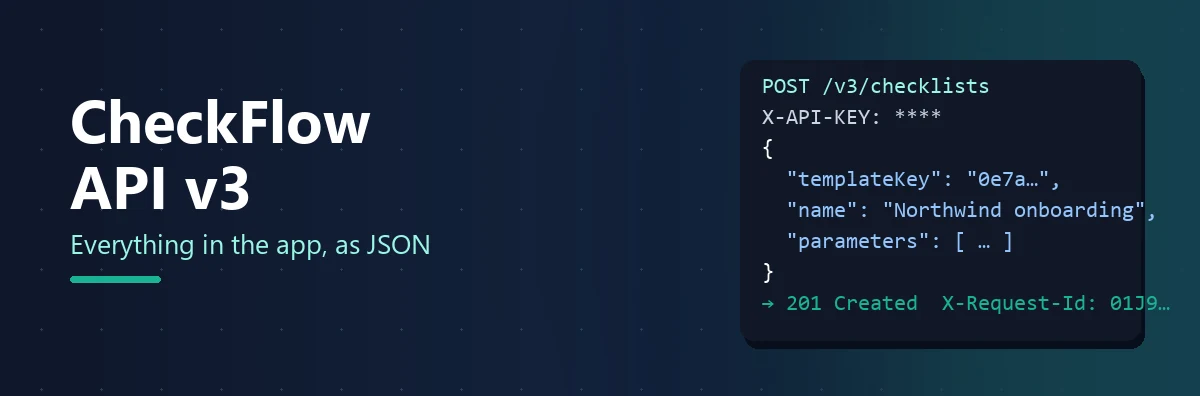
POST /v3/checklists
{
  "templateKey": "0e7ad584-7788-4ab1-95a6-ca0a5b444cbb",
  "name": "Northwind Traders onboarding",
  "referenceId": "CRM-DEAL-10422",
  "parameters": [ { "name": "Client Name", "value": "Northwind Traders" } ]
}

POST /v3/checklists/search          # by template, fields, status, tags
GET  /v3/checklists/{key}
GET  /v3/checklists/{key}/attached-tasks
POST /v3/checklists/{key}/complete
POST /v3/checklists/{key}/archive
POST /v3/checklists/{key}/share
Tasks
Everything inside a checklist task: read and set its fields, upload and remove files on a File Upload control, add and edit table rows and cells, comment, assign, set or clear the due date, complete, mark not applicable, snooze, tag, and read its activity.
GET  /v3/checklists/{checklistKey}/tasks
GET  /v3/checklists/{checklistKey}/tasks/{taskKey}/fields
PUT  /v3/checklists/{checklistKey}/tasks/{taskKey}/fields/{fieldKey}
POST /v3/checklists/{checklistKey}/tasks/{taskKey}/fields/{fieldKey}/files
POST /v3/checklists/{checklistKey}/tasks/{taskKey}/complete
PUT  /v3/checklists/{checklistKey}/tasks/{taskKey}/assignees
Standalone Tasks
POST /v3/tasks is the only way to bring a task into being through the API, since every other task comes from a template when a checklist is run. Raise a standalone task with a name (required, up to 100 characters), a description, a due date, assignees given either by ID or by name, tags, and optionally the checklist to attach it to. Then work it: sub-tasks, files, comments, complete, not applicable, snooze.
POST  /v3/tasks
PATCH /v3/tasks/{taskKey}           # omitted fields untouched; null clears
GET   /v3/tasks/{taskKey}/sub-tasks
POST  /v3/tasks/{taskKey}/sub-tasks/{itemKey}/complete
The PATCH is a true patch: fields you leave out are left alone, and a field sent as null is cleared, so "attachedChecklistKey": null detaches the task and "dueDateTime": null removes its due date.
My Work
The Tasks grid over the API. Filter by status (any of the eight, or all), by assignee (me, all, unassigned, or a member or group), by template or checklist, include or exclude standalone tasks, and sort by due date, name, checklist, template or comment count. Snooze up to 200 tasks in one all-or-nothing call, and create, update and delete saved views.
GET  /v3/my-work?status=overdue&assignee=me&sort=dueDateTime:asc
POST /v3/my-work/snooze
GET  /v3/my-work/views
Templates and Drafts
Read a template as a JSON document, validate a document before you commit it, list versions, copy a template, read and set its permissions, and move running checklists onto a newer version. Drafts are how a program authors a template: create a draft, apply operations to it, validate, commit. GET /v3/schema/guide returns the template authoring guide as Markdown, and the rest of /v3/schema describes content types, condition operators and due-date rules so a client can build a valid document without guessing.
GET  /v3/templates/{key}/document
POST /v3/templates/validate
POST /v3/drafts
POST /v3/drafts/{key}/operations
POST /v3/drafts/{key}/validate
POST /v3/drafts/{key}/commit
POST /v3/templates/{key}/upgrades
Data Sets
Everything in the Data Sets guide: create and update Data Sets, manage fields (including their order, which only the API can change), list, create, update and delete records singly or in bulk (up to 1,000 per call, in append or replace mode), manage Views, import CSV to create or replace, export a View as CSV, and list which template controls are connected. Record values are addressed by field name, and an unknown name is refused rather than silently dropped.
GET  /v3/data-sets/{dataSetKey}/records?view={viewKey}
POST /v3/data-sets/{dataSetKey}/records/bulk
POST /v3/data-sets/{dataSetKey}/import        # multipart CSV, replace
GET  /v3/data-sets/{dataSetKey}/export
GET  /v3/data-sets/{dataSetKey}/connections
GET  /v3/data-sets/system-countries/records   # a built-in set, by slug
Schedules
Recurring runs and their history: list and manage schedules, list the runs each has produced, and follow a run through to the checklist it created.
Webhooks
Subscriptions, delivery history, replay and secret rotation — the next section.
Team and Schema
Members, groups and tags, for looking up the IDs other calls need; the workspace itself; and the schema endpoints that describe what a template document may contain.
Webhooks in v3
A webhook tells your systems when something happens, so nothing has to poll. Subscribe by POSTing an event type, the URL to call, a source label of your own, and where the event applies a scope:
POST /v3/webhooks
{
  "eventType": "checklist_completed",
  "targetUrl": "https://example.com/hooks/checkflow",
  "source": "crm-bridge",
  "scope": { "type": "template", "key": "0e7ad584-7788-4ab1-95a6-ca0a5b444cbb" }
}
Nine events can be subscribed to:
| Event | Fires when | Scope |
|---|---|---|
new_checklist | A checklist is started | Per template |
checklist_completed | Every task on a checklist is done | Per template, or team-wide |
task_completed | A task is completed | One task, one template, or team-wide |
task_assigned | A task is assigned to someone | Team-wide |
comment_created | A comment is added to a task | Team-wide |
file_uploaded | A file lands in a File Upload control | Per control |
data_set.record.created | A record is added to a Data Set | Team-wide |
data_set.record.updated | A record's values change — only the changed fields, with before and after | Team-wide |
data_set.record.deleted | A record is removed | Team-wide |
The task_completed payload carries the task, its checklist and its template. For a standalone task that is not attached to a checklist, the checklist and template objects are sent in full but empty — checklistKey is null — so a handler can read checklist.checklistName without a null check, and a template-scoped subscription never fires for such a task; use a team-wide one.
What v3 adds
- Signed deliveries. The response to creating a subscription carries a signing secret, once. Every delivery then carries
CF-Signature: t=<unix seconds>,v1=<hex>, where the hex is an HMAC-SHA256 over the exact bytes"{t}.{body}"under that secret. Hash the raw request body, refuse anything whosetis more than a few minutes old, and compare in constant time. - Secret rotation without downtime.
POST /v3/webhooks/{id}/rotate-secretissues a new secret, and for 24 hours every delivery is signed under both, with twov1values in the header. Accept a delivery if any of them matches and you can roll the new secret through your own release process. - Delivery history.
GET /v3/webhooks/{id}/deliverieslists every delivery — what was sent, when, and what your endpoint answered. The payload comes back as the exact string that was posted, so the signature still verifies. - Replay.
POST /v3/webhooks/{id}/deliveries/{deliveryId}/replayposts the same bytes again with the sameCF-Delivery-Id, so an endpoint that was down can catch up and one that deduplicates on that header will not double-process. - Retries and self-protection. A failed delivery is retried, a subscriber that never answers is switched off with the reason recorded on the subscription, and a target URL on CheckFlow's own network is refused outright.
Bulk operations do not raise Data Set events. Bulk record creates, bulk deletes and CSV replaces deliberately fire no per-record webhooks — a five-thousand-record replace would otherwise generate five thousand deliveries. If another system needs to follow a Data Set you refresh by import, have it pull the export rather than listen for events.
Four Worked Integrations
1. A closed deal starts an onboarding, and the CRM hears when it finishes
When a deal reaches Closed Won, the CRM calls CheckFlow to start the onboarding checklist, passing the client name as a template parameter and the deal ID as the reference. A template-scoped checklist_completed subscription posts back to the CRM when every task is done, and the reference ID in the payload tells the CRM which deal it was.
POST /v3/checklists
Idempotency-Key: deal-10422-onboarding
{ "templateKey": "...", "name": "Northwind Traders onboarding",
  "referenceId": "CRM-DEAL-10422",
  "parameters": [ { "name": "Client Name", "value": "Northwind Traders" } ] }

POST /v3/webhooks
{ "eventType": "checklist_completed", "targetUrl": "https://crm.example.com/hooks/onboarding-done",
  "source": "crm", "scope": { "type": "template", "key": "..." } }
2. A nightly HR export keeps the Staff Data Set current
The HR platform exports active staff at 02:00. A job posts the file to the Data Set import endpoint in replace mode, so the Job Roles and Line Manager dropdowns in every onboarding and offboarding template show tomorrow's truth. Because a replace raises no per-record events, the job also writes its own summary to your logs, and anything downstream reads the export rather than waiting for webhooks.
POST /v3/data-sets/{dataSetKey}/import
Content-Type: multipart/form-data
file=@staff.csv
3. A PSA ticket becomes a task on the client's checklist
An MSP's ticketing system raises a standalone task for each ticket that needs engineering time, attached to the client's active service checklist so the checklist cannot close while the ticket is open. A team-wide task_completed subscription tells the PSA when the engineer finishes, and the handler closes the ticket. The ticket number is the idempotency key, so a retried webhook from the PSA cannot raise the task twice.
POST /v3/checklists/search
{ "templateKey": "...", "fields": [ { "name": "Client", "value": "Contoso" } ] }

POST /v3/tasks
Idempotency-Key: psa-ticket-88120
{ "name": "Replace failed disk in CONTOSO-SQL01", "dueDateTime": "2026-09-23T12:00:00Z",
  "assignees": [ { "name": "Infrastructure" } ], "attachedChecklistKey": "...",
  "tags": [ "psa", "contoso" ] }
4. A team dashboard pulls overdue work into Slack
A scheduled job, using a key bound to the team lead, reads My Work filtered to overdue tasks for the team's group, counts them by assignee, and posts a summary to a Slack channel every morning. Because the key is a person's, the job sees exactly what that person would see on the grid, no more.
GET /v3/my-work?status=overdue&assignee=Group:12&includeStandalone=true&pageSize=100
X-CF-Timezone: Europe/London
The API Is on Every Plan
REST API and webhooks are included from the Business plan up, and you can try them free with no credit card. Open the Swagger UI, click Try it out, and see the shape of a response before writing a line.
Start free trial Open the Developer PageMigrating From v2
Nothing breaks. Version 2 stays where it is, at app.checkflow.io/api with the X-API-VERSION: 2.0 header on the endpoints that want it, and it is still documented in its own Swagger UI. Move when it suits you, endpoint by endpoint, not because v2 is going away.
Three practical notes. First, v3 is a separate surface with its own keys, so create a v3 key in Team Management rather than reusing the v2 one; that is also your chance to bind it to the right actor. Second, keep v2 for analytics: GET /api/analytics/all with a period start and end is still the only way to pull the Analytics data programmatically, and v3 does not yet cover it. Third, treat the v3 Swagger UI as the source of truth for paths and payloads; the examples in this article are illustrative and the interactive documentation is exact.
Rate Limits, Idempotency and Retries
Every route can be throttled, and limits apply per workspace. Every response carries X-RateLimit-Limit, X-RateLimit-Remaining and X-RateLimit-Reset, and a refused request answers 429 with the same error envelope as everything else and a retryAfterSeconds in the body. Read the remaining count before a burst rather than after a refusal, and back off by the reset time rather than a fixed sleep.
Combine that with idempotency keys and the retry policy writes itself: send every write with a key derived from your own record, retry on a timeout or a 5xx with the same key, and honour retryAfterSeconds on a 429. Reads need no key. A large template commit can take longer than a single request, and the API says so rather than timing out on you.
Prefer No Code?
Not every integration needs a developer. The CheckFlow Zapier app uses the same webhooks and API under the hood and connects CheckFlow to several thousand other services without any code: start a checklist when a deal closes, post to Slack when a task completes, add a spreadsheet row when a Data Set record changes. If Zapier already connects to the service you have in mind, use it and skip the hosting.
Everything in CheckFlow, as JSON
Start checklists from your own systems, keep Data Sets in sync with your CRM, and let webhooks push completions to the tools that need them.
Start free trial Book a DemoFrequently Asked Questions
How do I get a CheckFlow API key?
A team Administrator creates keys in Team Management. Members and Guests cannot. For v3, each key is bound when you create it to the actor it represents — an Administrator, a specific Member, or the workspace — and you send it on every request in the X-API-KEY header. Call GET /v3/auth/test first to confirm the key is valid and see who it acts as.
I am on API v2 — what happens to it?
Nothing. Version 2 stays at app.checkflow.io/api with the X-API-VERSION: 2.0 header on the endpoints that use it, remains documented in its own Swagger UI, and is still the place to pull analytics data, which v3 does not yet cover. v3 is a separate surface at api.checkflow.io with its own key handling. Move endpoint by endpoint when it suits you.
Is the REST API included on the Business plan?
Yes. The REST API and webhooks are included on every plan, starting with Business at $10 per user per month, or $9 on annual billing, and you can try them free with no credit card required. So is the MCP server, which lets an AI assistant use the same operations. Enterprise customers can also have a dedicated database with direct read-only access and a private API endpoint; see pricing for details.
Which webhook events can I subscribe to?
Nine: new_checklist, checklist_completed, task_completed (scoped to one task, one template or the whole team), task_assigned, comment_created, file_uploaded, and the three Data Set events — data_set.record.created, data_set.record.updated (changed fields only, with previous and new values) and data_set.record.deleted. v3 signs every delivery, keeps a delivery history you can replay from, and rotates secrets with a 24-hour overlap.
Can I manage Data Sets through the API?
Yes, fully: Data Sets, fields and their order, records singly or in bulk, Views, CSV import to create or replace, CSV export of any View, and the list of template controls connected to a Data Set. Combined with the three data_set.record.* webhook events, that lets you keep a reference table such as clients, sites or products in sync with the system that owns it. A key acts as full access to every Data Set in the team; Library folder permissions do not apply to the API.
Where is analytics in v3?
Not in v3 yet. The analytics endpoint remains on v2: GET /api/analytics/all at app.checkflow.io with X-API-VERSION: 2.0, taking a period start and an optional period end and returning every checklist and task in the range. Use a v2 key for that call and a v3 key for everything else. Dashboard exports and, on Enterprise, direct read-only database access are the other routes to the data.