"Start the Northwind onboarding, assign the kickoff to Priya, and tell me what's overdue for the delivery team this week." That is one sentence to an assistant. Behind it are four API calls, two lookups and a filter, and with the CheckFlow MCP server the assistant makes all of them, checks what it is about to change, and reports back.
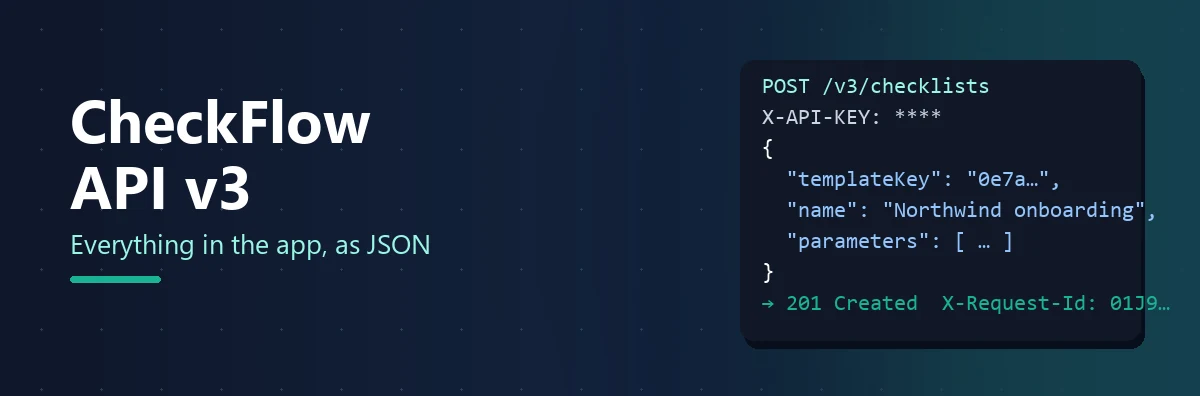
MCP — the Model Context Protocol — is the open standard that lets an AI assistant use tools. An MCP server describes what it can do, in a form a model can read, and the assistant calls those tools on the user's behalf. The CheckFlow MCP server exposes the same surface as the REST API v3, so anything you could do with a script you can now ask for in plain language: start a checklist, work the Tasks grid, raise and attach a task, look up and update Data Set records, draft a template.
This guide is concrete about what the server can do, honest about what it cannot, and specific about the safety model, because the question every operations lead asks first is not "what can it do?" but "what can it do to me?". It covers the protocol in plain terms, the 147 tools, how a client connects, how keys and annotations keep an agent inside its lane, setup, six real conversations with the tools they call, and the governance an AI agent in your process tool deserves. The MCP server is live now and included on every CheckFlow plan.
What MCP Is
Definition: The Model Context Protocol is an open standard for connecting AI assistants and agents to external tools and data. A client (the assistant) connects to a server (CheckFlow), asks it what tools it offers, and calls them as the conversation needs. A server can also offer resources — documents the client can attach to a conversation — and describe each tool as read-only or destructive so the client can ask before changing anything.
What makes MCP useful is that it is a standard rather than a product. CheckFlow publishes one server; any assistant that speaks the protocol can use it. The assistant does the reasoning — which tools to call, in what order, what to do with the answers — and CheckFlow does exactly what the tools say and nothing else. You do not write the integration. You describe what you want.
What the CheckFlow Server Exposes
The server, which identifies itself as checkflow version 3.0.0, offers 147 tools in eight families. Of those, 57 only read, 26 are marked destructive, and the other 64 write in ways you can see and undo in the app.
| Family | Tools | What an assistant can do with them |
|---|---|---|
| Checklist Tasks | 27 | Read a checklist's tasks, set fields, add table rows, upload and remove files, comment, assign, set due dates, complete, mark not applicable, snooze, tag |
| Standalone Tasks | 26 | Raise a task, edit it, attach it to a checklist or detach it, work its sub-tasks, files and comments, complete, snooze |
| Template Authoring | 30 | Read the schema and the authoring guide, read a template as a document, validate it, build one step by step as a draft and commit it, copy, read versions and permissions, move running checklists to a newer version |
| Data Sets | 21 | List and read tables, records and Views; create and update records singly or in bulk; create Views; import and export CSV; see which templates are connected |
| Checklists | 15 | Start a checklist from a template, search, read progress, list attached tasks, complete, archive, share, tag |
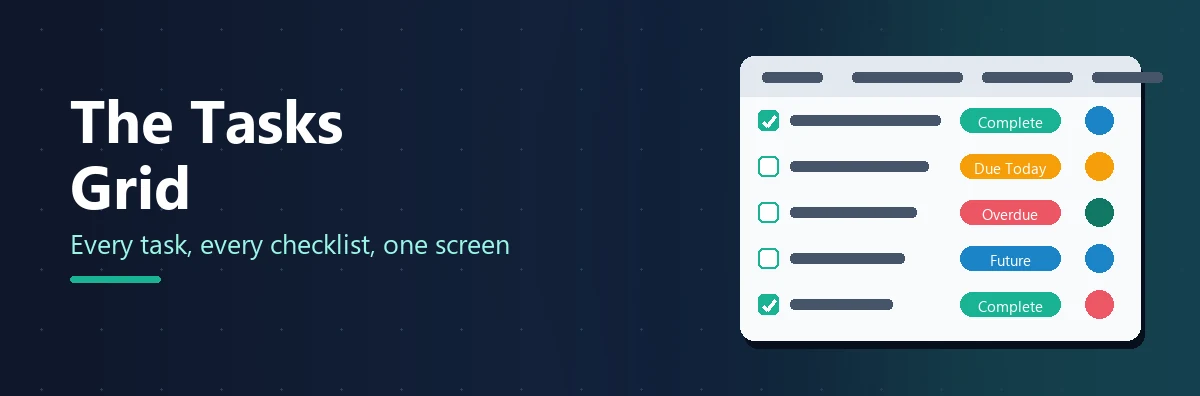
| Workspace, People and Tasks Grid | 12 | The workspace summary, members, groups, tags, the Tasks grid (My Work), snoozes and saved views |
| Schedules | 9 | Read and manage recurring schedules and the runs they have produced |
| Webhooks | 7 | Subscriptions, delivery history, replay, secret rotation |
The server also offers one resource: the template authoring guide, at checkflow://guides/template-authoring, titled "Writing a CheckFlow template", as Markdown. It is the same document that get_authoring_guide returns as a tool — a resource is what a client offers a person to attach once, a tool is what a model calls — and its worked example is checked by a test in CheckFlow's own build, so it cannot drift from what the API accepts. An assistant that reads it before drafting a template produces a valid one first time far more often.
How It Connects
The endpoint is https://api.checkflow.io/mcp. It speaks the Streamable HTTP transport and is stateless: every request is a POST carrying a JSON-RPC message, there is no session to keep alive, no event stream to hold open, and tools/list and tools/call work without an initialize handshake first. GET and DELETE on the endpoint answer 405. JSON-RPC batches are accepted. The practical consequence is that the server reconnects cleanly after a network blip and scales without any stickiness, and a client can make one call and go away.
Authentication is the same X-API-KEY header the REST API uses, over the same middleware, so the same team boundary, rate limits and idempotency rules apply. That is also the one real constraint on client support:
Your client must be able to send a custom header. There is no OAuth flow and no bearer token. Any MCP client that supports Streamable HTTP with a custom header can connect: Claude Code, Cursor and VS Code do it natively, and Claude Desktop does it through the mcp-remote bridge. A client that cannot set a header can use the same bridge. Check that before anything else.
Rate limits are enforced per workspace exactly as on the REST API, with one difference in how a refusal is delivered: a REST call gets a 429, but an MCP call gets a 200 whose answer tells the model how many seconds to wait, because a 429 would reach the client's transport layer rather than the model that needs to know.
The Safety Model
Four mechanisms decide what an agent can do, and they stack.
The key decides who the agent is
Every API key is bound at creation to an actor — an Administrator, a specific Member, or the workspace — and the agent acts as that actor. It can reach no further than that person can. A key bound to a Member sees the checklists that Member's template permissions admit and completes tasks as that Member; the activity feed records the Member's name. There is no way for the model to ask to act as someone else, because the request carries no actor at all, only the key.
Tools are annotated read-only or destructive
Each tool declares whether it reads or writes and whether a write is destructive. A well-behaved client uses those annotations to decide when to ask you before proceeding — list_my_work runs freely, delete_standalone_task asks first — and you can configure most clients to require confirmation for every destructive tool.
Writes take an idempotency key
Every tool that writes and is not safe to repeat accepts an idempotencyKey. A model that retries after a timeout, sending the same key, gets the first answer back instead of doing the work twice. The cleanest illustration is raise_task: it is annotated non-destructive, but without a key, calling it twice raises two tasks, and the tool's own description says so.
The same boundary as the API
The MCP server sits behind the same middleware as REST: the same team isolation, the same rate limits, the same audit trail. Nothing an agent does is invisible, because everything it does is an ordinary CheckFlow action by an ordinary actor.
Setting It Up
Create a key bound to the right actor
The MCP server is included on every plan, so there is nothing to upgrade. An Administrator creates the key in Team Management and chooses who it acts as. For an assistant that helps one person with their own work, bind it to that Member. For a shared operations agent, create a dedicated integration account, give it exactly the template permissions the agent needs, and bind the key to it.
Add the server to your client
Every client has its own place for this, but the information is always the same: the URL and the header. In Claude Code it is one command:
claude mcp add --transport http checkflow https://api.checkflow.io/mcp --header "X-API-KEY: your-api-key"Cursor and VS Code take the same two values in their mcp.json, and Claude Desktop takes them through mcp-remote. The connection guide has the exact configuration for each, including how to keep the key out of a file that gets shared.
Ask it to list its tools, then ask a read-only question
"What CheckFlow tools do you have?" confirms the connection. "What's overdue for me?" confirms the key is bound to a person and the permissions are right. Only then ask it to change something.
Six Conversations
Each of these is a request an operations manager might actually make, the tools an assistant would call, and what comes back.
1. "Start the Client Onboarding checklist for Northwind Traders and assign the kickoff to Priya."
list templates            → finds "Client Onboarding"
start checklist           → name "Northwind Traders onboarding", parameter Client Name = Northwind Traders
list_checklist_tasks      → finds "Kickoff call"
set_task_assignees        → Priya
Started Northwind Traders onboarding (12 tasks). Kickoff call is assigned to Priya Shah, due Thursday. Nothing is overdue yet.
2. "What's overdue across the team this week, grouped by person?"
list_my_work → status = overdue, assignee = all, includeStandalone = trueFourteen overdue tasks. Sam Okafor: 6 (five on Month-End Close, one standalone). Priya Shah: 4. Unassigned: 4 — all on the Q3 vendor review. Want me to snooze the vendor review tasks until Monday, or reassign them?
3. "Raise a task to renew the SSL certificate, due Friday 5pm, and attach it to the Contoso migration checklist."
search checklists         → "Contoso migration", in progress
raise_task                → name, dueDateTime, attachedChecklistKey, idempotencyKey
list_attached_tasks       → confirms it is on the checklist
Raised "Renew SSL certificate" and attached it to Contoso migration, which is now 9 of 11 tasks complete and will not close until this one is done. It is unassigned — who should own it?
4. "In the Clients Data Set, change every record whose Region is 'UK' to 'United Kingdom'."
list_data_sets            → "Clients"
list_data_set_records     → filter Region = UK → 37 records
update_data_set_record    → ×37, each with an idempotencyKey
Updated 37 client records from UK to United Kingdom. Every linked dropdown will show the new value the next time a checklist loads; answers already captured keep their snapshot. The Data Set has 3 template controls connected — Client Onboarding, Quarterly Review and Offboarding — so all three see the change.
5. "Draft a vendor onboarding template with a due-diligence section. Validate it and show me the problems before you commit anything."
get_authoring_guide       → reads the document format
create draft              → applies operations: tasks, controls, a conditional due-diligence section
validate draft            → returns violations
(fix)                     → applies corrections
validate draft            → clean
— stops and shows you the outline —
Draft ready: 9 tasks in three sections, with the due-diligence section shown only when Risk Tier is High. Validation passed after two fixes (a required control had no label; a due date referred to a task that did not exist). Nothing is committed. Say the word and I will commit it as version 1 in the Procurement folder.
6. "Which webhook deliveries failed yesterday? Replay them."
list webhooks             → 3 subscriptions
list deliveries           → yesterday, failed → 5 on "crm-bridge"
replay delivery           → ×5
Five deliveries to the crm-bridge subscription failed yesterday between 02:10 and 02:14 with a 503 from your endpoint. Replayed all five; all accepted. The subscription is still active — it was two short of the automatic disable.
What It Does Not Do (Yet)
Three things, said plainly.
- No analytics or reporting tools. The Analytics dashboard has no MCP surface and no v3 endpoint. An assistant can count what it reads from My Work, but it cannot ask for cycle time or a bottleneck table. Use the dashboard, or the v2 analytics endpoint.
- No Library tools. Folders, articles and files are not reachable through MCP or the API. Templates and Data Sets are; the folder they sit in is not.
- No OAuth. Authentication is the API key header, so a client that cannot send one needs a bridge such as
mcp-remote, and there is no per-user consent screen. The key's actor binding is the consent.
See It on Your Own Processes
Bring a real onboarding, a real Data Set and a real backlog, and watch an assistant work them. We will set up a key and a client with you.
Book a Demo Read the Developer PageGovernance for an Agent in Your Process Tool
An assistant with write access to your processes deserves the same care as a new employee with the same access. Six habits:
One key per agent
Never share a key between an assistant and a script, or between two assistants. Revocation and the audit trail both depend on knowing which key did what.
Bind to a Member, not an Administrator
Administrators see everything and can delete anything. Create an integration account with exactly the template permissions the agent's job needs, and bind the key to it. Widen later if you must.
Require confirmation on destructive tools
Configure the client to ask before any tool marked destructive. Twenty-six of the 147 carry that flag. Most are deletions; the rest are changes that cannot be taken back, such as replacing a Data Set's records from CSV, publishing a template version or replaying a webhook. Every one is something you would want a human to see first.
Give reporting agents read-only keys where you can
An agent that only summarises overdue work into Slack needs nothing but the read-only tools. Keep its permissions to view, and it cannot be talked into changing anything.
Read the activity feed
Every change an agent makes is recorded against its actor on the checklist's activity feed, exactly like a person's. Review it the way you would review a new starter's first week.
Rotate keys, and use delivery history for webhook-driven changes
Revoke and reissue keys on a schedule. Where an agent triggers webhooks, the delivery history on each subscription is an independent record of what was sent and when.
Governing the assistant is one job; governing the AI systems your organisation builds or buys is another. If they fall under the EU AI Act, the free EU AI Act Compliance Checklist covers the inventory, risk classification and deployer duties, and the ISO 42001 checklist runs that work as a management system. Rolling an AI assistant out to staff is a third: the AI Tool Rollout & Governance Checklist covers vendor data terms, permission checks, logging and acceptable use before anyone gets a licence.
MCP Server vs REST API vs Zapier
| MCP server | REST API v3 | Zapier | |
|---|---|---|---|
| Who drives it | An AI assistant, in conversation | Your code | A no-code trigger and action |
| Best for | Ad-hoc requests, triage, drafting, questions a person would otherwise ask a colleague | Scheduled jobs, system-to-system sync, anything that must run without a person | Connecting CheckFlow to a service Zapier already supports |
| Needs code | No | Yes | No |
| Surface | 147 tools, same as the API | Close to 100 endpoints | The events and actions in the Zapier app |
| Analytics | No | v2 endpoint only | No |
| Plan | Every plan | Every plan | Every plan |
Most teams end up with all three: the API for the nightly sync, Zapier for the Slack notification, and the MCP server for the operations lead who wants to ask a question at 4pm and get an answer without opening a screen.
Your Processes, in Plain Language
147 tools, one key, and the same boundary your team already works inside. The CheckFlow MCP server is live now and included on every plan.
Start free trial Read the Setup GuideFrequently Asked Questions
What is MCP, and what is the CheckFlow MCP server?
MCP, the Model Context Protocol, is an open standard that lets AI assistants connect to external tools and data. The CheckFlow MCP server gives an assistant 147 tools covering the same ground as the REST API — starting checklists, working the Tasks grid, raising and attaching tasks, reading and updating Data Set records, drafting templates and managing webhooks — so you can ask for things in plain language instead of writing API calls.
Which AI clients work with it?
Any MCP client that supports the Streamable HTTP transport and can send a custom header, because authentication is the X-API-KEY header rather than OAuth. Claude Code, Cursor and VS Code connect directly, and Claude Desktop connects through the mcp-remote bridge; the CheckFlow docs have the configuration for each. The server is stateless, so it also suits clients that connect briefly, make a call and disconnect. A client that cannot set a request header can connect through the same bridge.
Which plan includes the MCP server?
Every plan. The MCP server is included from Business up, alongside the REST API and webhooks, which cover the same operations for code rather than for an assistant, and you can try all three on a free trial with no credit card. Enterprise adds a dedicated database with read-only access and a private API endpoint; see pricing for details.
Can an assistant delete things?
Only what the key's actor could delete in the app, and only through tools that are annotated destructive so the client can ask you first. Twenty-six of the 147 tools carry that annotation. Bind the key to a Member with narrow permissions, configure your client to confirm destructive tools, and an assistant cannot remove anything you would not have let that Member remove.
Does the assistant see everything in my team?
It sees what the key's actor sees. A key bound to a Member is limited to the checklists that Member's template permissions admit; a key bound to an Administrator sees everything; a key bound to the workspace acts as a system and cannot use the My Work tools at all, because there is no "me". The key decides, and the request cannot override it.
Can it produce reports or analytics?
Not from Analytics. There is no analytics or reporting tool in the MCP server and no analytics endpoint in API v3. An assistant can read the Tasks grid through My Work and summarise what it finds — overdue counts by person, for example — but cycle time, completion rates and bottleneck tables come from the Analytics dashboard or the v2 analytics endpoint.