Cybersecurity Templates

Most security controls fail quietly. The access review that was due in March is still open in June. The temporary firewall rule from last year’s migration is still allowing traffic. The critical vulnerability was accepted as a risk with no expiry date. Nobody decided to stop doing the work. It simply had no owner, no deadline and no record. CheckFlow’s cybersecurity templates turn recurring security operations into checklists that start on schedule. Every step goes to a named person, and every completed run is kept as dated evidence.

The templates are written for IT security leads, system administrators and the GRC owners who have to show an auditor that a control actually ran. They cover the human work around your security tools: the reviews, decisions, approvals and sign-offs that scanners, firewalls and identity platforms can’t do for you. Where a review is typically driven by a framework control, such as SOC 2, ISO 27001, PCI DSS or the CIS Controls, the template maps it. The framework checklists themselves live in our compliance templates.

The library holds 22 templates in four groups: identity and access, from access recertification and privileged accounts to MFA and third-party remote access; infrastructure, cloud and vulnerabilities, including a quarterly Microsoft 365 baseline review; detection and incident response, from routine log review to playbooks for ransomware, phishing and data breaches; and data, suppliers and people, covering classification, key and secrets rotation, new SaaS purchases and awareness training.

Identity & Access Templates

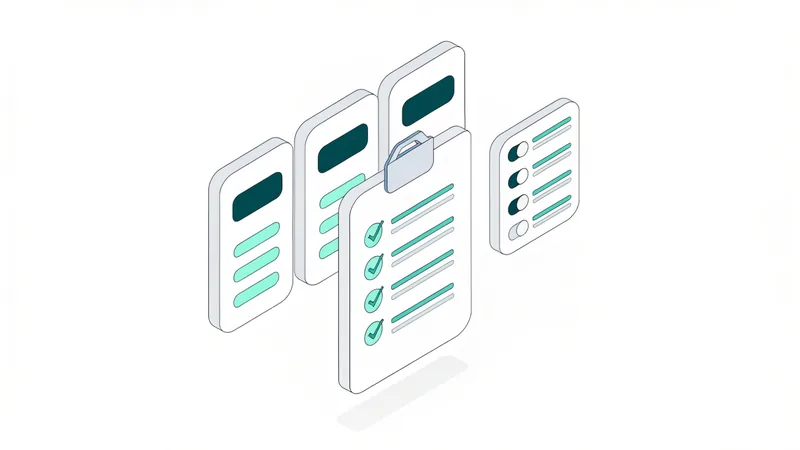
Who and what can get in: the quarterly access recertification, a deeper review of admin and service accounts, rolling out MFA and checking every route third parties use.

Infrastructure, Cloud & Vulnerability Templates

The estate attackers probe first: the network and its firewall rules, the vulnerability cycle, penetration tests and the security test round before each web release, the annual IT risk assessment, cloud accounts and the Microsoft 365 tenant.

Detection & Incident Response Templates

Find incidents and handle them: the routine log review that spots them, the main incident response playbook, sub-playbooks for ransomware, phishing and data breaches, and the exercise that rehearses them.

Data, Supplier & People Templates

Protect the data itself and the people and suppliers around it: classification and labelling, machine secrets and encryption keys, new SaaS purchases and staff awareness.

Explore Our Cybersecurity Checklist Templates

All 22 cybersecurity templates, one line each. Every template page explains why the review matters, lists every phase and task, maps the framework controls it helps evidence and links to a live example you can open before you sign up.

Why Security Teams Use CheckFlow

1

Reviews that start themselves

Quarterly access reviews, six-monthly firewall reviews and annual exercises are scheduled once, then created and assigned automatically. A missed cycle shows up as an overdue checklist on a dashboard, not as an exception in your auditor’s report.

2

Evidence an auditor can follow

Every run records who completed each step and when, with the exports, tickets and screenshots attached to the task they support. When a SOC 2 or ISO 27001 auditor asks for a sample of reviews, you send completed checklists rather than rebuilding the story from email.

3

Around your tools, not instead of them

CheckFlow isn’t a scanner, a SIEM or an identity platform. It runs the decisions those tools can’t make: who approves an exception, which rules are removed, who signs off the review. See how that works in CheckFlow for SOC 2 and compliance checklist software.

AI generator

Didn’t find what you need? Describe it.

Describe the process in a sentence and the AI checklist generator drafts the phases and tasks for you.

Cybersecurity Templates — Frequently Asked Questions

Who are the cybersecurity templates for?

They are for the people who run security operations day to day: IT security leads, system and network administrators, cloud engineers, and the GRC or compliance owners who have to evidence that controls operate. They suit an in-house team at a growing company as well as a larger security function that wants the same review to run the same way every time. MSPs can use them to run the same reviews for each client.

How are these different from the compliance templates?

The compliance templates follow a framework from end to end, such as ISO 27001 or FedRAMP. The cybersecurity templates are the recurring operational reviews that those frameworks expect you to run, such as an access review, a firewall rule review or an incident response test. Each cybersecurity template maps the framework controls it helps evidence, so the two sets work together.

Will an auditor accept a completed checklist as evidence?

A completed checklist shows that the review happened, who did each step, when it was done and who signed it off, with the supporting exports and tickets attached. That is the evidence auditors typically sample for operating effectiveness. Whether it satisfies a particular control is for your auditor to judge, so agree the evidence you will provide with them before the audit period starts.

Which templates cover security incidents?

Start with the Cybersecurity Incident Response Checklist, which runs any security incident from triage to lessons learned. Three scenarios have their own sub-playbooks that you start from that record: ransomware, a reported phishing email, and the legal and notification work after a personal data breach. The Security Log Review Checklist is the routine that tends to find incidents in the first place, and the tabletop exercise template rehearses the plan before you need it.

Can I change the steps and the schedule?

Every template is fully editable. Add the systems and controls that matter to you, remove the steps that don’t apply, change who owns each phase and set the frequency your policy requires. Conditional logic lets one template handle variations, such as removal steps that appear only when a reviewer rejects access, or notification steps that appear only when personal data is involved.

Run Your Security Reviews in CheckFlow

Free trial — no credit card required.

14-day free trial, no credit cardFull refund in your first 30 daysUS hosting, EU on request