If a new hire's laptop is on their desk, configured and logged in, with every system accessible on day one — they feel set up. If IT is still provisioning accounts at 11am while the new hire sits in the kitchen — they feel like an afterthought, in their first six hours. But the costlier failure is the one that happens in reverse: the employee who leaves on a Friday and still has production database access the following Monday. IBM's 2025 Cost of a Data Breach report shows compromised credentials take an average of 292 days to detect. That exposure window often starts the moment a new account is created without proper controls — and ends only when someone thinks to check.
This guide gives IT teams a complete, phase-by-phase IT onboarding checklist — from ordering hardware two weeks before the start date through to 30-day access verification and security training sign-off. Each phase includes the specific tasks that need to be completed and who is responsible for them, with a security lens applied throughout. The checklist is free to use and designed to be adapted to your organisation's specific systems and access management approach.
Whether you're a one-person IT team onboarding your tenth hire this year or an IT manager standardising a process across a growing organisation, this template gives you the structure to run the same secure, professional setup every time.
What is an IT onboarding checklist?
An IT onboarding checklist is the structured process that ensures every new hire has the right equipment configured, the right system access provisioned, the right security controls in place, and the right IT support resources available — before their start date, not on it. It is distinct from the broader HR onboarding process, which covers role expectations, team integration, and 30/60/90-day performance milestones. IT onboarding is the technical foundation that determines whether a new hire is productive on day one or spending their first week chasing access permissions and waiting for a laptop that arrived without the right software image.
Research from Varonis found that 87% of organisations have sensitive files accessible to every employee by default. That access problem starts at provisioning — the moment a new hire account is created, the access model that applies to every other account in that group applies to them too. A structured IT onboarding checklist, built on the principle of least privilege from the first account created, is the point at which an organisation's access management posture either holds or begins to drift.
- Compromised credentials take an average of 292 days to detect (IBM 2025)
- 87% of organisations have sensitive files accessible to all employees by default (Varonis)
- Every hour a new hire can't access their tools is an hour of productive work lost
- A documented IT onboarding process takes 2–3 hours of active work — almost all of it before day one
Free IT Checklist Templates
CheckFlow's IT template library covers the operational processes IT teams run repeatedly — from support requests and change management through to incident response and disaster recovery. Each template is free to try, fully customisable, and runs as a live process with task assignments, due dates, and a completion record. To run the checklist in this guide as it is, start from the IT Onboarding Checklist template.






Why IT Onboarding Is a Security Process, Not Just a Setup Task
Most IT onboarding checklists focus on productivity — getting the new hire working as quickly as possible. That is the right objective. But IT onboarding is simultaneously an access management and security control exercise, and the security dimension has consequences that extend well beyond the first week.
Provisioning determines the access model for the entire tenure
The access a new hire is granted at provisioning — which systems, which data, which permissions — tends to accumulate over time rather than contract. Roles change, project memberships expand, and temporary access grants become permanent through inertia. Getting the initial provisioning right, based on what the role actually requires rather than what's easiest to grant, is the cleanest point at which to enforce the principle of least privilege. Every access expansion after day one should be a deliberate decision, not a default.
MFA from the first account, not as an afterthought
Multi-factor authentication enrolled at provisioning is enforced from the first login. MFA added later — once the account is active and in use — faces resistance and adoption gaps. The configuration that requires MFA as part of account activation removes the choice from the provisioning workflow entirely: the account is not handed over until MFA is enrolled.
The onboarding record becomes the offboarding reference
A complete IT onboarding record — which systems were provisioned, which licences were assigned, which groups were joined, who approved elevated access — is the reference document that makes offboarding systematic rather than approximate. Without it, IT offboarding relies on memory and discovery: finding accounts to revoke rather than working through a known list. The organisations where former employees retain access longest are the ones with no onboarding record to mirror on departure.
Pre-Start IT Onboarding Checklist
(10+ business days before the start date)
If setup is still happening on the morning of day one, there is no process — someone is improvising. Hardware lead times, device configuration, account provisioning, and MFA enrollment all take time. Ten business days is the minimum lead time for a well-run IT onboarding; two weeks is more comfortable for complex configurations or remote hires requiring equipment to be shipped.
Hardware
- Confirm start date, role, and hardware requirements from HR at least 10 business days in advance
- Order or assign device based on role requirements: laptop, monitors, docking station, peripherals
- Enrol device in Mobile Device Management (MDM) — Intune, Jamf, or equivalent
- Apply company security baseline: encryption (BitLocker or FileVault), endpoint protection, screen lock policy enforced
- Install role-specific software and apply standard software image
- Power on, test, and confirm device is functioning before dispatch or handover
- For remote hires: ship with tracking confirmation, scheduled to arrive minimum 3 days before start date
Accounts and access
- Create company email account — confirm active and accessible before start date
- Create Identity Provider (IdP) account (Entra ID, Okta, Google Workspace, or equivalent)
- Enrol MFA/2FA on the primary account — do not hand over the account without MFA active
- Assign role-based access groups applying principle of least privilege: only what the role requires
- Obtain manager approval for any elevated, admin, or non-standard access in writing
- Configure SSO where applicable — confirm the new hire will authenticate through SSO for all connected systems
- Provision VPN access — test remotely before start date
- Issue physical access: building pass, access card, secure area access where required
- Document all provisioned access in the IT onboarding record: system, access level, approval, date
Day One IT Checklist
The day one IT session should be short, focused, and complete. Not a tour of every system in the organisation — a confirmation that every provisioned system works, every security control is in place, and the new hire knows what to do when something doesn't work.
Equipment handover
- Device handed over in person or confirmed delivered and functioning for remote hires
- New hire logs into company email successfully
- New hire logs into all primary systems via SSO — confirm each is accessible
- MFA confirmed enrolled and functioning on the new hire's device
- VPN confirmed working — new hire connects and disconnects successfully
- Any access or configuration issues logged immediately with a resolution deadline of same day
IT orientation
- IT Acceptable Use Policy reviewed and signed — dated copy retained on record
- Data classification explained: what data lives where, what can be shared externally, what requires encryption
- Password policy confirmed: minimum length, complexity, expiry, prohibition on reuse and sharing
- Physical security briefing: clear desk policy, screen lock habit (Win+L / Cmd+Ctrl+Q), tailgating and visitor policy
- Help desk introduced: how to raise a ticket, response time expectations, out-of-hours contact for urgent issues
- Device loss or theft procedure explained: who to call immediately and what happens next
Software and System Access Checklist
Communication and collaboration
- Email client configured with correct signature, shared calendars as required
- Slack or Microsoft Teams: account active, added to relevant team and department channels
- Video conferencing (Zoom, Google Meet, Teams): account configured, camera, microphone, and speaker tested successfully
- Shared document management (Google Drive, SharePoint, Confluence): access confirmed to relevant team spaces only
Role-specific systems
(complete applicable items and mark N/A for others)
For engineers, the Software Developer Onboarding Checklist goes beyond this list: repository access, a local environment that runs the tests, and the first pull request.
- Project management tool (Jira, Linear, Asana, Monday): account provisioned, added to relevant projects
- CRM (Salesforce, HubSpot, Pipedrive): access provisioned at correct permission level
- HR and payroll system: employee record active, self-service access confirmed
- Finance system: access provisioned only where required for the role
- Customer support platform (Zendesk, Intercom, Freshdesk): access provisioned at correct permission level
- Development tools: GitHub/GitLab access provisioned, cloud console access (AWS, GCP, Azure) granted at minimum required level, CI/CD pipeline access confirmed
- Analytics and BI tools: read or edit access provisioned as required
- Any additional department-specific tools: access confirmed and documented
Access verification sign-off
- New hire confirms in writing (email or ticketing system) that all required systems are accessible
- Any gaps logged as tickets with 24-hour resolution target
- IT onboarding access record updated with final provisioned access list
- Licence assignments recorded in asset management system
IT Security Training Checklist
Security training completed at onboarding rather than scheduled for "later in the first month" closes the window during which a new hire is most likely to click a phishing link, use an insecure password, or mishandle sensitive data — simply because nobody told them what the company's standards are. Document every training item with completion date and score where applicable. This documentation is the evidence that SOC 2, ISO 27001, and Cyber Essentials assessors will request.
- Security awareness training: completed, score recorded, date documented
- Phishing awareness training: completed — new hire understands how to report a suspected phishing email
- Data handling and classification training: completed — new hire understands what data is confidential, restricted, or public
- GDPR/UK GDPR/CCPA training: completed where applicable for the role and jurisdiction
- Incident reporting procedure confirmed: new hire knows exactly what to do if they suspect a breach, receive a suspicious email, or lose a device — and who to contact immediately
- Password manager: set up and in use — new hire is not using a spreadsheet or browser-saved passwords for company accounts
- BYOD policy: explained and signed if the organisation permits personal devices for work purposes
- Remote working security guidelines: reviewed — covers home Wi-Fi, public networks, shoulder surfing, and physical document handling
- All training completions recorded in HR or LMS system with dates
Remote IT Onboarding Checklist
Remote IT onboarding has the same requirements as in-office onboarding and one additional critical constraint: there is no IT desk to walk to if something doesn't work. Every configuration issue that would take five minutes to resolve in person becomes a video call and a 45-minute session when the new hire is 50 miles away with a device that won't connect to VPN.
Pre-start (remote-specific additions)
- Device shipped with sufficient lead time — arrives minimum 3 working days before start, with tracking confirmation sent to new hire
- New hire confirms device received, packaging undamaged, and device powers on
- Remote setup guide sent in advance: step-by-step instructions for initial login, MFA enrollment, and VPN connection
- IT session booked for day one morning: an engineer is available on video call to walk through setup and confirm everything works
- Home network security guidelines sent: WPA2 or WPA3 encryption, router firmware up to date, recommendation to use a separate SSID for work devices
Day one and first week (remote-specific)
- VPN connection confirmed working from the new hire's home network before the IT session ends
- Video conferencing fully tested: camera, microphone, speaker, and screen share all confirmed functional
- New hire confirmed on all required communication channels and able to reach IT support via the ticketing system from their home setup
- Any peripheral setup issues (monitor, docking station, audio) resolved within 24 hours
IT Offboarding — The Companion Process
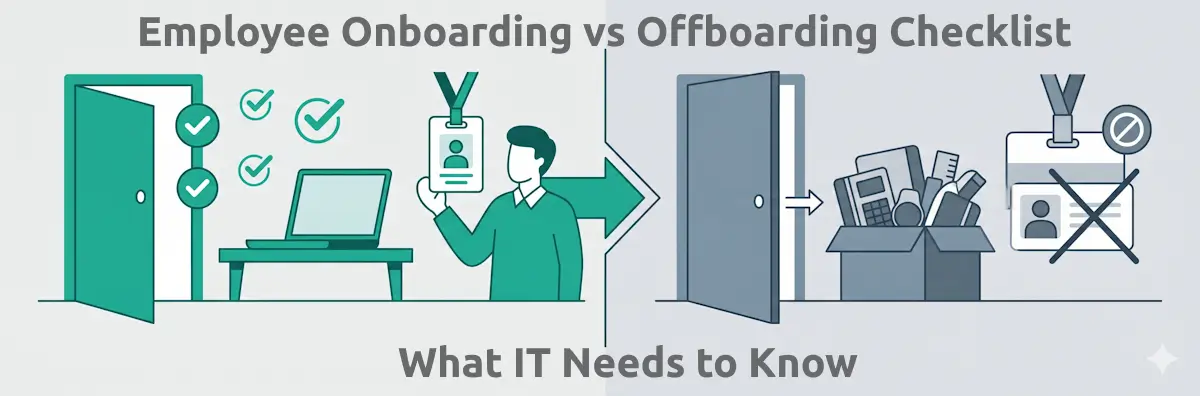
Every access grant made during IT onboarding must have a corresponding revocation in IT offboarding. The IT onboarding record — the documented list of every system provisioned, every licence assigned, every group joined, every physical asset issued — is the reference that makes offboarding systematic rather than approximate.
Without a complete onboarding record, IT offboarding becomes a discovery exercise: trying to recall every system a person had access to, checking each one individually, and hoping nothing was missed. With one, it is a structured checklist of known items to revoke — each confirmed and documented. The IBM figure of 292 days to detect compromised credentials represents, in many cases, the gap between an employee's last day and the moment someone noticed their account was still active.
Read the companion guide:
Employee Onboarding Checklist Template → Employee Offboarding Template →7 Common IT Onboarding Mistakes to Avoid
1. Starting on day one
If hardware isn't ordered, accounts aren't provisioned, and MFA isn't configured until the new hire is sitting at their desk, there is no IT onboarding process — there is improvisation with an audience. Everything except the device handover should be complete before day one.
2. Granting access by group rather than by role
Adding a new hire to a broad "all staff" group because it's faster than a role-based review is how 87% of organisations end up with sensitive files accessible to everyone. Take the extra time to provision only what the role requires.
3. Skipping MFA enrollment at provisioning
MFA added after the account is active and in use faces resistance. MFA required as part of account activation is simply how access works. Enforce it at setup, not as a follow-up.
4. No documented access record
The IT onboarding record that lists every provisioned system, every assigned licence, and every group membership is not overhead — it is the reference document that makes offboarding complete, access reviews meaningful, and security audits answerable.
5. Treating security training as optional
"We'll schedule that in the first month" means it happens when someone finds time, which is often not in the first month. Security training is most effective when completed before a new hire encounters their first phishing email — which typically arrives within the first week.
6. No process for access gaps on day one
Every IT onboarding has exceptions: a system that wasn't in the provisioning list, a licence that ran out, a permission that requires a secondary approval. The difference between a well-run IT onboarding and a chaotic one is whether there's a clear process for logging and resolving these gaps within 24 hours.
7. Not mirroring offboarding at setup
The IT onboarding process that doesn't build the offboarding reference document as it runs is the process that leaves access orphaned when someone eventually leaves. Build the offboarding record during onboarding — it costs nothing at that point and is expensive to reconstruct later.
How to Manage IT Onboarding with CheckFlow
One template, consistent execution for every hire
Create the IT onboarding template in CheckFlow once — hardware tasks assigned to the IT administrator, account provisioning tasks assigned to the systems team, security training assigned to the new hire, and manager sign-off tasks assigned to the line manager. Every subsequent hire triggers the same structured process from a single template.
Assigned tasks across multiple owners
IT onboarding involves HR (confirming start date and role), IT infrastructure (hardware and accounts), security (training and MFA), facilities (access cards), and the line manager (approving elevated access). CheckFlow assigns each task to the right person and sends them reminders — so nothing waits on someone forwarding an email.
A documented access record created automatically
Every completed provisioning task in CheckFlow creates a dated, attributed record: who provisioned the access, when, and with what approval. The IT onboarding record builds automatically as the process runs — not as a separate administrative exercise.
The offboarding mirror
The same template structure that governs IT onboarding can be mirrored for offboarding: the access record created at provisioning becomes the revocation checklist when someone leaves. Same systems, same process, same accountability — in reverse.
View IT Templates → Employee Onboarding Template →Use This Checklist for Your Next New Hire
The IT onboarding process that runs consistently — the same hardware ordered in the same lead time, the same accounts provisioned with the same access controls, the same security training completed and documented — is not difficult to build. It requires deciding once how it should work, writing it down, and running that version for every hire rather than improvising a new version each time. The 292-day detection window for compromised credentials is not a technical problem. It is a process problem. A structured, documented IT onboarding checklist is where it starts to close.