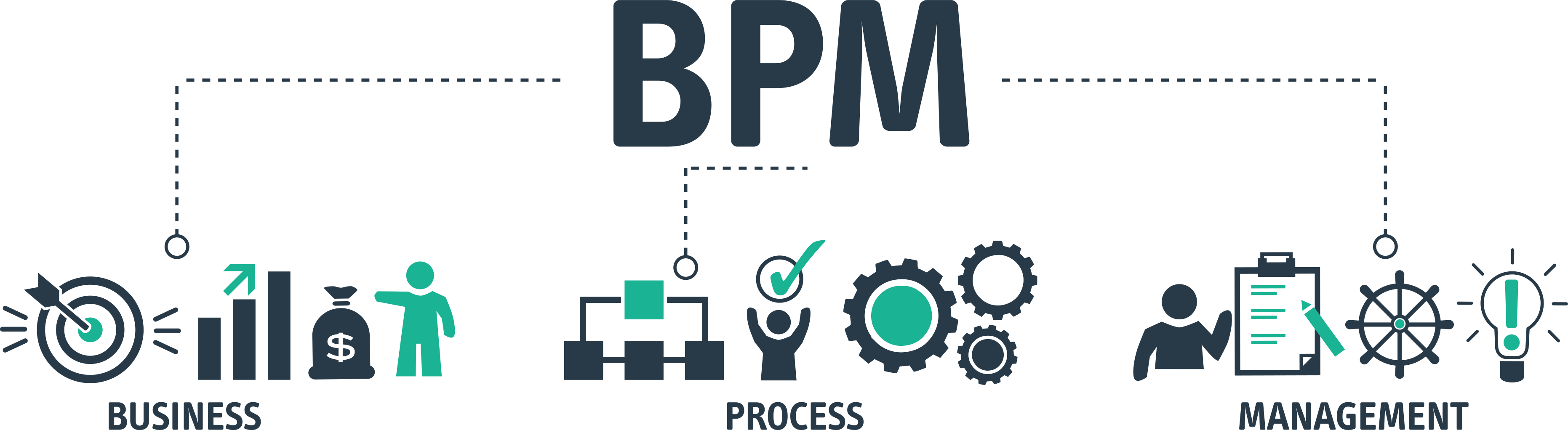
Business process management (BPM) is the discipline of designing, running, measuring and improving the repeatable work an organisation does — onboarding a new hire, approving a change to production, closing the books at month end — so that it runs the same way every time, by the right people, with a record to prove it. It is not a piece of software, and it is not a one-off project. It is an ongoing way of treating processes as assets that can be owned, measured and made better.
Most teams already do a version of BPM without calling it that. Someone writes down how a task should be done, someone else notices it keeps going wrong at the same step, and eventually the procedure gets tightened. BPM takes that instinct and gives it a structure: a lifecycle to follow, a way of deciding which processes matter, and the tooling to make the agreed version of a process the one that actually runs.
This guide is for operations, IT, HR and team leads at companies of 10 to 500 people who have outgrown "everyone just knows how we do it". By the end you will be able to explain what BPM is and is not, walk a process through the five stages of the BPM lifecycle, tell BPM apart from automation and re-engineering, pick which processes to start with, avoid the mistakes that sink most first attempts, and judge what you actually need from BPM software.
What Is Business Process Management?
A business process is a repeatable sequence of activities that turns an input into an output somebody values: a signed offer letter becomes a productive employee, a change request becomes a change deployed to production, a supplier invoice becomes a payment. Processes cross teams, run many times, and tend to be owned by nobody in particular, which is exactly why they drift.
Business process management is the practice of taking those processes and managing them deliberately. That means giving each one an owner, documenting the agreed way of doing it, running it that way, measuring how it performs, and changing it when the measurements say it should. The loop never closes; a process that has been improved is simply a process that is now ready to be measured again.
Definition
Business process management is the discipline of designing, modelling, executing, monitoring and optimising an organisation's repeatable processes so that they produce consistent, measurable outcomes and can be improved over time. It treats processes as managed assets rather than as habits.
It helps to be precise about what BPM is not, because the term gets stretched to cover three neighbouring things.
BPM is not business process automation
Automation is one of the tools BPM can reach for, not the discipline itself. Plenty of well-managed processes involve no automation at all: a structured client kick-off run by an account manager from a checklist is fully "managed" in the BPM sense even though every step is a human doing a human task. Equally, you can automate a process without managing it, which is how a badly designed process ends up producing the wrong result faster. Business process automation is what you do to a process once you understand it.
BPM is not project management
A project is a one-off with a start, an end and a unique deliverable: migrate the email platform, open the Manchester office. A process is the repeatable thing that happens over and over: provision an account, onboard a tenant. Project management tools are built around a Gantt chart and a single finish line. BPM is built around a template and hundreds of runs. Teams that try to manage onboarding as a "project" per hire end up rebuilding the plan from scratch each time and never learn from the previous run.
BPM is not a single tool
The enterprise software market spent the 2000s selling BPM as a product category, and the association stuck. But a BPM suite is to BPM what a spreadsheet is to accounting. The discipline is the lifecycle described below; the software is whatever helps you run it. For a 40-person company that may be a documented process and a well-built checklist tool; for a bank it may be a modelling suite, an orchestration engine and a process-mining platform. Both are doing BPM.
A Short History of BPM
BPM did not appear fully formed. It is the latest name for a line of thinking that is well over a century old, and knowing where each piece came from makes it easier to see which ideas are genuinely useful and which are consultancy packaging.
Scientific management (1900s–1910s)
Frederick Winslow Taylor's The Principles of Scientific Management (1911) made the radical claim that there was one best way to do any piece of manual work and that managers should find it by observation and measurement rather than leaving it to craft tradition. Taylor's methods were crude and his view of workers is rightly criticised, but the core idea — study the work, standardise the best method, then measure against it — is the root of every process discipline since. Henry Gantt, Taylor's colleague, gave us the chart that still bears his name, and Henry Ford's moving assembly line of 1913 showed what happens when a process is designed end to end rather than left to individual skill.
Quality and continuous improvement (1950s–1980s)
W. Edwards Deming took Walter Shewhart's plan-do-check-act cycle to post-war Japan, where it became the backbone of the Toyota Production System and, later, of Lean and Six Sigma. The shift here is important: Taylor thought the expert designs the process once; Deming argued the people running the process should improve it continuously, in small cycles, using data. The BPM lifecycle's "optimise" stage is a direct descendant of PDCA, and the whole idea that a process is never finished comes from this era. If you want to go deeper on the improvement side, see our guide to continuous improvement.
Business process re-engineering (1990s)
Michael Hammer's 1990 Harvard Business Review article "Reengineering Work: Don't Automate, Obliterate" and the 1993 book he wrote with James Champy, Reengineering the Corporation, argued that incremental improvement was not enough and that companies should redesign core processes from a blank sheet, using information technology to remove whole layers of hand-offs. BPR produced some famous successes and a great many failed and damaging programmes. Its lasting contribution was to make "the process" rather than "the department" the unit of analysis, which is the premise BPM rests on.
BPM suites and standards (2000s)
Once processes were the unit of analysis, software vendors built tools to model and execute them. The 2000s brought the Business Process Model and Notation standard (BPMN 1.0 in 2004, BPMN 2.0 in 2011), execution engines that could run a modelled process directly, and large "BPM suites" combining modelling, workflow, rules, integration and analytics. These were, and are, powerful, but they were priced and staffed for enterprises: a typical implementation needed process analysts, developers and months of configuration.
Lightweight, team-level BPM (2015 onwards)
The current phase is BPM without the suite. Cloud tools now let a team lead build a process as a template, assign steps to named people, schedule it, apply conditional logic and see every run on a dashboard, with no analyst and no developer. The discipline is unchanged. What changed is that a 30-person MSP or a 200-person SaaS company can now afford to practise it properly. That is the version of BPM this guide is mainly about.
The BPM Lifecycle: Five Stages
Almost every description of BPM comes back to a five-stage lifecycle: design, model, execute, monitor, optimise. The stages are less important than the fact that they form a loop. A process that reaches "optimise" goes straight back to "design" with a better starting point. Here is what each stage involves in practice, using the same example throughout: a new-hire IT setup process at a 120-person company where laptops keep turning up late.
Design
Work out what the process is for, where it starts and ends, who is involved and what "done" looks like. For IT setup, the trigger is a signed contract landing with HR; the outcome is a new hire logging in with a working laptop, accounts and access on their first morning. Design is mostly conversation: talk to the HR coordinator who sends the notification, the engineer who builds the laptop, the manager who requests the software. Write down the steps as they actually happen today, not as the wiki says they happen. This is where you discover that the engineer usually hears about a start date from a hallway conversation, which is why laptops are late.
Model
Turn the design into something people can look at and argue with: a flowchart, a swimlane diagram, or a draft checklist with owners and due dates. The point of modelling is to make the process explicit enough that its flaws become visible before you run it. In the IT setup example, drawing the swimlanes shows that HR, IT and the hiring manager each wait on the other at some point, and that nobody is responsible for confirming the start date is final. Process mapping is the practical skill here; most teams need nothing more sophisticated than a swimlane chart and a list of steps.
Execute
Run the process the way it was modelled. This is the stage most organisations skip without realising it: they design and model, put the diagram in a shared drive, and then carry on doing the work from memory. Execution means the agreed version is the one people actually follow, which in practice requires the process to live somewhere it can be started, assigned and tracked. For IT setup that is a template started the moment HR confirms a start date, with the laptop build assigned to a named engineer and due five working days before day one.
Monitor
Watch the process as it runs and collect data from each run: how long it took, which steps were late, where it stalled, how often it was completed at all. Monitoring has two time horizons. In the moment, the team lead needs to see that hire number 14's laptop step is overdue while there is still time to fix it. Over a quarter, the same lead needs to know that the laptop step is late one run in three, and that the delay is almost always waiting on the hardware supplier rather than the engineer.
Optimise
Change the process based on what monitoring showed, then go back to stage one with the new version. The change might be trivial (order laptops when the offer is accepted rather than when the contract is signed, gaining a week) or structural (keep two spare laptops in stock and remove the supplier from the critical path altogether). What matters is that the change is made to the template, so every future run inherits it, and that the old version is kept so you can see what changed and when. Optimisation without version control is just tinkering.
Two things about the lifecycle trip people up. First, the stages are not equal in effort: design and model take days, execute and monitor take months, and optimise is usually an afternoon. Second, you do not need to finish the loop for every process before starting the next. Most teams keep three or four processes at different stages at any one time.
BPM vs BPA vs BPR vs Workflow Management
Four terms get used interchangeably and mean quite different things. The cleanest way to separate them is by scope (a single process or the whole organisation), by pace (continuous or one-off) and by what they primarily change (people, technology or the process design itself).
| Discipline | What it is | Scope and pace | Primary lever | Typical output |
|---|---|---|---|---|
| Business process management (BPM) | The ongoing discipline of designing, running, measuring and improving processes | Whole organisation; continuous | Ownership, measurement, incremental change | A portfolio of owned, documented, measured processes |
| Business process automation (BPA) | Using technology to perform steps or hand-offs without human effort | One process at a time; project-based | Software, integrations, triggers | Steps that run themselves; fewer manual hand-offs |
| Business process re-engineering (BPR) | Radical redesign of a core process from scratch | One core process; one-off, high risk | Structural redesign, often enabled by technology | A fundamentally different process, ideally with step-change results |
| Workflow management | Routing tasks between people and systems in a defined sequence | A single flow; operational | Task assignment, sequencing, notifications | Work moving reliably from one step to the next |
The relationships between them are hierarchical rather than competitive. BPM is the umbrella. Within it, workflow management is how you execute a process day to day, BPA is how you remove manual effort from a process you already run well, and BPR is the rare occasion when a process is so broken that improving it is pointless and you start again. A team lead will spend most of their time in BPM and workflow management, reach for automation a few times a year, and re-engineer something perhaps once in a role.
If the terminology of workflow versus process is still fuzzy, our guides to what a workflow is and workflow automation draw the lines in more detail.
The Three Types of BPM
Analysts usually split BPM into three types by what sits at the centre of the process. The split matters less for theory than for tool selection: a tool that is excellent at one type is often mediocre at the others, and most small-company processes are firmly in the first category.
Human-centric BPM
The process is mostly people making decisions, doing tasks and handing work to each other. Onboarding, change approval, client kick-off, incident post-mortems, month-end close: the software's job is to tell the right person what to do next, capture what they did and show the lead where things stand. Human-centric processes need clear task assignment, due dates relative to the trigger, forms to capture decisions and evidence, and a dashboard. They do not need a rules engine or an enterprise service bus. This is where most operations, IT and HR processes at a 10–500 person company live.
Document-centric BPM
The process exists to move a document through drafting, review, approval and publication. Contracts, policies, purchase orders, marketing collateral and SOPs are the classic cases. The document is the state: the process is at "legal review" because the document is with legal. Tools for this type emphasise version control, redlining, e-signature and retention. A document-centric process usually still has a human-centric checklist wrapped around it ("send to legal", "chase after three days", "file the signed copy"), which is why teams often run document flows from the same tool as their other processes.
Integration-centric BPM
The process is mostly systems talking to each other with little human involvement: an order in the e-commerce platform creates a record in the ERP, triggers a pick in the warehouse system and updates the CRM. Integration-centric BPM is what the large suites were originally built for and where iPaaS platforms and integration tools like Zapier now do much of the work. Humans appear only at exceptions. For a small company, integration-centric processes are usually a handful of well-understood data flows rather than a whole discipline, and the sensible approach is to bolt integrations onto the human-centric process rather than the other way round.
Which type are you?
Count the steps in your five most important processes and ask who or what performs each one. If more than half are performed by a person exercising judgement, you are running human-centric processes and should choose tools accordingly. Teams that buy an integration platform to run onboarding, or a document tool to run incident response, spend a year fighting the software.
The Benefits of BPM, With Examples
The benefits of BPM are easy to list and easy to dismiss as generic. They stop being generic when you attach them to a specific process and a specific failure. Here are the ones that show up first for teams moving from informal to managed processes, each with the kind of example that appears in the first three months.
Consistency
A managed process produces the same result regardless of who runs it. A 60-person software company had three people who could onboard a customer, and each did it differently: one always configured SSO on day one, one did it on request, one had never done it. Customers compared notes. Once the process was a single template with SSO configuration as a required step, every customer got the same setup and support tickets about "missing" SSO stopped. Consistency is the benefit that makes the others possible; you cannot measure or improve a process that runs differently every time. Our guide to process standardisation covers this in depth.
Visibility
Under informal processes the team lead finds out about a problem when someone complains. Under BPM they see it on a dashboard while it can still be fixed. An MSP service manager running 40 monthly maintenance checklists can see on the 20th of the month that six are not started and two are stuck at "awaiting client change window", and act on both. The alternative was a spreadsheet updated by asking each engineer in turn.
Accountability without micromanagement
When every step is assigned to a named person with a due date, the lead no longer has to ask "did you do the thing?" The system shows it. Engineers generally prefer this: they are judged on a record of what they did rather than on how often they remembered to update someone. Managers get to stop hovering, which is a bigger cultural win than it sounds.
Faster onboarding of staff
A new team member who inherits a documented, running process is productive in days rather than months, because the process tells them what to do next and in what order. A support desk that runs ticket triage from a checklist can put a new starter on the queue in their first week with a senior reviewing the completed runs, rather than shadowing for a month.
Evidence
Every run of a managed process leaves a record of who did what, when. That record is the difference between "we have a policy" and "we can show the auditor the last twelve monthly access reviews with names and dates". For any team facing SOC 2, ISO 27001, GDPR or a customer security questionnaire, this is often the benefit that pays for the whole effort.
Improvement you can measure
Once runs are recorded you can see cycle time, late steps and failure points, and you can tell whether a change helped. A finance team that moved month-end close from a shared spreadsheet to a tracked checklist could show that the close went from nine working days to six over two quarters, and could point to which steps had shortened. Without the record, improvement is anecdote.
The evidence for structured processes
The best-known demonstration that a simple structured process changes outcomes is the WHO Surgical Safety Checklist. In the study reported by Atul Gawande and colleagues in the New England Journal of Medicine in 2009, introducing a 19-item checklist across eight hospitals was associated with major complications falling by roughly a third and deaths by nearly half. The surgeons already knew every step. What changed was that the process, not memory, decided whether a step happened.
Start With a Process That Already Exists
CheckFlow's template library includes ready-to-run processes for IT, HR, finance and operations. Pick one that matches a process you already run, adapt it, and have it live this week.
Browse Free TemplatesBPM for IT and HR Teams
BPM literature tends to use manufacturing and banking examples. The teams that get the fastest return from it in a mid-sized company are usually IT and HR, because they own the processes that are most repeated, most cross-functional and most likely to be audited. Three processes show the pattern.
Employee onboarding
Onboarding touches HR, IT, facilities, finance and the hiring manager, runs anywhere from ten to a hundred times a year, and is judged by someone who has just joined and has no loyalty yet. It is also the process where the cost of a missed step is most visible: a new hire sitting without a laptop on day one tells everyone they meet. Managed properly, onboarding is a single template triggered by an accepted offer, with the IT tasks due relative to the start date, the HR tasks due relative to the contract date, and the manager's 30-, 60- and 90-day check-ins scheduled automatically. Our employee onboarding checklist guide walks through the full set of steps.
IT change management
Change management is BPM in its purest form: a request, an assessment, an approval that depends on the risk level, a scheduled implementation, a verification and a record. Done informally it is a Slack message and a hope. Done as a managed process, a standard change follows a short path with peer approval while a high-risk change branches into a change advisory review and a rollback plan, and every change carries the evidence an auditor will ask for. The IT change management checklist guide covers how to build the branching without making the process bureaucratic.
Compliance evidence
Most compliance frameworks require not a policy but proof that a control was operated: quarterly access reviews, monthly patch cycles, annual policy acknowledgements, backup restore tests. Each of these is a recurring process with a required output. Running them as managed processes means the evidence accumulates as a side effect of doing the work, rather than being reconstructed the week before the audit. Teams that make this shift describe audit preparation going from a multi-week scramble to a retrieval exercise.
The common thread is that none of these processes are complicated. They are simply repeated often enough, across enough people, that running them from memory fails. That is the threshold at which BPM starts to pay for itself.
How to Start BPM in a Small Team
Enterprise BPM programmes start with a centre of excellence, a process architecture and a governance board. A team of eight cannot and should not. Here is a sequence that works for a single team lead with no budget beyond a software subscription and no mandate beyond their own processes.
List the processes you actually run
Spend an hour writing down every repeatable thing your team does, with a rough frequency and the number of people involved. Do not design anything yet. A typical IT team lists 20 to 40 items ranging from "daily backup check" to "annual DR test". You will be surprised by how many there are and how few have an owner.
Pick one process, using four criteria
Score each process on frequency, number of people involved, cost when it goes wrong, and whether anyone outside the team (an auditor, a customer, a regulator) cares about the record. The one with the highest total is your first candidate. Resist starting with the most broken process; start with the one where a managed version will be noticed. Onboarding, change management and client kick-off are common winners.
Document the process as it is, with the people who do it
Sit with the two or three people who run the process most and write the steps as they actually happen, including the workarounds. Capture the trigger, each step, who does it, what they need to start, what they produce and how long it usually takes. Draw a simple swimlane diagram if there are more than two roles. This takes an afternoon and is the most valuable afternoon of the whole exercise.
Build it as a template with owners and relative due dates
Turn the documented steps into a template in whatever tool will run it. Every step gets a named role, a due date relative to the trigger ("three working days after start") and, where the step produces evidence, a required field. Keep it to the steps that matter: a 15-step process that gets done carefully beats a 45-step one that gets skimmed. Fix only the obvious problems at this stage; the point is to get a managed version running, not a perfect one.
Run it for ten instances without changing it
Resist the urge to tweak after every run. Ten runs is enough to separate a real problem from a one-off, and it gives the team time to get used to working from the template. During these runs, the lead's only job is to watch the dashboard and unblock stuck steps.
Review the data and make one change
After ten runs, look at which steps were late, which were skipped, where people added comments asking what to do, and how long the whole thing took. Make the single change that addresses the biggest issue, update the template, and note the version. One change at a time means you can tell whether it worked.
Add the next process and repeat
Once the first process is stable, go back to the list and take the next highest-scoring one. Most teams have five to eight processes under management within six months, at which point the habit is established and other teams start asking how it was done. That is the moment BPM stops being a team lead's initiative and starts being how the company works.
Common BPM Mistakes
Most first attempts at BPM fail in one of a handful of predictable ways. None of them are about the method; all of them are about scope, ownership or the gap between the documented process and the one that runs.
Mistake: documenting the process and stopping there. The diagram goes in a shared drive, the team carries on from memory, and six months later the diagram describes a process nobody runs. Documentation is stage two of five. The fix is to make the documented version the one that is executed, which means it has to live somewhere it can be started, assigned and tracked, not in a PDF.
Mistake: starting with a process re-engineering project instead of a process. Teams that begin by mapping every process in the company produce a beautiful process architecture and no running processes. Start with one, get it running, learn from ten runs, then add the next. Breadth comes from repetition, not from the initial plan.
Mistake: no named owner. A process owned by "the IT team" is owned by nobody. Every managed process needs one person whose name is on it, who reviews the runs, decides on changes and is asked when it goes wrong. This is not the same as the person who does most of the steps; it is the person accountable for the process working.
Mistake: automating before standardising. Wiring integrations into a process that runs differently every time bakes in the inconsistency and makes it harder to change. Get the process running the same way by hand for a few months, then automate the hand-offs that are proven stable. Hammer's advice to "obliterate" rather than automate was aimed at exactly this.
Mistake: over-specifying. A 60-step onboarding template with a step for "say hello to the new starter" trains people to skim. Include only the steps that fail when skipped, that need evidence, or that hand work to someone else. Write for the newest qualified person on the team; the expert will find it slightly over-specified and that is the right calibration.
Mistake: measuring nothing. If you cannot say how long the process takes, how often it is late, or which step stalls, you cannot improve it and cannot show that improving it worked. Pick two or three measures at the start (cycle time, on-time completion, and one process-specific quality measure) and review them quarterly.
What to Look for in BPM Software
The BPM software market spans everything from enterprise suites at six-figure licence costs to checklist apps at a few pounds per user. The question for a team lead is not "which is the best BPM software" but "what does a human-centric process at my scale actually need to run well". The following list is the practical minimum. Anything beyond it should be justified by a specific process you already run, not by a feature comparison.
- Templates with versioning. The process is defined once as a template, runs are created from it, and changing the template creates a new version without altering runs already in progress. Without versioning, "optimise" means overwriting history.
- Task assignment to roles and named people. Every step resolves to a person, not a team, and the assignment can be to a role ("hiring manager") that resolves differently per run.
- Due dates relative to a trigger. "Five working days before the start date" rather than a fixed calendar date, so the same template works for every run.
- Conditional logic. Steps that appear or hide based on earlier answers, so a standard change and an emergency change can share one template without every run showing every step.
- Recurring schedules. Daily, weekly, monthly and custom recurrence for processes that run on a calendar rather than on an event, with the run created and assigned automatically.
- Forms and required fields. Evidence captured at the step where it is produced, and steps that cannot be completed until the field is filled.
- A real-time dashboard. Every active run, its status and its overdue steps in one view, without asking anyone.
- An audit trail. An immutable record per run of who did what and when, exportable for an auditor or a customer.
- Integration points. A way to start a run from another system and to push results out (Zapier, webhooks or a REST API), so the process can be automated later without being rebuilt.
- Fast time to first process. If a team lead cannot build and run the first process in a day without a consultant, the tool is scaled for a different kind of organisation.
Notice what is not on the list: BPMN modelling, simulation, process mining, a rules engine. These are valuable for integration-centric processes at scale and largely irrelevant for a team running onboarding and change management. If you are choosing between a dedicated business process management tool and a general workflow tool, the distinction at this scale is mostly one of emphasis. Our review of the best SOP software covers the adjacent category for teams whose priority is documentation.
Free BPM Templates to Start With
The fastest way to start managing a process is to begin from one that has already been designed and adapt it. These three cover the processes most teams choose first, and each opens as a working checklist you can edit rather than a document you have to transcribe.
How CheckFlow Fits
CheckFlow is business process management software built for the human-centric processes described in this guide, at the scale of a team rather than an enterprise. It covers the lifecycle without asking for an analyst: you design and model a process as a template in the template designer, execute it as tracked runs, monitor every run on a real-time dashboard, and optimise by publishing a new version of the template.
Each step in a template is assigned to a named person or a role that resolves per run, so the same onboarding template assigns the laptop build to whichever engineer is on the rota and the first-week check-in to the actual hiring manager. Due dates are dynamic: set relative to the run's start, to a date field such as the new hire's first day, or to the completion of an earlier step. Conditional logic shows or hides steps based on answers given earlier in the run, which is how a single change-management template handles standard, normal and emergency changes without showing every path to every requester.
Processes that run on a calendar rather than an event, such as monthly patching or quarterly access reviews, are set to recur daily, weekly, monthly or on a custom schedule, and each new run is created and assigned automatically. The dashboard shows every active run, who is holding it up and which steps are overdue. Every completed step is written to an audit trail with the person, the time and any evidence captured in form fields, so compliance records accumulate as the work is done. Zapier and a REST API let other systems start runs and receive results, which is how teams add automation once a process is stable.
Pricing starts from $10 per user per month, with a 14-day free trial and no credit card required. If your processes are mostly people doing tasks in a defined order and you want the agreed version to be the one that runs, it is built for exactly that.
Put Your First Process Under Management This Week
Build a template, assign the steps, run it and watch it on the dashboard. Free for 14 days, no credit card, from $10 per user per month afterwards.
Start free trialFrequently Asked Questions
What is business process management in simple terms?
Business process management is deciding how a repeatable piece of work should be done, making sure it is done that way every time, checking how well it went, and improving it. The "process" is anything your organisation does repeatedly, such as onboarding a new employee or approving a change to a system. The "management" is giving that process an owner, a documented standard, a way of running it and a way of measuring it.
In practice, a team doing BPM has its important processes written down as templates, starts each run from the template, assigns the steps to named people, watches progress on a dashboard, and changes the template when the data shows something is not working.
What are the five stages of the BPM lifecycle?
The five stages are design, model, execute, monitor and optimise. Design works out what the process is for, where it starts and ends and who is involved. Model turns that into a diagram or draft checklist that people can review. Execute runs the process the agreed way. Monitor collects data from each run, both in real time and over a period. Optimise changes the process based on that data.
The stages form a loop rather than a line: an optimised process goes back to design with a better starting point. Some descriptions add a sixth stage, such as analysis or re-engineering, but the five-stage version captures everything a team lead needs.
What is the difference between BPM and workflow management?
Workflow management is the operational job of moving tasks between people and systems in a defined order: assigning the next step, notifying the right person, tracking completion. BPM is the wider discipline that includes workflow management as its execution stage but also covers deciding which processes matter, designing and modelling them, measuring their performance and improving them over time.
A workflow tool helps you run a process. BPM is the reason you decided to run it that way, and the mechanism by which you will change it next quarter. Most teams do both with the same software; the distinction is in the practice rather than the product.
What are examples of business process management?
Common examples in mid-sized companies include employee onboarding and offboarding, IT change management, incident response, client onboarding, month-end financial close, purchase approvals, quarterly access reviews and monthly patch management. In each case BPM means the process has a named owner, a documented template, runs that are assigned and tracked, and a record of every run.
A useful test is whether the process happens more than once a month, involves more than two people and would cause a problem if a step were missed. Anything that passes all three is a candidate for management.
Is BPM only for large companies?
No. The enterprise BPM suites of the 2000s were priced and staffed for large organisations, which is where the association comes from. The discipline itself applies as soon as a process is run by more than one person more than a few times a year, which describes most 10-person companies. The difference is in the tooling and the ceremony: a small team needs a template, assignments, a dashboard and a record, not a process architecture and a governance board.
Smaller companies often get faster results from BPM than large ones because there are fewer stakeholders to align and the person who owns the process is usually the person who can change it.
What does BPM software do?
BPM software lets you define a process once as a template, start runs from it, assign each step to a person, set due dates relative to the run, capture information in forms, show every run's status on a dashboard and keep a record of who did what and when. Better tools add conditional logic so one template can handle variations, recurring schedules for calendar-driven processes, and integrations so other systems can start runs or receive results.
Enterprise suites also include BPMN modelling, simulation, rules engines and process mining. Those matter for integration-heavy processes at scale and are rarely needed by a team running human-centric processes such as onboarding or change management.
How is BPM different from business process re-engineering?
Business process re-engineering, popularised by Michael Hammer and James Champy in the early 1990s, is the radical, one-off redesign of a core process from a blank sheet, usually with the aim of removing whole layers of hand-offs. BPM is the continuous discipline of running and incrementally improving processes. Re-engineering is something you do to a process once when it is fundamentally broken; BPM is what you do to every important process all the time.
In a mature BPM practice, re-engineering is one of the options available at the optimise stage, reserved for the rare case where incremental change will not get you there. The data collected while managing the process is what tells you when that case has arrived.