
BPM software for teams that run processes, not diagrams.
Business process management without the six-month project. Model each process as a template, run it as a checklist, watch every run as it happens and improve the template from what the runs show.
14-day free trialNo credit cardUnlimited free guests
Last updated
BPM software helps an organisation document, run, monitor and improve its recurring processes. CheckFlow is lightweight BPM for small and mid-size teams: each process is a template built without code, every instance runs as a tracked checklist, live reports and analytics show how runs are going, and versioned templates make each improvement stick. It manages processes people carry out, not BPMN diagrams.
The BPM lifecycle, without the implementation project.
Modelled by the people who know it
Process owners build templates themselves in a no-code designer, so the model matches how the work is done.
Monitored as it runs
Every instance reports its progress live, and analytics shows cycle times and the steps that are late.
Improved one version at a time
Change the template, and new runs follow the new version while the history of every change is kept.
How it fits
Model, execute, monitor, improve
The four stages most BPM methods describe, and the part of CheckFlow that does each one.
- 01
Model: templates
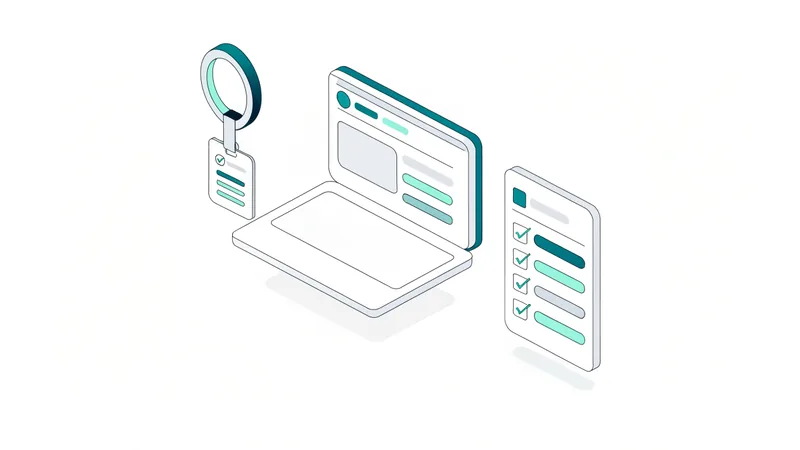
Each process becomes a template in the designer: stages, steps, the data each step records, who owns it, when it is due, the rules that change the route and the approvals that hold it. Templates live in the Library with the articles and files that explain them.
- 02
Execute: checklists
Every instance of the process runs as its own checklist, started by hand, from a link, on a schedule or from another system. Steps arrive assigned and dated, and the Tasks Grid gives each person everything waiting for them.
- 03
Monitor: reports and analytics
The Reports Grid lists every running and finished instance with its progress and answers, updated live. Analytics measures cycle time, completion, overdue and late steps across a date range.
- 04
Improve: versions and Template Analytics
Template Analytics shows one process across all its runs. Change the template and each save is a new version; choose which open checklists move to it, and every completed run keeps the version it followed.
Model
Model the process as it really runs
Build the template from headings and steps, with the fields each step must record from 19 types. Assign steps to people and groups, set due dates that count from the start or from earlier steps, halt steps that must wait, and show extra steps only when an answer calls for them.
Parameters ask for what a run needs to know as it starts, such as a client name or a start date, and fill in names, fields, due dates and assignees from it. Reference data such as clients, sites or products comes from Data Sets, so drop-downs stay current without editing the template.
Execute
Execute every instance the same way
Each time the process starts it becomes a checklist that follows the template: the same steps, in the same order, with the same checks, whoever runs it. Halts stop steps being done out of order, required fields stop steps being ticked without the evidence, and steps that do not apply are marked not applicable on the record.
People work from the Tasks Grid, one list of every step assigned to them across every process, plus standalone tasks for one-off work. Clients and suppliers can complete their own steps through a shared link or as free Guests.
Monitor
Monitor processes while they run
Business process monitoring needs live data, not a monthly export. The Reports Grid shows every instance of every process with its progress and the answers people gave, updates as people work, and saves the filtered views you check every week.
Analytics turns the history into measures: checklists started and completed, average cycle time, tasks completed on time, overdue and late, broken down by template, person and step. Bottleneck Tasks ranks the steps most often late, which is usually where to improve first.
Improve
Improve the process, version by version
When the numbers point at a step, change the template. Every save creates a numbered version, with who saved it and when, and nothing is ever deleted, so you can see exactly what changed and go back if the change did not help.
New checklists use the new version straight away. Running ones stay on the version they started with unless you choose to move them, and completed ones always show the process as it was followed, which keeps the audit trail honest while the process improves.
- Template Analytics shows one process across all its runs
- Restore an older version by saving it as the newest
- Continuous improvement and CAPA templates to run the improvement itself
Honestly
Lightweight BPM, compared with a BPMN suite
CheckFlow covers the BPM lifecycle for processes people carry out. It is not a BPMN modelling and execution engine, and for many teams that is the point.
| Question | CheckFlow | Traditional BPM platform |
|---|---|---|
| How a process is modelled | A checklist template: steps, fields, rules | A BPMN diagram |
| Who builds it | The process owner, without code | Process analysts and developers |
| Steps run by software | Through Zapier, webhooks and the API | Built into the engine |
| Time to the first live process | Minutes to days | Usually weeks to months |
| Process mining and simulation | No | Often |
| Best for | Recurring people-run processes in SMB and mid-size teams | Large, system-heavy enterprise processes |
CheckFlow’s Business plan is $10 per user per month, or $9 billed annually, with no minimum contract: on monthly billing you can cancel at any time. Sketch the process first if you like: business process mapping explains how.
Where it is used
Business processes teams manage in CheckFlow
People
Onboarding, offboarding, internal transfers and performance reviews across HR, IT and managers.
HR checklist softwareClients
Client onboarding, account reviews and handoffs from sales to delivery.
Client onboarding softwareFinance
Month-end close, approvals, supplier set-up and reconciliations with preparer and approver kept apart.
Approval softwareCompliance
Recurring controls, audits and reviews with evidence on every step.
Compliance checklist softwareIT operations
Change management, patching, access reviews and incident response.
IT onboarding softwareQuality
Inspections, CAPA and continuous improvement cycles.
Quality assurance templates
Model processes faster with AI.
Turn a description or an existing procedure into a process model in a minute, then ask questions of your running processes from the assistant you already use.
Model from a sentence or a document
The AI generator drafts the stages, steps, fields, rules, due dates and halts. Inside CheckFlow it can also import Word, PDF, Excel or a photo of a paper checklist.
Try the AI generatorAsk about running processes
Claude, ChatGPT, Gemini, Grok, Copilot or any other AI assistant can search checklists by their answers and read their activity through the MCP server. Analytics stays in the app.
AI in CheckFlowConnect the system steps
Webhooks and REST API v3 let your own systems start processes, complete their steps and hear when one finishes.
Developer overview
Which client onboardings for Tailspin Toys are still open, and where are they stuck?
template: "Client Onboarding"
field:    "Client = Tailspin Toys"
status:   "InProgress"
One is open: Client Onboarding – Tailspin Toys, 35% complete. Collect client details and Set up billing are both overdue, assigned to Dana K. and the Finance group.
Process templates to start from.
Proven processes you can copy, adjust and run today.
Related features
BPM software questions
What is BPM software?
Business process management (BPM) software helps an organisation document, run, monitor and improve the recurring processes it depends on, from onboarding and approvals to IT operations and compliance. It captures each process as a structured, repeatable workflow, so the outcome does not depend on who runs it.
How is CheckFlow different from traditional BPM platforms?
Traditional BPM platforms model processes as BPMN diagrams and usually need analysts, developers and an implementation project. CheckFlow is lightweight: process owners build templates themselves without code, and a process can be live the same day. It focuses on processes people carry out, and connects to other systems through Zapier, webhooks and the API.
Does CheckFlow support BPMN?
No. CheckFlow models a process as a checklist template, with steps, fields, assignments, due dates, conditional logic and approvals, rather than as a BPMN diagram, and it does not import or export BPMN. Many teams sketch the flow first; see business process modeling.
Do I need technical knowledge to build processes?
No. The template designer is no-code. Any Administrator or Member with permission to create templates can add steps with instructions and attachments, assign them, add conditional logic and set schedules.
How do I monitor processes in CheckFlow?
The Reports Grid lists every running and finished checklist with its progress and answers, updated live, with saved views and exports. Analytics measures cycle time, completion and late or overdue steps, and Template Analytics shows one process across all its runs. See analytics and reporting.
How do process changes reach running work?
Saving a template creates a new version. New checklists use it straight away, running checklists stay on their version unless you choose to update them, and completed checklists keep the version they followed.
What types of business processes can CheckFlow manage?
Any recurring process people carry out that needs to run consistently and leave a record: employee and client onboarding, offboarding, approvals, financial close, compliance audits, IT change management, quality control and procurement. The template library has hundreds to start from.
How much does CheckFlow cost?
The Business plan is $10 per user per month, or $9 billed annually, with the designer, checklists, schedules, analytics, Zapier and the REST API included, and no minimum term on monthly billing, so you can cancel month to month. Try it free with no credit card; see pricing.
Manage your processes the lightweight way.
Model your first process from a template or a sentence, and run it with your team today.
14-day free trial, no credit cardFull refund in your first 30 daysUS hosting, EU on request