Brand-new or first website
What matters: content, forms, tracking, speed, accessibility and a clean first crawl.
Redirects: none needed, the redirect tasks stay hidden.
Covered by: this checklist on its own.
Last reviewed: October 2026
No Credit Card Required
Printed from checkflow.io/templates/marketing/website-launch-checklist
This free website launch checklist is the go-live QA for a new or rebuilt site. It takes the launch lead from scope and owners through content and legal pages, form testing, SEO foundations, analytics and consent, Core Web Vitals and accessibility, to the DNS, SSL and redirect cutover, a recorded go/no-go decision and two weeks of monitoring. It suits an in-house marketing team launching its own site and an agency launching one for a client. If the new site replaces an old one and URLs are changing, run the Website Migration Checklist alongside it to protect existing rankings.
Staging settings travel. A site is built for weeks in a place nobody is meant to find. It is hidden from search engines, its forms point at test inboxes, its payment gateway runs in sandbox mode and its analytics either do nothing or report into a test property. Every one of those settings is correct on staging and wrong on the live site, and the deployment copies them across unless someone switches each one deliberately. That is why the reference table further down this page lists what has to change between the two.
Nobody owns the whole launch. The designer owns the look, the developer owns the code, the SEO specialist owns the metadata, someone in IT owns the domain and the marketing manager owns the date. Each of them checks their own part, and the gaps sit between those parts: the form that works but feeds no CRM, the redirect that exists but loops, the cookie banner that appears but blocks nothing. A launch checklist gives one person, the launch lead, a single list that crosses every boundary and shows who has ticked what.
Search engines see the result, not the intention. Google completed its move to mobile-first indexing in July 2024, so a site that works on desktop but breaks on a phone is the site Google indexes. A noindex tag only works if crawlers can reach the page to read it, which means a staging rule in robots.txt and a noindex tag together can behave in ways nobody planned. Checking these things on the day, with the live domain, is what this template is for.
A launch is not a migration. This checklist is built for getting a site live safely. When an established site with search traffic is being replaced, the bigger risk is losing the rankings the old URLs earned, which needs benchmarks, a full redirect map and weeks of monitoring. The template handles the simple case through a scope question, and points to the migration checklist for the rest.
What matters: content, forms, tracking, speed, accessibility and a clean first crawl.
Redirects: none needed, the redirect tasks stay hidden.
Covered by: this checklist on its own.
What matters: everything above, plus old URLs that still receive visits and links.
Redirects: the redirect tasks appear on launch day.
Covered by: this checklist, plus the migration checklist if URLs or the domain change.
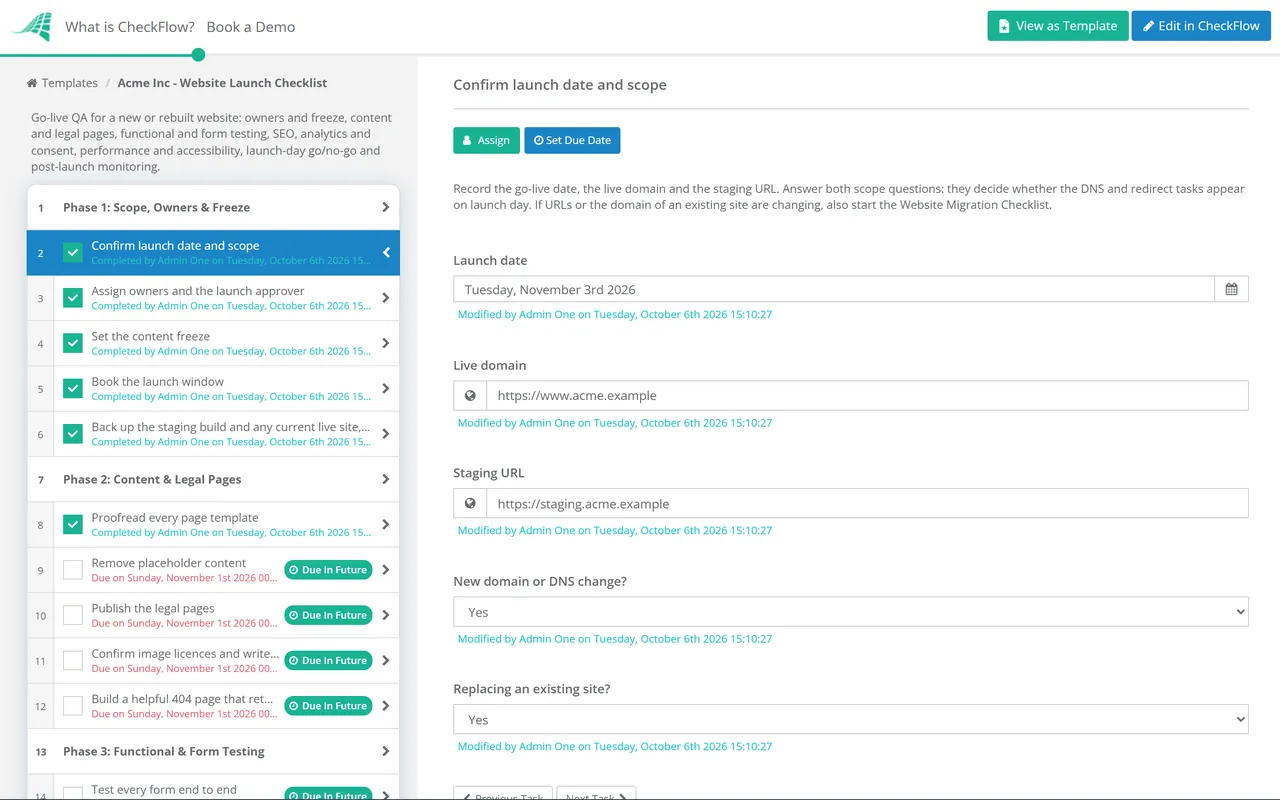
Seven phases from freeze to the two-week review. Two scope questions in Phase 1 decide whether the DNS and redirect tasks appear.
The DNS task appears for a new domain or DNS change; the redirect task appears when an existing site is replaced.
Most launch faults are a staging value that survived the deployment. Walk through this table with the developer on launch morning and tick each row against the live domain, not the staging host.
| Setting | On staging | On the live site | How to check |
|---|---|---|---|
| Search access | Password-protected, or noindex on every page | No noindex anywhere it is not wanted; robots.txt allows the pages you want found | View source and response headers for noindex; open /robots.txt |
| Canonical tags | Often point at the staging host | Self-referencing, on the live domain and preferred protocol | Crawl and filter canonicals that differ from the page URL |
| XML sitemap | Missing, or listing staging URLs | Absolute live URLs only, under 50,000 URLs and 50 MB per file | Open the sitemap and submit it in Search Console |
| Analytics and tags | Test property, or none | Live property and ad accounts, gated by the consent banner | Tag assistant or the browser network tab, with consent declined and then accepted |
| Form recipients | Developer or test inbox | The team inbox and the CRM or marketing platform | Submit each form and find the record |
| Payments | Sandbox keys | Live keys and live webhooks | One real low-value transaction, then refund it |
| Email sending | Local mailer or test service | Sending service authorised for the live domain | Send a password reset or order email and read its headers |
| Debug and caching | Errors displayed, cache off | Errors logged not shown, page and CDN cache on | Trigger a 404 and check the response; reload and compare load times |
For Phase 5, Google’s Core Web Vitals count as good when 75% of real visits meet them: Largest Contentful Paint within 2.5 seconds, Interaction to Next Paint within 200 milliseconds and Cumulative Layout Shift of 0.1 or less. INP replaced First Input Delay in March 2024. A new site has no field data yet, so treat the lab scores as a warning light and recheck the field figures in Search Console once traffic builds. For accessibility, WCAG 2.2 AA asks for text contrast of at least 4.5:1 (3:1 for large text) and targets of at least 24 by 24 CSS pixels, with some exceptions. The European Accessibility Act has applied to in-scope products and services since 28 June 2025.
The two scope questions in Phase 1 use conditional logic. A first website never sees DNS or redirect tasks; a rebuild on a new domain sees both. Nobody has to delete irrelevant steps or guess which ones apply this time.
The sign-off task is assigned to the approver named in Phase 1. If they choose Not approved, the checklist halts and the launch-day tasks stay locked. Read more about approvals in CheckFlow.
Every task has an owner and a due date counted back from the launch date, and every tick, comment and screenshot stays on the checklist. When something breaks in week two, the history shows what was tested and by whom.
Agencies launching sites for several clients can start one checklist per client from the same template, invite the client’s approver to sign off, and keep each launch separate. See how CheckFlow handles client work, or read our guide to onboarding marketing agency clients.
Launch day is the start of the site’s life, not the end of the project. If it runs on WordPress, hand it over to the WordPress Maintenance Checklist, and schedule the SEO Audit Checklist for three months after go-live.
Describe the process in a sentence and the AI checklist generator drafts the phases and tasks for you.
At minimum: named owners and a content freeze, proofread content and legal pages, end-to-end form and transaction tests, search basics (indexable pages, titles, canonicals, a sitemap), analytics that respects consent, performance and accessibility checks, the DNS and SSL switch, a recorded go/no-go decision and a monitoring period afterwards. The most important single item is a pass through every setting that differs between staging and live.
Start Phases 2 to 5 once the content freeze begins, typically one to two weeks before go-live for a small or medium site, so that fixes have time to be made and retested. Phase 6 happens on the day itself, and Phase 7 runs for two weeks afterwards. If DNS is changing, lower the TTL on the records at least a week before the switch so the change spreads quickly.
Check the staging leftovers first: a noindex meta tag or X-Robots-Tag header, a robots.txt rule blocking the whole site, or canonical tags pointing at another host. Then confirm the site is verified in Search Console, submit the sitemap and use URL Inspection on a few key pages. A brand-new domain can take time to be crawled and indexed even when everything is set up correctly.
A launch is about getting a site live and working: content, forms, tracking, speed and accessibility. A migration is about moving an existing site’s search value to new URLs, a new domain or a new platform without losing traffic. A rebuild on the same URLs is mostly a launch. A rebuild with new URLs or a new domain is both, so run this checklist for go-live and the migration checklist for the redirects, benchmarks and monitoring.
Choose a time when traffic is lower and the people who can fix problems are available for the rest of the day and the day after. For many business sites that means a Tuesday to Thursday morning. Avoid Friday afternoons, the day before a holiday and the start of a major campaign, when a broken form costs the most leads.
One launch lead, usually the project manager on the agency side or the digital marketing manager in-house, owns the checklist and chases the open tasks. Specialists own their sections: the developer for testing and deployment, an SEO specialist for Phase 4, whoever controls the domain for DNS and certificates. The go/no-go decision belongs to someone senior enough to delay the date, such as the client contact or the head of marketing, and should not be the same person who did most of the testing.
14-day free trial, no card required. The Business plan is $10 per user per month after the trial. Full details at checkflow.io/pricing.
14-day free trial, no credit cardFull refund in your first 30 daysUS hosting, EU on request