A process is a repeatable set of activities that turns a defined input into a defined output, started by a trigger and owned by someone accountable for the result. That is the whole answer to "what is a process", and every part of it matters. Take away the trigger and nobody knows when to start. Take away the defined output and nobody knows when they have finished. Take away the owner and the process belongs to everyone, which in practice means it belongs to no one.
Most companies between 10 and 500 people run on processes that were never designed. They grew out of whatever the first person to do the job happened to do, then got passed along by word of mouth. That works until the person leaves, the team doubles, or an auditor asks for evidence. Then it becomes obvious that "how we onboard a client" lives in three people's heads and two conflicting spreadsheets.
This guide is for operations, IT, HR and team leads who need to move from that state to processes that are named, documented and run the same way every time. By the end you will be able to tell a process from a procedure, a workflow and a project; classify the processes your team runs; define one properly in seven steps; choose the right format to document it; and judge how mature your process management really is.
What Is a Process? A Working Definition
The dictionary calls a process "a series of actions taken to achieve a result". That is true but not useful, because it describes a shopping trip just as well as a month-end close. A business process needs a tighter definition, and the most practical one has five parts.
Definition: business process
A business process is a repeatable sequence of activities that (1) starts on a defined trigger, (2) consumes defined inputs, (3) runs through defined activities and decisions, (4) produces a defined output for an internal or external customer, and (5) has a named owner accountable for the result.
Each of those five parts answers a question that someone on your team will otherwise have to guess at.
Trigger: when does it start?
Every process begins with an event. A signed contract triggers client onboarding. A resignation letter triggers offboarding. The first working day of the month triggers month-end close. If you cannot name the trigger, you do not yet have a process; you have a task that somebody does when they remember to. A surprising number of "processes" fail for exactly this reason, and it is why recurring checklists that fire on a schedule outperform documents that wait to be opened.
Inputs: what does it need?
Inputs are the information, materials, approvals and access a process needs before it can run. Employee onboarding needs a signed offer, a start date, a role, a manager and a location. Without a list of inputs, the process starts and immediately stalls while someone chases the missing piece.
Activities: what happens, in what order?
The activities are the steps, including the decision points where the path splits. "Create the email account" is an activity. "If the hire is remote, ship the laptop; otherwise leave it at reception" is a decision. Most process documentation captures the activities and forgets the decisions, which is why it reads well and fails in practice.
Output: what does "done" look like?
The output is the thing the process exists to produce, described specifically enough that two people would agree whether it had been achieved. "New hire onboarded" is not an output. "New hire has working accounts, a configured device, a completed security induction and a first-week plan agreed with their manager" is.
Owner: who is accountable?
The owner is not the person who does every step. They are the person who answers for the process as a whole: whether it runs when it should, whether the steps are still right, and whether the output meets the standard. When a process has no owner, it drifts. Steps get added by whoever hit a problem last, nothing is ever removed, and nobody notices that the output has quietly degraded.
Where the idea comes from: Ford, 1913
The clearest early demonstration of what a designed process can do came from the Ford Motor Company. Before 1913, a Model T was built by teams of craftsmen who moved around a stationary chassis, each fetching parts and doing whatever the car needed next. On 1 December 1913, at the Highland Park plant, Ford switched on a moving assembly line: the chassis travelled past fixed stations, and each worker performed one defined activity with the parts already at hand.
The commonly cited result is that chassis assembly time fell from over twelve hours to around an hour and a half. Nothing about the car changed. What changed was that the work was broken into defined activities, in a defined order, with defined inputs delivered to each station, and someone responsible for the flow of the whole line. That is a process, and it is the same structure that makes a good client onboarding or change management process work today. The lesson is not "build an assembly line". It is that the design of the work matters as much as the skill of the people doing it.
Process vs Procedure vs Workflow vs Task vs Project
These five words get used interchangeably, and the confusion has a real cost: teams document a procedure when they needed a process, or run a repeatable process as if it were a one-off project. Here is how they differ.
| Term | What it is | Scope | Repeats? | Example |
|---|---|---|---|---|
| Process | The end-to-end set of activities that turns a trigger and inputs into an output | Whole outcome, often across teams | Yes, every time the trigger fires | Employee onboarding, from signed offer to productive first month |
| Procedure | The prescribed way to perform one activity or a small group of them, usually written as an SOP | One activity within a process | Yes, whenever that activity is needed | How to create a Microsoft 365 account and enrol MFA |
| Workflow | The sequence and routing of work between people and systems, including hand-offs and decisions | The path work takes through a process | Yes | Access request → manager approval → IT provisioning → confirmation to requester |
| Task | A single unit of work assigned to one person with one definition of done | One step | Only as part of a process | Ship the laptop to the new hire's home address |
| Project | A temporary effort with a unique goal, a start and an end | Whole outcome, once | No; it ends when the goal is met | Migrate the company from on-premises Exchange to Microsoft 365 |
The two distinctions that matter most in practice are process versus procedure and process versus project.
Process versus procedure. A process is the "what and why"; a procedure is the "exactly how" for one part of it. Client onboarding is a process. "How to set up a client in the billing system" is a procedure inside it. You need both, but they live at different levels and are written for different readers. The process is read by whoever manages the outcome; the procedure is read by whoever is doing that step at 4pm on a Friday. If you are writing the second kind, how to write an SOP covers it step by step, and writing standard operating procedures covers how to build a whole set of them across a team.
Process versus project. A project happens once and is planned as a one-off. A process happens every time its trigger fires and is designed to be repeated. The mistake most small companies make is treating repeatable work as a series of projects: every new client gets a fresh plan, every new hire gets an ad hoc set of tasks, and the same lessons are relearned each time. When you notice the same "project" recurring, that is the signal to define it as a process.
Workflows deserve a word too. A workflow is the routing view of a process: who hands what to whom, and where the path branches. Two companies can run the same process with different workflows, one routing everything through a manager and the other letting the technician self-serve. When people say "our workflow is broken", they usually mean the hand-offs, not the steps.
The Three Types of Business Process
Every process in a company falls into one of three categories, and knowing which one you are looking at tells you who should own it, how tightly it should be controlled and how much it is worth investing in.
Operational (core) processes
Operational processes are the ones that deliver value directly to the customer. They are the reason the business exists and the ones customers notice when they go wrong. In a manufacturer that is order fulfilment and production; in an MSP it is ticket resolution, onboarding a new client and running maintenance windows; in a SaaS company it is customer onboarding, support and release management; in a professional services firm it is engagement delivery and invoicing.
Operational processes should be your first priority for definition and standardisation. They run most often, involve the most people and carry the highest cost when a step is missed. A client onboarding process that skips the kick-off call, or a ticket process that never confirms resolution with the user, damages the relationship the company depends on. The client onboarding checklist guide walks through one of these in detail.
Support processes
Support processes do not deliver value to the customer directly, but the operational processes cannot run without them. IT provisioning, employee onboarding and offboarding, procurement, vendor onboarding, facilities maintenance, payroll and recruitment are all support processes. Customers never see them, but a customer-facing engineer without a working laptop cannot resolve tickets, and a supplier that was never properly set up cannot be paid on time.
Support processes are usually the most neglected. They belong to functions that are small in headcount, often one or two people, and they run less visibly than the core. They are also where compliance risk concentrates: access that is never revoked after someone leaves, a vendor onboarded without a data processing agreement, a device that was never encrypted. Defining them costs little and removes a disproportionate amount of risk.
Management processes
Management processes plan, monitor and govern the other two. Budgeting, strategic planning, performance reviews, risk management, internal audit, KPI reporting and the review cadence of the processes themselves all sit here. They tend to run on a calendar rather than on an event, which makes them easy to postpone and easy to forget.
The failure mode of management processes is not a missed step but a missed cycle: the quarterly risk review that quietly stops happening, the process review that never gets scheduled after the first one. Putting them on a fixed schedule, with a named owner and a record of each run, is usually enough to fix that. This category is also where business process management as a discipline lives: the management process of managing processes.
Worked example: a 60-person MSP
Operational: client onboarding, ticket triage and resolution, monthly maintenance windows, backup verification, project delivery. Support: engineer onboarding and offboarding, tool licensing, procurement of client hardware, vendor onboarding, payroll. Management: quarterly business reviews with clients, monthly service reporting, annual risk assessment, quarterly process review. The operational list is where the revenue is; the support list is where the audit findings will be; the management list is what keeps the other two honest.
What a Well-Defined Process Looks Like
Before defining or fixing a process, it helps to know what you are aiming for. Use this list to score any process your team runs today. A process that fails three or more of these items is not yet defined, whatever the documentation says.
- It has a name that everyone in the team uses for it, and the name describes the outcome, not the department
- It has a stated purpose: one sentence on why it exists and who the output is for
- The trigger is explicit: a named event or a fixed schedule, not "when needed"
- The boundaries are clear: what counts as the first step and what counts as the last
- The inputs are listed, and the process cannot start until they are present
- The output is described specifically enough to be checked by someone other than the person who produced it
- Every step has a role or a named person responsible for it
- Decision points are written down with their conditions, not left to judgement
- Hand-offs between people or teams are explicit, including what is handed over and how
- It has an owner who is accountable for the process as a whole and who reviews it on a schedule
- At least one measure exists for it: cycle time, error rate, completion rate or cost
- Every run leaves a record of who did what and when
Notice that none of these items say the process must be long, complicated or heavily controlled. A three-step process can pass every one. What they demand is precision about the things people are otherwise left to guess: when to start, what is needed, who does what, and how you know it worked.
Why Processes Matter: Five Things They Buy You
Defining processes is unglamorous work, and it is worth being clear about what the return is. There are five, and each shows up at a different stage of a company's growth.
Consistency
A defined process produces the same output whoever runs it. That is the whole point of the Ford line and of the surgical checklist. In The Checklist Manifesto, Atul Gawande describes the WHO Surgical Safety Checklist trial across eight hospitals: deaths fell by 47% and major complications by 36%, without any change to surgical skill or equipment. The checklist made the defined process happen every time instead of most of the time. The same mechanism works for a server hardening process or a month-end close. Variation is where errors hide, and a defined process removes the variation that is not adding value.
Onboarding
When a process exists only in someone's head, a new starter learns it by shadowing that person and absorbing whatever they happen to mention. When the process is defined, the new starter can run it on their first week with supervision and on their second week without. The time to competence drops from months to weeks, and the quality of the output no longer depends on who trained them.
Scaling
Growth breaks undefined processes. At five people, everyone knows how everything is done because everyone does everything. At 25, the founders are the bottleneck because every decision routes through them. At 100, there are three versions of every process and nobody knows which is current. Defined processes let you add people, locations and clients without adding chaos in proportion. This is the practical content of process standardisation: one way of doing the work, followed by everyone, improved deliberately.
Compliance and evidence
Every compliance framework, whether ISO 27001, SOC 2, Cyber Essentials or a customer's own supplier audit, asks two questions: is there a defined process, and can you prove it was followed? An undefined process fails the first question. A defined process with no record of its runs fails the second. Defining the process and running it in a way that leaves a record answers both, and turns audit preparation from a reconstruction exercise into a retrieval exercise.
Handover and resilience
People leave, go on leave and get promoted. A defined process survives that; an undefined one walks out of the door with them. The test is simple: if the person who runs your client onboarding resigned tomorrow, could someone else run it next week to the same standard? If the honest answer is no, the process is a single point of failure, and it is worth treating it with the same seriousness you would treat a server with no backup.
The Hidden Cost of Undocumented Processes
The cost of an undefined process rarely appears as a line item. It appears as small, recurring losses that nobody attributes to the cause. The following examples are illustrative rather than measured, but every operations lead will recognise at least one of them.
The rework tax
An IT team onboards a new hire. Because there is no defined list of inputs, the engineer creates the accounts before finding out the hire is in a different office and needs a different set of group memberships and a different device build. Half the work is undone and redone. At two hours per hire and forty hires a year, that is two working weeks a year spent correcting work that was done correctly the first time against the wrong information.
The chase
Finance closes the month. Because there is no defined hand-off from sales to finance, the accountant spends the first three days of every close chasing sales for signed order forms that should have arrived with the deal. The close takes eight working days instead of five. Nobody calls this a process problem; they call it "sales never sends the paperwork", and it happens every month.
The silent skip
An employee leaves. The manager tells HR, HR updates payroll, and IT finds out three weeks later when the leaver's mailbox fills up. Their VPN access, their SaaS logins and their access to the client file share stayed live for those three weeks. Nothing went wrong this time, which is precisely why the process was never defined, and why it will not be defined until something does.
The founder bottleneck
A 30-person agency has one person who knows how a project is set up: which folders, which naming convention, which tools, which client contacts to add. Every new project waits for that person to have half an hour spare. They are also the managing director. The company's throughput is capped by the calendar of its most expensive employee, on work a junior could do from a checklist.
The audit scramble
A prospective enterprise client sends a 200-question security questionnaire. Question 47 asks how access is reviewed and how often. The honest answer is "when someone thinks of it". The team spends a week building a process that should have existed already, and then has to admit it has run once. The deal slips a quarter.
None of these costs is dramatic on its own. Together they are the reason growing companies feel busier every year without becoming more productive. Defining the processes involved removes most of them permanently, and the definition itself is usually an afternoon's work per process.
Start From a Defined Process, Not a Blank Page
CheckFlow's template library includes ready-made processes for onboarding, offboarding, IT operations, finance and compliance. Pick one, adapt it to how your team works, and run it the same way every time.
Browse Free TemplatesHow to Define a Process in 7 Steps
Defining a process does not need a workshop, a consultant or diagramming software. It needs the people who do the work, an hour or two, and the seven questions below asked in order. Work through them for one process at a time, starting with the one that runs most often or hurts most when it goes wrong.
Name the process and state its purpose
Give it a name that describes the outcome and that people will actually use: "Client onboarding", not "CS-PROC-004". Then write one sentence on why it exists and who receives the output. "Client onboarding takes a signed client from contract to a working service with a named account manager, so that the first invoice can be raised with nothing outstanding." That sentence becomes the test for every step you add later: if a step does not serve the purpose, it does not belong.
Identify the trigger
Write down exactly what starts the process. Be specific about the event and where it is observed: "a contract is marked as signed in the CRM", not "when we win a client". If the process runs on a schedule rather than an event, state the schedule: "the first working day of each month at 9am". If you find there are two different triggers, you may have two processes, or one process with a decision at the start. Either way, decide now. A process with a fuzzy trigger starts late, starts twice or does not start at all.
Set the boundaries
Decide what the first step is and what the last step is, and write both down. Boundaries stop scope creep in both directions. Does client onboarding include the sales hand-off, or start after it? Does it end at go-live, or at the 30-day review? There is no universally right answer, but there must be an answer, because otherwise two people will run the same process to different end points and both will believe they finished. Where one process ends, name the process that begins, so the hand-off between them is explicit.
List the steps and the decisions
Sit with the person who does the work and list the steps in the order they actually happen, not the order the manager thinks they happen. Start each step with a verb. Then go back and find the decisions: every place where the person says "it depends" is a decision point, and each one needs its condition written down ("if the client has more than 50 users, schedule a second training session"). Keep steps at a consistent level of detail. "Set up the client" is too coarse; "click Save" is too fine. If a step needs its own instructions, that is a procedure, and it can be linked rather than expanded inline. For complex branching, mapping the process visually first will surface decisions you would otherwise miss.
Assign roles
Put a role against every step: account manager, IT engineer, finance, hiring manager. Use roles rather than names so the process survives people changing jobs, but make sure every role resolves to a real person when the process runs. Then mark the hand-offs, the points where responsibility passes from one role to another, and specify what passes with it. Most delays in a process happen at hand-offs, because the receiving person does not know the work has arrived or does not have what they need to continue. Finally, name the owner of the whole process, who may or may not perform any of the steps.
Define the inputs and the output
List everything the process needs before it can start, and make the first step a check that those inputs are present. For onboarding: signed offer, start date, role, manager, location, equipment requirements. Then describe the output as a set of checkable conditions: accounts created and tested, device delivered and encrypted, induction completed, first-week plan agreed. The output definition is what lets someone other than the person doing the work confirm it is done. Without it, "done" means "I stopped".
Choose the measures
Pick one to three measures that tell you whether the process is working. The usual candidates are cycle time (trigger to output), completion rate (runs finished against runs started), error or rework rate, and cost per run. For client onboarding, time from signed contract to go-live is the obvious one. For offboarding, time from leave date to last access revoked. Decide how each measure will be captured; if capturing it needs a spreadsheet nobody will maintain, choose a different measure or run the process in a system that records it automatically. Measures are what turn a defined process into one you can improve, which is the subject of continuous improvement.
When all seven steps are done, you have a defined process on one or two pages. Run it three or four times before changing anything: the first runs will reveal steps you missed and decisions you did not know were there. Then set a review date, usually three to six months out, and put it in the owner's calendar.
Documenting a Process: SOP, Flowchart or Checklist?
A defined process needs to be written down in a form people will use. There are three common formats, and the question is not which is best but which fits the process and the reader. Many processes end up with two: a flowchart for understanding and a checklist for execution.
| Format | Best for | Strength | Weakness | Reader |
|---|---|---|---|---|
| SOP (written procedure) | Steps that need detailed instructions, screenshots, standards or safety warnings | Captures the "exactly how", including context and rationale | Long; read once and rarely consulted again; easy to let go stale | Someone learning or performing a specific step |
| Flowchart | Processes with several decision points, branches or hand-offs between teams | Shows the whole shape of the process on one page, including who does what | Cannot be executed; no record of a run; loses detail below the box level | Someone designing, reviewing or explaining the process |
| Checklist | Processes that run repeatedly and need every step confirmed each time | Executable; each run leaves a record; assigns and tracks the steps | Weak at explaining why; needs a linked SOP for complex steps | Someone running the process right now |
When the SOP fits
Write an SOP when a step is technical enough that getting it wrong has consequences and the right way is not obvious: configuring a firewall rule, running payroll, handling a data subject access request. The SOP is the reference the checklist points to. Keep it to the one step it covers, keep it short, and give it a version and an owner. If you want the reference and the checklist in one place, SOP software that runs procedures as checklists keeps the detail inside each step. Writing standard operating procedures covers how to plan and roll out a set of SOPs across a team without them going stale.
When the flowchart fits
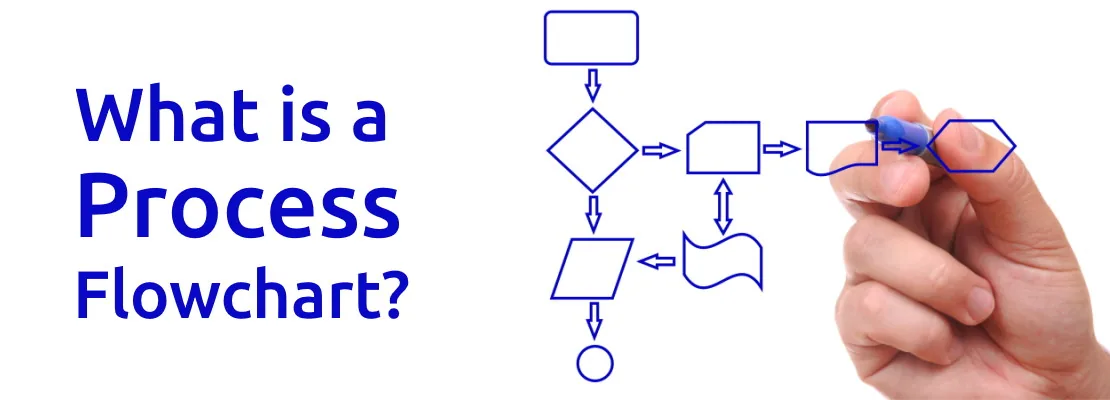
Draw a flowchart when you need to see the process rather than read it: when there are more than two or three decision points, when several teams are involved and the hand-offs are the problem, or when you are redesigning the process and need everyone to agree on the current state before changing it. A swimlane flowchart, with one lane per role, is the fastest way to expose the hand-off that nobody owns. Process flowcharts explains the symbols and how to draw one that people will actually understand.
When the checklist fits
Use a checklist for anything that runs more than a few times a year and where you need to know, afterwards, that every step happened. A checklist is the only one of the three formats that is executed rather than consulted. In checklist software, each run assigns the steps to people, records who completed each one and when, and shows the owner what is outstanding. That record is what a flowchart and an SOP cannot give you, and it is the difference between a process that is documented and a process that is demonstrably followed.
A practical combination
For a process like employee offboarding: a one-page swimlane flowchart showing HR, the line manager, IT and finance and where each hands over; a checklist template that runs every time a leaver is confirmed, with each step assigned to the relevant role; and two or three short SOPs linked from the steps that need them, such as revoking access across each system. The flowchart is reviewed twice a year; the checklist is run every time; the SOPs are updated when the systems change.
Process Maturity: From Ad Hoc to Optimised
Not every process needs to be at the same level of maturity, and trying to take every process to the top level at once is the fastest way to abandon the effort. The four-stage model below is a simplified version of the capability maturity models used in software and quality management. Use it to judge where each process is now and decide where it needs to be.
| Level | What it looks like | Typical symptom | What moves it up |
|---|---|---|---|
| 1. Ad hoc | The process exists in people's heads. Each run is different. Success depends on who does it. | "Ask Sam, she knows how it works." | Define it using the seven steps above; write it down in one place |
| 2. Defined | The process is documented with a trigger, steps, roles, output and owner. People mostly follow it. | "It's on the wiki, but I'm not sure that's the latest version." | Run it from a template every time so the definition and the execution are the same thing |
| 3. Measured | Every run is recorded. Cycle time, completion and errors are known, and the owner reviews them. | "Onboarding takes nine days on average and the delay is always at the device step." | Use the measures to find the bottleneck and change one thing at a time |
| 4. Optimised | The process is improved on a cadence, hand-offs are automated where a human adds no value, and changes are versioned. | "We cut onboarding to four days last quarter by ordering devices at offer stage." | Keep the review cadence; resist adding steps that do not serve the purpose |
Most small and mid-sized companies have almost every process at level 1, with a few at level 2 that were written down for an audit and never updated. Getting the core operational processes to level 3 is a realistic goal for a year, and it delivers most of the value. Level 4 is worth pursuing only for the handful of processes that run often enough for small improvements to compound: onboarding, ticket handling, month-end close, maintenance windows.
The jump from level 2 to level 3 is the important one, and it is mostly a tooling decision. A process documented in a wiki cannot measure itself. A process run from a template in business process management software records every run without anyone doing extra work, which is what makes measurement free rather than a chore that stops after a month.
Common Process Mistakes
The same handful of mistakes account for most failed attempts to define processes. Each one is easy to avoid once named.
Mistake: documenting how the manager thinks it works. The process is written by the team lead from memory, without sitting with the person who does it. The document misses the workarounds, the real order of steps and the exceptions that happen every week. The practitioner reads it, sees it does not match reality, and stops consulting it. Always define a process with the people who run it, and have them run the first version before you call it finished.
Mistake: no trigger and no owner. The steps are written down but nothing says when the process starts or who is accountable for it. It runs when someone remembers, which means it runs late or not at all, and when it fails nobody is responsible for fixing it. A process without a trigger is a document; a process without an owner is an orphan. Fix both before you worry about the steps.
Mistake: too much detail at the process level. A 40-page process document that explains every click is unusable as a process and unmaintainable as a set of instructions. Keep the process to the steps, decisions, roles and hand-offs, and push the "exactly how" into short linked procedures. A process should fit on a page or two; anyone who needs more detail on a step should be able to find it, but should not have to wade through it.
Mistake: defining everything at once. A well-meaning operations lead decides to document all 60 processes in the company in a quarter. After 15 the effort stalls, the documents that exist go stale, and the whole initiative is remembered as the time we tried to write everything down. Pick the three processes that run most often or hurt most, take them to level 3, and let the results earn the next three.
Mistake: treating the definition as the finish line. The process is defined, documented and announced, and then never reviewed. Within a year the systems it references have changed, two roles have been renamed and the output no longer matches what the customer needs. Every process needs a review date and an owner who will honour it. Six months is a reasonable default; sooner for anything touching a system that changes often.
Mistake: optimising before standardising. The team tries to improve a process that is still run differently by every person. The improvement cannot be measured because there is no baseline, and it cannot be adopted because there is no standard to change. Standardise first, measure second, improve third. That order is the whole logic of process standardisation, and skipping it wastes the effort.
Free Process Templates to Start With
The fastest way to define a process is to start from one that has already been defined and adapt it. The three templates below cover the most common support and operational processes in a growing company. Each one has a trigger, assigned roles and a clear output, and each can be edited to match how your team works before you run it. The full library is at checkflow.io/templates.

How CheckFlow Fits
CheckFlow is built around the definition of a process given at the top of this guide. A process in CheckFlow is a template: the steps, the decisions, the roles and the output, defined once. Every time the trigger fires, the template is run as a checklist, and that run is the process happening, with a record of it left behind. The definition and the execution are the same object, which is what closes the gap between level 2 and level 3 on the maturity scale.
Templates. Start from the template library or build your own in the template designer. Each step can carry instructions, links to your SOPs, required fields and file uploads, so the "exactly how" sits next to the step without cluttering the process.
Task assignment. Every step is assigned to a user or a role in the template, and the assignment is made automatically each time the process runs. The account manager gets the kick-off call, the engineer gets the provisioning steps, finance gets the billing setup, without anyone forwarding an email.
Dynamic due dates. Due dates are set relative to the trigger or to another step: device ordered within two days of the offer, accounts created the day before the start date. Overdue steps notify the assignee and the owner, so the process escalates itself instead of waiting to be chased.
Conditional logic. The decision points from step 4 of the definition become if-then rules. If the hire is remote, the shipping steps appear; if not, they stay hidden. One template handles every variation of the process without a separate checklist for each.
Recurring schedules. Processes with a calendar trigger, such as month-end close, maintenance windows or quarterly access reviews, run automatically on the schedule you set. Nobody has to remember to start them. See recurring checklist software for how that works in practice.
Real-time dashboard. The real-time dashboard shows every running process, who is on which step and what is overdue. The owner sees the state of the process without a status meeting, and analytics give the cycle times and completion rates that level 3 depends on.
Audit trail. Every run records who completed each step, when, and what they entered. When an auditor or a customer asks for evidence that the process was followed, the record already exists.
Zapier and API. Triggers can come from other systems: a deal marked won in your CRM can start client onboarding, and a completed step can push data back out. The Zapier integration and REST API connect CheckFlow to the tools your team already uses, and automations handle the hand-offs where a human adds no value.
CheckFlow starts from $10 per user per month, with a 14-day free trial and no credit card required. The business process management software page covers the full feature set.
Turn Your Processes Into Something Your Team Actually Runs
Define the process once as a template, run it every time the trigger fires, and get a record of every run. Start with a free trial and have your first process running today.
Start free trialFrequently Asked Questions
What is a process in simple terms?
A process is a repeatable set of steps that turns a starting point into a finished result. In a business, it begins with a trigger (a new client signs, an employee resigns, the month ends), uses defined inputs, runs through a set order of activities and decisions, and produces a defined output that someone else depends on. It also has an owner who is accountable for it working.
The word "repeatable" is what separates a process from a one-off project. If the same kind of work happens again and again, and you want it done the same way each time, it is a process, whether or not it has been written down yet.
What is the difference between a process and a procedure?
A process is the end-to-end set of activities that produces an outcome, usually involving several people and often several teams. A procedure is the detailed instruction for performing one activity within that process. Client onboarding is a process; "how to set up a new client in the billing system" is a procedure inside it, typically written as a standard operating procedure.
The process answers what happens, in what order and who is responsible. The procedure answers exactly how one step is done. You need both, but they are written for different readers: the process for whoever manages the outcome, the procedure for whoever is doing the step.
What are the three types of business process?
Business processes are usually grouped into operational (or core) processes, which deliver value directly to customers, such as order fulfilment, client onboarding and support; support processes, which keep the core running but are invisible to customers, such as IT provisioning, HR onboarding, procurement and payroll; and management processes, which plan, monitor and govern the other two, such as budgeting, risk reviews and performance management.
The category tells you how to prioritise. Operational processes are worth defining first because they run most often and customers notice when they fail. Support processes are where compliance risk tends to concentrate. Management processes fail by being skipped rather than by being done wrong, so they need a fixed schedule.
What are the key elements of a process?
A well-defined process has five elements: a trigger that starts it, the inputs it needs, the activities and decisions it runs through, the output it produces, and an owner accountable for it. Within the activities, each step should have a role responsible for it, and the hand-offs between roles should be explicit.
Two further elements separate a defined process from a mature one: a measure (cycle time, completion rate or error rate) and a record of each run showing who did what and when. Without those you can describe the process but cannot tell whether it is working or prove that it was followed.
What is the difference between a process and a workflow?
A process is the complete set of activities that produces an outcome. A workflow is the routing view of that process: the sequence in which work moves between people and systems, including hand-offs, approvals and decision points. The process defines what must happen; the workflow defines the path the work takes to get there.
In everyday use the terms overlap, and workflow software and process management software are largely the same category. The distinction is useful when diagnosing problems. If the steps are right but the work keeps stalling between people, the workflow needs fixing. If the steps themselves are missing or wrong, the process does.
How do you document a business process?
Start by defining the process with the people who run it: name and purpose, trigger, boundaries, steps and decisions, roles, inputs and output, and measures. Then choose the format that fits the reader. A flowchart is best for seeing the shape of a process with several decisions and hand-offs. A written SOP is best for the detailed "how" of a technical step. A checklist is best for anything that runs repeatedly and needs every step confirmed.
Most processes end up with a combination: a one-page flowchart for review, a checklist template that is run each time, and short SOPs linked from the steps that need them. Whatever the format, give it an owner and a review date, or it will be out of date within a year.
Which processes should a small business define first?
Start with the processes that run most often, involve more than one person, and cost the most when a step is missed. For most companies between 10 and 500 people that means customer or client onboarding, employee onboarding and offboarding, and whichever operational process the revenue depends on, such as ticket handling, order fulfilment or project set-up. Anything an auditor or a large customer is likely to ask about belongs near the top of the list too.
Define three processes properly and run them from a template for a couple of months before adding more. The measured results from those three will show where the next effort is worth spending, and will do more to persuade the team than any amount of documentation.