Run by IT and the service desk
Trigger: a joiner, mover or leaver event from HR or a manager.
Cadence: continuous, request by request.
Output: an account created, changed or disabled.
Blind spot: anything granted or kept outside the ticket flow.
A user access review, sometimes called an entitlement review or access recertification, asks the people who understand each system to confirm that every account on it still belongs to someone who needs it, at the level they need. The hard part is not the decision. It is getting complete user lists out of a dozen systems, matching them to HR records, chasing managers for answers, and proving afterwards that the access marked for removal really was removed. This free user access review checklist runs that cycle the same way every quarter: scope, extract, reconcile, certify, remediate and sign off. Removal tasks only appear when a reviewer actually flags an account, and every decision is recorded against a named reviewer with a timestamp.
Most organisations already grant and remove access through tickets raised when someone joins, changes role or leaves. Those controls work one event at a time, and each one can fail silently: a leaver ticket that closed before the finance system was touched, a local admin account created during an outage, a service account whose owner left two years ago. The periodic review is the detective control that finds what the event-driven process missed. It looks at the whole population of accounts at once, rather than one request at a time. A review that keeps finding the same kind of leftover access is also telling you which part of the provisioning process to fix.
It is also narrower than two related exercises. A privileged access review goes deeper on administrator rights, session recording and vaulting. A directory clean-up removes stale computer objects, empty groups and disabled users for hygiene. This template covers business and technical accounts across your in-scope systems, with privileged and service accounts handled as a dedicated phase rather than a separate project.
Trigger: a joiner, mover or leaver event from HR or a manager.
Cadence: continuous, request by request.
Output: an account created, changed or disabled.
Blind spot: anything granted or kept outside the ticket flow.
Trigger: the calendar, usually quarterly for in-scope systems.
Cadence: the whole account population, every cycle.
Output: certified access, removals with tickets and a signed record.
Catches: leftover access, orphaned accounts and role creep.
Six phases take each cycle from scoping to signed evidence. The remediation phase switches on only when reviewers mark accounts for change or removal.
Owned by the IAM or GRC lead who coordinates the cycle.
Switches on when any account is marked modify or remove. The last task appears only if an enabled leaver account was found in Phase 2.
The sign-off task is an approval step for the accountable system owner or the CISO.
Almost every security framework expects access to be reviewed, but only some put a number on it. PCI DSS v4.0.1 is the most specific: requirement 7.2.4 calls for all user accounts, including third-party accounts, to be reviewed at least once every six months, with management acknowledging that access remains appropriate. Quarterly is common practice for systems in audit scope because it keeps each cycle small and gives auditors more data points. Each row below names a reference and the phase whose output you would hand an auditor for it.
| Framework | Reference | What it expects | Evidenced in |
|---|---|---|---|
| SOC 2 (2017 TSC, 2022 points of focus) | CC6.2, CC6.3 | Credentials removed when no longer authorised; access granted, changed and removed by role, with least privilege and segregation of duties | Phases 3–5 |
| ISO/IEC 27001:2022 Annex A | 5.15, 5.16, 5.18 | Access control rules, managed identities, and access rights provided, reviewed and removed | Phases 1–3, 5 |
| ISO/IEC 27001:2022 Annex A | 8.2, 5.3 | Privileged access rights restricted and managed; conflicting duties segregated | Phase 4 |
| PCI DSS v4.0.1 | 7.2.4 | User and third-party accounts reviewed at least every six months; management acknowledgement | Phases 2, 3 and 6 |
| PCI DSS v4.0.1 | 7.2.5.1, 8.2.2, 8.2.6 | System accounts reviewed at a risk-based frequency; shared IDs justified; accounts inactive for 90 days removed or disabled | Phases 2 and 4 |
| CIS Controls v8.1 | 5.1, 5.3, 5.5, 6.8 | Accounts validated at least quarterly; dormant accounts disabled after 45 days; service accounts reviewed quarterly; role-based access reviewed at least annually | Phases 2 and 4 |
Your auditor, assessor or certification body decides what counts as sufficient evidence for your scope, so treat the table as a starting point, not legal or audit advice. Where frameworks disagree on a threshold, such as 45 or 90 days for dormant accounts, set one figure in your access control policy and use it consistently. For the full framework programmes, see the SOC 2 Readiness Checklist and the PCI DSS 4.0 Compliance Checklist.
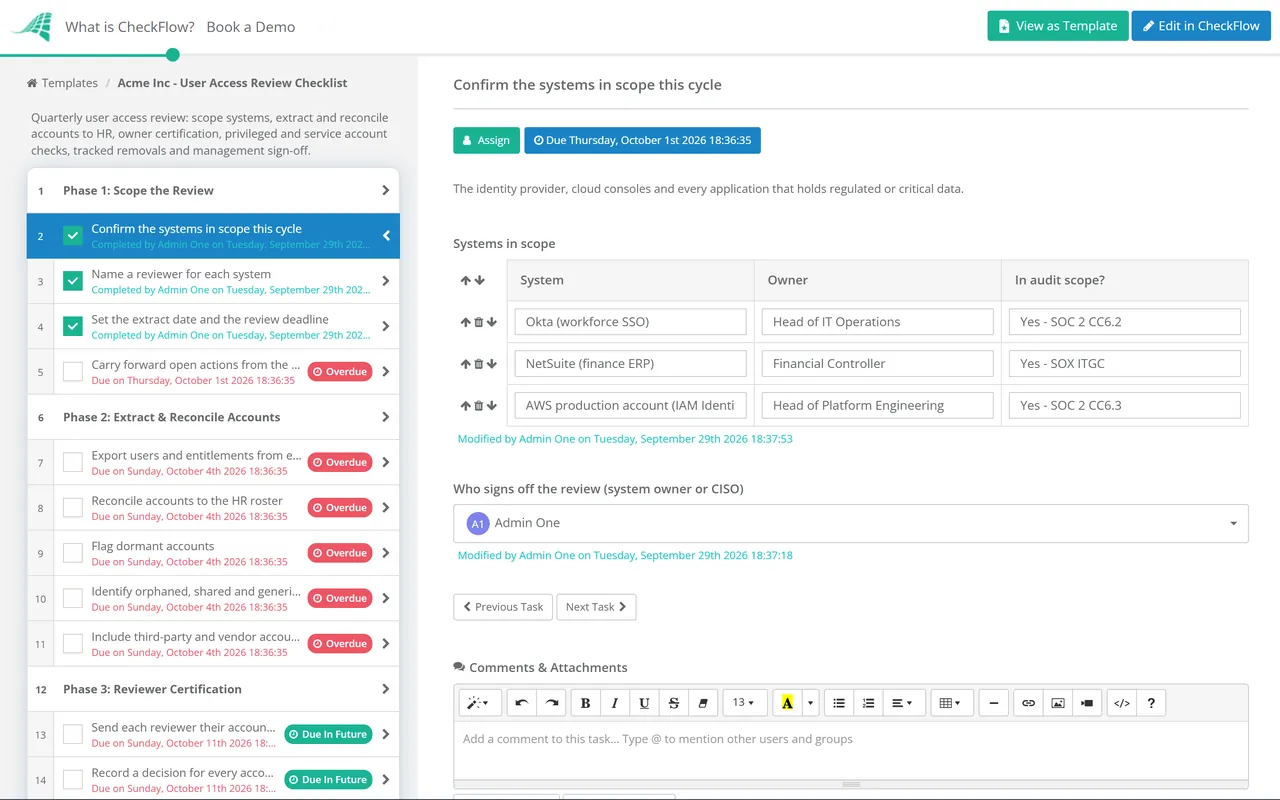
Each system’s certification is assigned to a named owner with a due date, so progress is visible on a dashboard instead of in an email thread. Late reviewers are obvious before the deadline passes, not after.
Conditional logic hides the remediation phase until a reviewer marks an account for change or removal, and adds the post-leaving activity check only when an enabled leaver turns up. A clean cycle stays short.
Extracts, decisions, tickets and confirmation exports are attached to the task they support. The record shows who certified what and when, and the final approval captures management sign-off in one place.
CheckFlow is not an identity governance platform or an identity provider. It runs the human part around those tools: scoping, chasing reviewers, recording decisions and proving remediation. For teams preparing for an audit, CheckFlow for SOC 2 compliance shows how access reviews sit alongside the other recurring controls, and our SOC 2 compliance checklist guide explains what auditors typically test under CC6.
Most findings in an access review trace back to a leaver process that missed a system. The IT offboarding security checklist closes that gap at the source, and the Cloud Security Review Checklist covers root accounts, IAM roles and console access across your cloud providers.
An access review is one of the controls an annual IT Security Audit Checklist samples. Unclaimed accounts are also easier to settle when the IT Asset Management Checklist keeps an owner on record for every system.
Describe the process in a sentence and the AI checklist generator drafts the phases and tasks for you.
It is a scheduled check that every account on a system still belongs to a current person or process, and that its permissions still match what that person or process needs. The people who understand the system, usually its owner and the users’ line managers, certify each account as keep, modify or remove. Anything marked for change is then remediated and the result is signed off by management.
PCI DSS v4.0.1 requires user accounts in scope to be reviewed at least once every six months. CIS Controls v8.1 asks for accounts to be validated at least quarterly. SOC 2 and ISO 27001 leave the frequency to your own risk assessment. Many teams settle on quarterly for systems in audit scope and privileged access, and six-monthly or annual for lower-risk applications, then write that choice into their access control policy.
Someone who can judge whether the access is appropriate, and who is not the person holding it. Line managers are best placed to confirm what their team members need. System owners are best placed to judge technical roles, service accounts and administrator rights. IT or the IAM team prepares the lists and carries out removals, but should not certify access on the business’s behalf.
Typically the user list as extracted, with details of how and when it was produced; each reviewer’s decisions with dates; tickets for every removal or change; proof that those changes were made; and a management sign-off. Auditors often pick a sample of removed accounts and check that they really were disabled, so the confirmation extract in Phase 5 matters as much as the decisions themselves.
An account with no identifiable owner is a risk whatever it can do, because nobody will notice if it is misused. Give the system owner a short, fixed window to claim it. If nobody does, disable it rather than delete it, note the date in the review, and delete it at the next cycle if no one has asked for it back. Record the outcome either way so the account does not reappear as a mystery next quarter.
This template covers every account in scope and includes a phase for administrator, service and break-glass accounts. A dedicated privileged access review goes further, often monthly, and looks at vault check-outs, session recordings and just-in-time elevation. If your privileged population is large, run that as its own cycle and keep Phase 4 here as a cross-check.
14-day free trial, no card required. The Business plan is $10 per user per month after the trial. Full details at checkflow.io/pricing.
14-day free trial, no credit cardFull refund in your first 30 daysUS hosting, EU on request