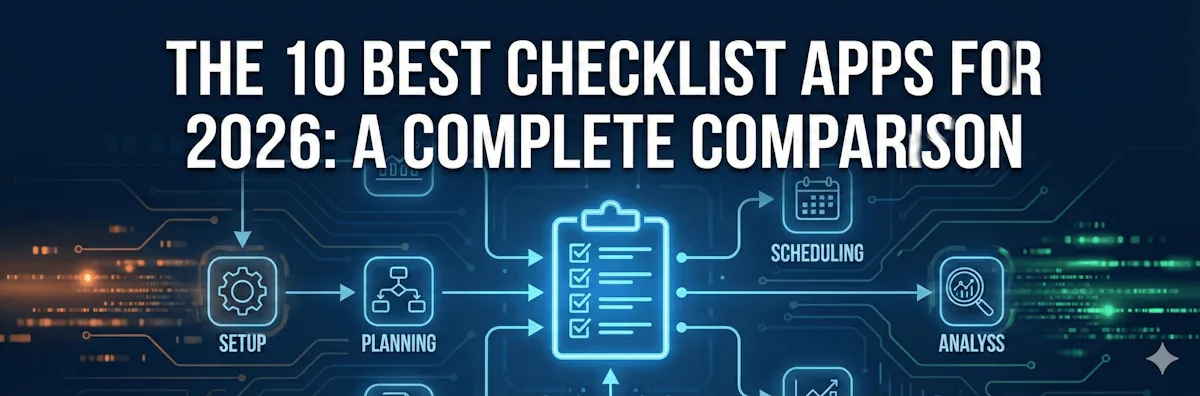
The best checklist app depends on who the list is for. For personal lists, Todoist, Microsoft To Do and Any.do are simple and have free plans. For project boards, teams use Trello, Asana, Monday or ClickUp. For checklists a team runs again and again, with an owner and a due date on every step, use checklist software such as CheckFlow.
But first, a crucial distinction: Not all checklist apps are created equal.
One size does not fit all. While some apps are simple "to-do" tools designed to help you track daily tasks, others are robust process management platforms capable of handling complex workflows and team collaboration. The right app for you depends on your specific needs - whether you're looking for a straightforward way to organize your grocery list or a powerful tool to manage intricate business processes.
In this article, we'll explore the top 10 checklist apps available today. Whether you're an individual looking to boost productivity or a team seeking to streamline operations, there's an app on this list for you.
Quick Jump: Find the Best App For...
Feature Comparison: At a Glance
Here is how the ten apps compare, in two tables: apps for team checklists you run again and again, and apps for personal lists. Prices are the lowest paid plan, checked on each vendor’s pricing page on 13 October 2026; most of these apps also have a free plan.
Team checklists and processes
| Feature | CheckFlow | Tallyfy | Asana | Monday | ClickUp | Trello | Notion |
|---|---|---|---|---|---|---|---|
| Collaborative Checklists | ✅ | ✅ | ✅ | ✅ | ✅ | ⚠️ | ⚠️ |
| Smart Templates | ✅ | ✅ | ⚠️ | ✅ | ✅ | ⚠️ | ⚠️ |
| Automation & Integrations | ✅ | ⚠️ | ✅ | ✅ | ✅ | ⚠️ | ⚠️ |
| Recurring Checklists | ✅ | ⚠️ | ✅ | ✅ | ✅ | ⚠️ | ⚠️ |
| Advanced Logic (Conditional) | ✅ | ✅ | ⚠️ | ✅ | ✅ | ❌ | ❌ |
| Analytics & Reporting | ✅ | ✅ | ✅ | ✅ | ✅ | ⚠️ | ❌ |
| Process Documentation | ✅ | ✅ | ⚠️ | ⚠️ | ⚠️ | ❌ | ✅ |
| Unlimited Free Guests | ✅ | ✅ | ❌ | ❌ | ❌ | ⚠️ | ❌ |
| Enterprise Security (SSO) | ✅ | ✅ | ✅ | ✅ | ✅ | ✅ | ✅ |
| Starting Price | $9/user (annual), $10 monthly | $25/user (annual), $30 monthly | $10.99/user (annual), $13.49 monthly | $9/seat (annual), $12 monthly; 3 seats minimum | $7/user (annual), $10 monthly | $5/user (annual), $6 monthly | $10/seat (annual), $12 monthly |
Personal lists
| Feature | Todoist | MS To Do | Any.do |
|---|---|---|---|
| Collaborative Checklists | ⚠️ | ❌ | ⚠️ |
| Smart Templates | ❌ | ❌ | ❌ |
| Automation & Integrations | ⚠️ | ❌ | ❌ |
| Recurring Checklists | ✅ | ✅ | ✅ |
| Advanced Logic (Conditional) | ❌ | ❌ | ❌ |
| Analytics & Reporting | ⚠️ | ❌ | ❌ |
| Process Documentation | ❌ | ❌ | ❌ |
| Unlimited Free Guests | ❌ | ❌ | ❌ |
| Enterprise Security (SSO) | ❌ | ⚠️ | ❌ |
| Starting Price | $5/month (annual), $7 monthly | Free with a Microsoft account | $4.99/month (annual), $7.99 monthly |
Legend: ✅ Full Support | ⚠️ Limited/Basic | ❌ Not Available. Prices in US dollars, before tax.
How We Chose and Checked These Apps
We picked the ten apps people most often consider when they search for a checklist app, from personal to-do apps to team process tools, and judged each one on what matters when a checklist has to be followed: recurring checklists, collaboration and assignments, templates, conditional logic, reporting, guest access, security and price.
- Prices and plans were checked on each vendor’s own pricing page on 13 October 2026.
- Features come from each vendor’s product and help pages, not from third-party lists.
- No ratings, review counts or star scores were used.
- CheckFlow is our product. We list its limits below, and say which app suits each job better.
1. CheckFlow
Best for Recurring Business Processes & SOPs
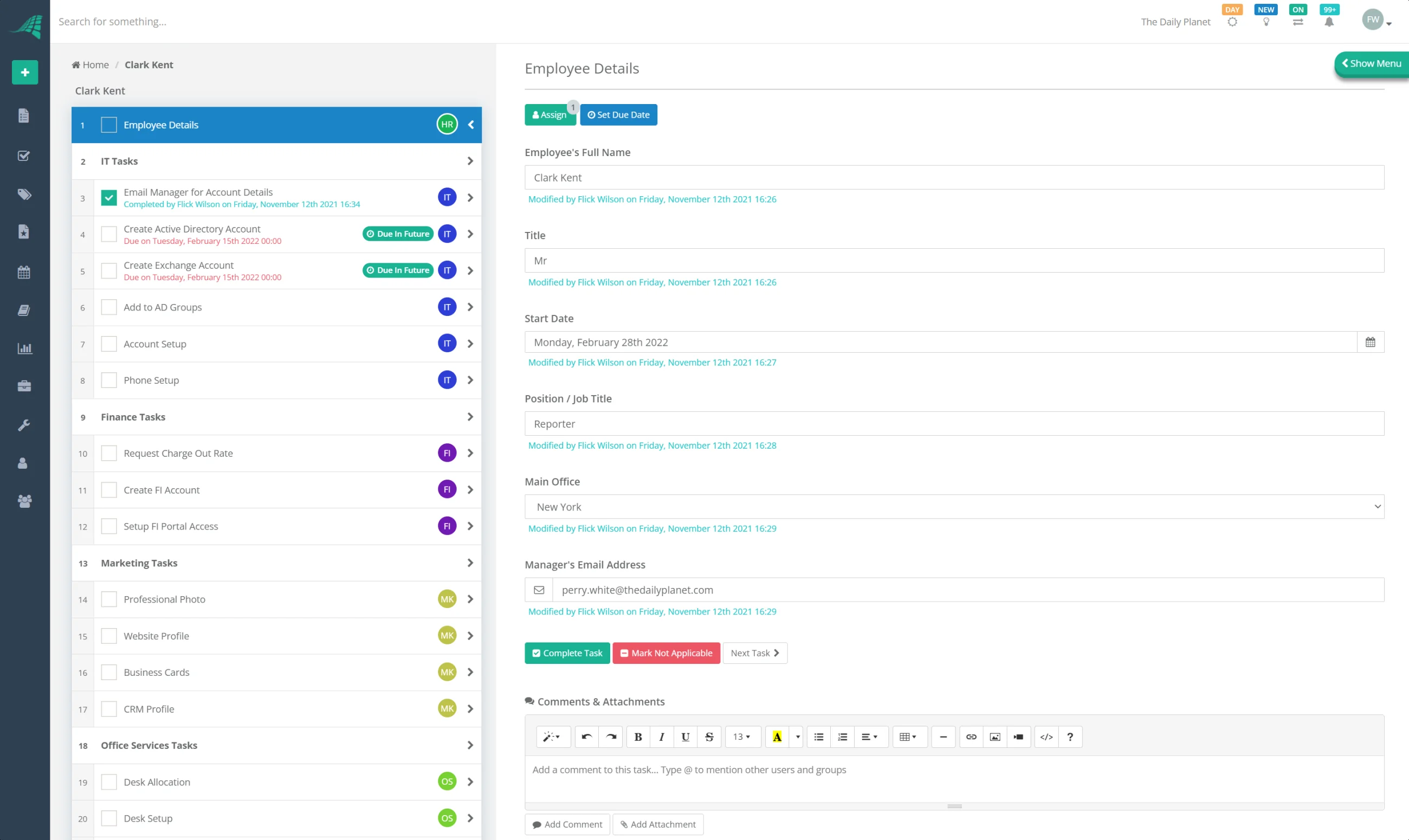
CheckFlow is designed from the ground up for people who don't just want to "tick off tasks" but actually want to run repeatable processes—onboarding, SOPs, recurring projects, and client workflows—without complexity getting in the way.
As checklist software, it combines the simplicity of a checklist tool with the power of a workflow platform. You can build templates, automate steps, assign tasks dynamically, and monitor progress across teams, all in a clean, intuitive interface.
Key Use Cases
- Employee onboarding and offboarding
- Client onboarding and recurring service delivery
- SOPs and compliance workflows
- Content publishing and marketing checklists
- Project and operations checklists across teams
Key Features
- Collaborative Checklists: Assign tasks, set owners, leave comments, and track activity in real time—ideal for teams and client-facing work.
- Smart Templates: Create reusable templates for recurring workflows (e.g., onboarding, content calendars, product launches) to ensure consistency.
- Automation & Integrations: Connect to thousands of tools through Zapier, the REST API and webhooks, so checklists start from events in your CRM, helpdesk or HR tools, and let AI assistants run checklists through the MCP server.
- Advanced Logic: Use conditional logic, dynamic due dates, dynamic assignments, and halt tasks to control how a process flows in different scenarios.
- Recurring Checklists: Automatically generate daily, weekly, monthly, or custom cadence checklists so nothing falls through the cracks.
- Analytics & Reporting: Track completion rates, bottlenecks, and team performance with customizable reports, and export checklists and tasks to Excel, CSV or PDF.
- Enterprise-Grade Features: SSO, dedicated databases, regional hosting, and strong security and compliance so you can scale with confidence.
Pros
- Intuitive drag-and-drop interface for building complex workflows without technical skills.
- Powerful process features (conditional logic, dynamic fields, halt tasks) that typical to-do apps simply don't have.
- Unlimited, free guest/client users—perfect for agencies and service businesses.
- Robust reporting and data export for audits, retrospectives, and continuous improvement.
- Enterprise-ready options for larger organizations.
Cons
- No permanently free "solo" plan, as at least one paid user is required (though guests are free and unlimited).
- More powerful than a basic to-do list app, so it's best suited to users who care about repeatable processes rather than just ad-hoc tasks.
- No native mobile app: CheckFlow runs in the phone's browser and needs a connection to save.
- No Kanban boards, Gantt charts or calendar views, so it is not a project management tool.
Pricing: $9 per user per month billed annually, or $10 monthly. Unlimited free guest/client users included. 14-day free trial, no credit card.
Best For: Teams and organizations that rely on repeatable workflows and SOPs, and want one tool to handle everything from simple checklists to complex, multi-step processes with approvals, automation, and reporting.
For features, pricing and use cases in more depth, read our CheckFlow review.
2. Todoist
The Minimalist's Task Manager
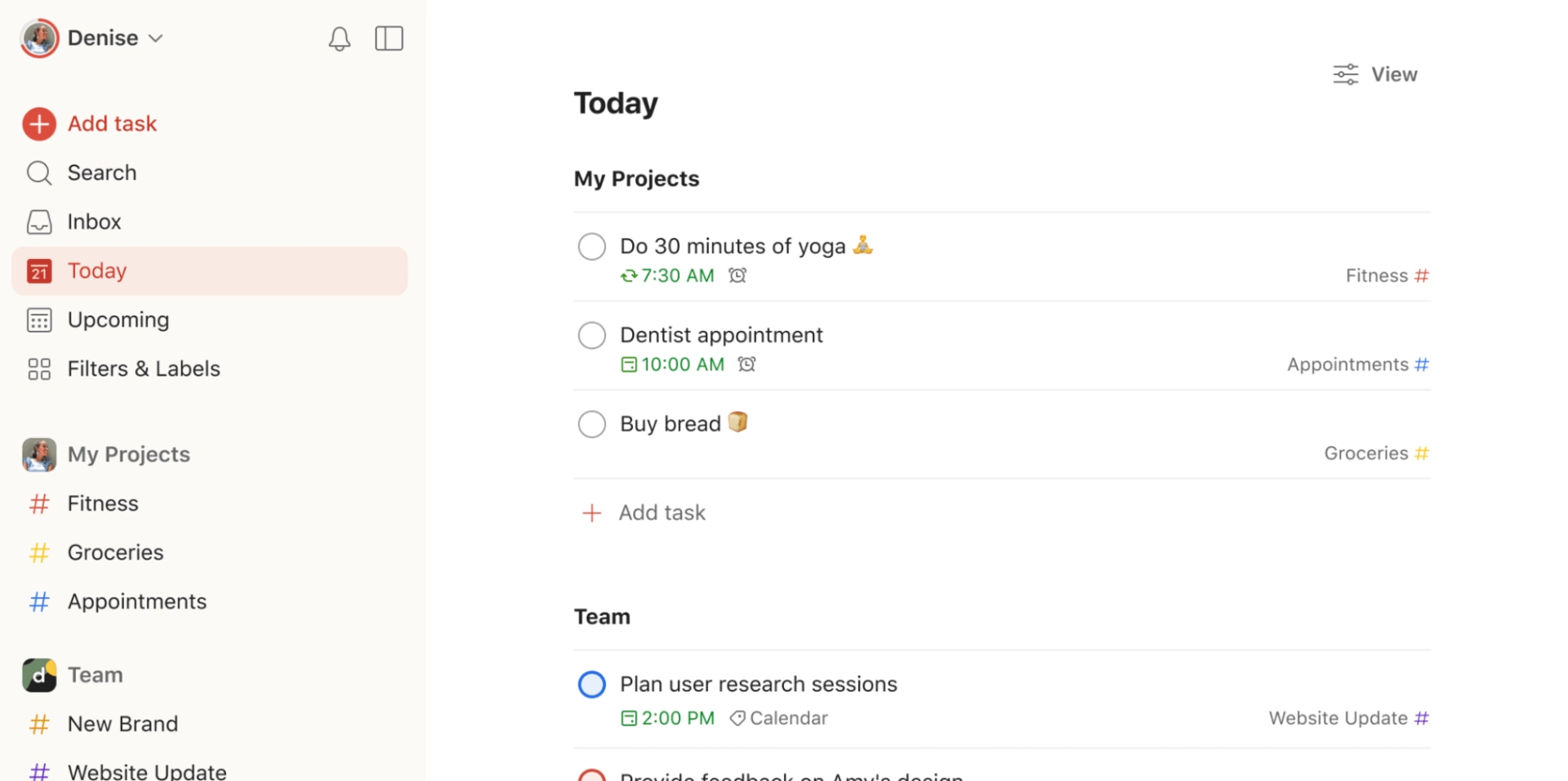
Todoist is one of the most popular personal to-do apps, known for its clean interface and effortless task capture. It's ideal if you want a simple way to manage personal tasks, errands, and small projects without the overhead of a more complex system.
However, Todoist is not designed to be a process management tool. It's light on collaboration, lacks robust templates for repeatable workflows, and offers limited reporting.
Key Features
- Natural language input (e.g., "Submit report tomorrow at 3pm").
- Priority levels, labels, filters, and projects.
- Cross-platform availability (web, mobile, desktop, browsers).
- Basic collaboration on shared projects.
Pros
- Clean, distraction-free design that's easy to adopt.
- Very quick for capturing tasks on the go.
- Reliable sync across devices.
Cons
- Limited collaboration and workflow structure compared to tools like CheckFlow.
- No true process documentation or SOP capabilities.
- Reporting and analytics are minimal.
Pricing: Free plan. Pro from $5 a month billed annually ($7 monthly); Business, for teams, from $8 per user a month billed annually ($10 monthly).
Best For: Individuals who want a simple, personal to-do list and don't need team workflows, automation, or process management.
3. Trello
Visual Workflows with Kanban Boards
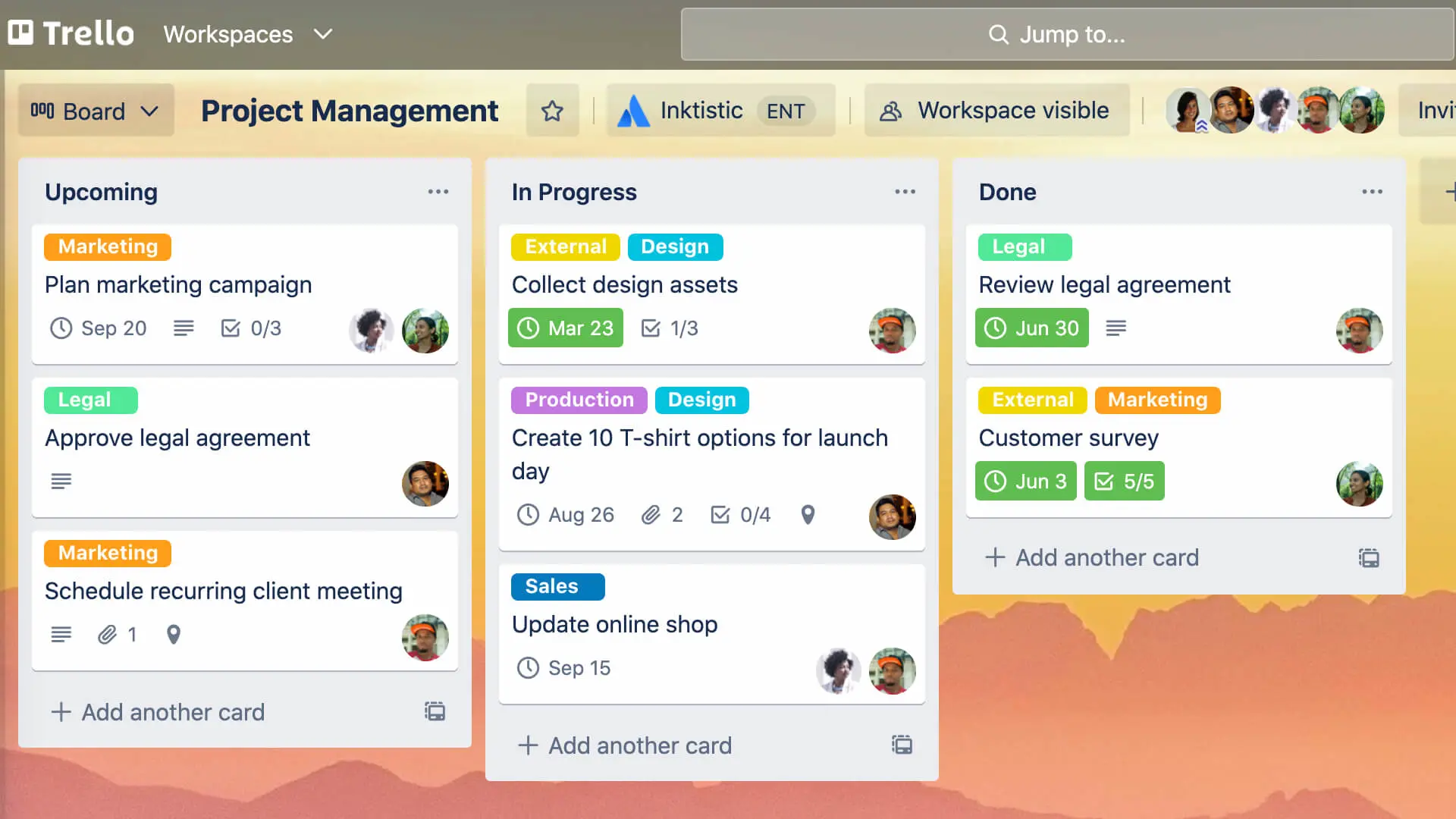
Trello is a visual project management tool built around boards, lists, and cards. It's popular with teams that like to manage tasks in a Kanban-style view. Each card can include checklists, due dates, attachments, and comments.
While Trello is excellent for visual planning, its core checklist functionality is basic. You can add checklists inside cards, but you won't get nuanced process logic or detailed completion analytics.
Key Features
- Boards, lists, and cards for visual project tracking.
- Built-in checklists on cards.
- Power-Ups for integrations (Calendar, Jira, Google Drive, etc.).
- Automations via Trello's built-in automation (Butler).
Pros
- Very easy to understand and get started with.
- Great for visual thinkers and simple team workflows.
- Flexible for agile boards and sprints.
Cons
- Checklists are simple and not suited for complex or multi-step processes.
- Boards can quickly become cluttered with large or long-running projects.
- Reporting is limited without add-ons or external tools.
Pricing: Free plan for up to 10 collaborators per Workspace. Standard from $5 per user a month billed annually ($6 monthly); Premium $10 ($12.50 monthly).
Best For: Teams that want visual Kanban boards and basic checklists but don't require formal process management or detailed analytics.
4. Asana
Project Management with Task Dependencies
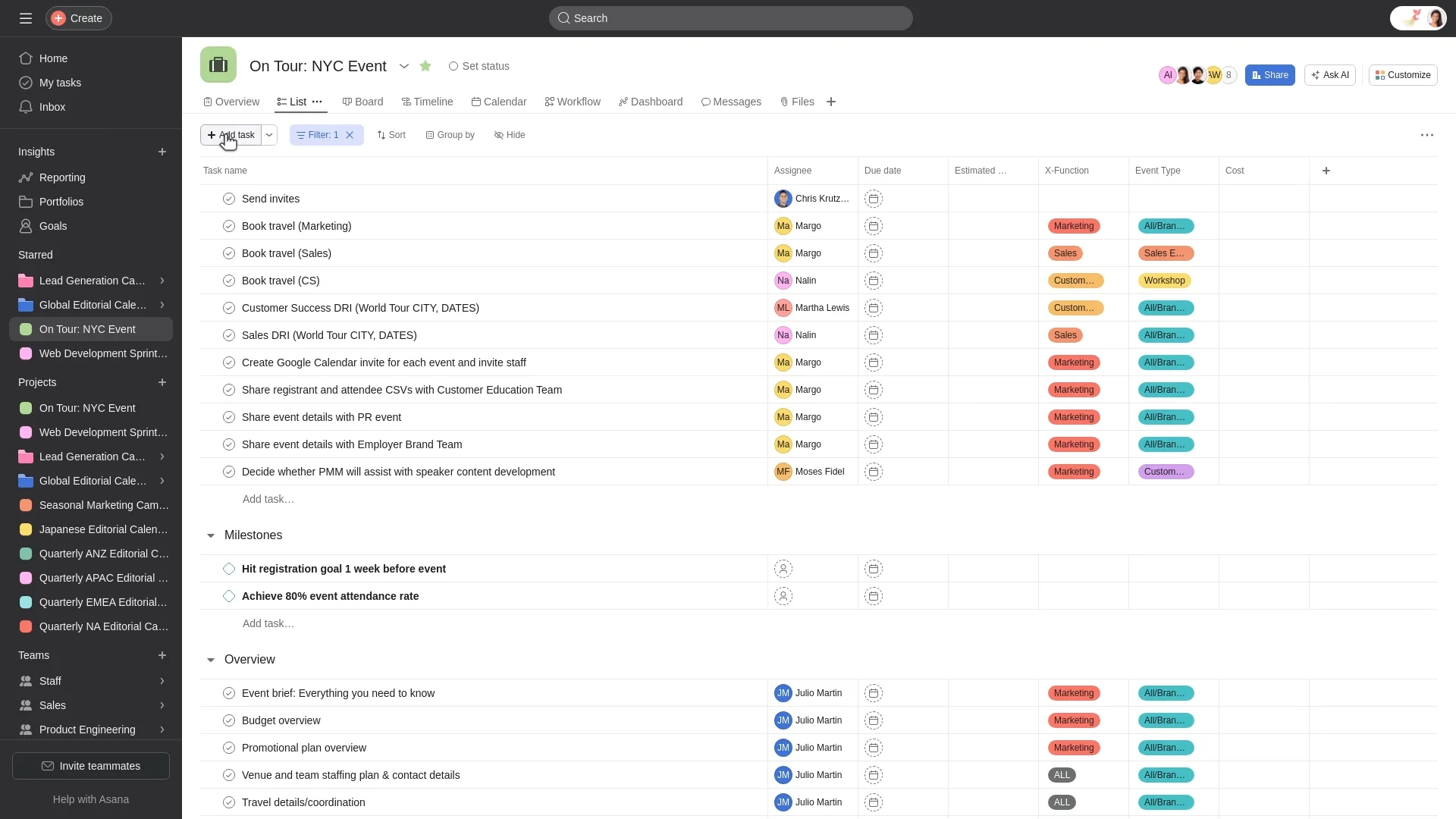
Asana is a robust project management platform built for teams handling multi-phase projects, dependencies, and deadlines. It offers lists, boards, timelines, and advanced reporting.
Checklists appear as subtasks within Asana, and while this works for task breakdowns, it's not designed as a dedicated checklist or SOP engine. For simple recurring workflows, Asana can feel more complex than necessary.
Key Features
- Task lists, boards, and timeline (Gantt-style) views.
- Task dependencies, milestones, and project portfolios.
- Forms for standardized intake of work requests.
- Rules and automations for repetitive actions.
Pros
- Excellent for managing complex, multi-step projects.
- Strong reporting and visibility across teams and projects.
- Integrates well with common business tools.
Cons
- Steep learning curve for non-technical or non-project-management users.
- Can be overkill if you primarily need repeatable checklists and SOPs.
- Pricing can add up for larger teams.
Pricing: Free plan for up to two users. Paid plans from $10.99 per user a month billed annually ($13.49 monthly).
Best For: Mid-sized teams and organizations running project-based work with dependencies and timelines, rather than structured, repeatable checklists.
5. Monday
Customizable Workflow Builder
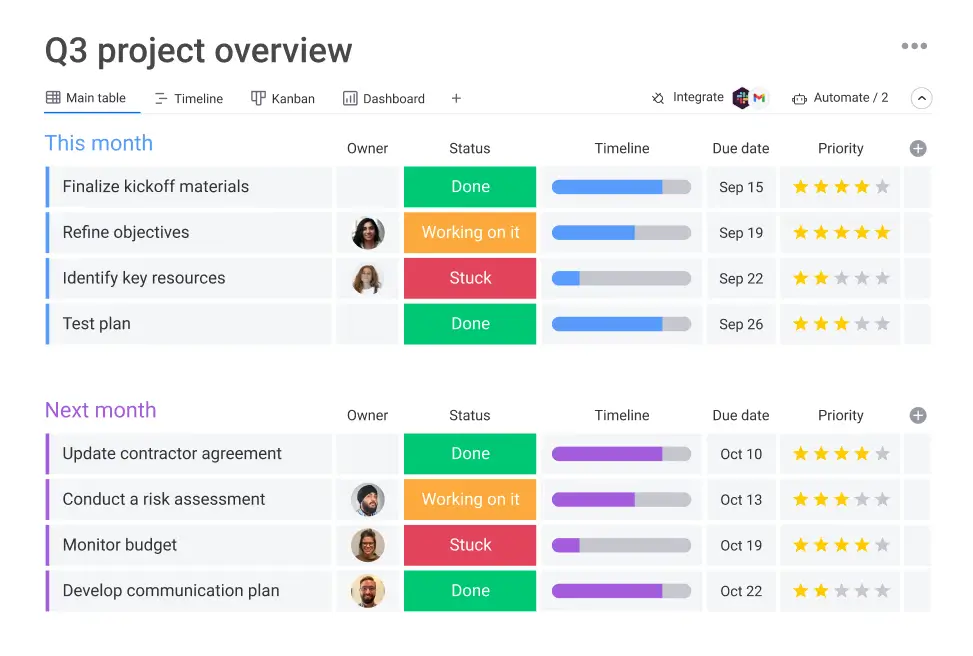
Monday (monday.com) is a highly customizable work OS that can be tailored to a wide range of use cases, from marketing campaigns to HR pipelines. Its strengths lie in its flexibility and visual dashboards.
However, that flexibility comes with complexity. If you're primarily looking to manage checklists and recurring processes, Monday may feel heavy and require more setup and administration than a dedicated checklist platform.
Key Features
- Dozens of templates for marketing, HR, operations, and more.
- Automations for status changes, notifications, and assignments.
- Color-coded dashboards and multiple view types.
- Integrations with tools like Slack, Outlook, Gmail, and CRMs.
Pros
- Very adaptable—can be molded to many different business functions.
- Friendly, visual interface once configured.
- Strong at high-level portfolio visibility.
Cons
- Can be overwhelming for teams that just need structured checklists and SOPs.
- Complex setups can require admin time or specialist knowledge.
- Pricing scales quickly across larger teams and feature tiers.
Pricing: Free plan for up to two seats. Paid plans from $9 per seat a month billed annually ($12 monthly), with a minimum of three seats.
Best For: Larger teams and enterprises needing heavily customized work management, not just checklists.
6. ClickUp
The All-in-One Productivity Platform
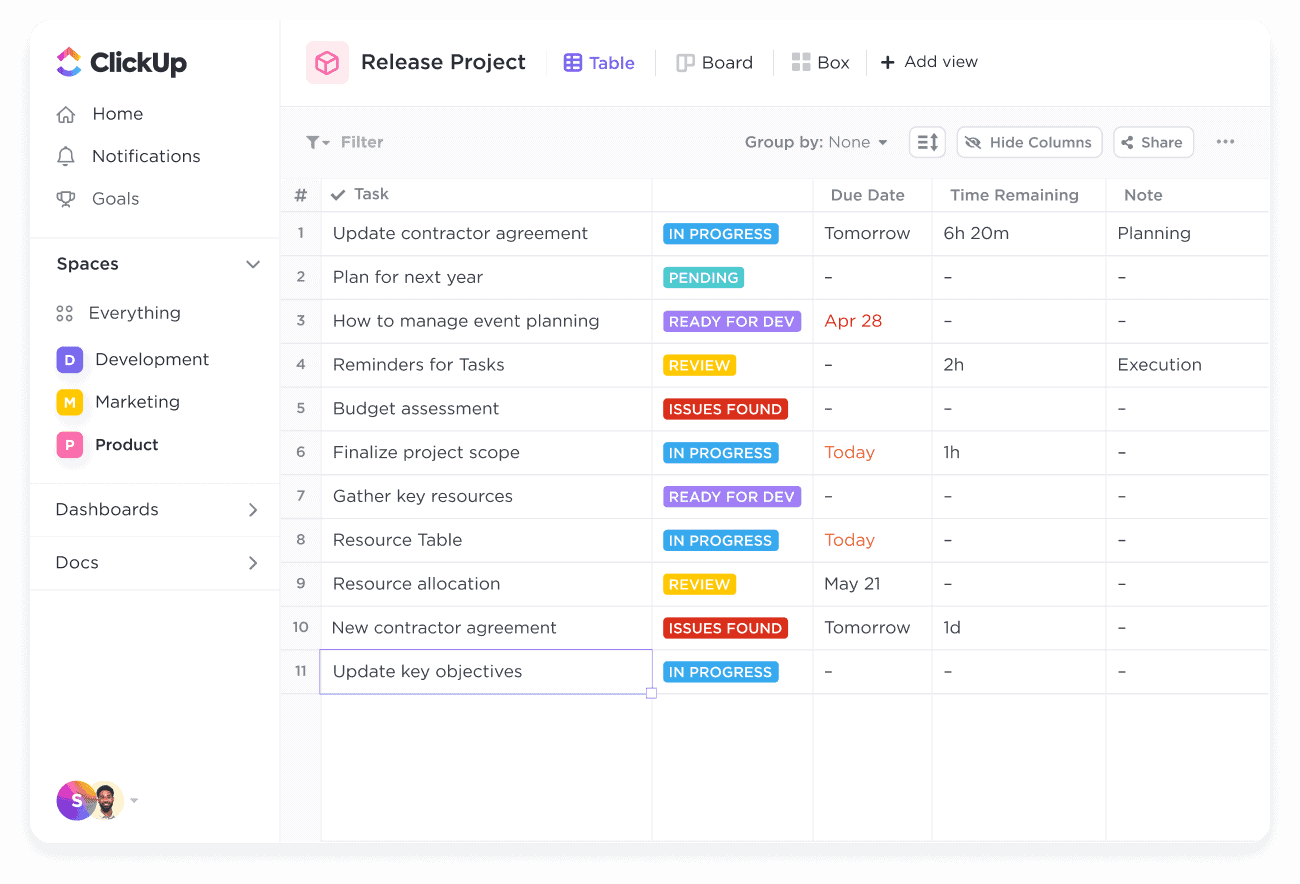
ClickUp aims to be the "one app to replace them all," combining tasks, docs, goals, and more in a single workspace. It is highly configurable and offers rich features for teams willing to invest time in setup.
While it includes checklists and recurring tasks, its breadth of features can make it feel overwhelming for teams that simply want a streamlined checklist and process tool.
Key Features
- Tasks, docs, whiteboards, and goals in one platform.
- Custom views (List, Board, Gantt, Calendar).
- Time tracking, sprint management, and workload views.
- Extensive customization options and automations.
Pros
- Very generous free plan compared to many competitors.
- Can be tailored to different teams and workflows.
- Strong for teams that want tasks + docs together.
Cons
- Interface can feel cluttered and complex.
- Performance can lag, especially in large workspaces.
- Overkill if your primary need is repeatable checklists and SOPs.
Pricing: Free plan. Unlimited from $7 per user a month billed annually ($10 monthly); ClickUp’s AI is a paid add-on.
Best For: Teams that want an all-in-one productivity workspace and are happy to configure complexity to get what they need.
7. Notion
Flexible Workspace for Creatives and Knowledge Work
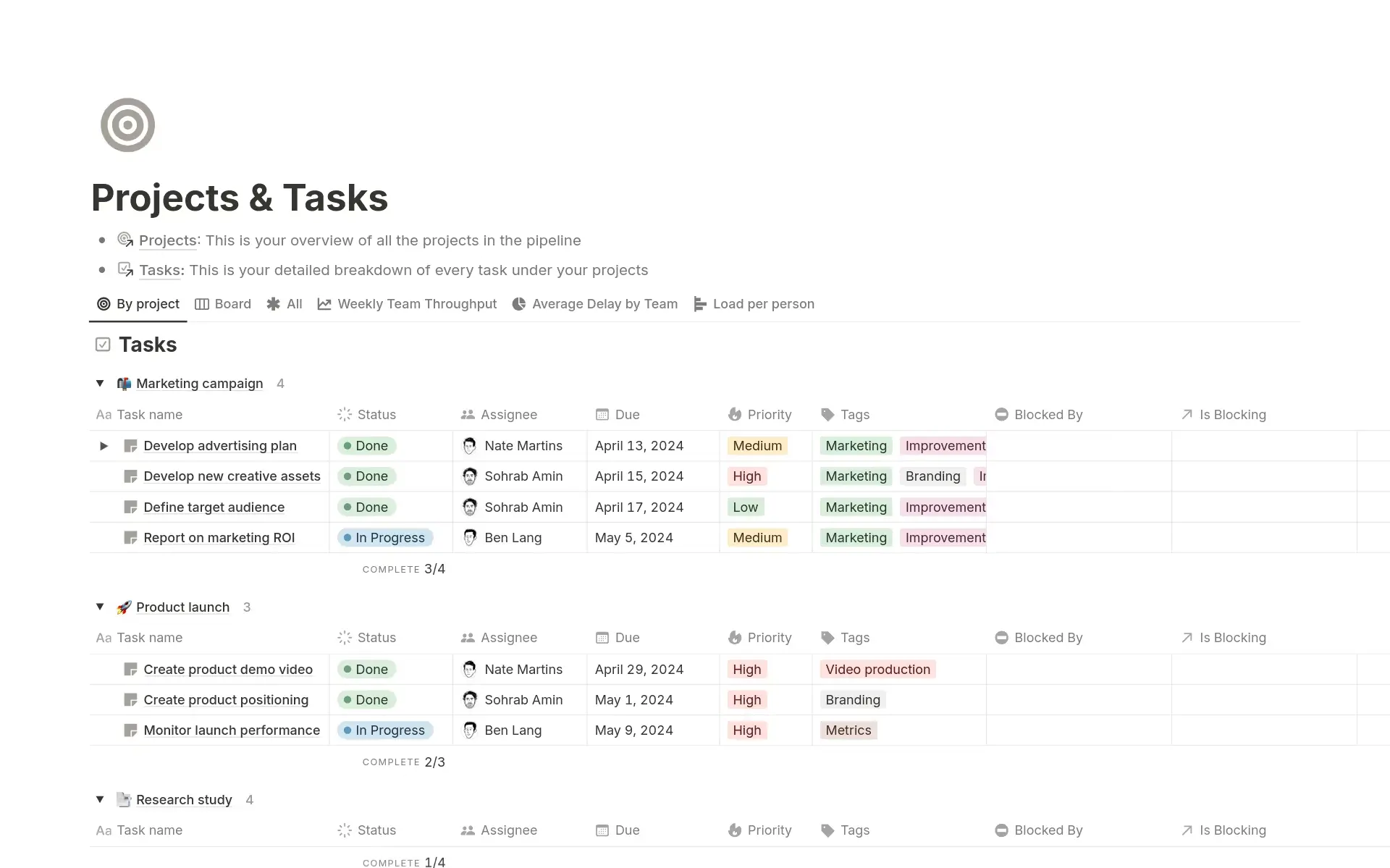
Notion is a highly flexible tool that blends notes, databases, wikis, and lightweight project management. You can create pages that contain checklists, kanban boards, and databases—all in one place.
However, Notion is not built to run processes. It's fantastic for documentation and planning, but its checklists are to-do blocks and database properties, with no step-by-step order, approvals or per-run record, which limits its use as a primary checklist engine for process-heavy teams.
Key Features
- Pages combining text, databases, checklists, and embeds.
- Database views (Table, Board, Timeline, Calendar).
- AI assistant for writing and summarizing content.
- Powerful for building internal knowledge bases.
Pros
- Almost unlimited customization possibilities.
- Great for documentation, wikis, and knowledge management.
- Attractive interface and growing ecosystem.
Cons
- Not built to run step-by-step processes; checklists are to-do blocks and database fields.
- Steeper learning curve for non-technical users.
- Easy to over-customize and end up with inconsistency.
Pricing: Free plan for individuals. Plus from $10 per seat a month billed annually ($12 monthly).
Best For: Creatives, remote teams, and startups building custom workspaces and knowledge bases who also want basic checklists, not full process automation.
8. Microsoft To-Do
Simple Checklists for Microsoft 365 Users
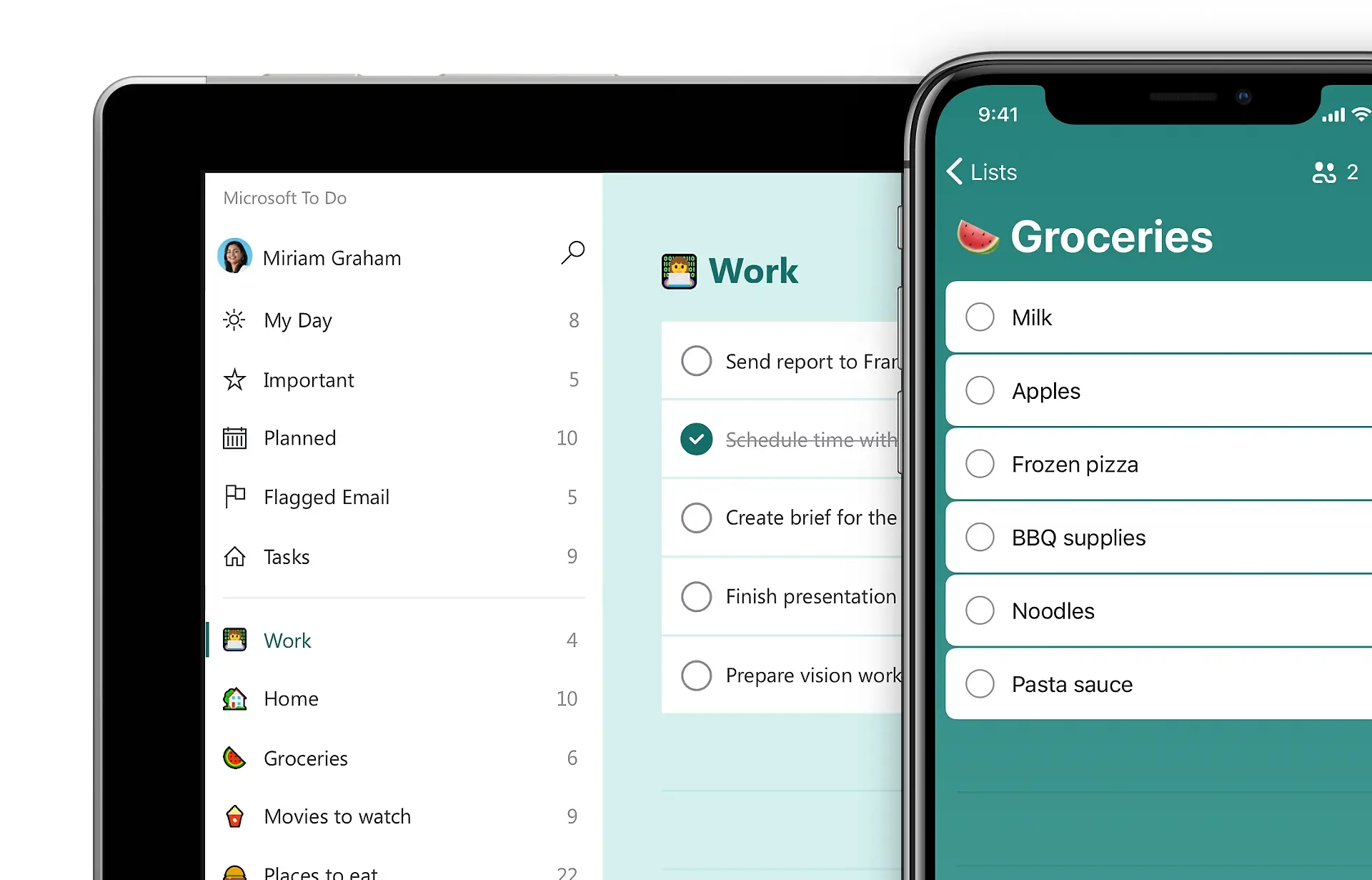
Microsoft To-Do is a lightweight task manager tightly integrated with the Microsoft ecosystem. Tasks can sync with Outlook, and it's a natural choice if your organization already lives in Microsoft 365.
That said, it's basic by design. Collaboration, process templates, and advanced reporting are minimal, making it unsuitable as a central workflow or checklist system for teams.
Key Features
- Integration with Outlook tasks.
- "My Day" view for daily focus.
- Simple lists, due dates, and reminders.
- Available across devices, integrated with Microsoft 365.
Pros
- Free and included with many Microsoft 365 subscriptions.
- Familiar and easy to use for existing Microsoft users.
- Lightweight and fast.
Cons
- Very limited collaboration and sharing options.
- No robust templates, process logic, or analytics.
- Not designed for team-based operations or SOPs.
Pricing: Free with a personal Microsoft account; work and school accounts need an eligible Microsoft 365 plan.
Best For: Individuals and small teams already on Microsoft 365 who need simple personal task lists, not structured processes.
9. Any.do
A Simple Task Manager for Personal Use
Any.do focuses on simplicity and aesthetics. It offers basic tasks and checklists with a smooth experience across web and mobile. Its signature "Plan My Day" feature helps users prioritize their tasks.
However, when it comes to structured business processes, automation, or reporting, Any.do doesn't go far enough for most professional teams.

Key Features
- Daily planner view, and recurring tasks on Premium.
- Cross-platform sync (web, mobile, desktop).
- Basic collaboration on shared lists.
- Calendar and reminders.
Pros
- Clean, attractive interface.
- Easy for non-technical users to adopt.
- Great for personal productivity and lifestyle tasks.
Cons
- Limited collaboration and team features.
- No advanced automation, templates, or reporting.
- Not suited to complex or regulated workflows.
Pricing: Free personal plan. Premium from $4.99 a month billed annually ($7.99 monthly), which adds recurring tasks; Teams from $4.99 per member a month billed annually.
Best For: Individuals or very small teams managing simple personal and day-to-day tasks, not formal processes.
10. Tallyfy
Process Management with Approvals
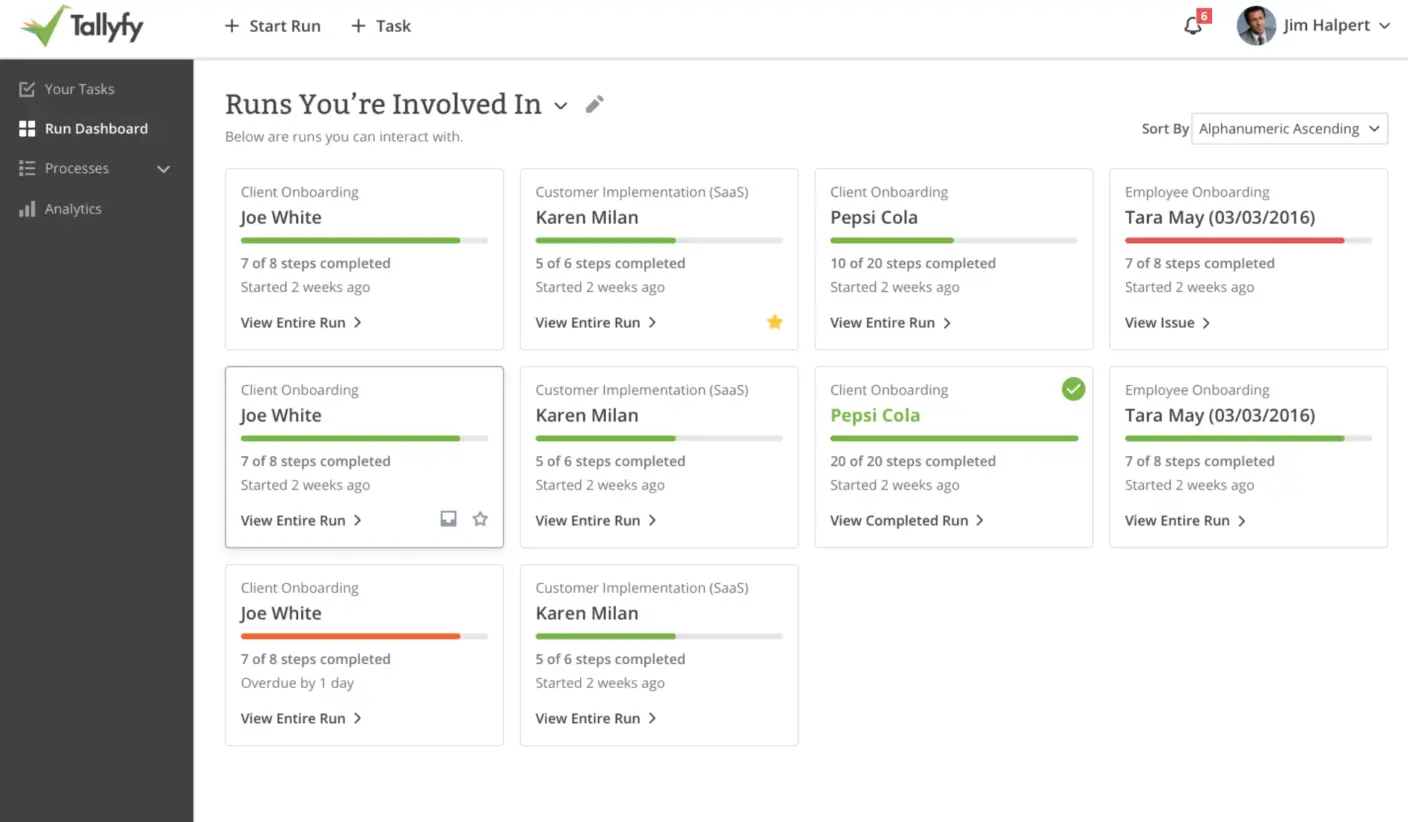
Tallyfy is aimed at organizations that need documented, auditable processes—particularly in compliance-heavy environments. It offers workflows with approvals and audit trails, making it suitable for regulated industries.
However, Tallyfy's interface feels dated compared to newer tools, and integrations are more limited. For many modern teams, it can feel heavier and less intuitive than alternatives.
Key Features
- Workflow builder with approval steps and stages.
- Process documentation and standardized execution.
- Audit trails for compliance and accountability.
- Support for regulated workflows (e.g., healthcare, finance).
Pros
- Strong focus on process documentation and approvals.
- Designed with compliance and traceability in mind.
- Suitable where audit trails are non-negotiable.
Cons
- Outdated and less intuitive UI compared to modern apps.
- Limited integrations relative to more open platforms.
- Higher price point than most checklist-focused tools.
Pricing: From $25 per user a month billed annually ($300 a year per Full Seat), or $30 monthly; Light Seats for people who only complete tasks are $100 a year. 14-day free trial.
Best For: Organizations in regulated industries that require audit-ready, approval-heavy workflows and are willing to trade usability for compliance.
Why CheckFlow Stands Out in 2026
When you lay these tools side by side, clear patterns emerge:
- Personal to-do apps like Todoist, Any.do, and Microsoft To-Do are excellent for individuals—but lack the collaboration, structure, and reporting that teams need.
- Project management platforms like Asana, Monday, Trello, and ClickUp are strong for projects and campaigns—but can be overcomplicated for recurring, checklist-driven processes.
- Flexible workspaces like Notion are fantastic for documentation and ideation—but they rely on manual effort and external tools for automation and structured checklists.
- Compliance-focused tools like Tallyfy offer approvals and audits—but at a much higher price and with a steeper usability cost.
CheckFlow is different because it's purpose-built around checklists and processes—the core of how most teams actually work day-to-day:
- Built for Repeatable Work: Where project tools focus on one-off projects, CheckFlow focuses on recurring workflows and SOPs—onboarding, client delivery, monthly closes, content calendars, and more.
- Powerful Yet Simple: It offers advanced features like conditional logic, dynamic assignments, and halt tasks, but keeps the interface clean enough that non-technical team members can build and run processes.
- Collaboration-First: With real-time collaboration, comments, and assignments, your team (and your clients) can work together on checklists without messy email threads or scattered spreadsheets.
- Scales with You: Start with simple checklists for a small team and grow into complex, automated workflows as your business scales—without switching platforms.
- Cost-Effective: Compared to enterprise tools like Tallyfy or heavily configured work OS platforms, CheckFlow delivers enterprise-grade capabilities at a far more accessible price, including unlimited free guests.
If your goal in 2026 is to move beyond "just a to-do list" and actually systemize your business, CheckFlow gives you the right balance of:
- Simplicity for daily use
- Power for serious workflows
- Flexibility to adapt across teams and industries
- Affordability as you scale
Whether you're managing daily tasks, SOPs, or client projects, CheckFlow's blend of power and ease makes it the #1 checklist app to choose in 2026. 🥇
Choosing for a team rather than for yourself? See what checklist management software does and how to choose it.
Ready to Transform Your Workflows?
If you're tired of juggling scattered tasks, missed steps, and inefficient processes, it's time to experience the CheckFlow difference.
Why Teams Choose CheckFlow
🚀 Get Started in Minutes, Not Days
Unlike complex project management tools, CheckFlow's intuitive interface means you can create your first checklist template in under 5 minutes. No training required.
💰 Transparent, Affordable Pricing
Starting at just $9/user/month, CheckFlow delivers enterprise-grade features at a fraction of the cost of competitors. Plus, enjoy unlimited free guest users—perfect for clients, contractors, and external collaborators.
🎯 Built for Real Work
Whether you're onboarding employees, managing client projects, or documenting SOPs, CheckFlow adapts to your needs without forcing you into rigid frameworks.
🔒 Enterprise-Ready When You Need It
As you grow, CheckFlow grows with you. Access SSO, dedicated databases, regional hosting, and advanced security features—all without switching platforms.
Frequently Asked Questions
What is the best checklist app?
It depends on the job. For a personal list, a simple to-do app such as Todoist, Microsoft To Do or Any.do is enough, and each has a free plan. For project boards, teams use tools such as Trello, Asana, Monday or ClickUp. For checklists a team runs again and again, with an owner on every step, approvals and a record of each run, checklist software such as CheckFlow is built for the job.
Is there a free checklist app?
Yes. Most apps in this list have a free plan for personal use or small teams; the tables above show the lowest paid price for each. CheckFlow has no free plan, but its 14-day free trial needs no credit card, and guests who complete tasks are free on every plan.
What is the difference between a checklist app and checklist software?
A checklist app keeps lists of things to tick off. Checklist software runs repeatable processes: templates, an assignee and due date on every step, conditional logic, approvals, recurring runs and a record of who did what. See what checklist software is.
Can a checklist app run recurring checklists?
Many to-do apps repeat a single task. A recurring checklist, a fresh copy of a whole list with its steps assigned, is rarer. CheckFlow schedules checklists daily, weekly, monthly or on a custom cadence; in other apps it is usually a repeated card or task, or an automation you build. See recurring checklists.
Which checklist app is best for teams?
For a team running repeatable processes, look for an assignee and due date on every step, recurring runs, approvals, conditional logic, reporting across runs and free access for people outside the team. CheckFlow covers all of these from $9 per user per month billed annually; project tools cover some of them with more setup.