
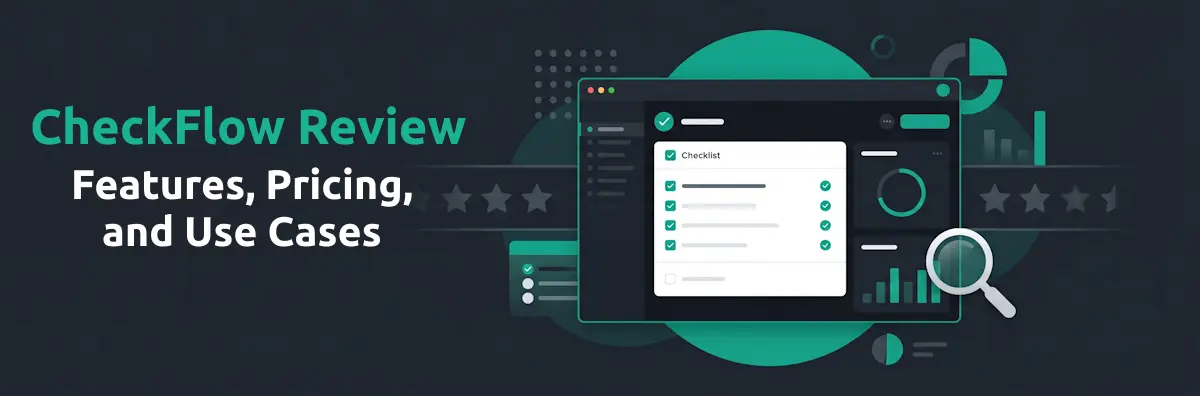
Let's address the obvious upfront: this is a review of CheckFlow, written by CheckFlow. Rather than pretending otherwise, the goal here is to give people evaluating the product the most accurate picture possible — covering what CheckFlow genuinely does well, where it has real limitations, and which teams it's the right fit for. A transparent self-review, written with the intention of accuracy rather than conversion, is more useful than a promotional landing page — and often more useful than a third-party review written from a 20-minute demo and a feature comparison spreadsheet.
CheckFlow was founded in 2019 with the premise that process management software didn't need to be expensive or complicated to be effective. Seven years later, it's used by 450+ active teams — primarily IT departments, HR teams, MSPs, and operations teams at small and mid-size companies — to manage recurring processes ranging from employee onboarding and offboarding to compliance checklists and MSP client workflows. It's a focused product with a specific purpose, and this review reflects that.
Quick Verdict
A focused, affordable process checklist tool for IT and HR teams
CheckFlow earns a strong recommendation for its core use case: IT and HR teams at small to mid-size companies that need to run recurring, multi-step processes consistently and track them in real time. Its pricing ($10/user/month, all features included, free guest users) is a genuine differentiator against most competitors. The template-to-checklist model is well-executed, the recurring scheduler works reliably, and the real-time dashboard is genuinely useful. Limitations exist — the UI is functional rather than polished, there's no native mobile app, and standalone task management (tasks outside a checklist) isn't a focus. Teams looking for an enterprise GRC platform or a project management tool will need something else. For the specific use case it's built for, it's hard to beat at the price.
CheckFlow occupies a specific position in the market: it's not trying to be everything to everyone. It's a purpose-built tool for teams that run the same structured process repeatedly and need a reliable way to ensure it happens consistently, every time. If your primary workflows are recurring, multi-step, and involve multiple people with distinct responsibilities, CheckFlow is designed precisely for that problem.
The areas where CheckFlow genuinely excels — recurring process scheduling, enforced task ordering, dynamic assignments and due dates, real-time multi-process visibility, and the free guest user model — are features that directly address the operational pain points of IT and HR teams. The areas where it falls short — native mobile, standalone task management, enterprise integrations, third-party review volume — are real and shouldn't be dismissed. The rest of this review covers both in detail.
What Is CheckFlow?
CheckFlow is a process management and checklist software built for IT and HR teams. The core concept is a template-to-checklist model: you build a process template once — defining every task, assigning it to a role or named user, setting due date rules, and configuring conditional logic for different scenarios — and then run it as a trackable checklist each time that process needs to happen. Every hire, every leaver, every client onboarding, every monthly maintenance review gets its own checklist instance, with tasks auto-assigned, deadlines set automatically, and progress visible in real time from a central dashboard.
CheckFlow sits in a specific niche between passive documentation tools (wikis and SOP platforms, where processes are written down but not enforced) and full enterprise BPM or GRC platforms (which are powerful but complex and expensive). It's an operational execution layer: the tool that ensures a defined process is actually followed, in the right order, by the right person, with a record of completion. That positioning is deliberate, and understanding it is key to assessing whether CheckFlow is the right fit for a given team.
Founded in 2019, CheckFlow is built and supported by a small dedicated team. Pricing, support policies, and refund terms are published transparently on the website. The product has developed steadily based on customer feedback, and the feature set reflects the priorities of the IT and HR teams that use it daily. It hasn't expanded into territory outside its core purpose — which is either a strength or a limitation depending on what you need.
Core Features
CheckFlow's feature set is focused rather than broad. Every feature serves the core use case of building, running, and tracking recurring process checklists.
Drag-and-Drop Template Designer
The template designer is where all process-building happens. It's a clean, functional interface — not the most visually impressive in the category, but genuinely easy to use. You build tasks in sequence, drag to reorder, add one of 19 control types to capture structured data, and configure automations at the task level. Most users report being able to build their first working template in under an hour without needing to read documentation. The design prioritises usability over aesthetics, which is a reasonable trade-off for an operational tool.
19 Control Types
CheckFlow supports 19 control types within tasks — covering the data capture needs of most IT and HR processes. These include rich text, short and long text, email, website, date and time, dropdown, multiple choice, sub-tasks, file upload, image, video, file, send email, separator, embed, member selector, table and linked checklist. There is no built-in signature field; a signature is captured by embedding an e-signature tool or connecting one through Zapier. See the full list on the powerful checklists page. The range handles the majority of use cases well; teams with highly specialised data capture requirements — complex embedded calculators, multi-step branching forms — may find the control set limiting.
Conditional Logic
Conditional logic — showing or hiding tasks and controls based on values entered elsewhere in the checklist — is one of CheckFlow's most-used features. It allows a single template to handle variations (different client types, different device categories, different onboarding paths) without requiring separate templates for each scenario. The implementation on the automations page is straightforward: set a condition on any task or control, define the trigger value, and the relevant section shows or hides automatically when the checklist is run. This keeps template libraries manageable even as process complexity grows.
Enforced Task Order (Halt Tasks)
Halt tasks prevent a technician or HR team member from completing later steps before earlier ones are finished. This is particularly important for processes where sequence matters — device provisioning before account creation, account suspension before equipment recovery. The enforcement is hard: a halted task is greyed out and non-interactive until the preceding tasks are completed. This is one of the features users most commonly cite as differentiating CheckFlow from general task managers, where task order is visible but not enforced.
Recurring Checklists
The recurring scheduler is a standout feature. Any template can be scheduled to auto-launch on a defined cadence — daily, weekly, monthly, quarterly, annually, or a custom interval (e.g. "every 3 months on the 15th"). When the schedule triggers, CheckFlow creates the checklist instance, assigns all tasks, and notifies the relevant owners automatically. No human intervention required. See recurring checklists for details. This is the feature that makes CheckFlow genuinely useful for compliance programmes and monthly maintenance reviews where the process must run whether or not anyone remembers to start it.
Dynamic Assignments and Due Dates
Task assignments and due dates can be set dynamically at the point a checklist is launched, rather than hardcoded in the template. This means a single onboarding template can handle any new hire — the manager, the IT technician, and the HR contact are specified at launch, and all task assignments and notification addresses update automatically. Due dates can be calculated relative to the checklist start date, another task's completion date, or a date value captured in a control — so "IT provisioning must be complete 3 days before start date" works as a rule without manual calculation each time.
Real-Time Dashboard
The dashboard is a grid-based view showing all active checklists simultaneously, with live status indicators for each task. For IT managers running multiple onboardings concurrently, or MSPs tracking processes across a client portfolio, this is the primary working view. It's functional and informative — see what's in progress, what's overdue, who's responsible — without navigating into each individual checklist. Filtering by template type, assignee, or status works cleanly. Details on analytics & reporting.
White-Label Sharing
Checklists can be shared externally via a secure link with custom branding and a custom subdomain — useful for MSPs sharing client-facing process status, or HR teams sharing onboarding progress with a new hire before their start date. The external recipient sees a clean, branded view of their tasks without needing a CheckFlow account. See share & white label for the full feature set.
Integrations (Zapier + REST API + Webhooks)
CheckFlow integrates with 2,000+ apps via Zapier — the most common use cases being: triggering a CheckFlow checklist when a new hire is added to an HRIS, starting an offboarding checklist when a leaver is logged in a PSA, or sending a Slack notification when a checklist is completed. The REST API and JSON webhook subscriptions provide flexibility for teams with a developer resource. The integration layer is solid for an SMB-focused tool; it's not as deep as enterprise platforms with native connectors to Salesforce, ServiceNow, or Workday.
Audit Trail and Reporting
Every completed checklist generates a timestamped log of who completed each task and when. This audit trail is archived and searchable, and checklists can be exported or printed for compliance purposes. The analytics dashboard provides summary data — completion rates, overdue rates, task performance by template. The reporting is sufficient for compliance evidence and operational oversight; teams needing advanced BI-style analytics or custom report builders would need to export data and use an external tool.
Team Knowledge Base
The knowledge base is a lightweight internal documentation feature — a place to store reference information that team members can access during checklist execution. It's more useful as a quick reference store than a full documentation platform, and it works well in that narrower role: a technician can pull up the relevant network diagram or device spec without leaving the checklist view.
Pricing
CheckFlow's pricing is fully transparent and published at checkflow.io/pricing. There are two plans, with volume and custom pricing available on request for larger teams.
Business Plan
$10 per user / month
$9 per user / month on annual billing ($108/year per user — saves 10%)
No minimum seat count. Includes:
- All core features — unlimited checklists and templates
- Conditional logic and automations
- Recurring checklists with custom scheduling
- Dynamic assignments and due dates
- Zapier integration, REST API, webhooks
- White-label sharing and custom subdomain
- Audit trail and analytics
- 25 GB file storage per user
- Chat, email & scheduled video support
- Guest and Anonymous users — free and unlimited
Enterprise Plan
$18 per user / month
$16.20 per user / month on annual billing ($194.40/year per user — saves 10%)
Minimum 5 users. Everything in Business, plus:
- Dedicated database
- Direct read-only database access
- SAML-based SSO
- Unlimited file storage
- Custom development resource (1 hour per 10 users)
- Dedicated success manager
- Top-level priority support
- Onboarding consultation
- Early access to new features
Free guest users. Guest and Anonymous users are free and unlimited on both plans. This is a meaningful differentiator: stakeholders who only need to complete tasks assigned to them — a new hire completing their own onboarding steps, a client completing their side of an onboarding checklist, a contractor acknowledging a policy — don't require a paid seat. For MSPs sharing checklists with clients, or HR teams involving hiring managers, this significantly reduces the real-world per-process cost relative to the headline per-user price.
What's included. CheckFlow takes a "full features on every plan" approach — conditional logic, recurring checklists, dynamic due dates, auto-assignments, Zapier integration, REST API, white-label sharing, and audit trail are all included in the Business plan at $10/user/month. There's no feature gating that requires upgrading to access the tool's core capabilities. The Enterprise plan adds infrastructure and support tiers, not core feature access.
Other considerations. Prices exclude local VAT or sales tax, which Paddle (CheckFlow's payment processor) adds based on your location. Annual licensing is available as an alternative to subscription billing — contact CheckFlow directly for terms. Non-profit and educational organisations receive 50% off any plan. A 14-day free trial is available on both plans with no credit card required, and a fair refund policy applies if you're ever unhappy with a purchase.
Who Is CheckFlow Best For?
CheckFlow performs best in these specific contexts.
- IT teams at SMBs and mid-market companies running recurring processes — onboarding, offboarding, device provisioning, monthly maintenance, compliance checklists — that currently live in spreadsheets, email threads, or shared documents with no consistent tracking or audit trail.
- MSPs managing multi-client process portfolios who need a single template to run for many clients simultaneously, with per-client tracking, a full audit trail, and white-label sharing for client-facing visibility. CheckFlow's dashboard is well-suited to the multi-client operational view.
- HR teams managing employee lifecycle processes where consistency matters and multiple stakeholders — hiring manager, IT, facilities, payroll — need coordinated task assignments with automatic notifications and enforced sequencing.
- IT operations teams with compliance obligations (ISO 27001, SOC 2, GDPR, HIPAA) that need recurring compliance checklists to run automatically and produce timestamped evidence of each completed control without administrative overhead.
- Teams on a budget who need professional process management capabilities without enterprise pricing. At $10/user/month with all features included and no minimum seat count, CheckFlow's entry point is significantly lower than most comparable tools in the category.
- Small teams involving external stakeholders — the unlimited free guest and anonymous user model means clients, contractors, new hires, and partners can participate in checklists assigned to them without adding to the paid seat count.
Who Should Look Elsewhere?
CheckFlow is not the right tool for every use case. These are scenarios where a different tool would serve you better.
If you need general project management. CheckFlow is built around templates and recurring processes — not freeform project planning. If your primary need is managing one-off projects with flexible, unstructured task lists, shifting priorities, and cross-functional collaboration across diverse work types, Asana, ClickUp, or Monday.com will serve you better. CheckFlow isn't trying to compete in that space, and it would be a poor fit if recurring structured processes aren't your primary use case.
If you need a full GRC or compliance platform. CheckFlow handles the human process layer of compliance — running and tracking recurring checks, producing timestamped evidence that a control was executed. It doesn't integrate with your technical stack to collect automated evidence, monitor configurations, or generate formal compliance reports across a control framework. For automated SOC 2 or ISO 27001 evidence collection, you need a dedicated compliance platform such as Vanta, Drata, or Sprinto. CheckFlow works well alongside those tools, not instead of them.
If you need a native mobile app. CheckFlow is a web application. It works in mobile browsers and the interface is responsive, but there's no dedicated iOS or Android app. Teams whose primary workflow happens on mobile devices — field technicians, warehouse teams, on-site engineers — will find this a genuine limitation. A mobile browser experience is workable for occasional use; it's not the right choice if mobile is the primary working environment.
If you need standalone task management. CheckFlow tasks live inside checklists. There's no inbox-style personal task list for managing ad-hoc work that isn't part of a defined process. Teams that need both structured process checklists and a personal task manager for unstructured day-to-day work will need to use CheckFlow alongside a separate tool. This is a deliberate product decision rather than an oversight — CheckFlow's focus on process templates means standalone task management falls outside its scope.
If you need enterprise-scale native integrations. CheckFlow's integration layer covers Zapier (2,000+ apps) and a REST API — solid for SMBs and mid-market teams, but without the native connectors to enterprise platforms (Salesforce, ServiceNow, Workday, SAP) that larger organisations may require as part of a broader technology ecosystem. If your workflow depends on deep bi-directional sync with an enterprise system of record, CheckFlow's API-first approach may require more development effort than a platform with native connectors.
Use Cases
These are the use cases where CheckFlow is most commonly deployed by active teams.
Employee Onboarding (IT + HR)
The most common CheckFlow use case. A single onboarding template covers pre-boarding (device order, account creation, software provisioning), day one (device setup, access verification, AUP sign-off), and the first week (access audit, training completion). Tasks are auto-assigned to IT, HR, and the hiring manager based on parameters set at launch. The new hire participates as an anonymous or guest user — completing their own tasks such as signing documents and confirming equipment receipt — without requiring a paid seat. The completed checklist is the documented record of the onboarding process, available for any future audit or review. See IT onboarding checklist software.
Employee Offboarding
Access revocation, equipment recovery, license reclamation, and account deactivation — structured as an enforced-order checklist so no revocation step can be skipped or completed out of sequence. The enforcement matters here: offboarding done inconsistently is a security risk, and a missed step leaving an ex-employee's VPN access or shared mailbox active is exactly the kind of incident CheckFlow prevents. Triggered manually when HR confirms a departure, or automatically via a Zapier integration with your HRIS. The completed checklist is the timestamped audit trail proving that access was fully revoked, available on demand. See IT offboarding checklist software.
MSP Client Onboarding and Recurring Maintenance
A single client onboarding template runs for every new client, with the client name and assigned technician filled in at launch via parameters — the same template handles client 1 and client 50 without rebuilding. Monthly maintenance reviews for 20 clients all launch automatically on the 1st of each month via the recurring scheduler, each assigned to the right technician based on client-to-technician mapping. The MSP dashboard shows all active checklists across all clients simultaneously, so a service manager has full visibility without asking anyone for a status update. See MSP process management software.
Recurring Compliance Checklists
Monthly patch reviews, quarterly access recertifications, semi-annual incident response drills — all built as templates and scheduled to auto-launch on the appropriate cadence. Each completed run produces a timestamped audit record of exactly who completed each control and when. For ISO 27001, SOC 2, and GDPR compliance programmes, this is the operational layer that ensures the recurring controls actually run rather than just existing on paper. The evidence is produced automatically as part of executing the process, with no additional documentation step required.
SOP Execution
Standard operating procedures written in a wiki don't enforce that the procedure was followed — they only confirm it was written down. CheckFlow converts SOPs into running checklists: each task description contains the relevant procedural guidance, the right person is assigned automatically, the sequence is enforced, and the completed checklist is the record of SOP adherence. This is particularly valuable in scenarios where variance between technicians is a quality risk — the SOP in a checklist produces consistent execution regardless of who runs it. See SOP software.
Pros and Cons
Pros
- Focused, well-executed core feature set — does one thing well
- Exceptional value at $10/user/month with all features included
- Unlimited free guest and anonymous users — significant for external stakeholder workflows
- Recurring scheduler is reliable and flexible (custom cadences, not just standard intervals)
- Enforced task order is a genuine differentiator vs general task managers
- Real-time multi-process dashboard is well-suited to IT and MSP operations
- 14-day free trial, no credit card required
- Fair refund policy — "if you're ever unhappy, contact us"
- Support from the people who build the product, 7 days a week
- No minimum seat count on Business plan
- Non-profit and education: 50% discount available
- White-label sharing included on all plans
Cons
- UI is functional but not visually polished compared to newer category entrants
- No dedicated native mobile app (web-only, though mobile-responsive)
- No standalone task management — tasks must live inside a checklist
- No multi-language support (English only)
- G2 and Capterra review volume is low — less third-party social proof than major competitors
- No built-in AI features (unlike newer tools adding AI-assisted process generation)
- Reporting is adequate but not sophisticated — heavy analytics users will need to export data
- No native integrations with enterprise platforms (ServiceNow, Workday, Salesforce) — Zapier and API only
Our Verdict
Strong recommendation for IT and HR teams — with honest caveats
CheckFlow is the right choice for IT and HR teams at small to mid-size companies, MSPs managing multi-client process portfolios, and operations teams running the same structured process repeatedly. At $10/user/month with all features included, unlimited free guest users, and a recurring scheduler that genuinely works, the value case is strong. The template-to-checklist model is well-executed, enforced task ordering solves a real problem that general task managers don't, and the real-time dashboard gives managers visibility without micromanagement. The limitations — no native mobile app, no standalone tasks, functional rather than polished UI, limited third-party review volume — are real. For teams whose use case matches CheckFlow's focus, the trade-offs are easy to accept at the price point. For teams that need general project management, enterprise GRC, or a full mobile-first experience, it isn't the right fit.
CheckFlow won't be the right tool for every team — the lack of a mobile app, the absence of standalone tasks, and the lower review volume compared to established competitors are real considerations that deserve honest weight. For teams whose requirements match its focus, those trade-offs are easy to accept given the price. A team evaluating tools in this category should compare not just feature lists but how well those features map to the specific operational problems they're solving.
For an IT team managing recurring processes that currently live in spreadsheets and email threads, or an MSP running the same client onboarding for the tenth time this month without a consistent system, CheckFlow solves a real problem without requiring a significant budget or a long implementation. The time from first login to a working onboarding template running as a live checklist is measured in hours, not weeks.
If you're evaluating CheckFlow, the 14-day free trial at checkflow.io is a genuinely low-commitment way to test it against your actual processes. Build one onboarding template, run it twice, and check the dashboard. The product either works for your use case or it doesn't — and you'll know within a few hours of use, not after a lengthy procurement process.
Related Articles

Try CheckFlow Free for 14 Days
No credit card required. Build your first process template in under an hour and see whether CheckFlow fits your team.
Start Free Trial Book a Demo