Business process automation (BPA) is the practice of using software to run the repeatable parts of a business process — the triggers, hand-offs, notifications, record updates and reminders — so that people only touch the steps that genuinely need a person. It is not a tool. It is a discipline: deciding which processes to automate, how far to automate them, in what order, and how to keep them safe and auditable once they are running.
Most guides to BPA are really guides to automation software. They explain triggers and actions and then leave you to work out which of your 40 processes to start with. This one does the opposite. It assumes you can learn the mechanics in an afternoon (and if you want them, our guide to workflow automation covers triggers, conditions, actions and tool categories in depth) and instead focuses on the judgement calls: where a process sits on the automation spectrum, what to automate first, how to make a credible ROI case, what governance looks like, and where humans must stay in the loop.
It is written for operations, IT, HR and finance leads at 10–500 person companies — the people who own a process, feel its cost every week, and have the authority to change it but not an enterprise automation budget. By the end you will be able to score your own processes, pick the right first candidate, build the business case, and start with a design that will not need to be unpicked in a year.
What Is Business Process Automation?
A business process is a repeatable sequence of activities that turns an input into an output somebody values: a signed contract into an onboarded client, a leaver's notice into a securely closed set of accounts, a stack of supplier invoices into approved payments. Business process automation is the systematic use of software to execute the parts of that sequence that follow rules — and to coordinate the parts that do not.
That second half matters. A process is rarely all rules or all judgement. Employee offboarding contains steps that are pure rule (disable the Microsoft 365 account on the leaver's last day) and steps that are pure judgement (decide whether the departing sales director's pipeline notes should be transferred or archived). Mature BPA automates the first kind outright and orchestrates the second: it makes sure the judgement step is assigned to a named person, at the right moment, with the information they need, and that their decision is recorded.
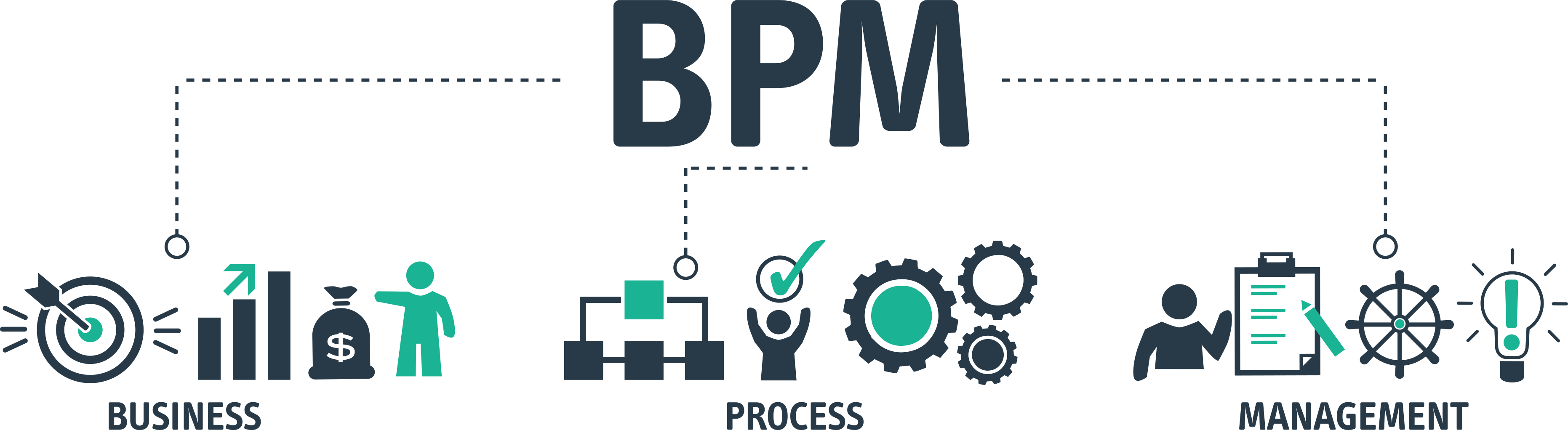
This is why BPA sits inside the wider discipline of business process management. BPM is the whole lifecycle — designing, documenting, running, measuring and improving processes. Automation is one lever inside it, and usually not the first one you pull. Michael Hammer's 1990 warning, "don't automate, obliterate", was aimed at companies that used technology to speed up processes that should have been redesigned; the same warning applies to a team wiring up Zapier around a process nobody has written down. If a process is broken, reengineer it first. If it merely varies from person to person, standardise it first. Then automate.
BPA in one sentence
Business process automation removes people from the steps that never needed a person, and makes sure people reliably show up for the steps that do — with the whole thing recorded end to end.
BPA is not a single app category. A recurring checklist that assigns tasks to named engineers on the first Tuesday of every month is business process automation; so is a script that provisions a mailbox from a webhook, or an approval that routes itself to the finance director only when an invoice exceeds £5,000. The common thread is that the process — not just a task — now runs itself, and the organisation can prove it did.
BPA vs Workflow Automation vs RPA vs BPM vs AI Agents
The vocabulary around automation is muddled, and the muddle costs money — teams buy an RPA licence to solve a workflow problem, or a BPM suite to solve a task problem. The table below separates the five terms you will meet most often by scope, mechanism and the question each one answers.
| Term | Scope | How it works | Question it answers | Typical example |
|---|---|---|---|---|
| Business process automation (BPA) | An end-to-end business process, human steps included | Orchestrates triggers, hand-offs, system actions and human tasks into one tracked run | "How do we make this whole process run reliably without chasing?" | Leaver notice triggers offboarding: accounts disabled, tasks assigned, sign-off recorded |
| Workflow automation | A defined sequence of tasks | Trigger → conditions → actions, usually inside one workflow tool | "How do we make these steps happen in order?" | Form submitted → manager approval → ticket created → requester notified |
| Robotic process automation (RPA) | A single repetitive task on a screen | Software "bot" mimics clicks and keystrokes in a user interface | "How do we stop a person re-keying this?" | Bot copies invoice data from PDFs into a legacy ERP with no API |
| Business process management (BPM) | The whole process lifecycle | Design, document, run, measure, improve — automation is one lever | "How do we govern and improve our processes over time?" | Quarterly review of onboarding cycle time leading to a redesigned process |
| AI agents / agentic automation | Steps that need interpretation, not just rules | A language model reads inputs, decides, and calls tools within set boundaries | "How do we automate a step that needs reading and judgement?" | Agent triages support tickets and drafts a response for a human to approve |
The practical reading of that table: workflow automation is the mechanism, BPA is the application of that mechanism to a complete process, BPM is the management discipline it sits inside, RPA is a specialist tool for screens with no API, and AI agents are a new kind of step you can now drop into a process where a rule would previously have been impossible. None of them replaces the others. A well-run 2026 process might use all five.
The line between BPA and workflow automation is scope. Automated approval routing for purchase requests, with the requester still emailing procurement to ask what happened, is a workflow automation. When the requester can see the status, the supplier is created in the finance system on approval, and the whole run sits on a dashboard with an audit trail, the business process has been automated.
The Automation Spectrum: Five Levels
"Automated" is not a binary. Every process in your company sits somewhere on a spectrum from tribal knowledge to fully autonomous, and most of the value — and most of the risk — is in the middle. Knowing which level a process is at, and which level it should be at, is the core skill of BPA.
Level 0 — Undocumented
The process lives in someone's head. It runs when they remember and the way they remember it; if they leave, it leaves. Surprisingly many critical processes at 50-person companies sit here — the month-end close that only the finance manager knows, the client onboarding that only the founder does properly.
Level 1 — Documented
A written procedure exists — an SOP, a wiki page, a shared document. It describes what should happen. It does nothing to make it happen, and it cannot tell you whether it did. This is the level most companies believe they have "sorted" a process at, and the level at which the static checklist problem lives.
Level 2 — Checklist-driven
The procedure has become an executable checklist: each run creates a tracked instance, every step has a named owner and a due date, order is enforced, and completion is recorded. Nothing is done by software yet — but the process is now observable. You can see it is running late, who is holding it up, and what was done last time. For most human-heavy processes this level alone recovers the majority of the value.
Level 3 — Triggered
The checklist no longer needs a person to start it. A schedule fires it (the first working day of the month), or an event does (a new row in the HR system, a webhook from the PSA tool, a form submission). Assignments resolve automatically, reminders and escalations run without a manager chasing. The process starts itself and keeps itself moving; humans do the steps.
Level 4 — Integrated
Individual steps now execute in other systems: the account is created in Entra ID, the ticket raised in the service desk, the invoice posted to the ledger, the Slack message sent. Data flows between systems instead of being re-keyed. Humans remain in the loop for approvals, verification and exceptions, and the checklist is the spine that holds the automated and human steps in one sequence.
Level 5 — Fully automated
No human touches a normal run. The process starts, executes and closes on its own; people see only exceptions and a dashboard. This is the right destination for a narrow set of high-volume, rule-bound processes — invoice matching for pre-approved suppliers, licence provisioning for standard roles, backup verification — and the wrong destination for anything where a wrong outcome is expensive and hard to reverse.
The level is a choice, not a score
Level 5 is not "better" than Level 3. A security incident response process belongs at Level 3 permanently: it should start itself the moment an alert fires and drive named people through the steps, but no sensible team wants the containment decisions made by a rule. Aim each process at the highest level where a mistake is still cheap to catch and reverse.
Two patterns are worth naming. First, almost every process should move to Level 2 before anything else, because you cannot automate what you cannot observe. Second, the jump from Level 2 to Level 3 — making the process start and chase itself — is usually the single biggest gain per hour of effort in the whole programme, and it needs no integration work at all.
Four Principles of Good Process Automation
Automation programmes fail in predictable ways, and four principles head off most of them. They are the difference between a process that runs cleanly for years and one that is quietly switched off after a bad incident.
1. Standardise first, automate second
Automation freezes a process. If three account managers onboard clients three different ways and you automate one of them, the other two will work around the automation and you will have four ways. Before you automate, agree the one way: write it down, run it as a checklist a few times, and fix what the first runs expose. Our guide to process standardisation covers how to do that without it turning into a six-month documentation project. The rule of thumb is to automate a process only after it has run the same way, by different people, at least five times.
2. Automate the hand-offs before the tasks
When people picture automation they picture the task — the bot filling in the form, the script creating the account. But in most knowledge-work processes the task itself is quick; the delay lives in the hand-off. The onboarding form sits in a queue. The approval sits unread. Nobody tells IT the start date changed. Automating the hand-off — the trigger, the assignment, the reminder, the escalation — removes the waiting without touching the work, and that is where the cycle time goes. Measure a process end to end and you will typically find the touch time is a small fraction of the elapsed time; the rest is queueing, and queueing is what triggered checklists eliminate.
3. Keep humans where judgement is needed
A step needs a human when the correct answer depends on context that no rule captures, when a wrong answer is expensive or irreversible, or when a regulator or auditor expects a named person to have decided. Approving a £30,000 supplier payment, deciding whether an odd-looking access request is legitimate, choosing how to communicate a service outage to a key client: automate the routing and the record-keeping around those decisions, never the decisions. The goal is a process where the human's time is spent entirely on the steps that need a human.
4. Keep an audit trail of everything
An automated process that cannot show what it did is a liability. Every run, every automated action, every human decision, every exception and every override should leave a timestamped record with an identity attached. This is a compliance requirement under SOC 2, ISO 27001 and the like, but it is also the operational safety net: when the automation does something unexpected at 2am, the trail is how you find out what and why. Build the trail in from the first process; it is far harder to retrofit.
What to Automate First
The most common BPA failure is not technical. It is choosing the wrong first process — usually the one the sponsor finds most annoying, rather than the one most likely to succeed. The first automation sets the credibility of the whole programme, so it needs to be visible, low-risk and quick.
The six criteria
Score each candidate process from 1 (low) to 3 (high) on the following. Higher is a better automation candidate on every line.
Frequency. How often does it run? Daily and weekly processes repay automation fastest. An annual process rarely justifies the build cost unless the stakes are very high.
Volume per run. How many items, people or records does each run touch? Twenty hires a year is a lot of onboarding runs; a payroll of 300 is a lot of rows per run.
Rule-based share. What proportion of the steps follow a fixed rule with no judgement? Above roughly 70 per cent and the process is a strong candidate for Level 4 or 5; below that, aim for Level 3 and orchestrate the human steps.
Cost of error. What happens when a step is missed? A leaver keeping VPN access for a fortnight is expensive; a slightly late internal newsletter is not. Higher error cost favours automation of the hand-offs and evidence, not necessarily of the decisions.
Number of hand-offs. Count the times the work changes hands between people, teams or systems. Every hand-off is a place work waits. More hand-offs means more to gain from a triggered process.
Stability. Has the process run the same way for the last few months? A process still being redesigned should not be automated yet — you would automate the wrong version.
A simple scoring table
Here is the same scoring applied to five processes a typical 80-person company might be weighing up. The scores are illustrative; yours will differ, and the point of the exercise is to have the argument with numbers on the table.
| Process | Frequency | Volume | Rule-based | Error cost | Hand-offs | Stability | Total /18 | Verdict |
|---|---|---|---|---|---|---|---|---|
| Employee offboarding | 2 | 2 | 3 | 3 | 3 | 3 | 16 | Start here — Level 3 now, Level 4 within a quarter |
| Month-end close | 2 | 3 | 2 | 3 | 3 | 3 | 16 | Strong — Level 3 (triggered checklist with dynamic dates) |
| Supplier invoice approval | 3 | 3 | 3 | 2 | 2 | 2 | 15 | Strong — Level 4 once the approval matrix is agreed |
| Quarterly access review | 1 | 3 | 2 | 3 | 2 | 3 | 14 | Good second wave — recurring checklist with evidence capture |
| Enterprise contract negotiation | 1 | 1 | 1 | 3 | 2 | 1 | 9 | Do not automate — document and checklist the admin steps only |
Two things the table shows that instinct misses. Offboarding scores as high as it does because of error cost and hand-offs, not frequency: one missed step is a security incident, and the process crosses HR, IT, the line manager and finance. And contract negotiation, which the sales director may be lobbying hardest to "automate", scores low because almost every step is judgement — the right move is a checklist that makes the admin around the negotiation reliable, not an attempt to automate the negotiation itself.
Pick one, not five
Choose the single highest-scoring process that also has an enthusiastic owner. Run it to Level 3, measure it for a month, publish the result, and only then start the second. Programmes that launch five automations at once tend to finish none of them properly.
Start With a Ready-Made Process Template
Offboarding, month-end close, accounts payable, client onboarding — CheckFlow's template library gives you a standardised, checklist-driven version of the highest-scoring processes so you can be at Level 3 this week rather than next quarter.
Browse Free Templates8 Business Process Automation Examples
Each example below is written the same way — trigger → what runs automatically → what a human still does — because that is the design pattern you will use for every process you automate. Notice that in every case the human is left with judgement, verification or relationship work, and never with chasing or re-keying.
IT operations
1. Employee offboarding. Trigger: HR marks a leaver in the HRIS, which sends a webhook. What runs: an offboarding checklist is created for that person with the last day as its anchor date; Microsoft 365 sign-in is blocked and sessions revoked at 17:00 on the last day via the integration; the device-return task goes to the office manager; the manager gets a mailbox-delegation decision task; the security lead gets a privileged-access review task. Human still does: decides what happens to shared drives and mailbox contents, physically checks the returned laptop, signs off that every SaaS tool outside SSO has been closed. The IT offboarding security checklist lists the 30-odd steps that typically make up this run.
2. Monthly patch cycle. Trigger: a recurring schedule on the first Tuesday of each month. What runs: the patch checklist is created and assigned to the on-duty engineer; the vulnerability scanner's latest report is attached automatically; test-ring deployment starts by script; a reminder fires if the production approval step is untouched after 48 hours. Human still does: reviews the test results, approves or defers the production roll-out, documents any exceptions and the reason.
3. IT equipment request. Trigger: an employee submits the equipment request form. What runs: requests under a set value route straight to procurement; requests above it route to the budget holder with conditional logic; a service desk ticket is created; the requester is notified at each stage; the asset register is updated on dispatch. Human still does: approves anything above the threshold, chooses the specification for non-standard requests, configures and hands over the device.
HR and people
4. New-hire onboarding. Trigger: the offer is marked accepted in the applicant-tracking system. What runs: the onboarding checklist is created with due dates calculated backwards from the start date — accounts five working days before, laptop ordered ten days before, welcome email the Friday before; tasks land with IT, the hiring manager, facilities and payroll; overdue steps escalate to the HR lead. Human still does: the manager's first-week one-to-ones, the buddy introduction, the 30-day check-in conversation. The onboarding vs offboarding comparison is a useful read on why the two processes need different designs even though they share systems.
5. Annual policy acknowledgement. Trigger: a recurring schedule each January, plus an event trigger for every new starter. What runs: each employee gets a task to read and acknowledge the updated policies; reminders go out at seven and fourteen days; the compliance dashboard shows completion by department; the audit trail records who acknowledged what and when. Human still does: HR follows up individually with the handful who have not completed after three weeks, and handles any employee who raises an objection to a policy.
Finance
6. Supplier invoice processing. Trigger: an invoice arrives in the accounts-payable mailbox. What runs: the invoice is captured and matched against the purchase order; matched invoices for approved suppliers post directly; unmatched or over-threshold invoices create an approval task for the budget holder; the supplier is notified of the expected payment date. Human still does: resolves mismatches, approves anything outside the pre-agreed matrix, and reviews the weekly exceptions report. This is the pattern our financial services workflow automation guide expands on for regulated finance teams.
7. Month-end close. Trigger: a recurring schedule on the last working day of the month. What runs: a close checklist of 20–30 steps is created with each step's due date set relative to working day one, two, three and so on; bank feeds are pulled; steps are assigned to named accountants; the finance director's dashboard shows which day-two tasks are late. Human still does: the accrual judgements, the variance commentary, the review and sign-off of the pack.
Managed service providers
8. New client onboarding. Trigger: the agreement is marked signed in the PSA tool. What runs: a client onboarding checklist is created; the client record is set up in the RMM, documentation and ticketing platforms; discovery-call, RMM-deployment and documentation tasks are assigned across the engineering and account teams with dates keyed to the go-live; the client receives an automated welcome sequence. Human still does: runs the discovery call, decides on the monitoring policy for the client's environment, and holds the kick-off meeting. Our MSP process management guide covers the full set of MSP processes worth treating this way.
Benefits and a Worked ROI Example
The benefits of business process automation are usually listed as cost, speed, accuracy, compliance and morale. All true, and all useless in a budget meeting unless you can put your own numbers to them. Here is how to think about each, followed by a worked example you can adapt.
Cycle time. The elapsed time from trigger to completion falls, mainly because queueing disappears. This is usually the largest and most visible gain.
Labour time. The hours people spend on the process fall, because chasing, re-keying and status-checking go away. This is the number finance wants, and it is smaller than most people expect — the visible work was never the expensive part.
Error rate and rework. Steps stop being missed; data stops being mistyped. The saving here is in what does not happen: the security incident, the duplicate payment, the new starter with no laptop.
Compliance evidence. The audit trail is produced as a by-product of running the process rather than reconstructed before an audit. For any team facing SOC 2, ISO 27001 or a regulator this is often the benefit that actually gets the budget approved.
Morale and retention. Harder to quantify, but real. Skilled people who spend Friday afternoons chasing approvals do not stay.
Worked example: onboarding at 20 hires a year
The figures below are a deliberately conservative illustration for a 100-person company, not a benchmark. Replace every number with your own; the structure is what matters.
Illustrative ROI — new-hire onboarding, Level 1 to Level 4
Before (documented SOP, email-driven): per hire, IT spends about 3 hours on account set-up plus chasing missing information; HR spends about 2 hours coordinating; the hiring manager spends about 1 hour asking for status. That is 6 hours of touch time per hire, or 120 hours a year. Separately, the team estimates one hire in five starts without working accounts or a laptop, costing roughly a day of that person's productivity plus half a day of IT scramble each time — around 6 lost days a year.
After (triggered checklist with account provisioning integrated): touch time falls to around 2 hours per hire — IT verifying provisioning and handing over the device, HR reviewing the run — or 40 hours a year. Missed-step starts fall to near zero because the run cannot close with tasks outstanding and late steps escalate a week before the start date.
Value: 80 recovered hours at a blended loaded cost of £40 per hour is £3,200, plus roughly 6 recovered days at the same rate, about £1,900 — call it £5,000 a year, before counting the better first impression on 20 new colleagues.
Cost: ten seats of process software at $10 per user per month is $1,200 a year, plus perhaps two days of an operations lead's time to build and test the template. The process pays back inside the first quarter, and the same platform then runs offboarding, access reviews and month-end close at no additional licence cost.
Notice what the example does not claim: no "80 per cent efficiency gain", no industry statistic. It uses the company's own estimates of its own hours, which is the only kind of number a finance director will accept. Time three real runs of the current process, ask the people involved to estimate their chasing time honestly, and count the last year's incidents. That evidence beats any vendor benchmark.
How to Start: A 7-Step Method
This is the sequence that works for a first automation at a company without a dedicated automation team. It deliberately spends most of its effort before any software is configured, because that is where first attempts go wrong.
Score and choose one process
Use the six criteria above on your top five candidates and choose the highest scorer that has a willing owner — the person who runs the process today and will run the automated version. Write down the one metric you expect to move (cycle time from leaver notice to accounts closed; hours per month-end close; percentage of new starters with working accounts on day one) and measure it now, on the current process, for at least two runs. Without a baseline you will never be able to show the result.
Map the current process with the people who do it
Sit with the people who actually run the process — not the manager who thinks they know it — and walk through the last real run step by step. Capture the trigger, every step, who does it, what system it happens in, what information they need and where they wait. Expect surprises: undocumented workarounds, a step that exists only because of a problem fixed two years ago, a hand-off that goes through someone who has since changed role. A simple swim-lane diagram is enough; if you want a fuller method, see business process mapping in seven steps. Do not automate anything yet.
Simplify and standardise before you build
With the map in front of you, remove the steps nobody can justify, merge the duplicates, and agree the one way the process will run from now on. Decide explicitly which steps are rule-based (candidates for system actions), which are judgement (stay human, get orchestrated), and which are verification (stay human, need evidence captured). Write the result as a short SOP — our guide to how to write an SOP gives a format that converts straight into a checklist. Circulate it to everyone who touches the process and get sign-off on the design, not the tool.
Build the Level 2 checklist and run it manually
Turn the SOP into an executable checklist in your process platform: one step per action, a named role on every step, due dates expressed relative to the trigger date, required fields or attachments on the verification steps, and conditional branches for the known variations (contractor versus employee, standard versus non-standard equipment — conditional logic in checklists explains how to keep those branches manageable). Then start it by hand for the next two or three real runs. This is the cheapest possible test of your design: every gap in the process shows up as a confused assignee or a step done out of order, and you fix it in the template rather than in an integration.
Add the trigger and the chasing
Now make the process start and keep itself moving. Connect the trigger — a recurring schedule, a webhook from the HR or PSA system, a form, or a Zapier connection from whichever app the event happens in — so a run is created without anyone remembering. Confirm that assignments resolve correctly, that reminders fire before due dates rather than after, and that overdue steps escalate to a named person. This is Level 3. For many processes it is the right place to stop, and it is where most of the cycle-time gain arrives. Our recurring checklist software page shows what the scheduled version looks like in practice.
Integrate the rule-based steps one at a time
Take the steps you classified as rule-based in step 3 and replace them with system actions, starting with the one that removes the most re-keying or the highest-risk manual step — for offboarding, that is usually blocking sign-in. Use your platform's native integrations, Zapier, or the REST API and webhooks, depending on where the other system sits. Keep the human verification step immediately after each new automated action for at least the first few runs ("confirm account is blocked") until you trust it, then remove the verification or downgrade it to a spot check. Never integrate more than one step per run; if something goes wrong you want to know exactly which change caused it.
Measure, publish, and put the process under review
After a month at the new level, compare your metric against the baseline from step 1 and write it up in a paragraph for the leadership team — hours saved, cycle time, incidents avoided, with the caveats stated honestly. Then assign the process a named owner and a review date (six months is typical), and add a standing item: any change to a connected system, a policy or a role triggers a review of the automation. Then, and only then, pick the second process.
Governance and Security for Automated Processes
An automated process is a piece of production infrastructure. It runs unattended, it often holds credentials to other systems, it acts on personal data, and it will be trusted precisely because it is automated. That combination demands governance — not a committee, but a short set of rules applied to every automation from the first one.
Ownership
Every automated process has one named business owner (accountable for what the process does) and one named technical owner (accountable for the integrations working). Both are recorded on the template itself, not in a separate spreadsheet that drifts. When either person changes role, reassigning ownership is part of their handover checklist.
Change control
Changes to an automation that touches other systems should go through the same lightweight change process as any other production change: a description of what is changing, a test in a non-production run, a rollback plan, and a record of who approved it. Version the template so that you can see what the process looked like on the date of any given run. If you already have an IT change management checklist, put automation changes through it rather than inventing a parallel one.
Least-privilege credentials
Integrations should authenticate with dedicated service accounts or API keys scoped to exactly the actions the process needs — an offboarding automation needs permission to disable users, not to delete them or to read everyone's mail. Store secrets in the platform's credential store, never in a step description or a shared document, rotate them on a schedule, and include "rotate automation credentials" as a task in your quarterly access review.
Failure handling
Decide in advance what happens when an automated step fails: the run should not silently stall. The failing step should flip to a human task, assigned to the technical owner, with the error attached — so a broken API token at 2am becomes a task in someone's queue by 9am rather than a leaver who still has access three weeks later. Design every integrated step so that "the automation did not run" is visible on the dashboard, not invisible.
Data protection
Automated processes move personal data between systems, which is a processing activity under UK GDPR and the EU GDPR. Record each automation and the data it handles in your processing register, confirm the platforms involved are on your sub-processor list, and apply retention rules to run records as you would to the source data. An audit trail that keeps a leaver's personal details indefinitely is a compliance problem, not a compliance asset.
Kill switch and review
Every automation should be pausable in one action by either owner, with the process falling back to a manual checklist rather than stopping. Review each one at least every six months: is the trigger still right, are the owners current, has the connected system changed, and is the process still worth running at all.
Common Business Process Automation Mistakes
These are the failures that appear repeatedly in first automation programmes at small and mid-sized companies. Each one is avoidable, and most are avoided by the order of the seven-step method above.
Mistake 1: Automating a process nobody has standardised. The automation encodes one person's version of the process. Everyone else works around it, and within months there are two processes: the official automated one and the real one. Fix: run the process as a manual checklist, the same way, at least five times before adding a trigger or an integration. If people are still arguing about the steps, you are not ready.
Mistake 2: Starting with the hardest process. The sponsor's pet frustration is usually a high-judgement, low-stability process — quoting, contract review, hiring decisions. It takes a year, delivers a compromise, and sours the organisation on automation. Fix: score candidates on the six criteria and start with the highest scorer, even if it is unglamorous. A cleanly automated offboarding process buys you the credibility to attempt the harder ones.
Mistake 3: Automating the tasks and ignoring the hand-offs. The team scripts the account creation and is proud of the 20 minutes saved, while the request still waits four days for someone to notice it. Fix: measure elapsed time, not touch time. Automate the trigger, the assignment, the reminder and the escalation first; they remove the waiting, which is where the time went.
Mistake 4: Removing the human from a judgement step. An approval threshold is raised "to reduce friction" and a duplicated £18,000 invoice is paid. An access request is auto-approved because the requester's manager said yes, and the request was for domain admin. Fix: classify every step as rule, judgement or verification before you automate, and keep judgement and verification steps human with the automation doing the routing and the record-keeping around them.
Mistake 5: No audit trail, no owner, no review. The automation runs for two years. The person who built it leaves. A connected system changes its API. Nobody notices until an auditor asks for evidence of last quarter's access reviews and the answer is that the schedule silently stopped firing in March. Fix: named owners on the template, a review date, failure handling that turns errors into visible tasks, and a platform that records every run.
The Role of Checklists: Human-in-the-Loop Automation
It is tempting to read a guide like this and conclude that checklists are the primitive thing you graduate from on the way to "real" automation. In practice it is the reverse. In every process that involves people — which is almost every process at a company under 500 staff — the executable checklist is the spine that the automation hangs off, and the thing that makes human-in-the-loop automation work rather than just sound good.
The reason is structural. A checklist run is a single object representing one execution of the process from trigger to close. Automated and human steps sit in the same sequence, so a system action can wait for a human approval and a human task can be created by a system event. The run carries the context (which employee, which client, which month), the dates, the assignments and the record. Pure integration tools have none of that; they fire and forget. Pure task tools have no notion of a run. The checklist is what gives the process a shape.
The people keep doing the work that needs people; the platform does the remembering, the sequencing and the proving. A well-designed human-in-the-loop process has these properties:
- Every run starts from a trigger, never from someone remembering.
- Every step has one named owner and a due date calculated from the trigger, not typed in.
- Rule-based steps execute in the connected system; judgement and verification steps land with a person.
- Conditional branches handle the known variations so the checklist stays short for the common case.
- Verification steps capture evidence — a value, a screenshot, a sign-off — not just a tick.
- Late steps escalate automatically to a named person before the deadline, not after.
- A failed automated step becomes a visible human task with the error attached.
- Every run leaves a complete, exportable audit trail without anyone writing it up.
- The template has a named owner, a version history and a review date.
If you take one design rule from this guide, take this: build the checklist first, automate the checklist second. It is the order that produces processes which still run cleanly in three years, and it is the order that keeps the humans doing human work.
Free Business Process Automation Templates
The fastest way to reach Level 2 is to start from a process that has already been standardised. These three templates cover the processes that score highest on the criteria above — each is a complete, executable checklist you can assign, schedule and trigger, and each is the natural starting point for the integrations described in the examples.
How CheckFlow Fits Into Business Process Automation
CheckFlow is the human-in-the-loop layer of a BPA stack: the place where a standardised process becomes an executable checklist, starts itself, assigns itself, chases itself and records itself — while the rule-based steps execute in your other systems through integrations. It is built to take a process from Level 1 to Level 3 in an afternoon and to Level 4 as fast as you are comfortable integrating.
Every process starts as a template, either from the library or built in the template designer. Each step carries a task assignment to a user or a role, which resolves to the right person when the run is created — the same offboarding template assigns to whichever engineer is on rota, or to the account team for whichever client is being onboarded. Dynamic due dates are calculated from the run's anchor date (the start date, the last day, working day one of the close), so the same template produces correct deadlines every time. Conditional logic shows or hides steps based on earlier answers, keeping the common case short while still handling the contractor, the non-standard laptop or the over-threshold invoice.
Recurring schedules create runs daily, weekly, monthly, quarterly or on a custom cadence, which is Level 3 for every calendar-driven process with no integration at all. For event-driven processes, CheckFlow's integrations include Zapier — connecting to thousands of apps — plus inbound and outbound webhooks and a REST API, so a run can be created from your HRIS, PSA, ATS or ticketing tool, and a completed step can trigger actions back in those systems. The automations page describes the trigger and action patterns most teams use.
The real-time dashboard shows every active run across every process, with overdue steps surfaced automatically, and every run produces a complete audit trail — who did what, when, with what evidence — exportable for SOC 2, ISO 27001 or an internal review. That combination is what our business process management software page describes in more detail; if your immediate need is a more general process engine, the workflow software overview shows the same platform from that angle.
Pricing starts at $10 per user per month, and there is a 14-day free trial with no credit card required, which is enough time to take one high-scoring process through steps 1 to 5 of the method above and measure the result.
Automate Your First Process This Week
Pick the process that scores highest, start from a template, add the trigger, and let CheckFlow handle the assigning, chasing and recording. Free for 14 days, no credit card, from $10 per user per month after that.
Start free trialFrequently Asked Questions
What is business process automation with an example?
Business process automation is the use of software to run the repeatable parts of an end-to-end business process — the trigger, the hand-offs, the system updates, the reminders and the record-keeping — so that people only handle the steps that need judgement. The whole process, not just a single task, runs itself and can prove it did.
A typical example is employee offboarding: HR marks a leaver, which automatically creates the offboarding run, blocks the person's sign-in on their last day, assigns device return and access review tasks to named people, escalates anything late, and records every step. The humans decide what happens to the leaver's data and verify the sensitive accounts; the software does everything else.
What is the difference between BPA and RPA?
Robotic process automation (RPA) automates a single repetitive task by having a software bot imitate a person at a screen — clicking, copying and typing into applications that have no API. It is a tool for one step. Business process automation (BPA) is concerned with the whole process: the trigger, the sequence of steps, the hand-offs between people and systems, and the audit trail.
The two are complementary. An accounts payable process might be automated end to end with BPA, and one step inside it — keying supplier details into a legacy ERP with no integration — might be done by an RPA bot. Most companies under 500 people need very little RPA; their gains come from orchestrating hand-offs, not from replacing keystrokes.
What is the difference between BPA and BPM?
Business process management (BPM) is the full discipline of designing, documenting, running, measuring and improving an organisation's processes over time. Business process automation is one of the levers within that discipline — the one that uses software to execute and coordinate the process once it has been designed.
The practical consequence is ordering. BPM work — understanding, mapping, simplifying and standardising the process — comes first, and automation comes after. Automating a process that has not been through that work simply makes the wrong process run faster and more consistently, which is the mistake Michael Hammer was warning about in 1990.
Which business processes should be automated first?
Start with processes that run often, involve several hand-offs, follow rules for most of their steps, are expensive when a step is missed, and have been stable for a few months. Scored against those criteria, employee offboarding, month-end close, supplier invoice approval, new-hire onboarding and recurring compliance checks almost always come out top at small and mid-sized companies.
Avoid starting with high-judgement, low-stability processes such as contract negotiation or hiring decisions, however loudly someone wants them fixed. Automate one process, measure it for a month, publish the result, and then choose the next one. Credibility from the first success is what funds the rest of the programme.
What are the main benefits of business process automation?
The five benefits that show up reliably are shorter cycle times (because queueing between steps disappears), fewer labour hours (because chasing, re-keying and status-checking go away), fewer missed steps and errors, an audit trail produced automatically rather than reconstructed for an audit, and better morale among the skilled people who no longer spend their time chasing approvals.
The relative size of each benefit depends on the process. For security and compliance processes the audit trail is often the decisive one; for finance processes it is cycle time; for onboarding it is the missed-step rate. Measure the current process before you change it so you can show the gain with your own numbers rather than a vendor's.
Does business process automation replace employees?
At companies under a few hundred people it very rarely does, because the hours it saves are spread thinly across many roles — an hour a week here, two there — rather than concentrated in a job that disappears. What it replaces is the part of each job that never needed a person: remembering to start things, chasing people, copying data between systems, and writing up what happened.
The processes where whole roles have been removed by automation are high-volume, rule-bound ones such as invoice matching at large companies. For most readers of this guide the realistic outcome is that the same team runs more processes, more reliably, with better evidence, and that the people involved spend their time on the judgement and relationship work the automation deliberately leaves to them.
How long does it take to automate a business process?
For a single well-chosen process at a small or mid-sized company, expect one to two weeks of part-time effort to map, standardise and build the executable checklist, a couple of real runs to shake it down, and then an afternoon to add the trigger and reminders. That gets the process to the point where it starts and chases itself, which is where most of the gain arrives.
Integrating individual steps with other systems adds time in proportion to how many systems are involved and whether they have decent APIs or Zapier connectors — typically a day or two per integration, done one at a time. The consistent lesson from teams that do this well is that the calendar time goes on agreeing the process, not on configuring the software.