
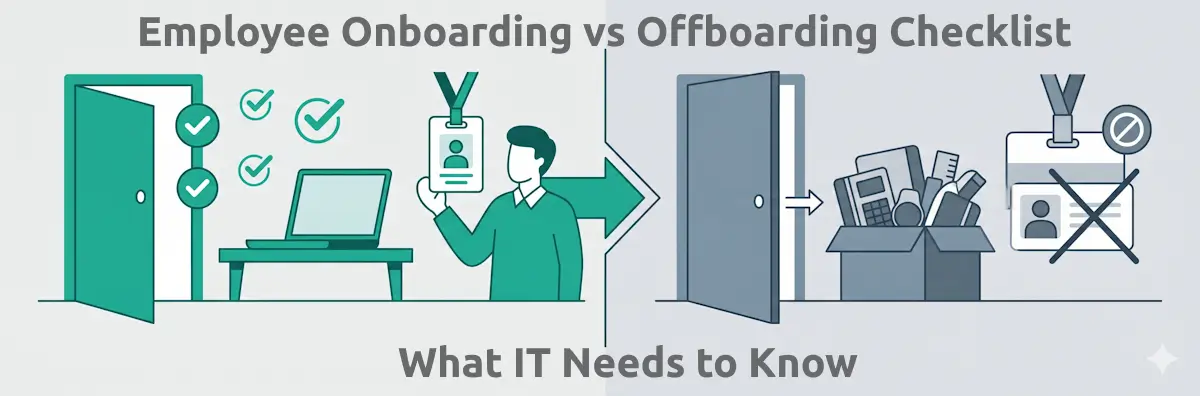
IT onboarding and offboarding look like mirror images of the same process. One provisions; the other deprovisions. In practice they require completely different approaches, different timelines, different urgency levels, and they carry very different consequences when something is missed. A missed step in onboarding means a new hire has a slow first week. A missed step in offboarding means a former employee still has VPN access three months after they left.
Most IT teams treat both processes reactively — waiting for HR to tell them someone has started or left, then working from memory or a shared document to tick things off. That approach produces inconsistent results, security gaps, and no audit trail. This guide covers what a complete IT checklist looks like for each process, where the key differences lie, and how to make sure both run consistently every time.
Onboarding vs Offboarding: The Core Difference
The two processes share almost no tasks and operate on completely different timelines. Before getting into the detail of each checklist, it's worth being precise about what distinguishes them at a structural level.
IT Onboarding
- Goal: equip a new employee with everything they need to be productive and secure from day one
- Trigger: offer acceptance / confirmed start date
- Timeline: 2–4 weeks of pre-boarding + day one + first week
- Risk if missed: poor first impression, productivity delays, security gaps from late MFA enrollment
- Ownership: IT (provisioning) + HR (trigger and documentation)
IT Offboarding
- Goal: fully revoke access, recover assets, and protect the organisation's data and systems
- Trigger: resignation accepted / termination confirmed
- Timeline: access revocation within hours; full process within 24–48 hours
- Risk if missed: data breach, GDPR violation, unrevoked SaaS access, credential misuse
- Ownership: IT (execution) + HR (trigger and confirmation)
The most important difference is urgency. Onboarding is a planned, multi-week process that can flex without major consequences. Offboarding — specifically the access revocation portion — is a time-critical security action. Best practice is revocation on the last day of employment, or within the hour for employees with privileged access. According to IBM Security data, 20% of data breaches involve credentials from former employees — making offboarding one of the highest-impact security processes an IT team manages, yet one that is frequently treated as low priority.
There's also a compliance dimension to consider from the outset. Whether you operate under GDPR, SOC 2, ISO 27001, or sector-specific regulation, both processes generate audit obligations. For onboarding, that means documenting when access was granted and under what permissions. For offboarding, it means proving that access was revoked completely and promptly. Both require a process that produces a timestamped record — not a memory or a chat message.
IT Onboarding: Full Checklist
A complete IT onboarding checklist covers three phases — pre-boarding, day one, and the first week. The goal is that on their first morning, the new hire sits down, logs in without friction, has access to everything they need for their role, and doesn't spend their first hours raising IT support tickets.
Pre-Boarding (2–4 weeks before start)
Order and configure the device — laptop enrolled in MDM, disk encrypted, EDR installed, VPN configured, baseline applications deployed. Create the user account in your identity provider and assign them to the correct role-based security group (not a blanket "all users" group — least-privilege from day one). Provision baseline SaaS applications by role. Set up email, calendar, and chat. Configure MFA — ideally enroll before the first day using a temporary access pass. Confirm the device will arrive before the start date; remote hires need shipping lead time built into the checklist.
Day One
Verify device delivery and MDM enrollment. Confirm SSO login works and all role-based applications are accessible. Walk through MFA enrollment if not completed pre-boarding. Have the new hire sign the Acceptable Use Policy. Confirm email, calendar, and chat integrations are functioning. Check EDR agent is active. Set up the IT help channel contact for first-week questions. Run a brief device orientation — password manager setup, VPN usage, how to raise IT tickets.
First Week
Audit installed applications against the role profile — remove anything not needed, add anything missing. Complete cybersecurity awareness training if required by policy. Confirm access to all role-specific tools. Document any additional access requests that came up in the first week and process them through the standard access request workflow. Schedule a 7-day check-in to surface any IT issues before they become habits.
The three-phase structure matters because it distributes work across time, preventing day-one bottlenecks. A process that front-loads everything onto the start date routinely produces delays — the device hasn't arrived, the account isn't provisioned, the new hire is sitting idle. Pre-boarding tasks should be completed and verified before the employee sets foot in the office or opens a laptop at home. Using recurring checklists with due date rules relative to the start date enforces this automatically.
IT Offboarding: Full Checklist
IT offboarding is not the reverse of onboarding — it's a security operation with a tight timeline. The moment a departure is confirmed, the clock starts. Here's what needs to happen and when.
Immediate (same day — ideally within the hour for privileged accounts)
Disable the primary identity provider account (Active Directory / Entra ID / Okta). This disables SSO-connected applications simultaneously. Revoke VPN access independently — SSO disable does not always revoke VPN sessions that are already active. Remove from all security groups. For employees with admin or elevated privileges: revoke those permissions first, before disabling the account. Suspend, don't delete — you may need access to the account for investigation or data handover.
Within 24 Hours
Audit every SaaS application the employee used. Applications not connected to SSO must be deprovisioned manually — this is the most common source of missed access. Check for active OAuth tokens issued to third-party apps — these persist after SSO is disabled and must be explicitly revoked. Review developer access: GitHub, Bitbucket, AWS, GCP, Azure — membership and access keys must be revoked separately from the main account. Rotate any shared account passwords the employee had access to. Transfer ownership of files, documents, and shared drives. Redirect or archive email. Recover or arrange return of company equipment.
Within One Week
Reclaim software licenses — remove the leaver from paid SaaS seats to avoid unnecessary spend. Conduct a final access audit: run an access review across all systems to confirm no residual access remains. Document the completed offboarding in your records — this is your evidence for GDPR compliance (Article 5 and Article 32 require documented access controls) and for any future audit. Archive the employee's IT profile including what access they had, when it was revoked, and by whom.
The Hidden Access Problem
Most IT teams know to disable the main account. The gaps are in the long tail: a Slack workspace where the employee was a guest, a legacy project management tool that predates SSO, a subscription they set up under their company email, a GitHub personal access token that was never added to the corporate org. A structured IT offboarding checklist with a dedicated "non-SSO applications" task forces this audit to happen every time, not just when someone remembers.
Why Offboarding Is the Higher-Risk Process
The asymmetry is clear when you look at consequences. A slow onboarding costs a new hire a few frustrating days. A missed offboarding step can cost the organisation a data breach, a regulatory fine, or intellectual property theft. IBM Security data puts former employee credentials at 20% of data breaches. A Gartner study found that only 44% of companies confirm all access rights are revoked within 24 hours of departure — meaning the majority of organisations are exposed for longer than they realise.
The risk is compounded by the nature of modern SaaS environments. In 2016, the average company used 8 cloud applications. In 2026, the average is over 100. Each application is a potential access point that survives an SSO deactivation if it's not in the SSO-connected catalogue. The more tools a company uses, the higher the probability that an offboarding process based on memory or a static document will miss something.
There's also a compliance dimension. GDPR (Article 5, Article 32) requires documented evidence of access controls for personal data. SOC 2 Type II audits assess access revocation processes. ISO 27001 requires access reviews. For organisations in regulated sectors — finance, healthcare, legal — a departed employee's access being active for two weeks is not just a security risk; it's a compliance failure with measurable consequences.
The operational fix is not complicated: a structured offboarding checklist, run every time without exception, with enforced task order so no step can be skipped and a timestamped completion record as the audit evidence. The difficulty is making that happen consistently for every departure, including the ones that happen without much notice.
The HR/IT Handoff Problem
Most IT onboarding and offboarding failures don't happen because the IT team doesn't know what to do. They happen because IT doesn't find out in time. For onboarding: IT gets a forwarded email from HR two days before a start date, leaving no time to order a device or configure accounts properly. For offboarding: IT finds out a week after someone left, when their manager notices the account is still active.
The root problem is that HR and IT are using different systems and different communication patterns for what should be a single, structured handoff. The fix requires two things: a defined trigger protocol (HR confirms a hire or leaver → a specific action starts in IT's system, not an informal email) and clear ownership (who in IT receives the trigger, who is responsible for starting the checklist, who confirms completion back to HR).
The most reliable implementation is an integration: when HR marks an employee as hired or departed in the HRIS, it automatically triggers the relevant IT checklist via an automation or API call. Where a full integration isn't feasible, a structured form submission from HR to IT — with all the required information captured at the point of trigger — works as a manual alternative. What doesn't work is relying on an informal Slack message or email chain to initiate a time-sensitive security process.
How to Standardise Both Processes
Standardisation requires turning your ideal process into a reusable template. Here's a practical four-step approach that works for both onboarding and offboarding.
Build separate templates for onboarding and offboarding
They share almost no tasks, have different timelines, and are triggered by different events. Keep them as distinct templates. Within each template, structure tasks in strict sequence — pre-boarding tasks before day-one tasks, access revocation before equipment recovery. Assign each task to a role (IT technician, IT manager, HR contact) rather than a named person. Role-based assignment means the process survives staff changes and holiday cover without requiring manual reassignment every time.
Define the trigger and the SLA for each
Onboarding: IT receives the provisioning trigger at least 10 business days before the start date. Day-one readiness is confirmed 24 hours before start. Offboarding: IT receives the departure confirmation the same day it's confirmed by HR. Access revocation is completed within 4 hours for standard employees, within 1 hour for those with admin or privileged access. These SLAs should be written into the template as due date rules so that the checklist itself tracks whether the process is running on time.
Make the process self-contained
Every task in the checklist should include enough information for any IT team member to complete it without asking questions. Reference links to internal documentation, the exact name of the system to deactivate, the specific admin panel to check for OAuth tokens. Conditional logic handles variations: remote vs. on-site new hires, different device types, different role profiles. The checklist is the process — not a reminder to follow a separate SOP that may or may not be up to date.
Schedule recurring access reviews
Offboarding prevents access accumulation at departure, but access also accumulates during employment — role changes, project assignments, temporary admin access that was never revoked. Schedule a quarterly access review checklist that runs automatically for every employee, auditing current permissions against current role. This closes the loop that offboarding alone cannot. A real-time dashboard showing all active reviews makes it easy to confirm the audit is complete across the whole organisation.
Run Onboarding and Offboarding as Structured Checklists
CheckFlow's onboarding software lets you build once and run consistently — with auto-assigned tasks, enforced order, and a full audit trail for every employee. Try it free.
Start Free TrialHow CheckFlow Handles Both
CheckFlow is built for exactly this use case: running the same structured process repeatedly, with consistency enforced by the tool rather than by memory or willpower. IT onboarding and offboarding are both recurring, multi-step, multi-person processes with defined task sequences, role-based assignments, and compliance requirements — they're the textbook use case for a process checklist tool.
For onboarding, build the template once: define pre-boarding, day-one, and first-week task groups, assign each task to the appropriate IT role, set due date rules relative to the start date, and add conditional logic for variations (remote vs. on-site, different device types, different role profiles). When HR confirms a new hire, launch the checklist in seconds — fill in the employee name, start date, and manager, and CheckFlow assigns every task automatically and notifies the right person immediately. No briefing required.
For offboarding, the same approach applies with tighter timelines. Immediate access revocation tasks are structured as the first group, with halt tasks that prevent later steps from being completed before the critical ones are done — so equipment recovery and license reclamation can't be checked off before the account is confirmed disabled. The completed checklist is the timestamped audit trail: who disabled the account, when, what applications were checked, which tokens were revoked. Every field is filled; every step is recorded.
Integration with your existing stack — via Zapier integration or the REST API — means the trigger from HR can start the CheckFlow checklist automatically: a new hire logged in your HRIS fires the onboarding checklist; a leaver confirmed fires the offboarding checklist. For organisations that want to automate the end-to-end handoff without manual intervention, this is the cleanest implementation. CheckFlow pricing starts at $10 per user per month, all features included, no per-employee charge.
Conclusion
IT onboarding and offboarding are not complicated processes — but they are processes that fail badly when treated informally. Onboarding done inconsistently means new hires start without the tools they need. Offboarding done inconsistently means former employees retain access they shouldn't have. Both outcomes are avoidable with a structured checklist, clear ownership, and a defined trigger from HR.
The standard to aim for: every new hire provisioned before day one; every leaver deprovisioned within hours. Neither outcome requires sophisticated tooling — it requires a consistent process, run the same way every time, by whoever is on duty that week.
CheckFlow's free trial is available at checkflow.io — no credit card required. Build your onboarding and offboarding templates in under an hour.
Free Employee Onboarding & Offboarding Templates
CheckFlow's employee onboarding templates cover both sides of the employee lifecycle — from pre-start preparation and day-one welcome through to structured offboarding, role definition, and development planning. Each template assigns tasks to the right person, enforces completion sequence, and produces a timestamped record. Click any card to view the full template.






Related Articles


Make Every Onboarding and Offboarding Consistent
Build structured IT checklists in CheckFlow — auto-assigned tasks, enforced order, full audit trail. Free trial, no credit card required.
Get Started Free Book a Demo