Edit records in your zone
Examples: a new A record, an MX switch, an SPF or CAA update.
Cached for: the record’s TTL.
Rollback: restore the old value from the zone export.
No Credit Card Required
Printed from checkflow.io/templates/information-technology/dns-change-checklist
This free DNS change checklist covers the two jobs that keep a domain working. IT teams, web teams and MSPs use it to make record changes and DNS provider moves safely, with a zone export, lowered TTLs, approval, checks with dig and a written rollback, including the DNSSEC ordering that catches people out. It also runs the domain renewal and registrar review: expiry dates, auto-renew, registrar and registry locks, account MFA, contacts and defensive domains.
A record change, a move to a new DNS provider and a domain renewal all touch the same name, but they fail in different ways and are undone in different ways. The first task asks which one this is, and the checklist shows only the phases that apply.
Examples: a new A record, an MX switch, an SPF or CAA update.
Cached for: the record’s TTL.
Rollback: restore the old value from the zone export.
Examples: new nameservers at the registrar, a move to a new DNS host.
Cached for: the parent’s NS TTL, two days in .com.
Rollback: point back to the old nameservers, which must still serve the zone.
Examples: renewing, checking locks, removing a leaver from the registrar account.
Risk: expiry, hijack or an unauthorised transfer.
Output: a domain table reviewed on schedule.
Lowering a TTL only helps if you do it early. A resolver that cached the record under the old TTL keeps it until that TTL runs out, so a record at 86,400 seconds needs its TTL lowered a full day before the change. New names have a trap of their own: if anyone queried a name before it existed, resolvers may cache the “does not exist” answer for the lower of the SOA record’s TTL and its minimum field. Mail cutovers add MX, SPF and DKIM records to the same sequence; the Email Migration Checklist covers those in detail.
Six phases cover all three kinds of work. Phase 2 appears for record changes and provider moves, Phase 3 for record changes, Phase 4 for provider moves and Phase 5 for renewals, and a failed verification adds a rollback task.
The change type chosen on the first task decides which of Phases 2 to 5 appear.
dig DS example.com +short returns the DS record if it does; a provider move must handle itTasks are hidden for a domain renewal. The approval on the last task halts the checklist until the approver decides.
Tasks appear only for a record change. If the result is recorded as Fail, the rollback task appears.
dig @ns1.yourdnshost.net www.example.com A +short; all of them should agreedig @8.8.8.8 and dig @1.1.1.1; Google Public DNS and Cloudflare both offer a tool to purge a cached nameTasks appear only for a provider move. If the result is recorded as Fail, the rollback task appears.
dig +dnssecTasks appear only for a domain renewal and registrar review. The domain table lives in this phase’s first task.
clientTransferProhibited in the RDAP or WHOIS statusThese values set how long a change takes to reach everyone and how long you have before a lapsed domain is gone. Some vary, so check your own registry and registrar.
| Timing | Typical value | What it means for the change |
|---|---|---|
| Record TTL | Your choice: often 3,600 to 86,400 s, 300 s during a change | Lower it at least one old TTL before the change |
| Negative caching | The lower of the SOA TTL and the SOA minimum (RFC 2308) | A name queried before it existed stays “missing” for that long |
| .com and .net delegation | 172,800 s (two days) | Keep the old provider serving an identical zone for at least 48 hours |
| DS record at the parent | Often 86,400 s (one day) | Remove or replace it in the right order, then wait it out before the next step |
| Registrar expiry notices | About one month and one week before expiry, and one within five days after | Required by ICANN’s Expired Registration Recovery Policy for gTLDs; send them to a monitored address |
| Redemption Grace Period | 30 days after a gTLD registration is deleted | The registrant can still restore the name, usually for a fee; do not plan on it |
| Transfer restriction after registration or transfer | 60 days, being replaced by 30 days | ICANN’s updated Transfer Policy; record and nameserver changes do not trigger it |
DNSSEC is where provider moves go wrong. If resolvers still hold a DS record for keys the new provider does not use, validating resolvers return SERVFAIL and the domain disappears for their users. Cloudflare’s migration guide shows the multi-signer route: each provider publishes the other’s signing key, both DS records sit at the registrar during the move, and the old provider’s key is removed only after waiting at least one and a half times the old DS record’s TTL. Where either provider cannot do that, remove DNSSEC first, move, then sign again.
The registrar account is the other weak point: whoever signs in can change nameservers, redirect mail and web traffic and obtain certificates for your domain. MFA, few users and a registrar lock cover most domains. For the few that would stop the business, registry lock, offered by Verisign for .com and .net and by many other registries through registrars, sets server-level statuses that only a verified manual request can lift. ICANN’s updated Transfer Policy calls the transfer code a Transfer Authorization Code (TAC); treat it like a password.
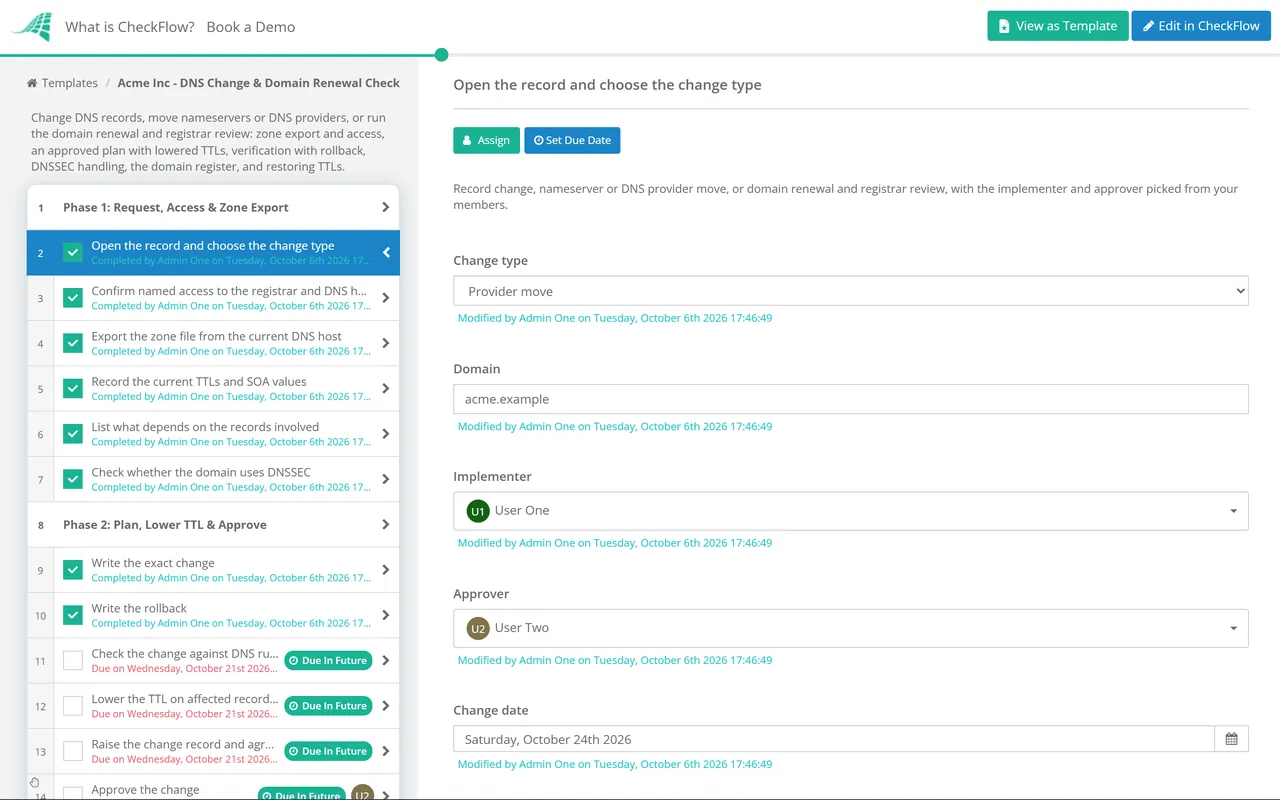
The change type dropdown on the first task shows the record change steps, the provider move with its DNSSEC ordering, or the registrar review, and hides the rest. Whoever picks up the request follows the same steps.
The zone export attaches to the first phase, and the checklist halts at the approval until the approver picked on the first task decides. Record Fail on the verification and the rollback task appears; the audit trail shows who changed what and when.
A table inside the renewal task holds registrar, expiry, auto-renew, lock and DNSSEC for each domain, and a data set keeps the domain list reusable. A quarterly or annual recurring schedule opens the registrar review, and tags keep each client’s domains separate for MSPs.
Moving mail means MX, SPF and DKIM changes in a fixed order, covered step by step in the Email Migration Checklist. CAA records and ACME validation CNAMEs decide whether certificates renew, so check any change to them against the SSL/TLS Certificate Renewal Checklist.
DNS changes on production services belong in your change process, run through the IT Change Management Checklist. See how approvals halt a change until someone decides in CheckFlow’s change management checklist software, and how scheduled reviews open themselves with recurring checklists.
Describe the process in a sentence and the AI checklist generator drafts the phases and tasks for you.
At least one full period of the current TTL before the change, because resolvers that cached the record under the old TTL keep it until that runs out. A record at 3,600 seconds needs an hour; one at 86,400 seconds needs a day. Lowering to 300 seconds is common. Restore the normal TTL once the change has held.
Up to two days for .com and .net, whose delegation records carry a TTL of 172,800 seconds, plus the time your registrar takes to send the change to the registry. Many resolvers pick it up sooner, but plan for the full 48 hours and keep the old provider serving an identical zone throughout, so whichever nameservers a resolver asks give the same answer.
Either migrate with both providers signing, where each publishes the other’s key and both DS records sit at the registrar until the move completes, or remove DNSSEC first. To remove it, delete the DS record at the registrar, wait at least its TTL (often a day), change the nameservers, then sign the zone at the new provider and add its new DS record. Changing nameservers while an old DS record is still cached breaks resolution for validating resolvers.
Registrar lock sets client statuses such as clientTransferProhibited, which anyone signed in to your registrar account can remove. Registry lock sets server statuses, serverUpdateProhibited, serverDeleteProhibited and serverTransferProhibited, at the registry itself. Lifting it needs a verified manual request through the registrar, so a stolen registrar password alone cannot change your nameservers.
For gTLDs such as .com, ICANN’s Expired Registration Recovery Policy requires the registrar to send reminders about a month and a week before expiry and another within five days after. Registrars handle the first weeks after expiry differently. If the registration is deleted, a 30-day Redemption Grace Period lets you restore it, usually for a fee; after that anyone can register it. Country-code domains follow their own registry’s rules.
14-day free trial, no card required. The Business plan is $10 per user per month after the trial. Full details at checkflow.io/pricing.
14-day free trial, no credit cardFull refund in your first 30 daysUS hosting, EU on request