The work is finished
- Deliverables tested against the charter’s success criteria
- Handover with documentation, training and a hypercare period
- Final cost reconciled against the budget and approved changes
- Benefits review handed to the business owner
Last reviewed: October 2026
No Credit Card Required
Printed from checkflow.io/templates/project-management/project-closeout-checklist
Delivery teams move to the next project the week after go-live, and closure becomes whatever is left when they have gone. This free project closeout checklist gives project managers and PMOs a workflow from “the work is done” to “the project is closed”: acceptance against the success criteria, handover to the people who will run what you built, supplier and financial close, releasing people and access, lessons learned, an archived record and the benefits review handed to the business owner. Three questions at the start show the steps for a project closing early or cancelled, a client’s signed acceptance and supplier contract closure.
Closeout is the point where the project stops being responsible for what it produced and someone else starts. PRINCE2 7 describes closing a project as transferring ownership of the products to the people who will use and support them, and it treats a planned closure and a premature one as two routes to the same end. PMI’s PMBOK Guide Eighth Edition, published in November 2025, keeps closing as one of its five focus areas. Neither treats closure as a meeting. It is a set of handovers, each with a receiver who agrees to take it.
It is not the end of a sprint. A sprint review inspects one increment and adjusts the backlog, and the team carries on. Closeout happens once, and the team does not carry on. It also goes further than the closure phase of the Project Management Documentation Checklist, which produces the completion report and lessons register. This checklist covers what those documents leave out: suppliers and the final cost, people and access, the operational handover, and who measures the benefits after the team has gone.
A cancelled project still needs closing, often more carefully than a finished one, because the parts that were never delivered still have costs, contracts and people attached.
Seven phases run from freezing the scope to the closure announcement. Phase 2 appears only when the project is closing early or has been cancelled, Phase 5 only when suppliers or contractors were used, and the client acceptance task in Phase 3 only for work delivered to an external client.
Answer the three scope questions first. They decide whether the early closure phase, the supplier phase and the client acceptance task appear.
Shown only when the project is closing early or has been cancelled.
The client acceptance task appears only for work delivered to an external client.
The business owner approval halts the checklist until operational ownership is accepted.
Shown only when suppliers or contractors were used.
The sponsor approval halts the checklist; the closure is announced only after it.
The test of a closeout is whether anything still belongs to the project the day after it closes. Every open item needs a new home and a named owner outside the project team, agreed with that owner before the sponsor approves closure. Use the table as the list of follow-on actions in the closure report.
| Open item | Where it goes | Owner after closure |
|---|---|---|
| Open defects and concessions | Support or service backlog, with the agreed fix dates | Service owner or support lead |
| Hypercare and warranty obligations | Support rota and the contract register, with the end dates | Service owner; procurement for supplier warranties |
| Open risks and issues | The business or operational risk register | Business owner |
| Benefits not yet realised | Benefits review schedule, with measures, baselines and dates | Business owner |
| Retained sums and late invoices | Finance diary and month-end accruals | Finance partner |
| Follow-on work and recommendations | Closure report, then the portfolio backlog | Sponsor |
| Lessons learned | The PMO lessons library, or the template the next project runs from | PMO or the next project manager |
| Project records | Archive with a retention period and access rules | Records owner |
Benefits usually arrive after the team has gone. A new system pays back over months of use, and a process change shows up in quarterly figures. PRINCE2 7 handles this through its benefits management approach, which schedules benefit reviews after the project closes, carried out by the business rather than the project. Whatever your method calls it, the business owner needs the measures, the baseline figures and the review dates in writing before the project closes.
Retention periods come from three places: your organisation’s records policy, the contract, and any regulation that applies to the work. Use the longest of the three, record it on the archive, and name who can open the record and who decides when it is destroyed.
The handover stops at an approval step until the business owner accepts it, and the project cannot close until the sponsor approves. Each answer is recorded beside the evidence it was based on.
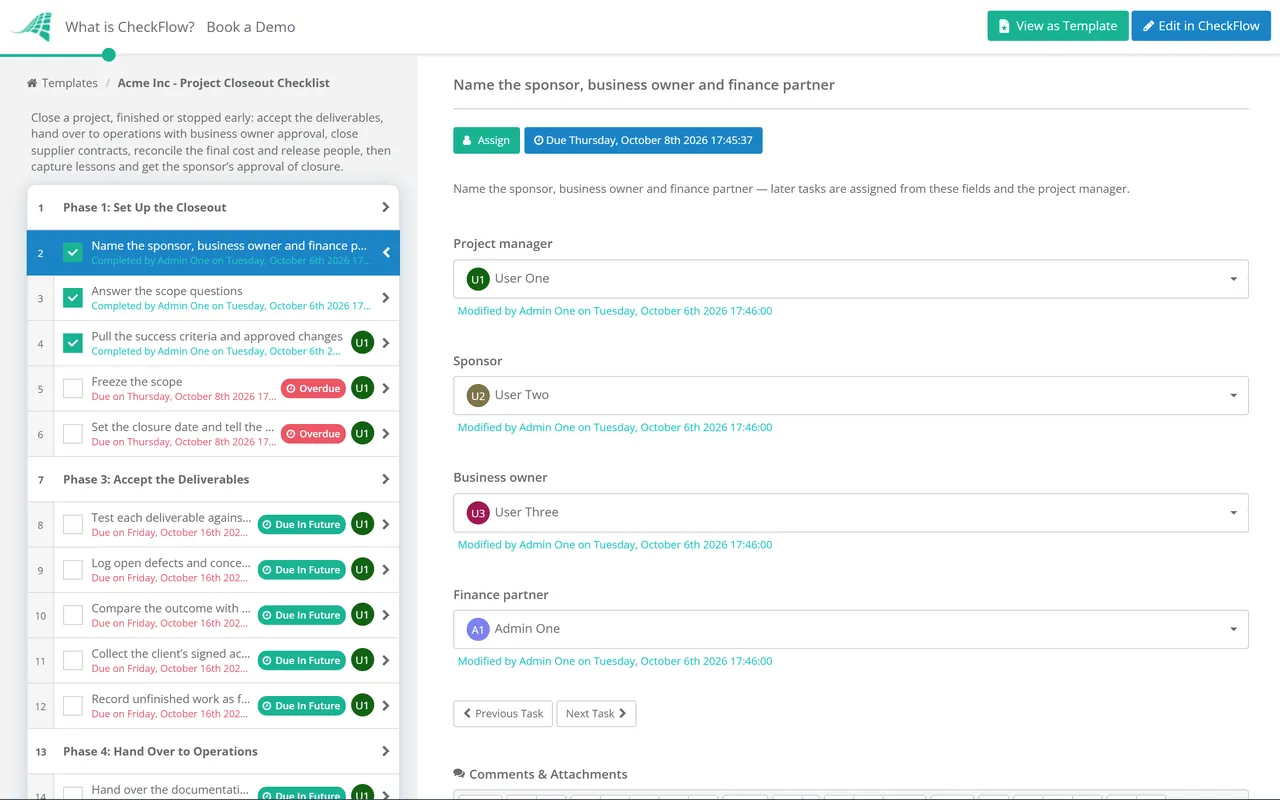
Finance, handover and closure tasks are assigned from the role fields when the checklist starts, with due dates offset from the start date. Comments and attachments keep acceptance evidence, invoices and lessons with each task, and the history becomes the closure record.
Dropdown answers show the cancelled-project phase, the client acceptance task and supplier closure only when they apply. Reports show which projects have been sitting in closeout for months.
Closeout measures the project against the success criteria agreed at the start, so pair it with the Project Kickoff Checklist. IT projects can run hypercare and the post-implementation review from the IT Project Management Checklist, and the Scope Change Request Checklist holds the approved changes your acceptance has to allow for.
Closing projects across a portfolio? CheckFlow for business process management runs kickoff, change control and closeout as one repeatable process, so every project ends with the same record whoever ran it.
Describe the process in a sentence and the AI checklist generator drafts the phases and tasks for you.
Acceptance of each deliverable against its success criteria, handover of documentation, training and support to the people who will run the result, closure of supplier contracts and purchase orders, a final cost reconciliation with closed cost codes, release of people, access and equipment, a lessons learned session, an archived record with a retention period, the benefits review handed to the business owner, and a formal closure approval and announcement. A cancelled project adds a record of the decision, a stop on spending and a decision on what to salvage.
Before the last deliverable is finished, not after it. Start the checklist when the final deliverable goes into acceptance testing, or on the day the decision to stop is made. Handover, supplier and finance tasks take weeks, and the people who know where everything is are the ones about to move on. If the team has already been reassigned when closure begins, the project manager ends up rebuilding the record alone from inboxes and old status reports.
The sponsor, or whoever authorised the project, signs off closure, not the project manager. In PRINCE2 the project manager prepares the closure recommendation and the project board authorises it. For client work, the client’s written acceptance of the deliverables usually comes first, in the form the contract names. Operational handover is a separate sign-off by the business owner who takes over what the project built.
Record the decision and the reason, stop spending, then close it with the same care as a finished project. PRINCE2 calls this a premature closure: the work is not simply abandoned, finished and part-finished products are assessed, and anything of value is salvaged and handed over. Supplier contracts may need ending under their own terms, people need releasing, and the lessons matter more than usual, because they explain why the business case stopped holding.
A retrospective looks at how the team worked during one sprint and changes the next one; closeout ends the project and hands everything it produced to someone else. Iterative projects still need a closeout after their last sprint. Contracts, budgets, access, support arrangements and benefits sit outside the sprint cycle, and nothing in a retrospective transfers them to a new owner.
As long as the longest of three requirements: your organisation’s records policy, the contract, and any regulation that applies to the work. There is no single period that suits every project, which is why the checklist asks you to record the retention period on the archive rather than assume one. Note who can open the record and who approves its destruction, and keep the acceptance and closure approvals with it.
14-day free trial, no card required. The Business plan is $10 per user per month after the trial. Full details at checkflow.io/pricing.
14-day free trial, no credit cardFull refund in your first 30 daysUS hosting, EU on request