
Getting it to customers
Covers: specification sign-off, QA, release notes, support briefing, launch timing.
Owner: product, with engineering.
Rollback: often a feature flag, turned off.
No Credit Card Required
Printed from checkflow.io/templates/product-development-launch/production-deployment-checklist
This free production deployment checklist takes one release from a tested build to a closed change. Engineering, platform and DevOps teams use it for service and application deploys: readiness checks on the artefact, migrations and feature flags, a go/no-go approval, steps for rolling, blue-green, canary or all-at-once strategies, verification against your SLOs, and a rollback decision with a time limit set before the deploy starts.
Google’s SRE book reports that roughly 70% of outages are due to changes in a live system. Three processes touch every one of those changes, and teams that run them as one list either drown the deployer in marketing tasks or skip the rollback plan. Keep them apart and link them.
Covers: specification sign-off, QA, release notes, support briefing, launch timing.
Owner: product, with engineering.
Rollback: often a feature flag, turned off.
Covers: artefact, migrations, strategy, verification and the rollback decision.
Owner: the deployer and the on-call engineer.
Rollback: planned, triggered and time-boxed.
Covers: risk, approval, scheduling and the outcome of the change.
Owner: the change owner and approvers.
Rollback: referenced, not run.
The go-to-market side runs through the Feature Release Process Checklist, and the approval record through the IT Change Management Checklist. This page is the technical runbook in between. Separating deployment from release also means you can ship code with the feature off, then release it with a flag when product is ready.
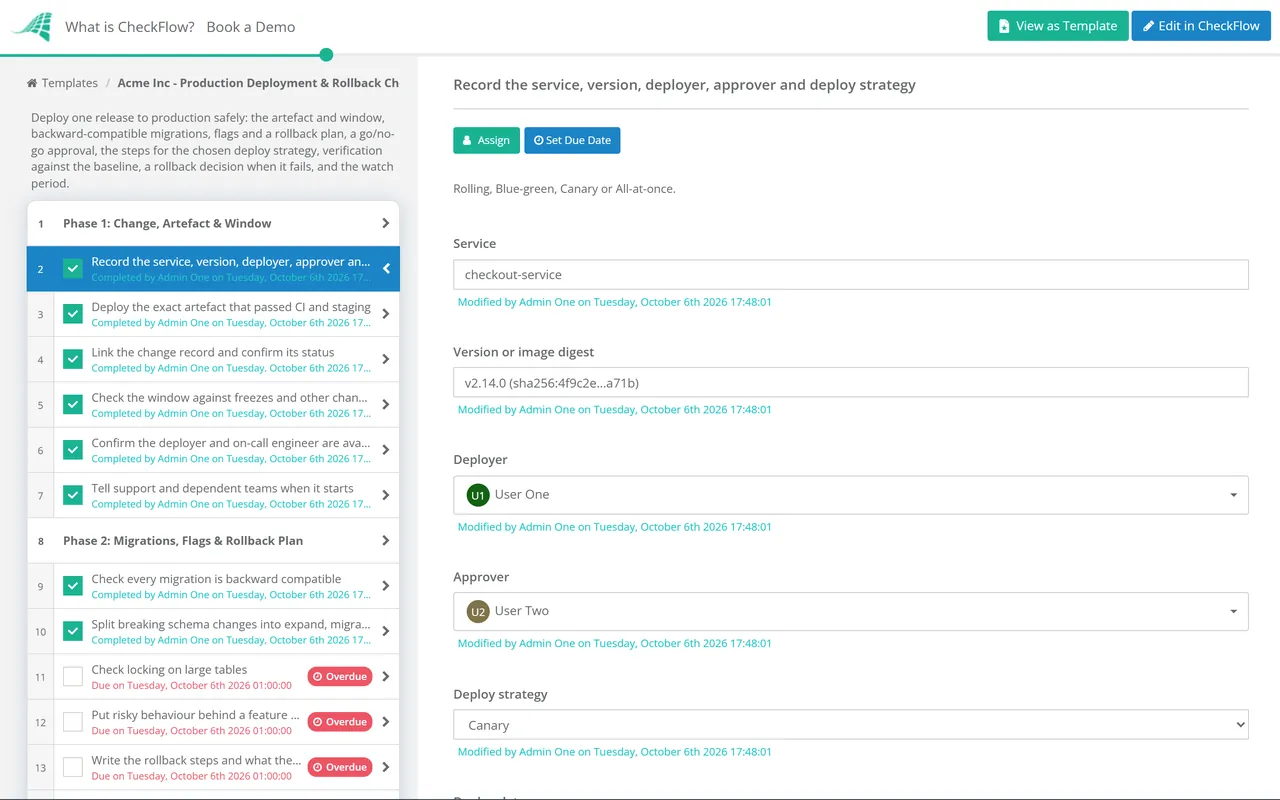
Seven phases take a deployment from readiness to close. The strategy chosen on the first task decides which Phase 4 tasks appear, the go/no-go approval halts the checklist before anything ships, and a failed verification opens the rollback phase.
The deploy strategy on the first task shows the matching tasks in Phase 4. The approver is named here for Phase 3.
The approver named on the first task records Approved or Not approved on the last task. The checklist halts there, and nothing is deployed until they decide.
Only the tasks for the strategy chosen on the first task appear.
The verification result is a required Pass or Fail. Fail shows Phase 6.
Tasks appear only when verification is recorded as Fail.
The strategy decides how much of production sees a bad build and how fast you can take it back. Each option trades cost and complexity for blast radius.
| Strategy | How traffic moves | Rollback | Watch out for |
|---|---|---|---|
| Rolling | Instances replaced in batches; Kubernetes Deployments default to 25% surge and 25% unavailable | kubectl rollout undo, which also aborts a rollout in progress; 10 old revisions kept by default | Old and new versions serve traffic together, so both must work with the same schema and APIs |
| Blue-green | A full second environment, switched over at once | Switch back; an Azure App Service slot swap reverses with another swap | Double capacity; AWS CodeDeploy terminates the old EC2 instances after your wait time, up to 2,880 minutes, unless set to keep them |
| Canary | A small share of traffic first, then larger steps | Route traffic back to the old version | Needs per-version metrics and a control group, or the comparison means nothing |
| All-at-once | Every instance updated together | Redeploy the previous artefact | Downtime and full exposure; keep it for internal tools and low-traffic windows |
Whatever the strategy, define rollback triggers in numbers before you start. Google’s SRE workbook suggests paging when a service burns 2% of a 30-day error budget in an hour, a burn rate of 14.4. The same arithmetic gives a deploy a clear line: if the new version burns budget that fast, roll back first and investigate afterwards.
Measure the process too. DORA’s software delivery metrics are deployment frequency, change lead time, change fail rate and failed deployment recovery time, the name that replaced “time to restore service” in 2023. In 2024 DORA added a fifth, deployment rework rate: the share of deployments that are unplanned fixes for production problems. Phase 7 records the data all five need.
The approver picked on the first task records Approved or Not approved, and the checklist halts until they do. Nobody starts the deploy because the window opened and the approver was in another meeting.
A required dropdown picks rolling, blue-green, canary or all-at-once, and only that strategy’s steps appear. A data set holds your services with owner, strategy and dashboard link, and tags separate services or clients.
A Fail on verification opens the rollback phase. Canary steps go in a table inside the task, graphs and smoke test output attach as evidence, and the audit trail timestamps each step, which is the raw data for change fail rate and recovery time.
The approval record for each deployment belongs in the IT Change Management Checklist, and CheckFlow’s change management checklist software shows how change approvals work across engineering and IT.
Every rollback should end in the Incident Postmortem Template. Upstream, the Code Review Checklist flags high-risk changes such as data migrations before they reach this checklist.
Software Release Management Checklist
IT Change Management Process Template
Incident Postmortem Template
Feature Release Process
Backup Verification & Restore Test Checklist
Describe the process in a sentence and the AI checklist generator drafts the phases and tasks for you.
A deployment puts a new version of the code into production. A release makes a change available to users. With feature flags they can happen on different days: deploy with the feature off, check the system is healthy, then release by turning the flag on for a group of users. That keeps the risky technical step and the customer-facing step separate, each with its own rollback.
The exact steps and who runs them, the triggers that start it in measurable terms, the time limit for deciding, what the rollback cannot undo, and how you will confirm recovery. Write it before the go/no-go meeting and check that the previous artefact still exists. Kubernetes keeps 10 old revisions by default; a pipeline that cleans up old images may not.
Use expand and contract, which Martin Fowler’s site describes as parallel change. First add the new structure without removing the old, so both code versions work. Then move the code and data across. Only in a later release, once nothing reads the old structure, remove it. Rolling back the code then never needs a schema rollback, which is the step most likely to lose data.
Blue-green gives the fastest rollback, one traffic switch, but every user meets the new version at once and you pay for two environments. Canary exposes only a slice of traffic first, so a bad build hurts fewer users, but it needs metrics split by version and a control group to compare against. Blue-green suits services where a full duplicate is affordable; canary suits high-traffic services where a few per cent of requests is still a meaningful sample.
DORA measures software delivery with five metrics: deployment frequency, change lead time, change fail rate, failed deployment recovery time and deployment rework rate. The recovery metric was renamed from time to restore service in 2023, and rework rate was added in 2024. A deployment checklist that records start time, outcome and recovery time gives you the data for most of them.
14-day free trial, no card required. The Business plan is $10 per user per month after the trial. Full details at checkflow.io/pricing.
14-day free trial, no credit cardFull refund in your first 30 daysUS hosting, EU on request