Handles the mechanics
- Holds the digital records and the VAT account
- Calculates the nine boxes from the transactions coded to them
- Submits the return to HMRC through its API
- Shows obligations, deadlines and receipts
Last reviewed: September 2026
No Credit Card Required
This checklist is written for UK VAT. Under Making Tax Digital, every VAT-registered business in the UK keeps its VAT records digitally and files through compatible software, so the filing takes a few clicks. The software can’t tell you whether the records are complete, whether an unusual purchase carries reclaimable VAT, or whether last quarter’s mistake can go on this return. This free VAT return checklist gives finance managers, bookkeepers and accountants a repeatable process for every VAT period, from the scope questions and digital records through imports, reverse charges and the control account reconciliation to an independent review, submission and payment. Phases for partial exemption and error correction appear only when they apply. Other VAT systems and US sales tax are not covered.
Making Tax Digital for VAT has applied to every VAT-registered business since April 2022, including businesses that registered voluntarily below the £90,000 registration threshold. It has two requirements. The VAT records, including the tax point, value and rate of each supply made or received, must be kept in functional compatible software. And where more than one program is involved, data must move between them through a digital link, such as a linked cell, a CSV import or an API. HMRC does not accept copying and pasting or retyping figures as a digital link.
Compliant software is not the same as a correct return: it files whatever the records say. Coding, completeness and judgement still belong to people, and that is what this checklist covers.
Seven phases take each VAT period from records to payment. Phase 5 appears only for partly exempt businesses and Phase 6 only when errors on earlier returns need correcting.
The scope questions decide which tasks and phases appear, so answer them before anyone starts on the records.
The first three tasks appear only when the matching Phase 1 question is answered Yes.
Shown only for businesses that make exempt supplies as well as taxable ones.
Shown only when errors on earlier returns were recorded in Phase 1.
The rules the checklist relies on most, stated as rules rather than calendar dates. HMRC changes thresholds and rates from time to time, so check GOV.UK before relying on a figure; your own deadlines appear in your MTD software and HMRC online account.
| Rule | What it says |
|---|---|
| Return and payment deadline | Usually one calendar month and 7 days after the end of the VAT period, and payment must have reached HMRC by then. A Direct Debit set up at least 3 working days before you submit is collected 3 working days after the deadline. |
| Payments on account | Quarterly filers with more than £2.3 million of VAT a year pay interim amounts on the last working day of months two and three of each quarter, and the balance by the last working day of the following month, with no 7-day extension. |
| Registration threshold | Taxable turnover of more than £90,000 in a rolling 12 months (since 1 April 2024). Cancellation is optional below £88,000. |
| Correcting earlier errors | Correct them on the next return if the net value is £10,000 or less, or up to £50,000 and no more than 1% of box 6. Otherwise, or if deliberate, report them separately. Four-year time limit. |
| Late returns | One penalty point per late return, including nil and repayment returns. A £200 penalty at the threshold (2 points for annual, 4 for quarterly, 5 for monthly filers) and for each late return after it. |
| Late payment | Nothing if paid within 15 days. 3% of the amount unpaid at day 15, plus 3% of the amount unpaid at day 30, then a daily penalty at 10% a year from day 31. |
| Late payment interest | Bank of England base rate plus 4%, charged from the day after the deadline until the VAT is paid. |
| Postponed import VAT statements | Usually available by the 10th working day of the month and online for 6 months, so download each one. |
| Bad debt relief | Claim once the debt is 6 months overdue and written off, within 4 years and 6 months. |
| EC Sales List | Northern Ireland businesses selling goods to VAT-registered EU customers only, within 21 days of the end of the reporting period. Businesses in Great Britain no longer file one. |
Form VAT652 has gone. HMRC withdrew it in September 2025. Errors above the threshold, and all deliberate errors, are now reported online or in writing, so update any older procedure that still mentions the form.
E-invoicing is coming. The government has announced that all business-to-business and business-to-government VAT invoices must be e-invoices from April 2029, using the Peppol network, with a roadmap due at Budget 2026. Add a Phase 1 task to track it once the detail is out.
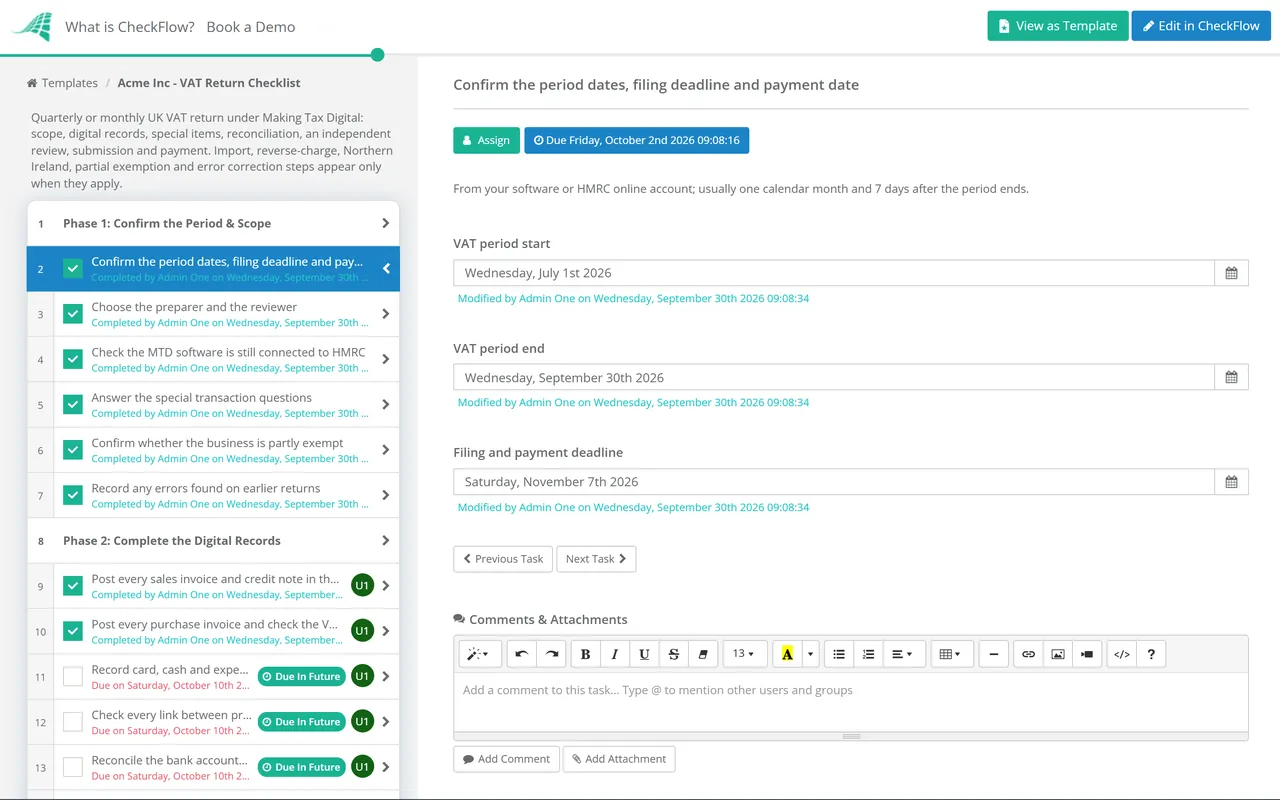
A quarterly or monthly schedule creates the checklist the day after the period ends, with every task assigned and due dates set to land well inside the filing deadline. A stalled return shows as overdue well before the deadline.
Answer the Phase 1 questions and the checklist adjusts. Import VAT, reverse charge and Northern Ireland tasks appear only when they apply, and the partial exemption and error correction phases stay hidden in a normal quarter.
The return cannot move to submission until the reviewer answers Approved. The reconciliation and submission receipt are attached to their tasks, and every step records who did it and when.
Good VAT returns start with clean books. The Monthly Bookkeeping Checklist keeps the ledger up to date between returns, and the Bank Reconciliation Checklist makes sure nothing is missing from the records Phase 2 relies on.
Output VAT starts with the sales invoice. The Monthly Invoicing & Billing Run Checklist checks the VAT on each invoice before it is sent, and the Accounts Receivable & Collections Checklist produces the write-off history a bad debt relief claim needs.
Selling into the United States? US sales tax is a separate regime run state by state, built on resale and exemption certificates rather than input tax recovery. The Sales Tax Filing Checklist covers nexus, registration and returns for each state.
Describe the process in a sentence and the AI checklist generator drafts the phases and tasks for you.
The period’s deadlines and scope, completing and checking the digital records, special items such as import VAT, reverse charges and bad debt relief, a reconciliation of the VAT control account to the return, and an independent review before it is submitted and paid. Add partial exemption and error correction steps when they apply.
Usually one calendar month and 7 days after the end of the VAT period, and the payment is due by the same date. Businesses making payments on account pay the balance by the last working day of the month after the period ends, without the 7-day extension, and the annual accounting scheme has its own deadlines. Your MTD software and HMRC online account show the exact dates.
Yes, if you are registered for VAT. Since April 2022 Making Tax Digital has applied to every VAT-registered business, including those that registered voluntarily. HMRC can grant an exemption where it is not reasonably practicable to use digital tools, for example because of a disability, a remote location without reasonable internet access, or religious belief. Age alone does not qualify, and you have to apply for the exemption.
If the net value of the errors is £10,000 or less, or up to £50,000 and no more than 1% of the box 6 figure on the current return, you can correct it on your next return. Larger errors, and any deliberate error, must be reported to HMRC separately, online or in writing. Form VAT652 was withdrawn in September 2025. Corrections are limited to four years from the end of the period in which the error was made.
A late return earns a penalty point, and once you reach the threshold for your filing frequency each late return costs £200. Late payment penalties start if VAT is still unpaid 15 days after the deadline and grow after 30 days, and late payment interest runs from the day after the deadline at the Bank of England base rate plus 4%. Asking HMRC for a Time to Pay arrangement early can prevent late payment penalties.
14-day free trial, no card required. The Business plan is $10 per user per month after the trial. Full details at checkflow.io/pricing.
14-day free trial, no credit cardFull refund in your first 30 daysUS hosting, EU on request