
Success means people use it
- Configuration, testing and training
- Go-live whenever the team is ready
- Old data archived or left behind
- Access granted so people can work
No Credit Card Required
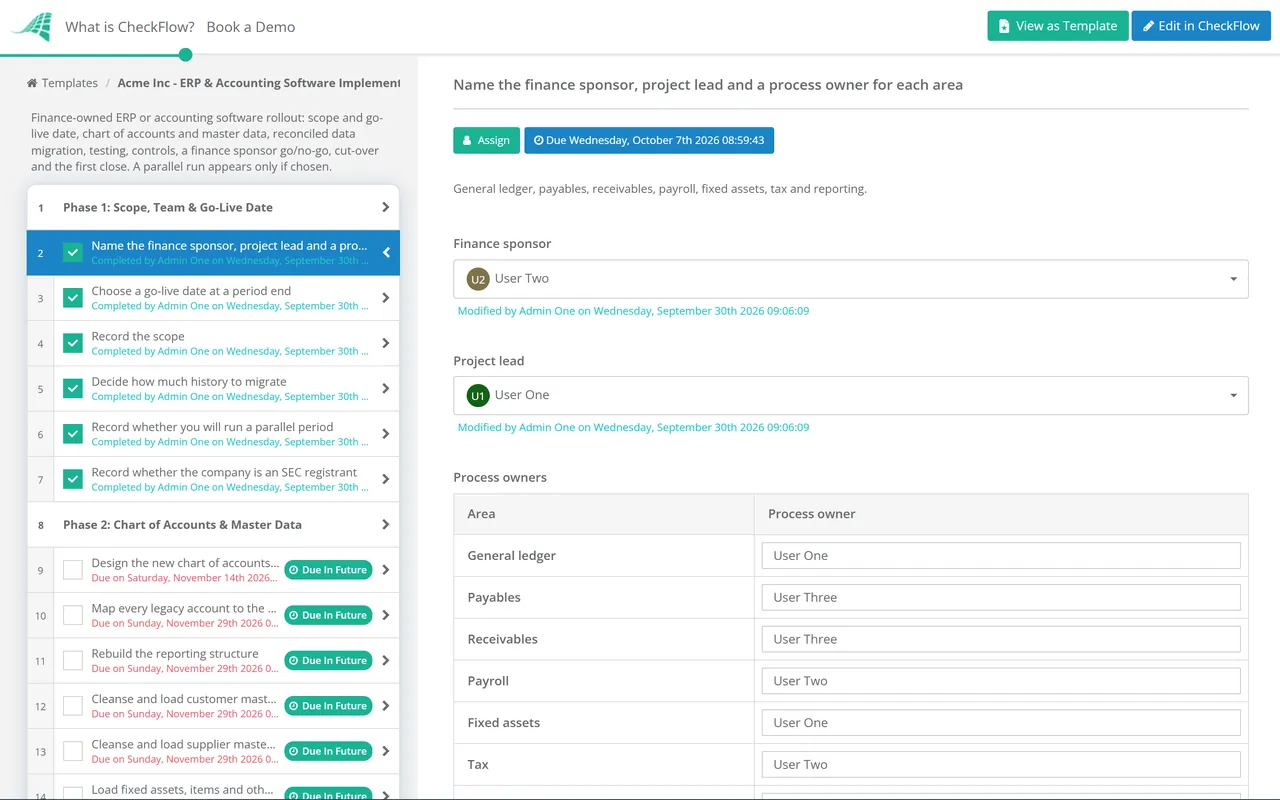
Moving to a new ERP or accounting package is not like rolling out any other software. The general ledger carries balances forward from the day the business started, so the old system has to hand over to the new one at a precise moment, usually a period end, with every account, customer, supplier and asset agreeing to the penny. This free ERP and accounting software implementation checklist gives finance directors, controllers and project leads a finance-owned plan to run alongside the vendor’s project plan. It covers the chart of accounts and master data, data migration with reconciliation, integrations and testing, roles and segregation of duties in the new system, a go/no-go approval by the finance sponsor, cut-over at the period end, hypercare and the first month-end close. A parallel-run phase appears only if you choose to run one.
Most software rollouts are judged on whether people can use the new tool. A finance system is judged on something stricter: whether the numbers coming out of it are the same numbers that went in, and whether the auditors will accept them. The implementation partner configures the software and loads the data. Only finance can say whether the chart of accounts supports the reports the business needs, whether the migrated balances are right, and whether the controls that protected the old ledger exist in the new one.
That is why this checklist is owned by finance rather than IT. Use it for the finance workstream, and run the technical change itself through your usual change process: CheckFlow’s change management checklist software covers approvals, rollback plans and post-implementation reviews for the system side.
Seven phases run from scoping the project to the first close in the new system. Phase 5 appears only when you decide to run a parallel period, and go-live cannot start until the finance sponsor approves it.
Pick the go-live date first. Every other date in the project is counted back from it.
Shown only when you decide to run a parallel period. It costs a month of double entry, and buys the most confidence.
The finance cut-over is a short sequence of steps around one period end. The timeline below assumes go-live on the first day of a new quarter.
The chart of accounts and mapping are signed off, the mock migration has reconciled, and the dates for the final load and the first close are in everyone’s diary.
Clear suspense accounts, close stale open items and settle disputed balances. Anything still open will be migrated as it is, and explained again after go-live.
Run the last close in the legacy system as normal, then lock the period so the balances you migrate cannot change underneath you.
Load the closing balances and open items, reconcile them, get the sponsor’s approval and switch the integrations. Transactions from the first days of the new period may need to be entered once go-live is confirmed.
Daily triage of issues, then the first month-end close in the new system. Expect it to take longer than usual.
Rules that follow the data. Changing systems does not change how long you must keep records. In the UK, HMRC requires a limited company to keep its records for six years from the end of the last financial year they relate to. In the US, the IRS expects records kept electronically to remain capable of being processed for as long as they may be needed under the tax rules, which is why Phase 3 keeps the legacy data readable. UK VAT-registered businesses must also keep digital records and file VAT returns through compatible software, and HMRC does not treat copy and paste as a digital link, so check that any spreadsheet between the new system and the VAT return still meets the Making Tax Digital rules. The UK plans to require e-invoicing for all VAT invoices from April 2029, which is worth raising in any system selection now.
Internal control. The COSO framework expects an organisation to identify and assess changes that could significantly affect its system of internal control, and a new ledger is one of the biggest. SEC registrants must also disclose, in their quarterly or annual report, any change in internal control over financial reporting during the quarter that has materially affected, or is reasonably likely to materially affect, it. A new ERP can meet that test, so agree the position with your auditors before the quarter ends.
The finance sponsor is chosen at the start, and the go/no-go task needs an Approved or Not approved answer before the cut-over phase can begin. The decision is recorded against the reconciliations and open defects it was based on, in the same place.
Each process owner signs off their own migrated balances, with the reconciliation attached to the task. When the auditors ask how opening balances were verified, the evidence is already organised by area.
Groups rarely move every entity at once. Start the same checklist for each wave, answer the parallel-run question per entity, and each entity’s progress through testing, cut-over and hypercare is tracked in its own checklist.
The system change and the finance work belong together. CheckFlow’s change management checklist software shows how change approvals, rollback plans and post-implementation reviews run as checklists, and the IT Change Management Process Checklist covers the technical side of go-live.
The first close in the new system is the real test. The Month-End Close Checklist gives it a timetable, and if you go live at the start of a financial year, the Year-End Close Checklist covers the last year closed in the old system.
Month-End Close Checklist
Year-End Close Checklist
Fixed Asset Register Review Checklist
Bank Reconciliation Checklist
IT Change Management Process Checklist
Describe the process in a sentence and the AI checklist generator drafts the phases and tasks for you.
At minimum: the chart of accounts design and mapping, master data cleansing, migration of opening balances and open items with a signed reconciliation for each area, integration and process testing, roles and segregation of duties, a go/no-go approval, the cut-over at a period end, hypercare and the first close. The vendor’s plan covers configuration; finance owns whether the numbers and controls are right.
At the start of a period, most often a new quarter or financial year, so the old system closes one period and the new one opens the next. A year-start go-live gives the cleanest comparatives, but it lands on top of the year-end close and the audit, so many teams prefer a quarter start instead.
A parallel run means processing the same period in both systems and comparing the results. It gives the strongest assurance that configuration and mapping are right, but it doubles the work for a month. It is most useful for complex payroll, tax or multi-entity set-ups. With a thorough mock migration and end-to-end testing, many smaller businesses go live without one.
Most businesses migrate opening balances, open receivables and payables at invoice level, the fixed asset register and monthly balances for at least the prior year, so comparisons work straight away. Detailed transaction history often stays in the old system, kept readable for the retention period.
The finance sponsor, usually the CFO or finance director, based on evidence: signed reconciliations for every migrated balance, test results, the list of open defects and confirmation that users are trained. In this template the go/no-go is an approval task, so the cut-over phase cannot begin until the sponsor answers it.
14-day free trial, no card required. The Business plan is $10 per user per month after the trial. Full details at checkflow.io/pricing.
14-day free trial, no credit cardFull refund in your first 30 daysUS hosting, EU on request