
Finance, any service business
Question: are the invoices correct, taxed and sent?
Sources: contracts, usage data and the billing system.
Owner: billing or finance team.
Output: invoices sent and posted to the ledger.
No Credit Card Required
Printed from checkflow.io/templates/managed-services/msp-billing-reconciliation-checklist
An MSP’s invoice is built from numbers that change every week. Users join and leave, devices are replaced, licences are added in a distributor portal by a technician who is closing a ticket, and a backup seat keeps running long after the laptop it protected was wiped. The agreement in the PSA only stays accurate if someone compares it with reality before each invoice run. This free MSP billing reconciliation checklist gives billing leads, service managers and owners a monthly routine for doing that. It compares billed quantities with RMM agent counts, Microsoft 365 or Google Workspace users and backup and security seats, matches distributor and CSP invoices against PSA additions to find unbilled and orphaned licences, checks time entries, block hours and project work, and routes the variance review for approval before invoices go out. A conditional phase handles clients whose agreement changed this month, and the run closes with a margin review.
Our Monthly Invoicing & Billing Run Checklist covers the finance side of invoicing for any subscription or service business: cut-off, draft review, tax, credit notes, sending and posting to the ledger. An MSP needs that too. The difference is what feeds it. A software company bills from a contract system that customers change through a portal. An MSP bills from agreement quantities that drift away from the truth every time a technician adds a user, enrols a device or buys a licence for a client.
Reconciliation is the step before the billing run where those quantities are checked against the systems that know the real numbers: the RMM, the identity directory, the vendor consoles and the distributor or CSP invoices. Done monthly, each difference is small and easy to explain to the client. Left for a year, the same differences become a back-billing conversation nobody wants, or a write-off. The Monthly Managed Services Report Checklist flags count differences to the account manager. This is where they are resolved and turned into invoice lines.
Question: are the invoices correct, taxed and sent?
Sources: contracts, usage data and the billing system.
Owner: billing or finance team.
Output: invoices sent and posted to the ledger.
Question: do the agreements match what we actually manage and buy?
Sources: RMM, directory, vendor consoles, distributor and CSP invoices, time entries.
Owner: billing lead, with the service manager.
Output: corrected agreements and an approved invoice batch.
Six phases run every month, from vendor invoices to margin review. Phase 2 appears only when a client agreement changed during the month.
Start three to five working days before the invoice date, once the main distributor and CSP invoices for the month are available.
Shown only when a client agreement was signed, amended, renewed or ended this month.
Every licence you pay for should appear on a client invoice, and every licence on a client invoice should be one you pay for.
Every recurring line on an MSP invoice has a system that knows the real number. The reconciliation is simply the habit of asking it each month. The table shows the usual pairing and the gap that most often appears. Adjust it to your stack and your agreement types.
| Billed line | Check against | Gap that most often appears |
|---|---|---|
| Per-user managed service | Active users in Microsoft 365, Entra ID or Google Workspace | Leavers disabled but still counted, or shared mailboxes counted as users |
| Per-device managed service | RMM agent list, with last check-in date | New devices onboarded mid-month and never added to the agreement |
| Microsoft licences | CSP invoice and Partner Center reconciliation file | Licences added in Partner Center or a distributor portal but not in the PSA |
| Backup | Backup console protected-item list and vendor invoice | Retired machines still protected, and still costing you |
| EDR and email security | Security console seat count and vendor invoice | Agents on devices the client no longer pays to manage |
| Block hours | Time entries against the block | Time logged to the wrong agreement, so the block never seems to run down |
| Projects | Milestones and approved change orders | Change requests delivered but never priced |
For MSPs reselling Microsoft 365 through CSP, a few new commerce rules decide how quickly a difference can be fixed. These were current when we checked Microsoft’s Partner Center documentation in October 2026. Check them again before relying on them, because Microsoft changes them.
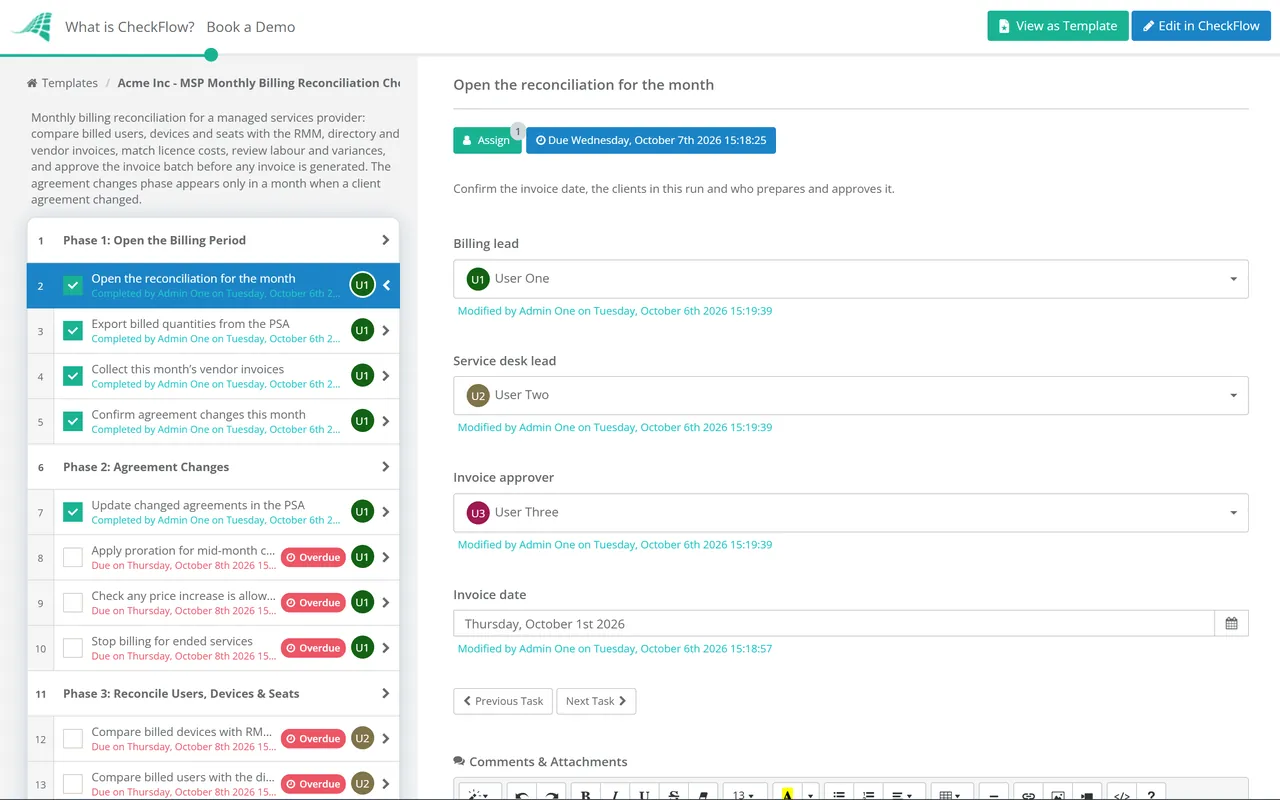
A monthly schedule creates the reconciliation a few working days before billing, with the seat checks assigned to the service team and the vendor matching assigned to the billing lead. A step that has not been done shows as overdue before an invoice goes out wrong.
The invoice batch is generated only after the approver answers Approved. The variance log, reconciliation exports and the approval sit together against the month, ready for the next margin review or a client query.
Conditional logic adds the agreement-change phase in months when a client signed, renewed or left, and keeps the checklist short in the months when nothing changed.
Billing reconciliation is one of the monthly processes that separates a profitable MSP from a busy one. The MSP process management guide covers the others, and CheckFlow for MSPs runs them across every client from one place.
Service credits come from the SLA Performance Review Checklist, already calculated and approved. Once the batch is approved, the Billing Run Checklist handles tax, delivery and posting to the ledger.

Monthly Invoicing & Billing Run Checklist

SLA Performance Review Checklist

Software License Audit Checklist
Managed Services Agreement Renewal Checklist

Monthly Managed Services Report Checklist
Describe the process in a sentence and the AI checklist generator drafts the phases and tasks for you.
It is the monthly check that what a managed services provider invoices matches what it actually manages and buys. It compares agreement quantities with RMM device counts, directory user counts and backup and security seats, matches distributor and CSP invoices against what each client is billed, and checks time, block hours and project work. The result is a corrected set of agreements and an approved invoice batch.
Every month, before the invoice run. Monthly reconciliation keeps each difference small and recent, so it is easy to explain to the client and easy to correct. Many MSPs also check Microsoft licence purchases weekly, because seat reductions on new commerce subscriptions are only possible for seven days after purchase or renewal, and a month-end check is too late to undo an over-purchase.
An unbilled licence is one you pay a vendor for but don’t charge any client for, usually because it was bought in a distributor portal and never added to the agreement in the PSA. An orphaned licence is one you pay for that nobody uses, often left behind when a user left or a client churned. Both cost margin every month until someone matches vendor invoices line by line against client billing.
Check what the agreement allows, then decide commercially. Many MSPs correct the count from the next invoice, explain the difference to the client and absorb the past months, especially when the error was theirs. Back-billing several months can be reasonable when the client added users without telling you, but raise it in conversation before it appears on an invoice. Either way, fix the process that let it happen.
They limit how quickly you can correct an over-purchase. Seats on license-based subscriptions can only be reduced within seven days of purchase or renewal, so extra licences bought in error are paid for until the term renews. Annual subscriptions billed monthly cost more than those paid upfront, and price changes reach existing subscriptions at renewal. Reconcile renewals each month so your client pricing keeps up with your cost.
Split it. Someone close to the service desk is best placed to check RMM and user counts, because they know which devices are really in use. Whoever handles billing should match vendor invoices and time. The owner or service manager approves the batch. In a very small MSP that may be two people, but keeping preparation and approval separate catches the errors one person would miss.
14-day free trial, no card required. The Business plan is $10 per user per month after the trial. Full details at checkflow.io/pricing.
14-day free trial, no credit cardFull refund in your first 30 daysUS hosting, EU on request