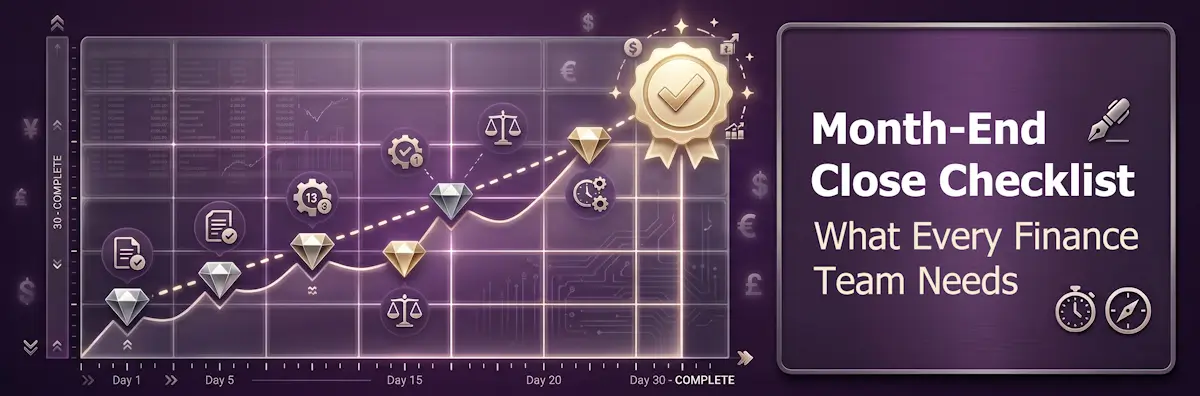
50% of finance teams take more than 5 business days to close the books each month. 94% use spreadsheets as their primary close management tool. And 50% of those teams cite Excel as the primary reason their close is slow (Ledge, 2025).
The month-end close is not just an accounting formality. It is the process that transforms 30 days of raw financial activity into the accurate, approved financial statements that executives, investors, and auditors rely on. Every delay in close is a delay in the information leadership needs to make decisions. A stale close doesn't just inconvenience the finance team — it delays forecasts, holds up board reporting, and leaves management operating on last month's picture.
This guide is written for controllers, finance managers, CFOs, and senior accountants at small and mid-market companies who want to tighten their close process, reduce errors, and close faster without adding headcount. It covers a complete, phase-by-phase month-end close checklist across every function — AP, AR, GL, payroll, fixed assets, treasury, and tax — plus the reconciliations, journal entries, and internal controls that turn a chaotic close into a reliable monthly rhythm.
One statistic worth anchoring on before diving in: companies with substantial automation close in 6 days or fewer 88% of the time, compared to 40% for companies with little or no automation (Ventana Research). Process discipline is the foundation. Tooling accelerates it. Both matter — but in that order.
What Is Month-End Close?
The month-end close is the recurring accounting process used to finalise a company's financial activity for the preceding calendar month. It transforms raw transaction data — invoices, payments, payroll runs, bank transactions, expense reports — into accurate, reviewed, and approved financial statements.
"Done" has a specific, testable meaning. The close is complete when: all subledgers are updated and reconciled to the general ledger; key balance sheet accounts tie out with supporting documentation attached; accruals and deferrals have been posted and approved; a variance review explains material changes from the prior period and budget; and the accounting period is locked to prevent post-close entries.
The three core outputs of every close are:
- Balance Sheet — a snapshot of assets, liabilities, and equity at month-end
- Income Statement (P&L) — revenue, expenses, gains, and losses for the period
- Cash Flow Statement — movement of cash through the organisation during the month
The core activities the close encompasses include: transaction cutoff enforcement, account reconciliation (bank, subledgers, intercompany), journal entries (accruals, deferrals, depreciation, payroll, revenue recognition), trial balance review, financial statement preparation, and management reporting with variance analysis.
There is an important distinction between "closed" and "finalised." A period is closed when the books are locked and no further entries can be posted without a documented authorisation. A period is finalised when management reporting is complete and the controller or CFO has approved the financial statements for distribution. Some organisations lock the period before management commentary is complete; others wait. Whichever policy you follow, it should be explicit and consistently applied.
Why Month-End Close Matters
Finance teams under close pressure sometimes treat month-end as a back-office burden — something to get through as quickly as possible before returning to "real" work. That framing gets the importance backwards.
Financial decision quality. FP&A depends on clean actuals to update forecasts, prepare board materials, and flag variance early. Every extra day of close delay is a day leadership makes decisions on stale data. A stale clearing account can hide missing deposits for months; a duplicated accrual can quietly inflate expenses until someone notices a trend. Clean closes produce clean management information, and clean management information produces better decisions.
Audit readiness. Each monthly close builds a year's worth of documented, approved evidence. Teams with strong monthly closes experience significantly smoother external audits and year-end processes — because the evidence is already organised, timestamped, and approved. Teams that skip monthly rigour spend February reconstructing what happened in October, under time pressure, producing work papers that auditors scrutinise more closely. When year end comes, the External Audit Preparation Checklist turns that monthly evidence into a PBC pack with an owner for every auditor request.
When the last close of the year arrives, the year-end close checklist adds the annual work on top: counts and confirmations, year-end estimates, the audit hand-off and statutory filing.
At the end of each quarter, the quarter-end close checklist adds the quarterly layer: true-ups of estimates, the interim tax provision and estimated payments, covenant tests and CFO-approved quarterly reporting.
Regulatory compliance. SOX Section 302 requires CEO and CFO certification of financial accuracy; Section 404 requires documented, tested internal controls. For private companies, GAAP or IFRS compliance, lender covenants, and investor reporting all depend on accurate monthly financials. A close process with gaps or missing approvals is not just inefficient — it is a compliance risk.
Investor and board trust. Consistent, on-time financial reporting builds credibility. Delays and restatements raise red flags that erode confidence in the finance function and, by extension, in the business's management quality.
The Month-End Close Timeline
The most actionable way to structure the close is around business days from the last day of the period (Day 0). This is how controllers build a close calendar — tasks mapped to specific days with named owners and hard deadlines.
Pre-Close (Day −3 to Day 0)
Validate integrations — confirm ERP, payroll, and bank feeds are synced and current. Send cutoff reminders to all departments: AP invoice cutoff is typically noon on Day 1. Distribute the close schedule with named owners and due dates for every task. Confirm employee expense report cutoff. Identify any known timing issues or unusual items before close begins.
Days 1–3: Transaction Cutoff and Bank Reconciliation
Import payroll; verify timesheets. Enter all AP bills received before cutoff. Verify AR invoices have been generated for all billable activity. Validate credit and debit card charges. Complete bank reconciliation for all accounts. Reconcile credit card accounts. Clear undeposited funds and payment processor clearing accounts (Stripe, PayPal). Reconcile payroll clearing — it should net to zero.
Days 3–5: Accounts Payable and Accounts Receivable
Close the AP subledger. Review AP aging for negative vendor balances and duplicate entries. Complete the three-step AP reconciliation: AP aging → AP subledger → GL. Confirm AR invoicing completeness for the period. Reconcile AR aging → AR subledger → GL. Handle credits, write-offs, and deferred revenue schedule updates.
Days 5–7: Journal Entries, Accruals, and Prepayments
Post revenue recognition entries from deferred revenue schedule. Post accruals for expenses incurred but not yet invoiced. Post prepayment amortisation entries from the prepaid schedule. Reverse prior period temporary accruals. Post depreciation and amortisation from the fixed asset schedule. Post payroll accrual for any wages earned but not yet paid. Update the fixed asset register for additions and disposals.
Days 7–10: Trial Balance and Intercompany
Run the trial balance and review for anomalies — unexpected balances, accounts that should be zero, large variances from prior month. Reconcile the fixed asset subledger to the GL. Complete the prepaid expense rollforward. Perform intercompany eliminations for multi-entity organisations. Conduct a balance-sheet-first review. Perform P&L flux analysis against budget and prior month.
Day 10+: Financial Statements and Reporting
Generate draft financial statements. Prepare the management reporting package with variance commentary. Route for controller and CFO review and approval. Lock the accounting period. Distribute finalised reports to stakeholders. Conduct a close retrospective — 30 minutes to identify what slowed the close and what can be improved next month.
The monthly management reporting pack checklist takes the locked numbers from here to the leadership meeting: KPIs, variance commentary from budget holders, the reforecast and FD sign-off.
The Complete Month-End Close Checklist
This is the centrepiece of the close process. Structured by department and function, this checklist covers every recurring close task a well-run finance team should be completing each month. Assign each section to a named owner with a clear due date.
Accounts Payable
- AP invoice cutoff communicated to vendors and departments
- All invoices received before cutoff entered; late invoices above materiality threshold accrued
- AP aging reviewed: no duplicate entries, stale credits, or negative vendor balances
- AP aging reconciled to AP subledger
- AP subledger reconciled to general ledger
- Three-way match run on significant POs (purchase order, goods receipt, invoice)
- All expense reports submitted, approved, and coded correctly
- Goods-received-not-invoiced (GRNI) accrual prepared
- AP subledger locked for the period
Accounts Receivable
- All revenue-generating transactions invoiced for the period
- Recurring invoices generated
- AR aging reviewed: overdue balances, unapplied cash, credits
- AR aging reconciled to AR subledger
- AR subledger reconciled to general ledger
- Cash application current: all payments applied to correct invoices
- Credit memos and write-offs posted per approval
- Deferred revenue schedule updated
- Revenue cutoff confirmed: recognised in correct period
- AR subledger locked for the period
Between closes, the accounts receivable & collections checklist runs the weekly cash application and chasing routine that keeps the AR aging clean.
General Ledger
- All subledgers closed and posted to GL
- Trial balance reviewed for unexplained anomalies
- All standard recurring journal entries posted (depreciation, amortisation, prepaid amortisation)
- Accruals and reversals posted
- Reclassifications and corrections posted
- Journal entry approval workflow complete (preparer ≠ approver)
- No miscoded transactions
- Balance-sheet-first review conducted
- P&L flux analysis vs. budget and prior month
- Period locked after final approval
Approving each journal is not the same as reviewing the month’s journals. The journal entry review checklist proves the listing is complete, checks preparer and approver separation and support, and scans the whole population for high-risk entries before the controller signs off.
Fixed Assets
- New additions recorded (capitalise vs. expense per policy)
- Depreciation posted using correct method and rates
- Disposals recorded; gain/loss calculated
- Accumulated depreciation schedule updated
- Fixed asset subledger reconciled to GL
- Capital expenditures in progress tracked
For the quarterly register review, including disposals, impairment indicators and an annual physical check, use the fixed asset register review checklist.
Payroll
- Payroll run complete; all employees processed
- Wage rates, hours, and benefits verified against HR records
- Payroll journal entries posted (gross wages, employer taxes, benefits, net pay)
- Payroll register reconciled to GL payroll expense accounts
- Payroll liability accounts reconciled
- Payroll clearing account nets to zero (or timing items explained)
- Payroll accrual posted for wages earned but not yet paid
- Payroll data reconciled against third-party provider (ADP, Paychex, etc.)
Treasury / Cash Management
- All bank accounts reconciled to bank statements
- Credit card accounts reconciled
- Outstanding checks and deposits in transit identified and documented
- Payment processor accounts (Stripe, PayPal) reconciled to GL
- Cash position and cash flow forecast updated
- Borrowings and repayments recorded; debt schedule updated
- FX translation adjustments recorded (if applicable)
Tax
- Tax provision journal entry posted
- Tax liability accounts reconciled
- VAT/GST/sales tax collected and payable balances confirmed
- Deferred tax positions reviewed
- Withholding tax obligations confirmed current
Key Reconciliations
Reconciliations are where close failures most often originate. An unreconciled item is an unresolved error — and unresolved errors compound. These three reconciliations are the highest priority in every close cycle.
Bank Reconciliation
The bank reconciliation confirms that the cash balance in the GL matches the actual cash held in the bank account, adjusted for items that haven't cleared yet. Step by step:
Obtain the bank statement through the last day of the month.
Match all deposits; identify deposits in transit that appear in the GL but have not yet cleared the bank.
Match all payments; identify outstanding checks that have been recorded in the GL but not yet presented to the bank.
Identify bank charges, interest, and direct debits recorded by the bank but not yet in the GL. Post adjusting entries.
Investigate any unmatched items. Every unmatched item requires an explanation — timing difference, error, or missing entry.
Confirm that the adjusted GL balance equals the adjusted bank balance. Attach the bank statement as supporting documentation and obtain reviewer sign-off.
Common bank reconciliation issues: undeposited funds not cleared, stale outstanding checks (over 90 days), bank fees not recorded in the GL, NSF checks not reversed.
The bank reconciliation checklist turns these steps into a monthly routine with an independent review, and an escalation path for any difference nobody can explain.
Subledger to GL Reconciliation
Every subledger — AR, AP, fixed assets, payroll — has a control account in the GL. The subledger and the GL control account must agree exactly. The three-step process:
- Run the subledger aging or detail report for the period
- Run the GL balance for the corresponding control account
- Compare totals — they must agree exactly. Any variance must be investigated and resolved before the period can be locked
Best practice: reconcile high-risk subledgers (AR, AP, cash) by Day 3 of close. Lower-risk subledgers (fixed assets, payroll) by Day 7.
Intercompany Reconciliation
For organisations with multiple legal entities, intercompany balances must be reconciled and eliminated before consolidated financials can be produced. Match entity A's receivable from entity B against entity B's payable to entity A. Investigate and resolve all mismatches — timing differences, FX differences, or missing entries — before period lock.
Required Journal Entries
Every month-end close requires a defined set of journal entries. The table below covers the core entries, their timing, debit/credit logic, and whether they should auto-reverse at the start of the next period.
| Entry Type | When to Post | Debit | Credit | Auto-Reverse? |
|---|---|---|---|---|
| Accrual (uninvoiced expense) | Month-end, for services received but not yet invoiced | Expense account | Accrued Liabilities | Yes — reverse Day 1 next period |
| Prepaid amortisation | Monthly, from prepaid rollforward schedule | Expense account | Prepaid Asset | No |
| Depreciation | Monthly, from fixed asset schedule | Depreciation Expense | Accumulated Depreciation | No |
| Payroll accrual | When pay date falls in next period | Wages/Salary Expense + Employer Taxes | Accrued Wages/Taxes Payable | Yes — reverse when payroll is posted |
| Revenue recognition | Monthly, from deferred revenue schedule | Deferred Revenue | Revenue | No |
| Tax provision | Monthly estimate | Income Tax Expense | Tax Payable (current) + DTL (deferred) | No |
Common accrual examples include: utilities (service received, invoice not yet arrived), consulting engagements (work completed, invoice pending), and subscription renewals (auto-renewing contracts where the period of service is clear but the invoice arrives after month-end).
The auto-reversal point is important to enforce. Accruals should almost always be set to auto-reverse on Day 1 of the next period. When the actual invoice arrives, it is posted normally, and the reversal cancels the accrual — preventing the accrual from being double-counted alongside the actual invoice. Failing to reverse accruals is one of the most common causes of expense overstatement that compounds across months before anyone notices.
SOX Compliance and Internal Controls
SOX applies to all US-listed public companies, but the internal controls it requires are best practice for any organisation preparing for an audit, seeking investment, or approaching a transaction.
Section 302 requires the CEO and CFO to personally certify each quarterly and annual report, including that they have evaluated the effectiveness of the company's disclosure controls and disclosed any significant deficiencies, material weaknesses or material changes in internal control over financial reporting.
Section 404 requires management to assess and report every year on the effectiveness of internal control over financial reporting (ICFR); for accelerated and large accelerated filers, the external auditor must also attest to that assessment. SOX does not list specific controls. Auditors test against a framework such as COSO, and they expect every material journal entry to have a named preparer, a separate named approver and supporting documentation attached.
Auditors typically expect to see the following controls in a SOX-compliant month-end close:
| Control | What It Requires | Common Failure |
|---|---|---|
| Segregation of duties | Preparer ≠ approver for journal entries | A single person creates and approves their own JEs |
| Dual approval on material JEs | Every material journal entry has a separate preparer and approver | Bulk approvals without individual review |
| Audit trail | Immutable timestamped log of who did what and when | Spreadsheet-based close with no activity log |
| Period lock | Period locked after final approval; reopening requires documented authorisation | Period left open after financials are circulated |
| Access controls | GL posting and approval rights restricted by role | Broad access granted for convenience |
| Documentation standards | All reconciliations and JEs have attached supporting evidence | "If it isn't documented, it didn't happen" |
For SOX-exempt private companies: even without a legal SOX obligation, these controls are best practice. Lenders, investors, and acquirers conduct due diligence that effectively applies SOX-level scrutiny. Building the controls while the organisation is small is far less expensive than retrofitting them pre-IPO or pre-acquisition.
Enforce Separation of Duties Without Spreadsheets
CheckFlow's approval workflows ensure every journal entry and reconciliation has a named preparer and a separate approver — with an immutable audit trail. Build your close checklist once; run it every month with complete visibility into who has done what.
Start free trialFast Close vs. Standard Close
The standard close takes 6–10 business days and runs the full sequence: transaction capture, reconciliations, journal entries, trial balance, financial statements, and management reporting. A fast close compresses this to 3–5 days through a combination of pre-close routines, clear cutoff enforcement, and parallel processing.
Benchmark data from Ledge (2025, n=100 finance professionals) shows how teams are actually distributed:
- 18% of teams close in 3 business days or fewer
- 32% close in 4–5 business days
- 23% close in 6–7 business days
- 27% take more than 7 business days
By company size: SMBs under 500 employees typically close in 6–10 days; mid-market companies in 6–8 days; enterprise companies in 5–7 days. Size correlates with complexity, but the best SMB teams outperform average enterprise teams because they have fewer dependencies and can move faster when processes are tight.
A virtual or continuous close takes this further: the organisation maintains financials in near-real-time throughout the month so that month-end becomes a verification exercise of 1–3 days rather than a construction project. This requires clean integrations, daily reconciliation habits, and a culture of financial hygiene — but the teams that achieve it treat it as the standard, not the exception.
Key fast-close enablers backed by data:
- Companies with substantial automation close in 6 days or fewer 88% of the time vs. 40% without (Ventana Research)
- AI automation compresses close by 40–55% according to 2026 industry data
- Bank feed automation reduces each manual bank reconciliation from ~47 minutes to exception handling only
Common Close Mistakes
Most close problems are not caused by a single catastrophic error — they are caused by the same small failures repeating month after month because no one stops to address the root cause.
Every reconciliation begins on Day 1, when 30 days of errors have accumulated and urgency is high. Fix: reconcile cash and AP aging weekly; maintain running accrual estimates; do a mid-month data hygiene pass. Teams with pre-close routines arrive at Day 1 with the hard work already done.
Forgetting to accrue for services received but not yet invoiced — consulting, utilities, subscriptions — understates expenses and overstates profit for the period. Fix: use the prior month's accrual list as the starting template for the current month. Assign named owners to each recurring accrual category.
Allows backdated entries after financials have been reviewed and circulated — invalidating the approved statements. Fix: lock the period immediately after CFO approval. Document who can request a period reopen and under what circumstances.
94% of teams use Excel for close management; 50% cite it as the primary reason their close is slow (Ledge, 2025). Manual export/import introduces errors and creates a dependency on institutional knowledge about which version of which spreadsheet is current. Fix: identify where Excel is manually bridging two systems and prioritise automating those data flows first.
Stale items in reconciliations that are never investigated accumulate into a pool of unexplained variance that eventually causes a material misstatement. Fix: "no rec, no close" policy. Apply an aging policy to unreconciled items — escalate anything over 60–90 days.
Journal entries posted without review create audit exposure and break segregation of duties, a control failure that SOX auditors routinely report as a deficiency. Fix: workflow enforcement — the period cannot close until all material JEs have a named approver separate from the preparer. This is a control, not a preference.
Recurring mistakes repeat month after month because root causes are never addressed. Fix: a 30-minute close retrospective after every close. Track repeat findings by account. Two cycles of the same problem is a process failure, not a one-off.
The close process lives in one person's memory — usually the senior accountant or controller. When that person is on leave, the close fails. Fix: document SOPs for every recurring close task; cross-train team members on all critical workflows. Recurring checklists are the mechanism for making that institutional knowledge transferable and auditable.
Financial Close Software
The right tooling depends on company size and complexity. Here is a practical overview of the main categories:
ERP / Core Accounting
- NetSuite — mid-market to enterprise; strong multi-entity and subsidiary management; native close management module
- Sage Intacct — mid-market; strong for nonprofits and professional services; excellent dimensional reporting
- QuickBooks Online — small business; adequate for simple close cycles; limited for multi-entity or complex accruals
- Xero — small to lower mid-market; strong bank reconciliation workflow; good for straightforward closes
Close Management Platforms
- FloQast — built by accountants for accountants; lives alongside the ERP; strong reconciliation management and SOX evidence collection; well-suited to mid-market teams
- BlackLine — large enterprise; deep SOX capabilities; significant implementation investment
- Vena Solutions — Excel-native; strong FP&A and close combination; Tanger Outlets reduced close time from 9 to 4.5 days using Vena
- Numeric — targeted at high-growth tech companies; AI-powered reconciliation; strong for teams growing quickly and needing to scale close without headcount
Choosing the Right Level
Small companies under $5M revenue often need only QuickBooks or Xero with a disciplined close process. Mid-market companies ($5M–$100M revenue) benefit from a dedicated close management layer like FloQast or Numeric layered on their ERP. Enterprise companies need the full stack — ERP, close management platform, and integrated FP&A tools.
The cost of not having the right tools is measurable: Ledge (2025) found cash reconciliation alone takes 20–50 hours per month for most teams, using 3–5 different systems. Each manual bank reconciliation averages 47 minutes — time that automation converts to exception-handling only.
How Automation Accelerates Close
Automation does not replace close discipline — it accelerates it. The teams that benefit most from automation are those that have already standardised their process; automation then removes the remaining manual effort from tasks that don't require human judgment.
Where the Time Actually Goes
According to Ledge (2025), the top five time sinks in a typical close are:
- Reconciling bank, credit card, and payment processor accounts
- Accruals and provisions
- Data hygiene (correcting entries, reallocation, reclassification)
- Variance and budget-vs-actual analysis
- Departmental submissions and approvals
What Automation Addresses
- Bank feeds: Daily transaction data with AI matching at 90%+ auto-match rates — manual reconciliation becomes exception handling only
- Automated accruals: Recurring accrual entries templated and auto-posted; AI estimation based on contract values and historical patterns
- ERP integrations: Eliminate manual export/import between systems; validation rules flag discrepancies automatically
- Automated evidence collection: Tools like FloQast's Connected Compliance automatically collect SOX evidence without manual screenshot assembly
The Numbers
- 280%+ risk-adjusted ROI for bank reconciliation automation over 3 years (Gartner, 2025)
- 30–50% reduction in close cycle time (widely cited across vendors and independent research)
- 70% reduction in data entry errors
- Error rates drop from 4.2% to 0.3% with automated transaction matching
What Should Stay Human
Materiality calls and cutoff decisions. Accrual assumption-setting and estimates where judgment is required. Flux analysis interpretation in the context of the business. Final approvals and sign-off responsibility. Unusual transaction investigation. Automation handles the volume and the mechanics; humans handle the judgment and the accountability.
Month-End Close Checklist Templates
CheckFlow's finance and accounting template library includes ready-to-use checklists for the month-end close and the recurring finance workflows around it. Each template can be customised to your process, team structure, and close calendar — then scheduled to launch automatically. Click any card to view the full template.


Close Every Month from the Same Repeatable Checklist
CheckFlow's recurring close checklist triggers automatically on the first business day of each month — with tasks pre-assigned to owners, deadlines set, and the approval workflow ready to run. No more wondering whether the AP reconciliation is done. Every close, every month, from the same proven process.
See How It WorksHow CheckFlow Supports Month-End Close
Without dedicated close management software, close status lives in email threads, shared spreadsheets, and the senior accountant's memory. The close is "done" when someone feels like it is — not when objective criteria are met and documented. That ambiguity is the source of most close-related audit findings.
CheckFlow is not an ERP or an accounting platform — it sits alongside them as the workflow and task management layer for the close process. Specifically:
- Task assignment with named owners: Every close item has one accountable person, not "the team." Accountability is visible; ambiguity is removed.
- Deadline tracking with dependencies: Tasks have due dates; dependent tasks cannot be marked complete until prerequisites are done — enforcing the right sequence automatically.
- Real-time visibility: The controller sees what is complete, in progress, and overdue without sending a single chasing email.
- Approval workflows: Separation of duties enforced in software. The workflow requires a named preparer and a different named approver — the control is built into the process, not left to trust.
- Evidence collection: Bank statements, reconciliation workpapers, and supporting documents are attached directly to checklist items — timestamped, user-tracked, and available for audit without hunting through email attachments.
- Audit trail: An immutable record of who did what and when directly supports SOX Section 404 testing and external audit requests.
- Recurring automation: The close checklist launches automatically on schedule. Standard monthly items are pre-populated. The close calendar lives in CheckFlow — not in someone's Outlook or a shared Google Sheet that may or may not be current.
CheckFlow is particularly valuable for mid-market finance teams that have outgrown spreadsheet-based close management but find dedicated close platforms like FloQast over-engineered for their current size — and for companies preparing for their first external audit or SOX compliance programme who need to demonstrate documented, repeatable processes to auditors and investors.
The free trial is available at checkflow.io — no credit card required. Most teams have their first recurring close checklist running within a day.
FAQ
How long should month-end close take?
Benchmark data shows 18% of finance teams close in 3 days or fewer, while 50% take more than 5 business days. The APQC median is 6.4 calendar days. For most small and mid-market companies, a 5–7 business day close is achievable with good processes. Top-performing teams with automation and pre-close routines reach 3–5 days.
If your close consistently takes more than 10 days, there are usually specific bottlenecks — typically bank reconciliation delays, missing subledger-to-GL reconciliations, or late departmental submissions — that can be addressed systematically.
What is the most common month-end close mistake?
The most common failure is treating month-end close as a single-week event rather than an ongoing process. Teams that do no reconciliation or data review during the month arrive at close with 30 days of accumulated errors and timing differences to untangle.
Pre-close routines — reconciling cash and high-risk accounts mid-month, enforcing cutoff rules consistently, maintaining running accrual estimates — dramatically reduce the time and error rate at month-end.
What is the difference between an accrual and a prepayment?
An accrual records an expense that has been incurred but not yet invoiced — for example, a consulting engagement that completed in the month but whose invoice has not yet arrived. The journal entry debits the expense account and credits accrued liabilities.
A prepayment (or deferred expense) records an expense that was paid in advance and must be recognised over the period of benefit — for example, an annual insurance premium paid upfront and amortised monthly. The journal entry debits prepaid expense, then amortises monthly to the relevant expense account.
What does SOX Section 404 require for month-end close?
SOX Section 404 requires public companies to maintain, document, and attest to the effectiveness of internal controls over financial reporting (ICFR). For month-end close, this means documented and consistently applied controls around journal entry approval (no self-approval — preparer ≠ approver), reconciliation sign-offs, period lock controls, access restrictions, and a complete audit trail for all financial records.
SOX itself does not prescribe specific controls, but auditors expect every material journal entry to have a named preparer, a separate named approver and supporting documentation attached.
How does checklist software help with month-end close?
Checklist software turns the close from a tribal-knowledge process into a structured, tracked workflow. Every close task has a named owner, a deadline, and a clear definition of done. Status is visible to the controller and CFO in real time — no chasing emails to find out if the AP reconciliation is done.
Evidence (bank statements, reconciliation workpapers) is attached directly to each task. Approval workflows enforce separation of duties. And because the checklist is templated, every close follows the same proven sequence — reducing the "what did we forget?" moments that cause late findings and rushed corrections.