How to Write a Standard Operating Procedure (SOP): Template + Examples

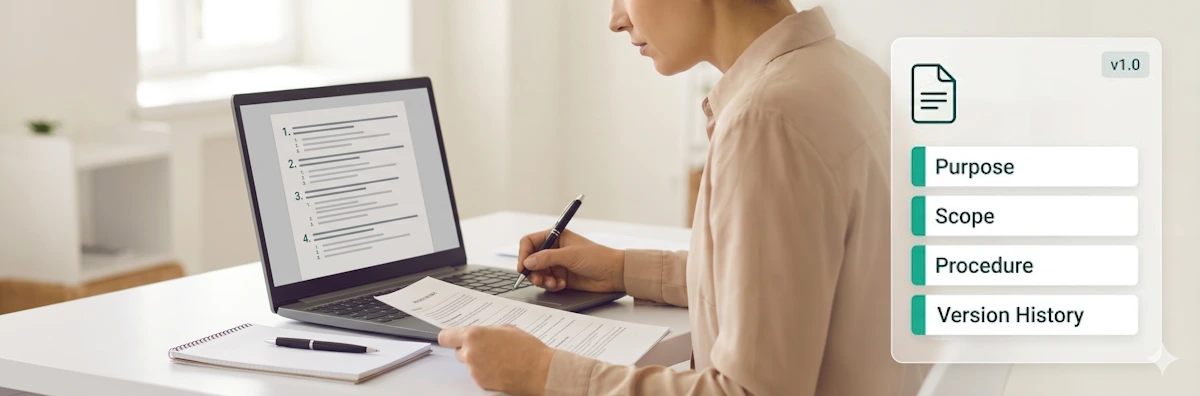
If the one person who knows how to run your monthly billing reconciliation process goes on holiday, your finance team should not grind to a halt. If a new customer support hire handles a complaint differently from everyone else on the team, that inconsistency should not depend on whether they happened to shadow the right colleague. Standard operating procedures solve both problems by converting knowledge that lives in one person's head into a written, repeatable process that anyone on the team can follow. This guide shows you how to write one that your team will actually use — with a free template and three concrete examples to start from.
A well-written SOP does three things: it eliminates the single points of failure that make teams fragile, it ensures that processes are carried out consistently regardless of who is doing them, and it gives new team members something to follow rather than something to guess. A poorly written one gets filed away and ignored. The difference is usually in the approach — specifically, whether the SOP was written to document the ideal process or the actual process, and whether it was tested against the people who need to use it.
This guide covers the formats available, what to include in an SOP, a six-step writing process, a fill-in-the-blank template, and three real-world examples across HR, customer service, and finance.
Jump to Section
- 📋 What is a standard operating procedure?
- 📄 The three SOP formats
- 🗂️ What to include in an SOP
- 🎁 Free process management templates
- ✏️ How to write an SOP: a 6-step process
- 📑 Free SOP template (fill-in-the-blank)
- 💡 Three SOP examples
- ✅ SOP writing best practices
- 🔄 When and how to update an SOP
- ⚙️ How CheckFlow turns SOPs into live processes
What is a Standard Operating Procedure?
A standard operating procedure (SOP) is a documented, step-by-step set of instructions for carrying out a specific process or task in a consistent and repeatable way. SOPs describe who does what, in what order, under what conditions, and to what standard — removing the need for individuals to interpret or improvise the process each time it runs.
SOPs are used across almost every industry and business function: HR teams use them for onboarding, finance teams use them for invoice approval and month-end close, IT teams use them for change management and incident response, manufacturing facilities use them for quality control and equipment maintenance, and customer service teams use them for complaint handling and escalation. Any process that should produce the same outcome every time it is run is a candidate for an SOP.
- Processes that rely on one person's knowledge create single points of failure — when that person is unavailable, the process stops or degrades
- Staff turnover in most industries runs at 15–20% per year — each departure takes undocumented knowledge with it
- New hires take an average of 8 months to reach full productivity without documented processes to follow
- SOPs are a primary evidence requirement for ISO 9001, ISO 27001, SOC 2, and most other quality and compliance frameworks
The Three SOP Formats
Not every process needs the same format. The right choice depends on the complexity of the process, the experience level of the people who will use it, and whether the process is strictly linear or involves decision points.
1. Step-by-step (simple checklist)
The most common format. A numbered or bulleted list of sequential actions, each written as a single instruction. Best for processes that are linear, that experienced team members will run repeatedly, and where each step is self-explanatory.
Best for: onboarding checklists, end-of-day closing procedures, routine maintenance tasks, recurring reporting cycles.
Example format:
- Receive the supplier invoice and log it in the AP system
- Verify the invoice against the purchase order (three-way match)
- Obtain manager approval for invoices above £1,000
- Schedule for payment on the next payment run
2. Hierarchical steps
A numbered list of major steps, each with sub-steps nested underneath. Useful when individual steps contain multiple smaller actions that require their own detail — but grouping them under a parent step makes the overall structure clearer.
Best for: incident response procedures, complex onboarding workflows, compliance processes with multiple sub-requirements, regulatory submission procedures.
Example format:
- Receive and log the complaint
- Record the complaint in the CRM within 30 minutes of receipt
- Assign a unique reference number and confirm receipt to the customer within 4 hours
- Classify severity: Low, Medium, or High
- Investigate
- Review account history and all relevant records
- Contact the relevant internal team for input
- Document findings in the CRM
3. Flowchart / decision tree
A visual diagram that maps branching paths based on decisions or outcomes at certain points in the process. Useful when the next step depends on the result of a previous one — for example, "if the test passes, proceed to deployment; if it fails, return to remediation."
Best for: triage processes, customer escalation flows, procurement approval routing, quality control accept/reject decisions.
Note: flowchart SOPs are best created in a dedicated diagram tool (Lucidchart, Draw.io, Miro) and attached as a reference document within the main SOP.
What to Include in an SOP
The components of an SOP vary by industry and complexity, but most effective SOPs include the following elements. Not every SOP needs all of them — a simple two-page procedure for a routine task doesn't need a full RACI matrix. Use what serves the process.
| Component | What to include |
|---|---|
| Title | A clear, specific name for the process. Not "Invoicing SOP" but "Supplier Invoice Processing and Approval SOP". |
| SOP number | A reference code for tracking and version management (e.g. FIN-003). |
| Version | Current version number and date. Start at v1.0. |
| Author | Who wrote or owns the SOP. |
| Approved by | Who has authorised this as the current approved version. |
| Effective date | When this version came into force. |
| Purpose | One to three sentences explaining what the process achieves and why it matters. |
| Scope | Who this SOP applies to, and any explicit exclusions. |
| Definitions | Any terms, acronyms, or thresholds that require definition for clarity. |
| Roles and responsibilities | Who is responsible for each stage or category of steps. |
| Materials / systems | Any tools, software, documents, or equipment required to execute the process. |
| Procedure | The step-by-step instructions — the core of the SOP. |
| Quality / verification | Any checks, sign-offs, or confirmation steps that validate the process was completed correctly. |
| Related documents | Links or references to related SOPs, policies, or supporting materials. |
| Version history | A log of previous versions, dates, and what changed. |
Free Process Management Templates
CheckFlow's template library covers the core operational processes that teams run repeatedly — the same processes that benefit most from being documented as SOPs. Each template is free to try, fully customisable, and runs as a live process with task assignments, completion tracking, and a dated audit record.


How to Write an SOP: A 6-Step Process
Step 1 — Define the goal and scope
Before writing a single procedure step, answer two questions: what does this process need to achieve (the goal), and who does it apply to (the scope). A clearly defined goal prevents the SOP from drifting into adjacent processes. A clearly defined scope prevents it from trying to cover too many variations — one SOP for all contract types, all employee levels, all geographies — which produces a document too long and too complex to follow.
Write the purpose in one sentence. If you cannot describe what the process achieves in one sentence, the process may need to be scoped down further.
Step 2 — Identify and involve the people who actually do the work
The worst SOPs are written by managers describing how they think the process should work. The best are written with the people who execute it daily. They know the edge cases, the informal workarounds, the steps that take longer than expected, and the decisions that aren't covered by the formal procedure.
Involve two groups: the people who currently run the process (for accuracy) and one person who has never run it before (to test whether the instructions are actually followable). If someone unfamiliar with the process cannot execute it correctly from the SOP alone, the SOP is not finished.
Step 3 — Document the actual process, not the ideal one
A common mistake is writing the process as it should ideally work, then discovering that the actual process involves three workarounds, a manual step that bypasses the system, and a decision point that nobody had documented. SOPs built on the ideal process get abandoned because they don't match reality.
Document what actually happens. If the reality is messier than the ideal, the SOP is the right place to identify that — and to decide whether to formalise the workaround, fix the underlying issue, or document the decision point explicitly.
Step 4 — Choose the right format and write the procedure
Select the format (step-by-step, hierarchical, or flowchart) based on the process complexity and the experience level of the intended audience. Then write the procedure using these conventions:
- Use active voice and imperative verbs. "Send the confirmation email" not "A confirmation email should be sent."
- One action per step. If a step contains "and", it probably needs to be two steps.
- Be specific about thresholds. "Invoices above £1,000" not "high-value invoices."
- Include decision points explicitly. "If X, do Y. If not, proceed to step 6."
- Write for the least experienced person who will use it — not for the expert who wrote it.
- Avoid jargon and abbreviations unless they are defined in the Definitions section.
Step 5 — Review, test, and approve
Have the SOP reviewed by two people: a subject matter expert (for accuracy) and someone who hasn't run the process before (for clarity). Ask the second person to attempt to execute the process using only the SOP — without asking any questions. The steps they get stuck on or skip are the steps that need to be rewritten.
Once reviewed and revised, obtain formal approval from the appropriate authority — the process owner, the department head, or the compliance function, depending on the nature of the SOP. Record the approver's name and the date in the SOP header.
Step 6 — Publish, train, and set a review date
An approved SOP that nobody knows exists is not an operational procedure — it is a filing exercise. Communicate the new or updated SOP to everyone it applies to, confirm their understanding, and record that confirmation where compliance requires it. Set a review date at publication (typically annual for most processes, more frequently for processes that change often or carry high compliance risk) and assign a named owner responsible for reviewing and updating it.
Free SOP Template (Fill-in-the-Blank)
The following template covers the core components of a standard operating procedure. Copy and complete it for any process you want to document. Delete any sections that are not applicable to your process.
[Add subsequent versions here]
Three SOP Examples
The following examples show a simple SOP for three different business functions. Each uses the step-by-step format and includes only the components relevant to the process. These are starting points — adapt them to the specific tools, thresholds, and approval chains that apply in your organisation.
Example 1 — Employee Onboarding SOP
Purpose: To ensure every new hire receives a consistent, documented onboarding experience covering administrative, IT, and role-specific requirements.
Scope: All permanent and fixed-term employees. Excludes contractors and agency workers.
Procedure:
- Confirm start date and role details with the hiring manager — minimum 10 working days before the start date (HR Manager)
- Complete right-to-work / employment eligibility verification and retain records (HR Manager)
- Collect payroll details: bank account, tax reference, National Insurance or Social Security number (HR Manager)
- Send welcome email with first-day logistics at least 3 days before start (HR Manager)
- Order and configure laptop; create email account and provision all required system access (IT Administrator)
- Confirm all IT access is active and tested the working day before start (IT Administrator)
- Conduct day-one welcome: team introductions, IT handover, HR policy sign-off, role briefing (Line Manager + HR)
- Conduct 30-day check-in: objectives reviewed, support gaps identified, training confirmed complete (Line Manager)
- Conduct 90-day probation review: formal performance assessment, outcome confirmed in writing (Line Manager)
- Collect onboarding feedback and update this SOP if improvements are identified (HR Manager)
Example 2 — Customer Complaint Handling SOP
Purpose: To ensure every customer complaint is acknowledged, investigated, and resolved within agreed timeframes, and that outcomes are recorded for quality improvement.
Scope: Applies to all customer-facing team members who receive a complaint via any channel (email, phone, live chat, or social media).
Procedure:
- Acknowledge the complaint within 4 hours, assign a unique reference number, and confirm receipt to the customer
- Log in the CRM: complaint category, severity (Low / Medium / High), channel received, and initial description
- If High severity (financial loss, safety risk, or regulatory concern): escalate to the Customer Experience Manager immediately — do not investigate independently
- Investigate: review account history, contact the relevant internal team, document all findings in the CRM
- Agree proposed resolution internally; obtain manager approval for any compensation or refunds above £50
- Communicate resolution to the customer within 5 working days of initial receipt
- If the customer disputes the resolution: escalate to senior manager review within 24 hours
- Close the complaint in the CRM: outcome, root cause, and any corrective actions recorded
- If three or more similar complaints in 30 days: raise a process improvement review with the relevant team lead
Example 3 — Month-End Financial Close SOP
Purpose: To ensure the monthly financial close is completed accurately, with management accounts produced and distributed by the third working day of the following month.
Scope: Finance team. Deadline: third working day of each month.
Procedure:
- Transaction cut-off: confirm all transactions for the month are posted — last working day of the month (Finance Assistant)
- Reconcile all bank accounts to statements — Day 1 (Finance Assistant)
- Reconcile all company credit card statements — Day 1 (Finance Assistant)
- Post accruals for any invoices received but not yet processed; post accruals for un-invoiced revenue where contractually due — Day 1 (Finance Assistant)
- Review prepayments: release any prepayment applicable to the current month — Day 1 (Finance Assistant)
- Post monthly depreciation journal for fixed assets — Day 1 (Finance Assistant)
- Reconcile all balance sheet control accounts to supporting schedules — Day 2 (Finance Assistant)
- Produce draft P&L and balance sheet; review for anomalies against prior month and budget — Day 2 (Finance Manager)
- Finance Manager review and sign-off — Day 3 (Finance Manager)
- Distribute management accounts to stakeholders — Day 3 (Finance Manager)
SOP Writing Best Practices
Write for the least experienced person who will use it
The expert who writes an SOP knows the process so well that they skip steps that feel obvious. The new team member who tries to follow it gets stuck at exactly those steps. Before publishing, ask someone who has never run the process to attempt it using only the SOP — without asking questions. Every step they interpret incorrectly or skip is a step that needs to be rewritten.
Keep steps atomic
Each step should describe exactly one action. If a step contains the word "and" and both actions are essential, split it into two steps. Compound steps ("do X and then verify Y and notify Z") are the most common source of incomplete process execution.
Specify thresholds, not descriptions
"High-value invoices require manager approval" is a description. "Invoices above £1,000 require approval from the Finance Manager before payment" is a threshold. Thresholds remove ambiguity. Any time you find yourself using words like "large", "significant", "high", or "complex" in a procedure step, replace them with a specific number, timeframe, or criterion.
Separate the procedure from the context
An SOP that mixes procedure steps with explanations of why each step matters becomes too long to follow under time pressure. Keep the procedure section as clean and sequential as possible. Context, rationale, and background belong in the purpose and scope sections, not embedded between steps.
Version control everything
Every time an SOP changes, the previous version should be archived — not overwritten. The version history should record what changed, why, and when. This matters not just for audit purposes but for diagnosing process failures: if a step was removed in v1.2 and a problem started appearing in v1.2 runs, the version history tells that story.
When and How to Update an SOP
An SOP that was accurate when it was written and has not been reviewed since is an SOP that is probably no longer accurate. Processes change, tools change, team structures change, and regulatory requirements change. The SOP that describes a system that no longer exists or a step that nobody follows is actively harmful — it creates false confidence that the process is documented.
Set a review trigger for each SOP at publication. There are two types:
- Annual review for most standard processes
- Quarterly review for processes with high compliance risk or frequent regulatory changes
- After every significant process failure or near-miss
- A tool or system referenced in the SOP is changed or replaced
- A regulatory or policy requirement that affects the process changes
- The process owner or a key role changes
- A process audit or review identifies gaps between the documented procedure and actual practice
- Three or more users report the same point of confusion or failure in the procedure
When updating, change the version number, record what changed in the version history, obtain fresh approval, and communicate the update to everyone the SOP applies to. An updated SOP that the team doesn't know has been updated is the same as the old version still in use.
How CheckFlow Turns SOPs Into Live Processes
An SOP written in a document is a description of how a process should work. An SOP running in CheckFlow is the process actually working — tasks assigned to named owners, steps confirmed complete with timestamps, exceptions flagged automatically, and a dated audit record created for every run.
From document to live checklist
Take any SOP and convert the procedure steps into a CheckFlow template. Each step becomes a task, assigned to the role or person responsible, with any relevant instructions or reference documents attached inline. The template runs the same way every time — the SOP is the process, not a reference to consult when uncertain.
Recurring SOPs that trigger themselves
For SOPs with a defined frequency — monthly close, weekly quality inspection, annual compliance review — CheckFlow's recurring feature generates the process automatically at the required interval. The SOP runs on schedule without anyone remembering to start it.
Version control built in
When an SOP is updated, CheckFlow's template version history records what the previous version looked like. Every completed process run shows which version of the SOP was in use at the time — the audit trail that regulators, auditors, and quality managers require.
Evidence that the SOP was followed
Every CheckFlow process run creates a dated, attributed completion record: who completed each step, when, and with what outcome. "We follow this procedure" becomes "here is every instance of this procedure being followed, by whom, on what date" — the evidence standard that ISO 9001, SOC 2, and most compliance frameworks require.
View the Process Standardisation Template → Browse All Templates →Start With One Process
The organisations with the most comprehensive SOP libraries didn't build them all at once. They started with the one process that was causing the most pain — the one that broke every time a specific person was unavailable, or that produced different results depending on who ran it — and documented that one properly. Then the next. The template above and the examples in this guide give you the structure to write the first one today.
If you're looking for specific onboarding SOPs, see our companion guides: Free Employee Onboarding Checklist Template and Free IT Onboarding Checklist Template.