IT teams run on institutional knowledge stored in individual heads. The senior engineer who knows the exact five-step process to restart the payment service. The on-call engineer who knows which validation command to run after a certificate rotation. When that person isn't available at 2am, an incident that should take 20 minutes extends to 3 hours — not because the problem is harder, but because the knowledge isn't written down anywhere followable.
A runbook solves this directly. It turns that institutional knowledge into a structured, step-by-step guide that any qualified engineer can execute — reducing mean time to resolution (MTTR) by 30–50% and eliminating the heroics dependency that makes every senior engineer's absence a risk event. Unlike a policy document or a wiki article, a runbook is written to be followed while doing the work, not read for background context.
This guide covers everything from the definition of a runbook and how it differs from SOPs, playbooks, and knowledge base articles, through a 10-section runbook template, 8 runbook types, 4 concrete examples, the most common writing mistakes that cause runbooks to be abandoned, and how to keep runbooks current as your infrastructure evolves. If you've been meaning to write runbooks but haven't had a template to start from, this is it.
What Is an IT Runbook?
An IT runbook is a structured, step-by-step guide that describes how to execute a specific IT operational task or respond to a specific system event. It is written to be followed by an engineer while actively performing the task — not read in advance or studied for context. The defining characteristic of a runbook is operational specificity: it tells the engineer exactly what command to run, what value to enter, what the expected output is, and what to do if that output is not what is expected.
A runbook is not a policy document, a training guide, or a high-level process overview. Those have their place — but they are read for understanding. A runbook is executed for action. The distinction matters operationally: a document written for comprehension can afford to explain context, history, and rationale. A document written for execution must be unambiguous, sequential, and complete — because the person using it is doing something consequential, often under time pressure, and cannot afford to pause and interpret.
IT operations are full of repetitive, complex, high-stakes tasks that depend on precise execution. Patching a production server. Rotating a TLS certificate. Recovering a database from backup. Onboarding a new employee into 12 different systems. When these tasks are executed from memory or improvised under pressure, outcomes are inconsistent and errors multiply. A runbook converts the procedure into a reproducible, verifiable process — and one that a less experienced engineer can safely execute, not just the person who built the system.
A good runbook eliminates the need to page the person who wrote it.
Runbook vs SOP vs Playbook vs Knowledge Base Article
These four document types are frequently confused, and the confusion leads to documents that are written for the wrong purpose and used incorrectly. Each has a distinct role in IT operations documentation.
Standard Operating Procedure (SOP)
An SOP describes a repeatable process from a strategic or policy perspective. It explains what must be done and why — covering the full lifecycle of a process, who is responsible, what approvals are required, and what the quality standard is. SOPs are typically broader and more permanent than runbooks: a change management SOP covers how all changes are managed; a runbook covers how one specific type of change is executed. An SOP governs a process. A runbook instructs execution within it. If you need guidance on writing one, see our guide on how to write an SOP. To run SOPs as assigned, tracked checklists rather than documents, see SOP software in CheckFlow.
Playbook
A playbook is a high-level strategic guide for responding to a category of situation — it describes the range of responses available and the decision framework for choosing between them. An incident response playbook describes how the team responds to security incidents as a class. A specific runbook tells an engineer exactly how to isolate a compromised endpoint — the specific actions, in order, with the exact commands. Playbooks set strategy and context. Runbooks provide execution steps.
Knowledge Base Article
A knowledge base article is reference documentation — it explains how something works, describes a known issue and its resolution, or provides background context. Knowledge base articles are read for understanding, not followed as a procedure. A knowledge base article might explain why a specific service occasionally becomes unresponsive. A runbook tells the engineer exactly what to do in the next 10 minutes when that happens.
| Document | Purpose | Written to be... | Specificity | Update trigger |
|---|---|---|---|---|
| Runbook | Execute a specific task | Followed step by step | High — exact commands | Whenever the procedure changes |
| SOP | Govern a process | Referenced and enforced | Medium — what and why | Policy or regulatory change |
| Playbook | Guide strategic response | Read and adapted | Medium — scenario options | Significant incident or strategy shift |
| KB Article | Explain how something works | Read for understanding | Variable | New information or resolution found |
8 Types of IT Runbooks
Runbooks are not one-size-fits-all. Different operational scenarios require different runbook structures and different levels of urgency. These are the eight categories that cover the majority of what IT operations teams need to document.
Incident Response Runbooks
Triggered by a monitoring alert or declared incident, these runbooks define exactly what the on-call engineer does in the first 15 minutes — which systems to check, what commands to run, how to determine severity, and when to escalate. Examples include a database latency alert runbook, a web server 5xx error rate runbook, and an authentication service down runbook. These are the runbooks that most directly reduce MTTR, because they eliminate the "what do I do first?" paralysis that extends the initial triage phase of every unplanned incident.
Change Management Runbooks
These describe how to execute a specific type of approved change — not how to request approval (that's the SOP), but how to actually make the change safely. A change management SOP governs the approval process; the runbook governs the execution. Examples include a server patching runbook, a load balancer configuration change runbook, and a DNS record update runbook.
Deployment Runbooks
Step-by-step instructions for deploying a specific application, service, or infrastructure component. Even with CI/CD pipelines, runbooks are valuable for the edge cases that automation handles poorly: rollback procedures, manual deployment steps for legacy systems, and post-deployment validation that requires human judgement. Examples include an application deployment runbook and a Kubernetes cluster upgrade runbook.
Disaster Recovery Runbooks
Step-by-step recovery instructions for a specific system following a failure. These are the most operationally critical runbooks — executed under maximum pressure, when the cost of an error is highest. Examples include a primary database restore runbook, an identity provider failover runbook, and an email server recovery runbook. See our guide on disaster recovery checklists for the broader framework these runbooks sit within.
Maintenance Runbooks
Recurring operational tasks that must be executed correctly on a schedule. Examples include a monthly TLS certificate renewal runbook, a quarterly user access review runbook, and an annual password vault rotation runbook. Maintenance runbooks are where the gap between "someone ran a command" and "the procedure was completed correctly" is most likely to go unnoticed until something breaks.
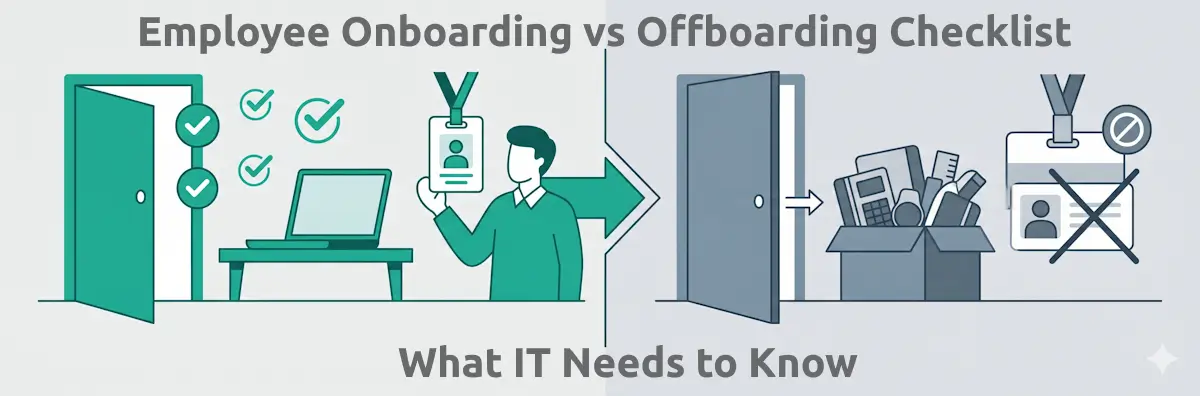
Onboarding and Offboarding Runbooks
Step-by-step provisioning and deprovisioning instructions for the IT team. Examples include a new engineer laptop setup runbook, a developer system access provisioning runbook, and an employee offboarding IT access revocation runbook. Offboarding runbooks in particular carry significant security risk when executed inconsistently — a missed deprovisioning step can leave an ex-employee with active access to production systems. For servers, the server setup and provisioning checklist takes a build from sizing to handover.
Monitoring and Alert Runbooks
Paired with monitoring alerts — each alert has a corresponding runbook explaining what the alert means, what triage steps to take, and what escalation looks like. This is what transforms a monitoring system from a noise generator into a useful operational tool. Examples include a high disk usage alert runbook and an SSL certificate expiry alert runbook. Without runbooks, engineers receiving alerts have to reconstruct the correct response from memory every time.
Security Operations Runbooks
Specific to security events and investigations, these runbooks cover actions that must be taken precisely and in the correct order to preserve evidence and contain impact. Examples include a suspicious login alert runbook, an endpoint isolation runbook, a phishing email investigation runbook, and a ransomware containment runbook.
The 10-Section IT Runbook Template
A complete runbook is not just a list of steps. It includes the context required to execute safely, the validation required to confirm success, and the rollback required to undo errors. The ten sections below provide a complete structure for any IT runbook — adapt the detail level to the complexity and risk level of the specific procedure.
Title and Metadata
The runbook title should be specific and searchable: "Primary PostgreSQL Database Restore Runbook" is better than "Database Runbook." Metadata fields include version number (start at 1.0; increment meaningfully with each update), last reviewed date, next review date, document owner (a named individual, not a team), applicable systems (specific hostnames and environments), and classification (Internal / Confidential). Version control and named ownership are what separate a maintained runbook from an abandoned document — without them, there is no way to know whether the runbook is current or who is responsible for keeping it so.
Overview and Purpose
Two to three sentences describing what this runbook covers, when it should be used, and what successful completion looks like. This section is read in the first 30 seconds — it tells the engineer whether they have the right runbook for their situation. Include any critical warnings at the top: "Do not execute this runbook on the production database cluster without a confirmed recent backup." The overview should be short enough to read in under a minute and specific enough to rule out the wrong runbook immediately.
Scope and Applicability
Define exactly which systems, environments, and scenarios this runbook applies to — and explicitly state what it does not cover. "This runbook applies to PostgreSQL 14 instances on the production cluster (db-prod-01, db-prod-02). It does not cover MongoDB instances or development environment databases." Scope exclusions prevent the wrong runbook from being applied to the wrong system — a failure mode that is more common than it should be when runbook libraries grow large.
Prerequisites
Everything the engineer must have in place before starting. List: required access rights and roles (specific IAM roles, admin credentials required and where to obtain them), tools that must be installed, environment variables or configuration values needed, current state checks ("verify the system is in state X before proceeding"), backup verification required, and any approvals needed before the procedure begins. A runbook that assumes prerequisites are in place — and they're not — fails at Step 1, often in the worst possible moment.
Step-by-Step Procedure
The core of the runbook. Each step should be numbered sequentially, contain a single action, include the exact command or configuration value (copy-pasteable where possible), specify the expected output or state after the step completes, and include a decision point if the output can vary. The format to aim for: "Step 12: Restart the application service. Command: sudo systemctl restart app-service. Expected output: Active: active (running). If the service does not start within 30 seconds, proceed to Step 13 (escalation)." Brevity and precision over explanation — this section is not a tutorial.
Decision Points and Conditional Steps
Document the branching paths explicitly. "If Step 12 succeeds, proceed to Step 13. If Step 12 fails with error code X, proceed to Step 15 (rollback). If Step 12 fails with error code Y, escalate to the database administrator before proceeding." Engineers following runbooks under pressure do not have time to improvise — every expected branch must be mapped in advance. Conditional steps that are left implicit are steps that get executed incorrectly when reality diverges from the happy path.
Validation Steps
After completing the procedure, document how to verify that the task was completed correctly. Include specific validation commands with expected outputs, functional tests to confirm the system is operating normally, metrics to check (response times, error rates, replication lag), and a sign-off requirement where applicable. Validation steps are what separate "I ran the commands" from "I confirmed the task was completed correctly." Without them, the runbook produces completion without confirmation.
Rollback Procedure
Document exactly how to undo the changes if something goes wrong during or after execution. Include rollback trigger conditions ("initiate rollback if error rate exceeds 5% in the 10 minutes following the change"), step-by-step rollback commands in the same format as the forward procedure, validation steps to confirm the rollback was successful, and the escalation path if rollback itself fails. A runbook without a rollback procedure is a one-way door — and operational confidence depends on knowing there is a way back.
Escalation Path
Who to contact if the runbook doesn't work, if a step produces unexpected results, or if the situation exceeds the engineer's authority to resolve. Include names, roles, escalation methods (direct message, phone, PagerDuty), and the criteria for escalating. The on-call engineer at 3am should never have to figure out who to call — the runbook tells them. Named escalation contacts are more reliable than team aliases when the situation is urgent enough to warrant escalation. At every rotation change, the on-call handover checklist confirms that the incoming engineer can be paged and can reach the systems these runbooks depend on.
Maintenance and Version History
Document when the runbook was last reviewed, what changed between versions, and when the next scheduled review is. Runbooks without maintenance schedules become outdated and dangerous — the most common failure mode for runbook programmes is not that runbooks are never written, but that they are never updated. The version history also provides an audit trail: when a process changed, who approved it, and what the previous procedure was.
Turn Your Runbooks Into Executable Checklists
CheckFlow converts your IT runbook procedures into step-by-step checklists with task assignment, conditional decision branching, completion tracking, and timestamped audit records — so every runbook execution is documented automatically.
Browse IT TemplatesHow to Write a Runbook That Actually Gets Used
The technical content of a runbook matters less than how it is written. Runbooks that are not used are usually abandoned not because they are wrong, but because they are too long, too explanatory, or too difficult to follow under pressure. These five principles govern the craft of writing runbooks that engineers actually reach for.
Write for the worst case, not the best case
The engineer who most needs your runbook is the one who is least familiar with the system — the junior on-call engineer at 2am, the teammate covering for someone on leave, the new hire handling their first incident. Write for that person. Every acronym should be expanded the first time it is used. Every system name should include enough context to be unambiguous. Every expected output should be described explicitly, not implied. If the runbook is only usable by someone who already knows the system, it has failed its primary purpose.
Make it executable, not educational
A runbook is not documentation — it is an operational procedure. Eliminate all explanatory paragraphs that don't directly contribute to execution. Cut the history of why the system works the way it does. Cut the architectural context. If the engineer needs to understand the system to safely run the procedure, add a link to the knowledge base article that explains it — then come back to Step 1. Every sentence in the procedure should either be a step to execute, an expected result to verify, or a decision branch to follow.
Use the exact commands — copy-pasteable
The fastest way to introduce errors in a production procedure is to require the engineer to remember or reconstruct command syntax under pressure. Every command should be copy-pasteable. Every variable that must be substituted (hostnames, IP addresses, credentials) should be explicitly marked as a variable: <DB_HOST>. A command that requires the engineer to fill in a value should state what that value is and where to find it — the infrastructure inventory, the secrets manager, the configuration file. Do not make the engineer guess.
Test it before you publish it
A runbook that has never been executed is an untested document. Have someone who did not write the runbook execute it from start to finish in a non-production environment. Every place they hesitate, get confused, or need to ask a question is a gap that must be filled before the runbook is published. The test is not just technical — it is usability verification. The author's familiarity with the system fills gaps in the runbook invisibly; the tester's unfamiliarity exposes them.
Make it short enough to follow under stress
Long runbooks are abandoned in emergencies. If your runbook is more than 15–20 steps, consider whether it should be split into multiple, scoped runbooks. Where possible, each runbook should be completable in a single working session without breaks. If the runbook requires two hours to execute, structure it with defined pause points, expected time estimates, and explicit checkpoints where it is safe to hand off to another engineer. A runbook that requires 45 minutes of uninterrupted focus to follow correctly is a runbook that will be improvised halfway through.
4 Concrete Runbook Examples
Abstract runbook advice is easier to apply when you can see what a well-structured runbook actually covers. These four examples represent common IT operations scenarios — each illustrating how the 10-section template translates into practice.
Monthly TLS Certificate Renewal Runbook
One of the most common and highest-consequence maintenance tasks — a missed certificate renewal causes production outages that could have been entirely avoided. This runbook covers: prerequisite checks (verify the current certificate's expiry date using echo | openssl s_client -servername domain.com -connect domain.com:443 2>/dev/null | openssl x509 -noout -dates, confirm renewal tooling access and credentials), the certificate request and signing process (whether using Let's Encrypt, an internal CA, or a commercial CA — each has distinct steps), installation steps specific to the web server platform (nginx vs. Apache vs. AWS ALB), validation (the same openssl command above run against the new certificate to confirm notBefore and notAfter dates reflect the new certificate), and rollback procedure (how to reinstate the previous certificate if the new one is rejected by the load balancer or fails validation). Decision point: if the post-installation validation command returns the old expiry date, do not proceed — the certificate was not installed to the correct location. Escalate before continuing.
Server Patching Runbook
Covers a single server in the production environment through a complete patch cycle. Pre-patching checklist: verify backup completed successfully within the last 24 hours, confirm change management ticket is approved and the change window is active, notify the monitoring on-call that alerts from this server may fire during the window. Patch installation commands vary by OS (apt, yum, Windows Update CLI). Post-patch validation covers service health checks (each critical service on the server), application-level functional tests (confirm the application returns expected responses), and monitoring validation (confirm the alerts that fired during patching have cleared). Decision points: if the server does not come back online within 10 minutes of reboot, initiate rollback; if a critical service fails post-patch and cannot be restarted within 15 minutes, escalate before continuing. Rollback: restore from pre-patch snapshot, or roll back specific packages using the package manager's rollback capability.
Database Failover Runbook
Covers promoting the read replica to primary during a primary database failure — one of the highest-stakes runbooks in any IT library. Prerequisites are critical: confirm replica lag is under the acceptable threshold (typically under 60 seconds) before promoting, confirm application connection strings and DNS entry that will need updating, confirm no active write transactions that would be lost in the promotion. Steps include the replica promotion command (specific to the database platform — PostgreSQL, MySQL, and cloud-managed databases each have distinct promotion procedures), DNS or connection string update (and the time required for propagation), application restart sequence (applications that cache connections must be restarted to pick up the new primary), validation that writes are being accepted on the new primary, and monitoring alert acknowledgement. Post-failover tasks — provision a new replica, update DR documentation, schedule a post-incident review — are documented separately but referenced from this runbook.
New Employee IT Access Provisioning Runbook
A multi-system task that requires precise sequencing because most downstream access depends on the identity provider account being created correctly first. This runbook covers: creating the identity provider account (Okta, Azure AD, or Google Workspace), which must be completed before any other provisioning step; setting up corporate email; provisioning access to required SaaS tools by role (the runbook should reference a role-based access matrix document rather than embedding the full list inline, which would create a maintenance burden); configuring MDM enrollment so the device is managed before the employee's first day; shipping or preparing the laptop; and confirming all access is working with a pre-hire verification step. Decision points: if any provisioning step fails, do not proceed to the next system — resolve the upstream access issue first, because SSO drives everything downstream. A failed Okta account creation means every subsequent provisioning step will fail or create orphaned accounts.
Why Most Runbooks Fail (and How to Fix Each One)
Most IT teams have written runbooks. Fewer have runbooks that are actually used. The gap between writing and using is almost always caused by one of these eight failure modes — each preventable with the right structural fix.
Failure 1: Written once, never updated. The most common reason runbooks are abandoned. A runbook written when a system was first deployed describes the infrastructure that existed at that moment. Six months later, the server has been migrated, the tool has been replaced, the command syntax has changed. Engineers discover the runbook is wrong during an incident — and stop trusting all runbooks. Fix: build runbook review into the change management process. Any infrastructure change that affects a runbook triggers an update before the change is closed.
Failure 2: Too long and too explanatory. Runbooks that include architectural background, design decisions, and contextual explanation are being written as documentation, not as operational procedures. Engineers skip to what seems actionable and miss critical setup steps. Fix: ruthlessly separate explanation from execution. Explanation belongs in the knowledge base article linked from the runbook. The runbook itself contains only steps, expected outputs, and decisions.
Failure 3: Commands require manual variable substitution without guidance. Commands that include [SERVER_NAME] or <IP_ADDRESS> placeholders without telling the engineer where to find the actual values create pauses and errors at exactly the wrong moment. Fix: for every variable, specify where the value is located (for example, "find the server IP in the infrastructure inventory at [link]") or include the value directly in the runbook where it is system-specific and unlikely to change.
Failure 4: No validation steps. The runbook tells the engineer what to do but not how to confirm it worked. Engineers complete steps and assume success. Fix: add a validation command or check after every significant step. The expected output of the validation should be explicitly stated — not "verify the service is running" but "run systemctl status app-service and confirm Active: active (running)."
Failure 5: No rollback procedure. Engineers are reluctant to execute runbooks for production changes if they don't know how to undo them. This hesitation leads to delayed changes, improvised rollbacks under pressure, and runbooks that are bypassed in favour of whoever knows the system well enough to work without one. Fix: every runbook that modifies production state must have a documented rollback procedure with the same specificity as the forward procedure.
Failure 6: No owner. Runbooks that belong to "the team" are effectively owned by no one. Nobody is accountable for keeping them current, reviewing them after incidents, or retiring them when the underlying system is decommissioned. Fix: every runbook has a named individual owner who is responsible for reviewing it on schedule and updating it when the procedure changes. That person can delegate execution — they cannot delegate ownership.
Failure 7: Inaccessible when needed most. Runbooks stored in a wiki that requires VPN access, a documentation system that's behind SSO, or a file share that only works on the corporate network are unavailable during exactly the outages that require them. Fix: ensure runbooks for critical systems are accessible from any device without depending on the systems they describe being operational. Cloud-hosted documentation with authentication independent of SSO is the minimum standard for incident response runbooks.
Failure 8: Never tested by anyone other than the author. The author knows the system — they fill gaps in the runbook from memory without realising the gaps exist. The runbook is only useful to people who don't already know how to do the task. Fix: require peer review of all new runbooks. The reviewer should attempt to execute the runbook in a non-production environment and confirm every step is complete and unambiguous before the runbook is published to active status.
Runbook Lifecycle Management
A runbook is not a document that is written and filed. It is a living operational asset that requires active management across four lifecycle stages.
Creation: Write using the 10-section template. Test before publishing — have someone who did not write the runbook execute it in a non-production environment. Assign a named owner. Set the first review date (30–90 days after creation for new runbooks; annually for stable, well-tested procedures). Store in a location accessible during outages.
Maintenance: Two triggers for updates. Scheduled review: quarterly for runbooks covering frequently changed systems, annually for stable procedures. Event-triggered review: any infrastructure change affecting the procedure must trigger an immediate update before the change is closed; any deviation discovered during execution must be incorporated before the runbook is returned to active status. A runbook that an engineer had to improvise around is a runbook that needs updating before it is run again.
Deprecation: Runbooks for systems that are decommissioned, or procedures that have been fully automated, should be clearly marked as deprecated and archived — not deleted. Archived runbooks are occasionally needed for forensic purposes, compliance audits, or reactivation if the system is ever brought back online. A deprecated runbook that engineers can still find and read is better than a deleted one they have to reconstruct from memory.
Annual audit: Review the full runbook library annually. Identify runbooks that haven't been reviewed in over 12 months (flag for urgent review or deprecation). Identify gaps — systems that have no runbook coverage. Retire runbooks for decommissioned systems. Measure runbook coverage: what percentage of your critical systems have current, tested runbooks? Aim for 100% coverage of Tier 0 and Tier 1 systems (incident response, DR recovery, critical change procedures) and at least 80% coverage of Tier 2 systems. Every system without a runbook is a system that depends on heroics — and heroics are not scalable.
Runbooks and Mean Time to Resolution
MTTR (Mean Time to Resolution) is the primary operational metric that runbooks improve. When engineers follow structured runbooks rather than improvising or relying on memory, MTTR drops by 30–50% in organisations that implement comprehensive runbook programmes. The mechanism is straightforward: incidents without runbooks require the on-call engineer to recall the correct procedure, verify their memory is correct, and improvise for any steps they are uncertain about. Each of these steps adds minutes. In a major production incident, those minutes compound significantly.
The MTTR impact is highest in four specific scenarios. In incident response, runbooks eliminate the "what do I do first?" paralysis that extends the initial triage phase — engineers who open a runbook immediately after an alert fires consistently begin productive triage faster than those who start from memory. In disaster recovery, runbooks with defined recovery sequences prevent engineers from "helping" by starting recovery in the wrong order, which can extend outages significantly. In certificate renewal, a well-maintained renewal runbook makes a task that occasionally causes two-hour outages into a routine 20-minute operation. In onboarding and offboarding, runbooks reduce a two-to-three hour manual process into a consistent 45-minute execution with a documented completion record.
Runbooks also reduce the hero dependency: when a senior engineer leaves or is unavailable, the knowledge gap they leave behind is one of the most common causes of extended incidents. Runbooks transfer institutional knowledge into durable, executable form — the knowledge stays in the organisation even when the person who originally held it doesn't. This is the long-term organisational value of a runbook programme that goes beyond MTTR and into operational resilience.
Runbooks vs Automated Processes — When to Use Each
IT processes exist on a spectrum from fully manual (runbook) to fully automated (no human required). The right position on that spectrum depends on task frequency, risk tolerance, and the maturity of the underlying systems.
A runbook is appropriate when the task is performed infrequently enough that maintaining automated tooling is not cost-effective, when the task requires human judgement at decision points, when the system being modified is too complex or fragile to automate safely, or when the organisation is not yet ready to trust full automation for the risk level involved. Most DR runbooks, for example, involve judgement calls that are difficult to encode reliably — whether to promote a replica, when to declare recovery complete, whether the system is stable enough to resume writes. Human judgement belongs in those decisions.
Automation is appropriate when the task is performed frequently enough to justify the tooling investment, when the steps are deterministic with no judgement required, and when the cost of automation failure is lower than the cost of human error in manual execution. Automated certificate renewal, automated backups, and automated monitoring are examples where removing the human step improves reliability rather than reducing it.
Many organisations use a combined model where the runbook describes the overall procedure and specific steps are automated sub-processes triggered from within the runbook. The Kubernetes cluster patching runbook might include "run the automated patching script" as one step — but the human follows the runbook to confirm prerequisites, trigger the automation, validate the output, and handle any failures the automation surfaces. Runbooks do not disappear when automation matures; they describe how humans interact with automation as well as how humans perform manual steps. Automation reduces the number of steps in a runbook; it rarely eliminates the runbook entirely.
Free IT Runbook Templates
Building a runbook library from scratch is easier when you have structured templates to start from. CheckFlow includes IT operations templates that follow the runbook structure described in this guide — step-by-step task assignments, conditional logic for decision points, completion tracking, and timestamped records for every execution. Each template can be adapted into a runbook for your specific environment. Click any card to see a live demo.




How CheckFlow Supports Runbook Execution
A runbook stored in a wiki or a Google Doc is a passive document. It is read, then interpreted, then executed — with the engineer making independent decisions about each step, capturing (or not capturing) completion evidence, and potentially skipping steps under pressure. The runbook exists, but its execution is unverifiable.
A runbook implemented as a CheckFlow checklist is an active procedure. Each step is a task with an owner, a completion requirement, and a timestamp. Conditional logic handles decision points — if the engineer marks a step as failed, the checklist routes them to the correct remediation steps rather than leaving them to figure out what to do next. Every execution produces a completion record: who ran the runbook, when each step was completed, and what the outcome was. The evidence is created automatically as a byproduct of running the procedure, without any additional documentation effort.
For IT operations specifically, this matters in three contexts. First, compliance evidence: SOC 2, ISO 27001, and HIPAA auditors ask for evidence that procedures are being executed. A timestamped checklist completion record is precisely that evidence — attributed to a named individual, time-stamped to the minute, and retrievable without hunting through emails or ticket notes. Second, disaster recovery and incident response: under the pressure of a live incident, a checklist that enforces step sequencing and tracks completion prevents the skipped validation steps and out-of-order recovery actions that extend incidents and compound failures. Third, knowledge transfer: a CheckFlow runbook is executable by anyone with the right access — not just the engineer who wrote it. The institutional knowledge is encoded in the checklist, not stored in the person's head.
Start with the 10-section IT runbook template above to structure your procedures, then bring them into CheckFlow to make them executable, tracked, and evidence-producing.
Build Your Runbook Library in CheckFlow
Stop storing runbooks in wikis that nobody follows. CheckFlow makes runbooks executable, tracked, and evidence-producing — so your team runs every procedure consistently and you can prove it.
Start free trial Book a DemoFrequently Asked Questions
What is an IT runbook?
An IT runbook is a structured, step-by-step document that describes how to execute a specific IT operational task or respond to a specific event. It tells the engineer exactly what to do, in what order, including the precise commands, configurations, and validation checks required. Unlike a policy or SOP, a runbook is written to be followed by someone while actively performing the task — not read in advance. A good runbook reduces the skill requirement for executing complex tasks, reduces mean time to resolution (MTTR), and ensures consistent execution regardless of who is on call. The defining characteristic of a runbook is operational specificity: it is usable by a qualified engineer who does not have deep familiarity with the specific system.
What is the difference between a runbook and an SOP?
A Standard Operating Procedure (SOP) describes a repeatable process from a strategic or policy perspective — it explains what must be done and why, and is often broad enough to cover multiple scenarios. A runbook is more operational and specific: it provides the exact step-by-step technical instructions for a single task or scenario, including commands, decision points, and rollback procedures. An SOP might describe your change management policy; a runbook describes exactly how to execute a specific type of change — for example, patching a specific server or rotating a specific certificate. SOPs govern; runbooks instruct. A complete IT documentation practice uses both: SOPs to define the what and why of a process, and runbooks to define the precise how of executing it.
What should a runbook include?
A complete IT runbook should include: scope (what this runbook covers and what it does not), prerequisites (access, credentials, and tools required before starting), overview (what the task accomplishes and when this runbook should be used), step-by-step procedures (exact commands and configurations, copy-pasteable where possible), decision points and conditional branches (what to do if a step fails or produces unexpected output), validation steps (how to confirm the task was completed correctly), rollback procedures (how to undo changes if something goes wrong), escalation path (who to contact if the runbook does not work), maintenance schedule (when this runbook should be reviewed next), and version history (what changed between versions and who approved the change). All ten sections together produce a runbook that is safe to execute and maintainable over time.
How often should runbooks be updated?
Runbooks should be updated whenever the procedure they describe changes — after any infrastructure change, tool replacement, or process update that affects the steps. At minimum, review all runbooks annually as part of a scheduled documentation audit. The most useful trigger is post-incident: if an engineer had to deviate from the runbook during an incident, that deviation must be incorporated as an update before the runbook is used again. A runbook that describes a procedure that no longer matches reality is worse than no runbook, because it creates false confidence. Engineers who trust an outdated runbook and follow it to the wrong outcome will stop trusting all runbooks — making the entire runbook programme less effective.
What are the most common types of IT runbooks?
The most common IT runbook types are: incident response runbooks (what to do when a specific alert fires), change management runbooks (how to execute a specific type of approved change), deployment runbooks (how to deploy a specific application or infrastructure component), disaster recovery runbooks (how to recover specific systems after a failure), maintenance runbooks (how to perform scheduled maintenance tasks like patching or certificate renewal), onboarding runbooks (how to provision access and configure systems for new employees), offboarding runbooks (how to revoke access and recover assets when someone leaves), and monitoring and alerting runbooks (how to respond to specific monitoring alerts). Security operations runbooks — covering endpoint isolation, phishing investigation, and ransomware containment — are an increasingly important category for teams with security responsibilities.