
Looking for the perfect checklist app to streamline your workflows? We've analyzed and compared the top checklist applications to help you make the right choice for your needs.
But first, a crucial distinction: Not all checklist apps are created equal.
One size does not fit all. While some apps are simple "to-do" tools designed to help you track daily tasks, others are robust process management platforms capable of handling complex workflows and team collaboration. The right app for you depends on your specific needs - whether you're looking for a straightforward way to organize your grocery list or a powerful tool to manage intricate business processes.
In this article, we'll explore the top 10 checklist apps available today. Whether you're an individual looking to boost productivity or a team seeking to streamline operations, there's an app on this list for you.
Quick Jump: Find the Best App For...
1. CheckFlow
Best for Recurring Business Processes & SOPs
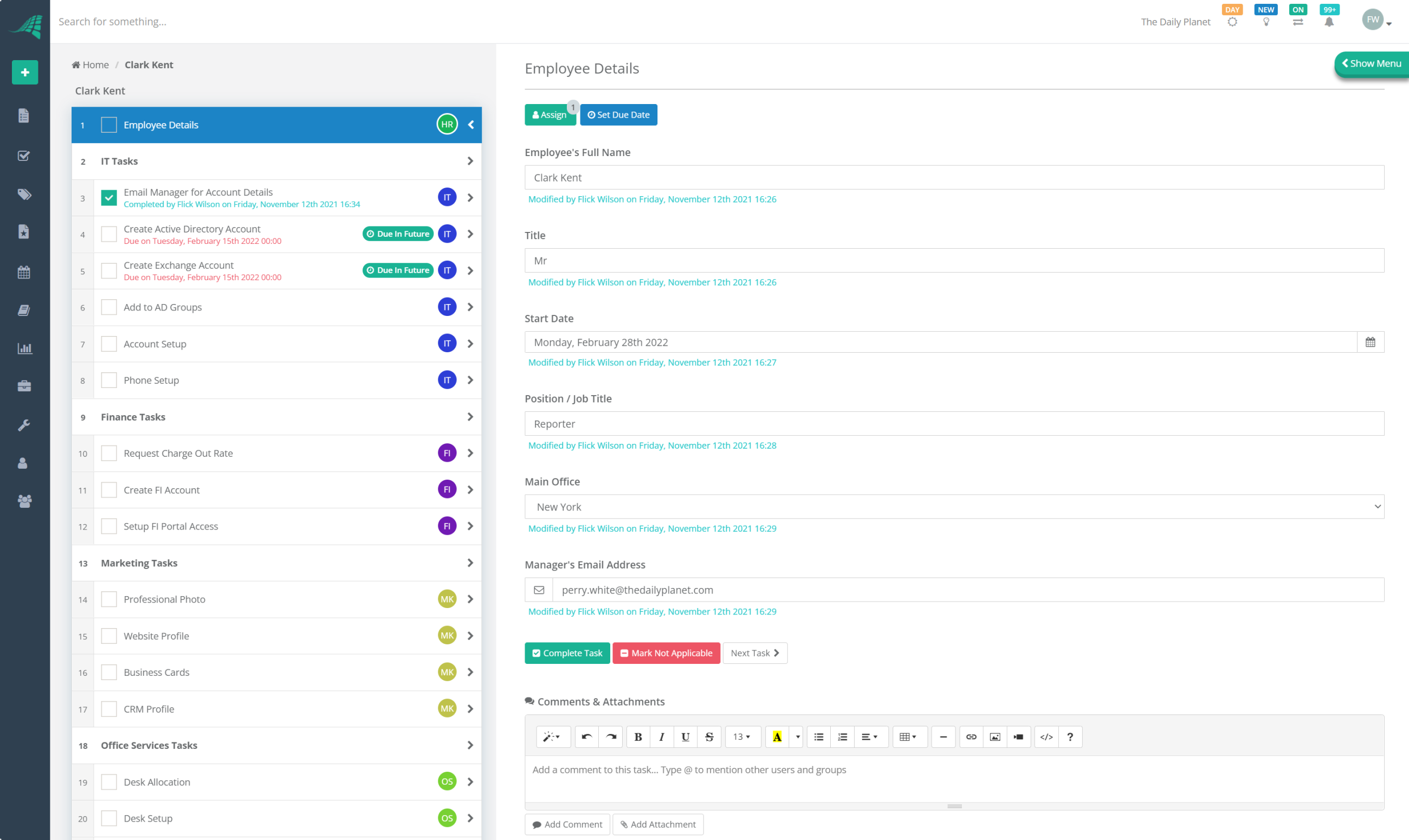
CheckFlow is designed from the ground up for people who don't just want to "tick off tasks" but actually want to run repeatable processes—onboarding, SOPs, recurring projects, and client workflows—without complexity getting in the way.
It combines the simplicity of a checklist tool with the power of a workflow platform. You can build templates, automate steps, assign tasks dynamically, and monitor progress across teams, all in a clean, intuitive interface.
Key Use Cases
- Employee onboarding and offboarding
- Client onboarding and recurring service delivery
- SOPs and compliance workflows
- Content publishing and marketing checklists
- Project and operations checklists across teams
Key Features
- Collaborative Checklists: Assign tasks, set owners, leave comments, and track activity in real time—ideal for teams and client-facing work.
- Smart Templates: Create reusable templates for recurring workflows (e.g., onboarding, content calendars, product launches) to ensure consistency.
- Automation & Integrations: Connect to thousands of tools using the API, Webhooks, Zapier, Make, or Power Automate so checklists automatically trigger from events in your CRM, helpdesk, or HR tools.
- Advanced Logic: Use conditional logic, dynamic due dates, dynamic assignments, and halt tasks to control how a process flows in different scenarios.
- Recurring Checklists: Automatically generate daily, weekly, monthly, or custom cadence checklists so nothing falls through the cracks.
- Analytics & Reporting: Track completion rates, bottlenecks, and team performance with customizable reports, and export data via CSV or JSON.
- Enterprise-Grade Features: SSO, dedicated databases, regional hosting, and strong security and compliance so you can scale with confidence.
Pros
- Intuitive drag-and-drop interface for building complex workflows without technical skills.
- Powerful process features (conditional logic, dynamic fields, halt tasks) that typical to-do apps simply don't have.
- Unlimited, free guest/client users—perfect for agencies and service businesses.
- Robust reporting and data export for audits, retrospectives, and continuous improvement.
- Enterprise-ready options for larger organizations.
Cons
- No permanently free "solo" plan, as at least one paid user is required (though guests are free and unlimited).
- More powerful than a basic to-do list app, so it's best suited to users who care about repeatable processes rather than just ad-hoc tasks.
Pricing: Paid plans start at $9/user/month. Unlimited free guest/client users included.
Best For: Teams and organizations that rely on repeatable workflows and SOPs, and want one tool to handle everything from simple checklists to complex, multi-step processes with approvals, automation, and reporting.
2. Todoist
The Minimalist's Task Manager
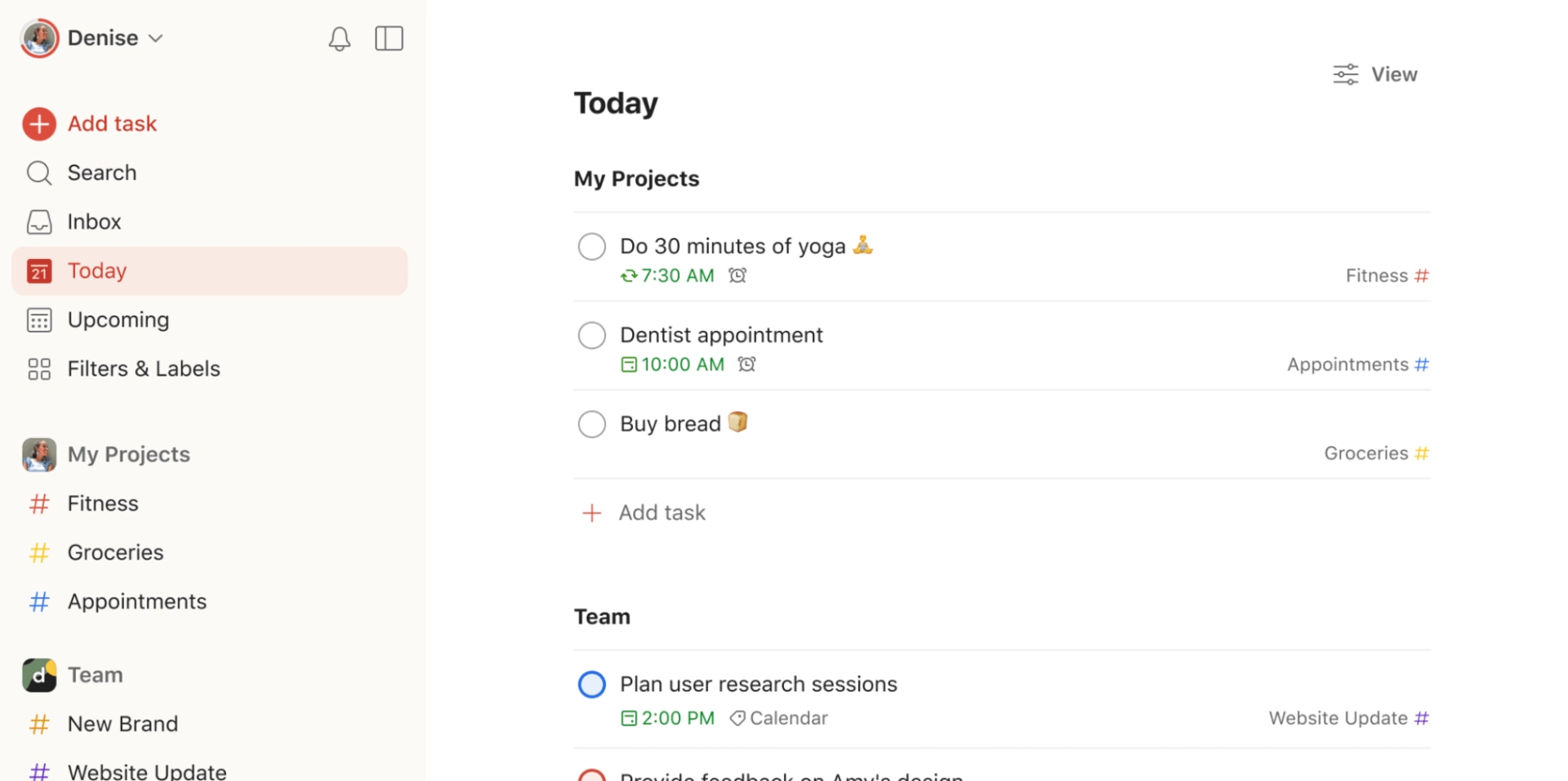
Todoist is one of the most popular personal to-do apps, known for its clean interface and effortless task capture. It's ideal if you want a simple way to manage personal tasks, errands, and small projects without the overhead of a more complex system.
However, Todoist is not designed to be a process management tool. It's light on collaboration, lacks robust templates for repeatable workflows, and offers limited reporting.
Key Features
- Natural language input (e.g., "Submit report tomorrow at 3pm").
- Priority levels, labels, filters, and projects.
- Cross-platform availability (web, mobile, desktop, browsers).
- Basic collaboration on shared projects.
Pros
- Clean, distraction-free design that's easy to adopt.
- Very quick for capturing tasks on the go.
- Reliable sync across devices.
Cons
- Limited collaboration and workflow structure compared to tools like CheckFlow.
- No true process documentation or SOP capabilities.
- Reporting and analytics are minimal.
Pricing: Free plan available. Pro plan from around $5/month per user.
Best For: Individuals who want a simple, personal to-do list and don't need team workflows, automation, or process management.
3. Trello
Visual Workflows with Kanban Boards
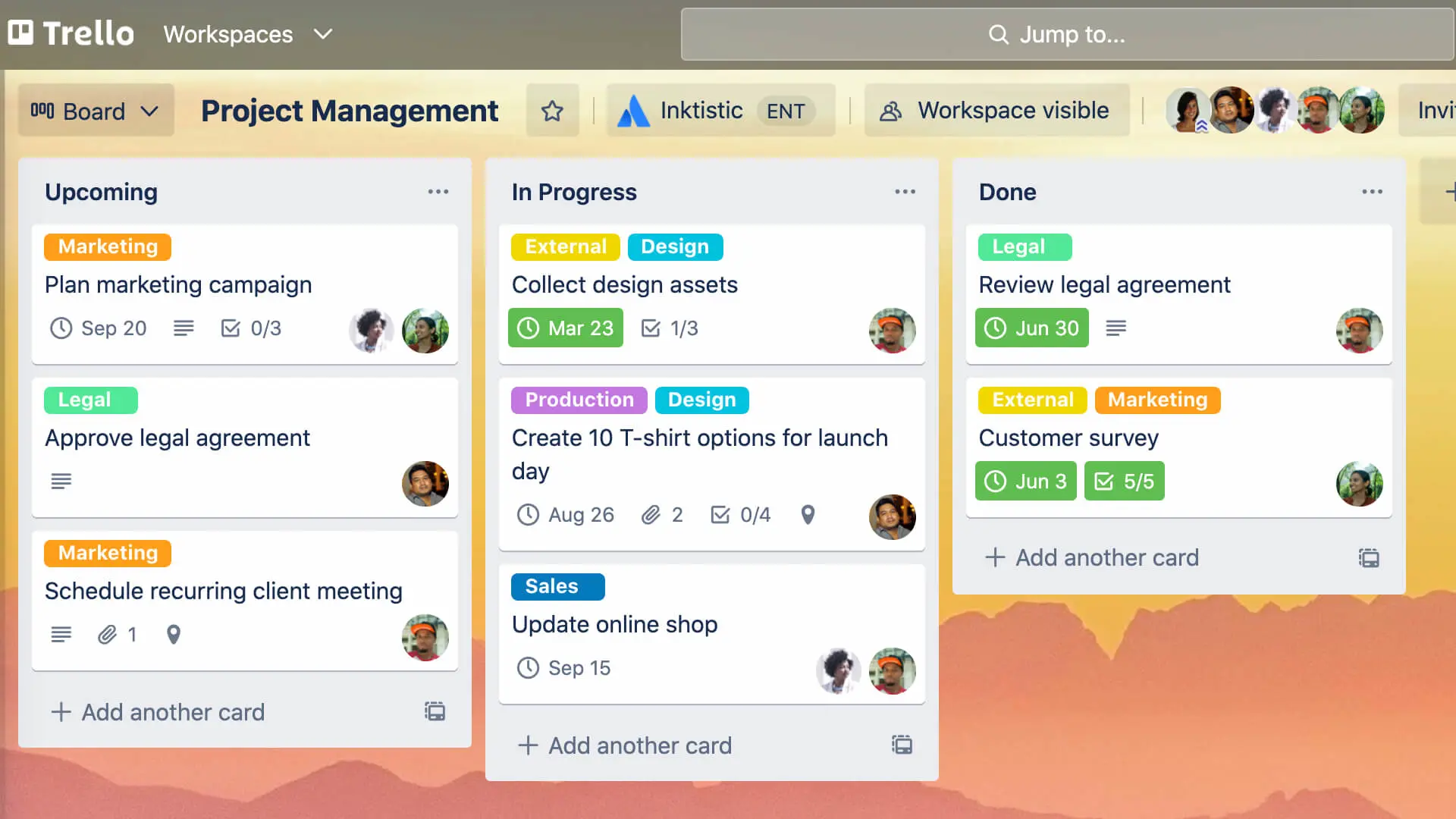
Trello is a visual project management tool built around boards, lists, and cards. It's popular with teams that like to manage tasks in a Kanban-style view. Each card can include checklists, due dates, attachments, and comments.
While Trello is excellent for visual planning, its core checklist functionality is basic. You can add checklists inside cards, but you won't get nuanced process logic or detailed completion analytics.
Key Features
- Boards, lists, and cards for visual project tracking.
- Built-in checklists on cards.
- Power-Ups for integrations (Calendar, Jira, Google Drive, etc.).
- Automations via Trello's built-in automation (Butler).
Pros
- Very easy to understand and get started with.
- Great for visual thinkers and simple team workflows.
- Flexible for agile boards and sprints.
Cons
- Checklists are simple and not suited for complex or multi-step processes.
- Boards can quickly become cluttered with large or long-running projects.
- Reporting is limited without add-ons or external tools.
Pricing: Free plan. Premium plans from around $10/user/month.
Best For: Teams that want visual Kanban boards and basic checklists but don't require formal process management or detailed analytics.
4. Asana
Project Management with Task Dependencies
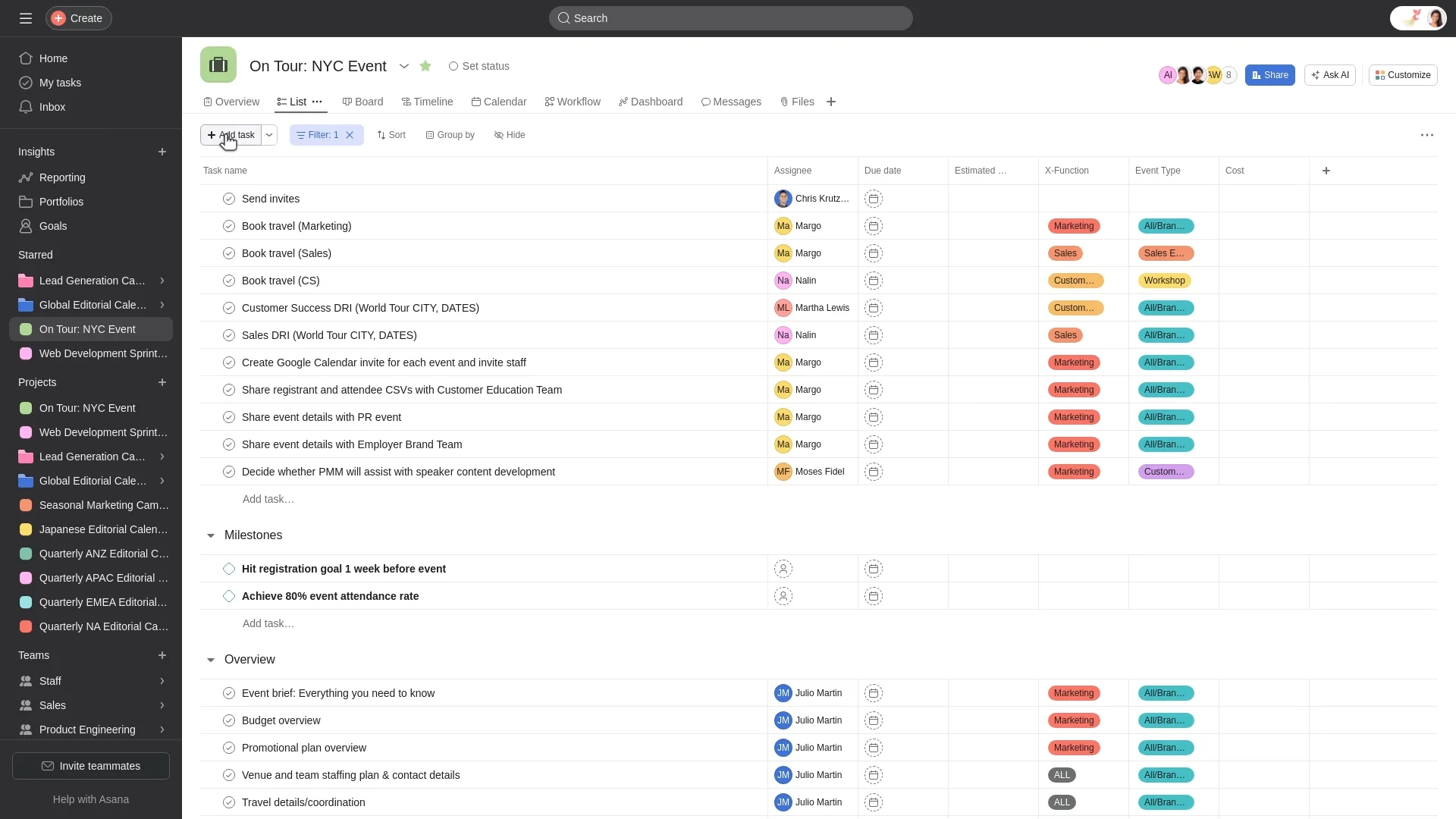
Asana is a robust project management platform built for teams handling multi-phase projects, dependencies, and deadlines. It offers lists, boards, timelines, and advanced reporting.
Checklists appear as subtasks within Asana, and while this works for task breakdowns, it's not designed as a dedicated checklist or SOP engine. For simple recurring workflows, Asana can feel more complex than necessary.
Key Features
- Task lists, boards, and timeline (Gantt-style) views.
- Task dependencies, milestones, and project portfolios.
- Forms for standardized intake of work requests.
- Rules and automations for repetitive actions.
Pros
- Excellent for managing complex, multi-step projects.
- Strong reporting and visibility across teams and projects.
- Integrates well with common business tools.
Cons
- Steep learning curve for non-technical or non-project-management users.
- Can be overkill if you primarily need repeatable checklists and SOPs.
- Pricing can add up for larger teams.
Pricing: Free plan for small teams. Premium plans from around $10.99/user/month.
Best For: Mid-sized teams and organizations running project-based work with dependencies and timelines, rather than structured, repeatable checklists.
5. Monday
Customizable Workflow Builder
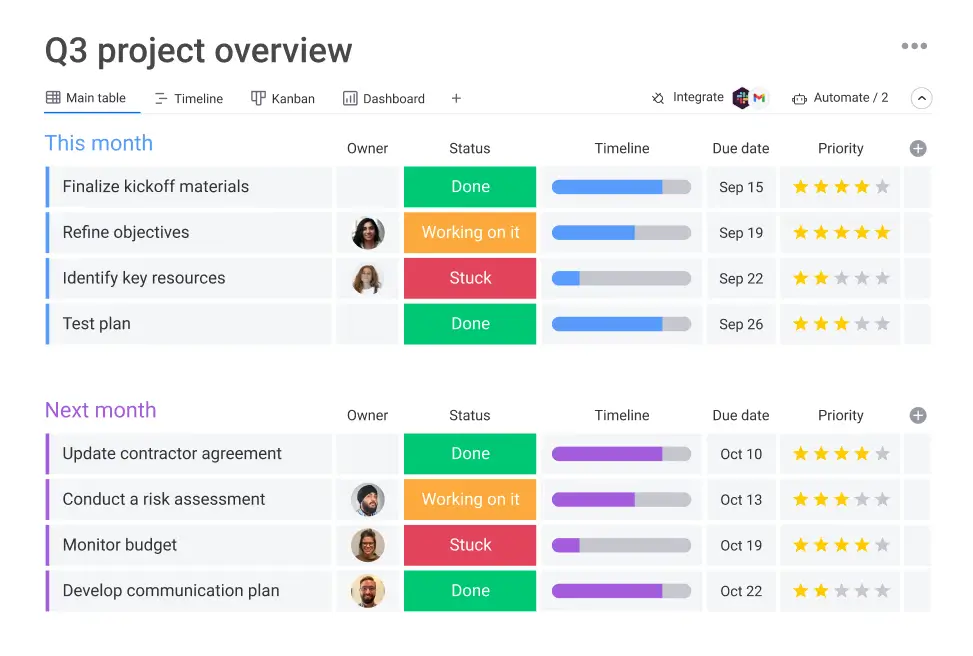
Monday (monday.com) is a highly customizable work OS that can be tailored to a wide range of use cases, from marketing campaigns to HR pipelines. Its strengths lie in its flexibility and visual dashboards.
However, that flexibility comes with complexity. If you're primarily looking to manage checklists and recurring processes, Monday may feel heavy and require more setup and administration than a dedicated checklist platform.
Key Features
- Dozens of templates for marketing, HR, operations, and more.
- Automations for status changes, notifications, and assignments.
- Color-coded dashboards and multiple view types.
- Integrations with tools like Slack, Outlook, Gmail, and CRMs.
Pros
- Very adaptable—can be molded to many different business functions.
- Friendly, visual interface once configured.
- Strong at high-level portfolio visibility.
Cons
- Can be overwhelming for teams that just need structured checklists and SOPs.
- Complex setups can require admin time or specialist knowledge.
- Pricing scales quickly across larger teams and feature tiers.
Pricing: Plans from around $9/user/month (billed annually, minimum seats).
Best For: Larger teams and enterprises needing heavily customized work management, not just checklists.
6. ClickUp
The All-in-One Productivity Platform
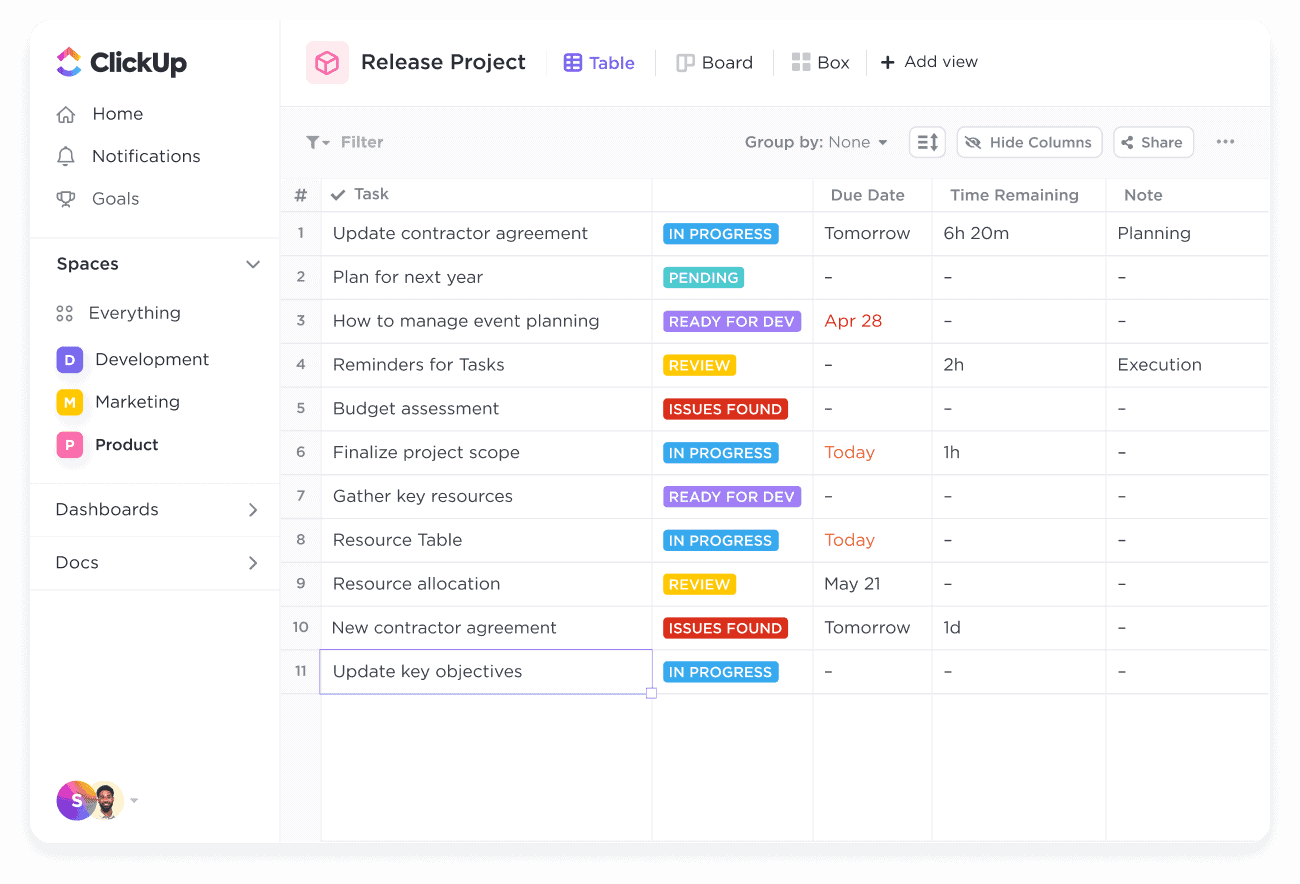
ClickUp aims to be the "one app to replace them all," combining tasks, docs, goals, and more in a single workspace. It is highly configurable and offers rich features for teams willing to invest time in setup.
While it includes checklists and recurring tasks, its breadth of features can make it feel overwhelming for teams that simply want a streamlined checklist and process tool.
Key Features
- Tasks, docs, whiteboards, and goals in one platform.
- Custom views (List, Board, Gantt, Calendar).
- Time tracking, sprint management, and workload views.
- Extensive customization options and automations.
Pros
- Very generous free plan compared to many competitors.
- Can be tailored to different teams and workflows.
- Strong for teams that want tasks + docs together.
Cons
- Interface can feel cluttered and complex.
- Performance can lag, especially in large workspaces.
- Overkill if your primary need is repeatable checklists and SOPs.
Pricing: Free plan. Unlimited plan from around $7/user/month.
Best For: Teams that want an all-in-one productivity workspace and are happy to configure complexity to get what they need.
7. Notion
Flexible Workspace for Creatives and Knowledge Work
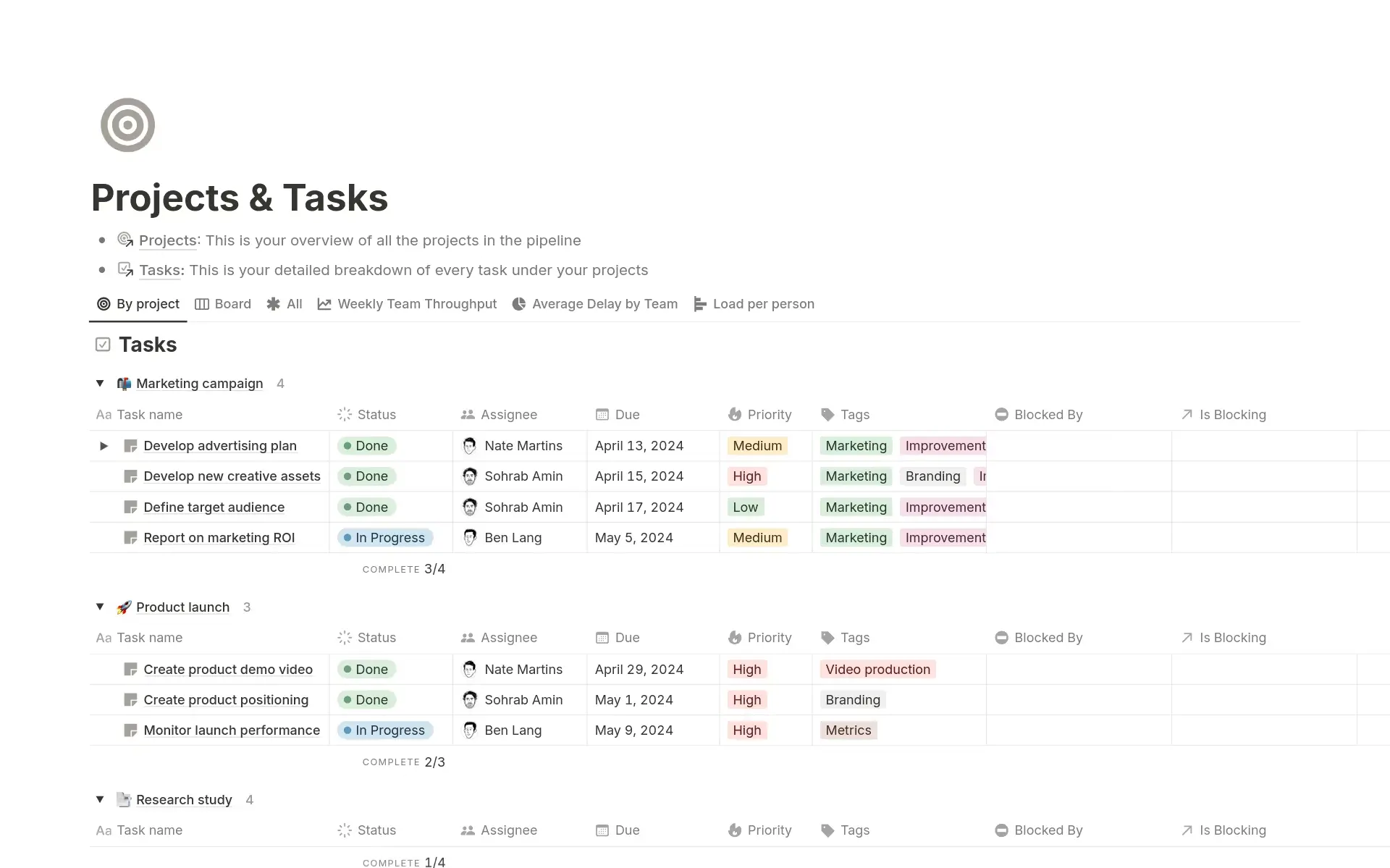
Notion is a highly flexible tool that blends notes, databases, wikis, and lightweight project management. You can create pages that contain checklists, kanban boards, and databases—all in one place.
However, Notion is not purpose-built for process automation. While it's fantastic for documentation and planning, it lacks native automation and deeper workflow logic out of the box, which limits its use as a primary checklist engine for process-heavy teams.
Key Features
- Pages combining text, databases, checklists, and embeds.
- Database views (Table, Board, Timeline, Calendar).
- AI assistant for writing and summarizing content.
- Powerful for building internal knowledge bases.
Pros
- Almost unlimited customization possibilities.
- Great for documentation, wikis, and knowledge management.
- Attractive interface and growing ecosystem.
Cons
- No native advanced automation or time tracking; relies on external tools.
- Steeper learning curve for non-technical users.
- Easy to over-customize and end up with inconsistency.
Pricing: Free plan for individuals. Plus plan from around $8/user/month.
Best For: Creatives, remote teams, and startups building custom workspaces and knowledge bases who also want basic checklists, not full process automation.
8. Microsoft To-Do
Simple Checklists for Microsoft 365 Users
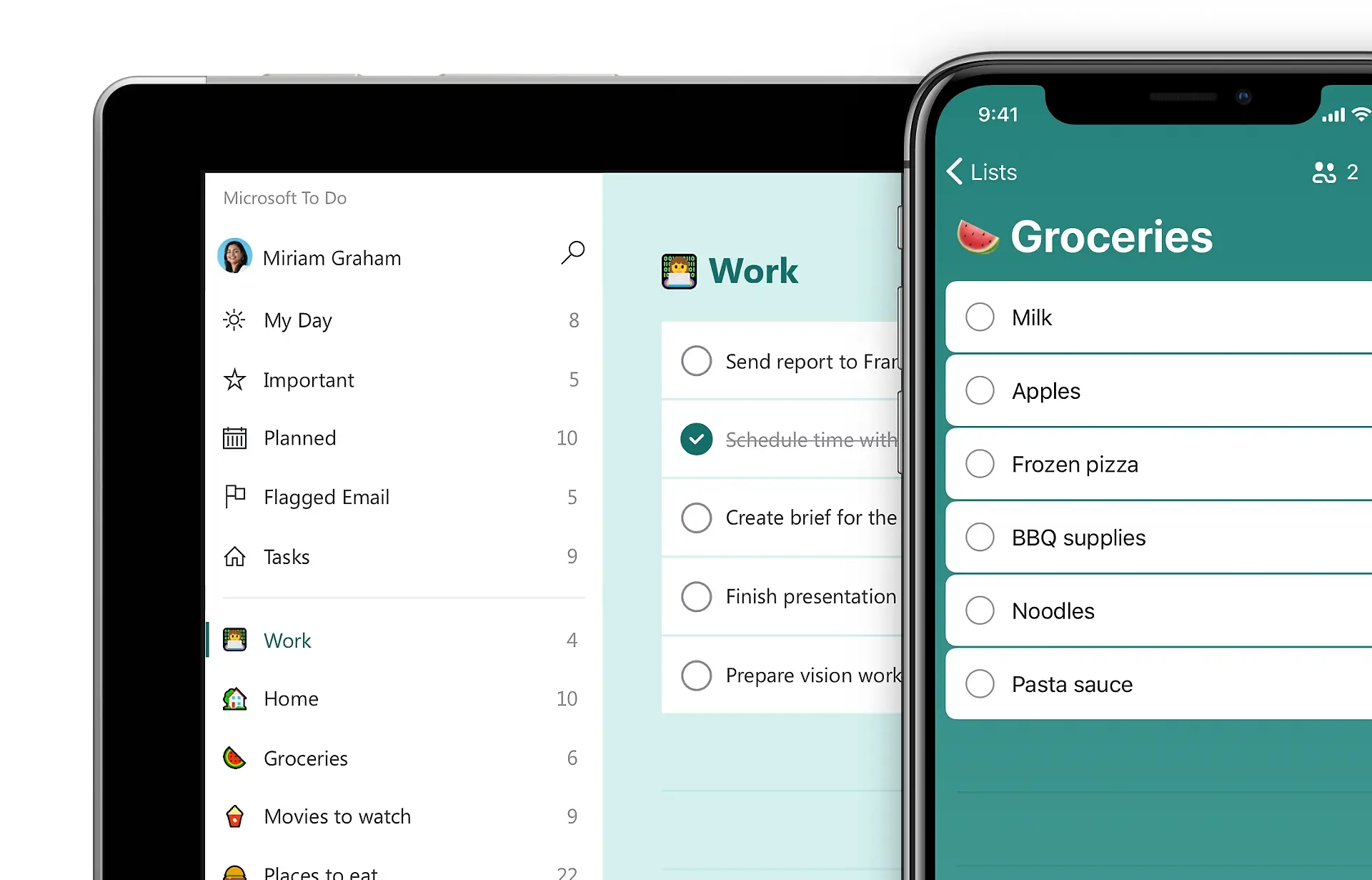
Microsoft To-Do is a lightweight task manager tightly integrated with the Microsoft ecosystem. Tasks can sync with Outlook, and it's a natural choice if your organization already lives in Microsoft 365.
That said, it's basic by design. Collaboration, process templates, and advanced reporting are minimal, making it unsuitable as a central workflow or checklist system for teams.
Key Features
- Integration with Outlook tasks.
- "My Day" view for daily focus.
- Simple lists, due dates, and reminders.
- Available across devices, integrated with Microsoft 365.
Pros
- Free and included with many Microsoft 365 subscriptions.
- Familiar and easy to use for existing Microsoft users.
- Lightweight and fast.
Cons
- Very limited collaboration and sharing options.
- No robust templates, process logic, or analytics.
- Not designed for team-based operations or SOPs.
Pricing: Included with many Microsoft 365 subscriptions; standalone usage effectively free.
Best For: Individuals and small teams already on Microsoft 365 who need simple personal task lists, not structured processes.
9. Any.do
A Simple Task Manager for Personal Use
Any.do focuses on simplicity and aesthetics. It offers basic tasks and checklists with a smooth experience across web and mobile. Its signature "Plan My Day" feature helps users prioritize their tasks.
However, when it comes to structured business processes, automation, or reporting, Any.do doesn't go far enough for most professional teams.

Key Features
- Daily planner view and recurring tasks.
- Cross-platform sync (web, mobile, desktop).
- Basic collaboration on shared lists.
- Calendar and reminders.
Pros
- Clean, attractive interface.
- Easy for non-technical users to adopt.
- Great for personal productivity and lifestyle tasks.
Cons
- Limited collaboration and team features.
- No advanced automation, templates, or reporting.
- Not suited to complex or regulated workflows.
Pricing: Free plan. Premium plans from around $4.99/month.
Best For: Individuals or very small teams managing simple personal and day-to-day tasks, not formal processes.
10. Tallyfy
Process Management with Approvals
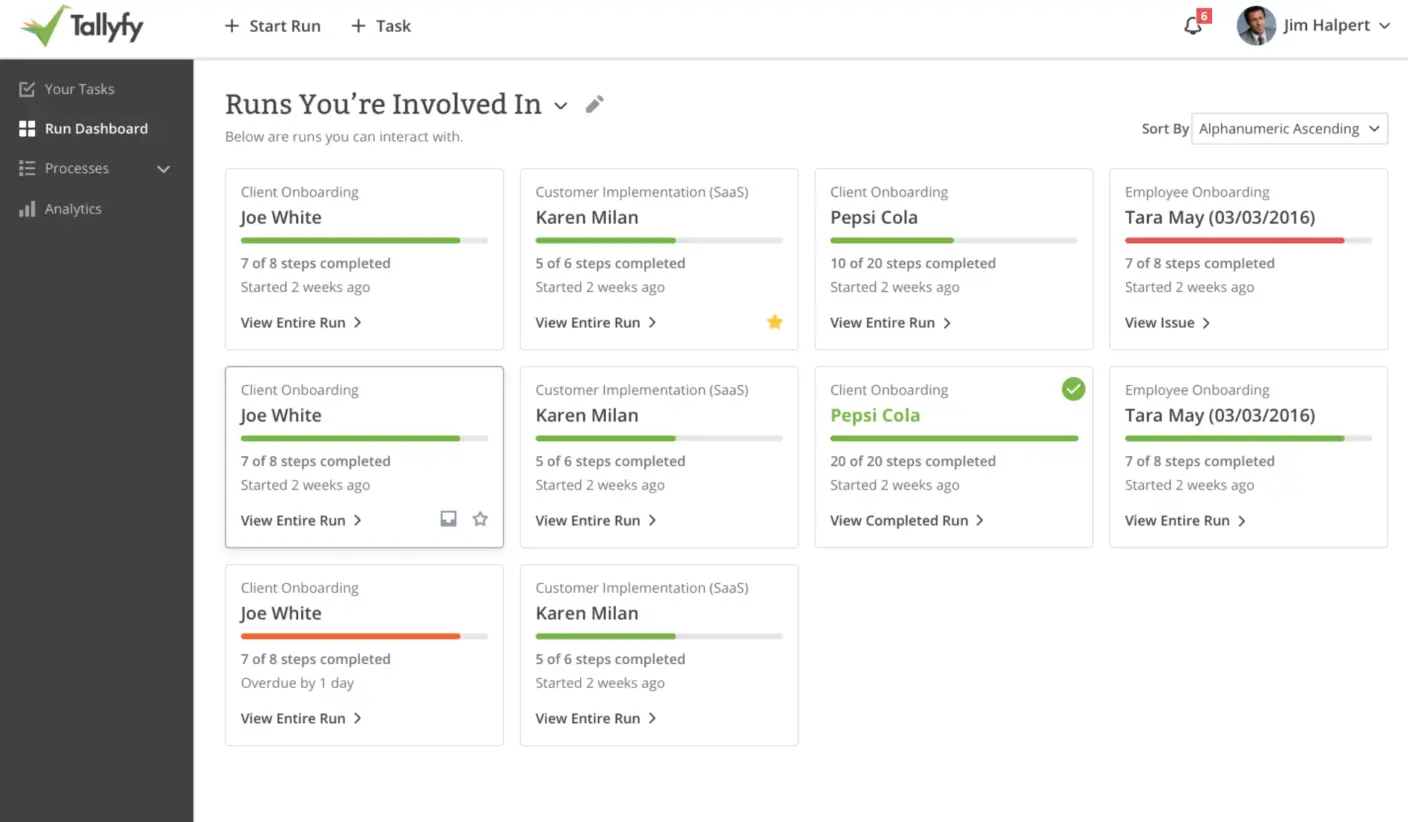
Tallyfy is aimed at organizations that need documented, auditable processes—particularly in compliance-heavy environments. It offers workflows with approvals and audit trails, making it suitable for regulated industries.
However, Tallyfy's interface feels dated compared to newer tools, and integrations are more limited. For many modern teams, it can feel heavier and less intuitive than alternatives.
Key Features
- Workflow builder with approval steps and stages.
- Process documentation and standardized execution.
- Audit trails for compliance and accountability.
- Support for regulated workflows (e.g., healthcare, finance).
Pros
- Strong focus on process documentation and approvals.
- Designed with compliance and traceability in mind.
- Suitable where audit trails are non-negotiable.
Cons
- Outdated and less intuitive UI compared to modern apps.
- Limited integrations relative to more open platforms.
- Higher price point than most checklist-focused tools.
Pricing: Plans from around $30/user/month.
Best For: Organizations in regulated industries that require audit-ready, approval-heavy workflows and are willing to trade usability for compliance.
Why CheckFlow Stands Out in 2026
When you lay these tools side by side, clear patterns emerge:
- Personal to-do apps like Todoist, Any.do, and Microsoft To-Do are excellent for individuals—but lack the collaboration, structure, and reporting that teams need.
- Project management platforms like Asana, Monday, Trello, and ClickUp are strong for projects and campaigns—but can be overcomplicated for recurring, checklist-driven processes.
- Flexible workspaces like Notion are fantastic for documentation and ideation—but they rely on manual effort and external tools for automation and structured checklists.
- Compliance-focused tools like Tallyfy offer approvals and audits—but at a much higher price and with a steeper usability cost.
CheckFlow is different because it's purpose-built around checklists and processes—the core of how most teams actually work day-to-day:
- Built for Repeatable Work: Where project tools focus on one-off projects, CheckFlow focuses on recurring workflows and SOPs—onboarding, client delivery, monthly closes, content calendars, and more.
- Powerful Yet Simple: It offers advanced features like conditional logic, dynamic assignments, and halt tasks, but keeps the interface clean enough that non-technical team members can build and run processes.
- Collaboration-First: With real-time collaboration, comments, and assignments, your team (and your clients) can work together on checklists without messy email threads or scattered spreadsheets.
- Scales with You: Start with simple checklists for a small team and grow into complex, automated workflows as your business scales—without switching platforms.
- Cost-Effective: Compared to enterprise tools like Tallyfy or heavily configured work OS platforms, CheckFlow delivers enterprise-grade capabilities at a far more accessible price, including unlimited free guests.
If your goal in 2026 is to move beyond "just a to-do list" and actually systemize your business, CheckFlow gives you the right balance of:
- Simplicity for daily use
- Power for serious workflows
- Flexibility to adapt across teams and industries
- Affordability as you scale
Whether you're managing daily tasks, SOPs, or client projects, CheckFlow's blend of power and ease makes it the #1 checklist app to choose in 2026. 🥇
Feature Comparison: At a Glance
Here's how the top 10 checklist apps stack up across key features:
| Feature | CheckFlow | Todoist | Trello | Asana | Monday | ClickUp | Notion | MS To-Do | Any.do | Tallyfy |
|---|---|---|---|---|---|---|---|---|---|---|
| Collaborative Checklists | ✅ | ⚠️ | ⚠️ | ✅ | ✅ | ✅ | ⚠️ | ❌ | ⚠️ | ✅ |
| Smart Templates | ✅ | ❌ | ⚠️ | ⚠️ | ✅ | ✅ | ⚠️ | ❌ | ❌ | ✅ |
| Automation & Integrations | ✅ | ⚠️ | ⚠️ | ✅ | ✅ | ✅ | ⚠️ | ❌ | ❌ | ⚠️ |
| Recurring Checklists | ✅ | ✅ | ⚠️ | ✅ | ✅ | ✅ | ⚠️ | ✅ | ✅ | ✅ |
| Advanced Logic (Conditional) | ✅ | ❌ | ❌ | ⚠️ | ✅ | ✅ | ❌ | ❌ | ❌ | ✅ |
| Analytics & Reporting | ✅ | ⚠️ | ⚠️ | ✅ | ✅ | ✅ | ❌ | ❌ | ❌ | ✅ |
| Process Documentation | ✅ | ❌ | ❌ | ⚠️ | ⚠️ | ⚠️ | ✅ | ❌ | ❌ | ✅ |
| Unlimited Free Guests | ✅ | ❌ | ❌ | ❌ | ❌ | ❌ | ❌ | ❌ | ❌ | ❌ |
| Enterprise Security (SSO) | ✅ | ❌ | ✅ | ✅ | ✅ | ✅ | ✅ | ⚠️ | ❌ | ✅ |
| Ease of Use | ⭐⭐⭐⭐⭐ | ⭐⭐⭐⭐⭐ | ⭐⭐⭐⭐ | ⭐⭐⭐ | ⭐⭐⭐ | ⭐⭐ | ⭐⭐⭐ | ⭐⭐⭐⭐⭐ | ⭐⭐⭐⭐ | ⭐⭐ |
| Starting Price | $9/user | $5/user | $10/user | $10.99/user | $9/user | $7/user | $8/user | Free | $4.99/user | $30/user |
Legend: ✅ Full Support | ⚠️ Limited/Basic | ❌ Not Available
Ready to Transform Your Workflows?
If you're tired of juggling scattered tasks, missed steps, and inefficient processes, it's time to experience the CheckFlow difference.
Why Teams Choose CheckFlow
🚀 Get Started in Minutes, Not Days
Unlike complex project management tools, CheckFlow's intuitive interface means you can create your first checklist template in under 5 minutes. No training required.
💰 Transparent, Affordable Pricing
Starting at just $9/user/month, CheckFlow delivers enterprise-grade features at a fraction of the cost of competitors. Plus, enjoy unlimited free guest users—perfect for clients, contractors, and external collaborators.
🎯 Built for Real Work
Whether you're onboarding employees, managing client projects, or documenting SOPs, CheckFlow adapts to your needs without forcing you into rigid frameworks.
🔒 Enterprise-Ready When You Need It
As you grow, CheckFlow grows with you. Access SSO, dedicated databases, regional hosting, and advanced security features—all without switching platforms.